It is told to change only the ground surface and keep the house, plants, furniture and lawn outside the paved area. Compare the result with your original, and run it again if something else changed.
AI Paver Visualizer
AI Paver Visualizer is a free AI tool. Upload a photo of your patio, walkway or pool deck and see it paved: concrete, brick, travertine, porcelain or flagstone, in herringbone, running bond or ashlar, with a border. The rest of your yard stays. Free to try.
Free to try · first generation free on signup · no credit card
1
Step 1
Upload Image
Start by uploading image
Upload your image
Click to browse or drag & drop
2
Step 2
Select Mode
Choose your transformation style
Repave your patio or add a new one
3
Step 3
Options
Configure your options
Output quality:
Mode
Patio Pavers
Your AI Design Will Appear Here
Fill in the options on the left, then press Generate.
Upload your image
Drag & drop your file here or click to browse
JPG, PNG, WebP
Max 10MB
AI Ready
Popular in Home Design Studio
Paint My House AIExterior House Paint AIAI Kitchen DesignAI Bathroom DesignAI Bedroom DesignFree AI Architecture GeneratorAI Interior Design From a PhotoAI Landscaping DesignHome Color Combination AIAI Curb Appeal RaterAI Interior Design RaterAI House Style IdentifierAI Renovation Cost EstimatorAI Day to Dusk Photo EditingAI Declutter Room PhotosAI Home Addition VisualizerAI Home Design Tools Compared
Explore Home Design Studio
Picture a new exterior
Test the change before you buy materials.
- House paint visualizerTry exterior colors on a photo of your own house.
- Siding visualizerCompare cladding before you request a quote.
- Roof color visualizerSee how a shingle shade sits with your walls.
- Front door colorsFind a door color that fits the facade.
Rework a room
Keep the room, change what is in it.
- Room interior AIRedesign a room from one photo.
- AI kitchen designExplore layouts and finishes for a kitchen.
- AI bathroom designPlan a bathroom update around what is there.
- Countertop visualizerCompare stone and laminate looks on your counters.
Plan the yard
From planting to hardscape.
- Landscaping design AISketch a new yard over a photo of the old one.
- Pool designPlace a pool in the space you actually have.
- Outdoor kitchen visualizerSee a grill station on your own patio.
Decide with more information
Useful before you speak to a contractor.
- Renovation cost estimatorGet a rough idea of what a project could cost.
- House style identifierName the style of a house from a photo.
- Best siding colorsRead which shades suit common house types.
- Home design guideSee how the tools fit together on a project.
Quick facts about AI Paver Visualizer
- Tool nameAI Paver Visualizer
- CategoryHome Design
- PriceFree to try
- InputPhoto upload + text prompt
- OutputAI-generated image
Before / After
Example results
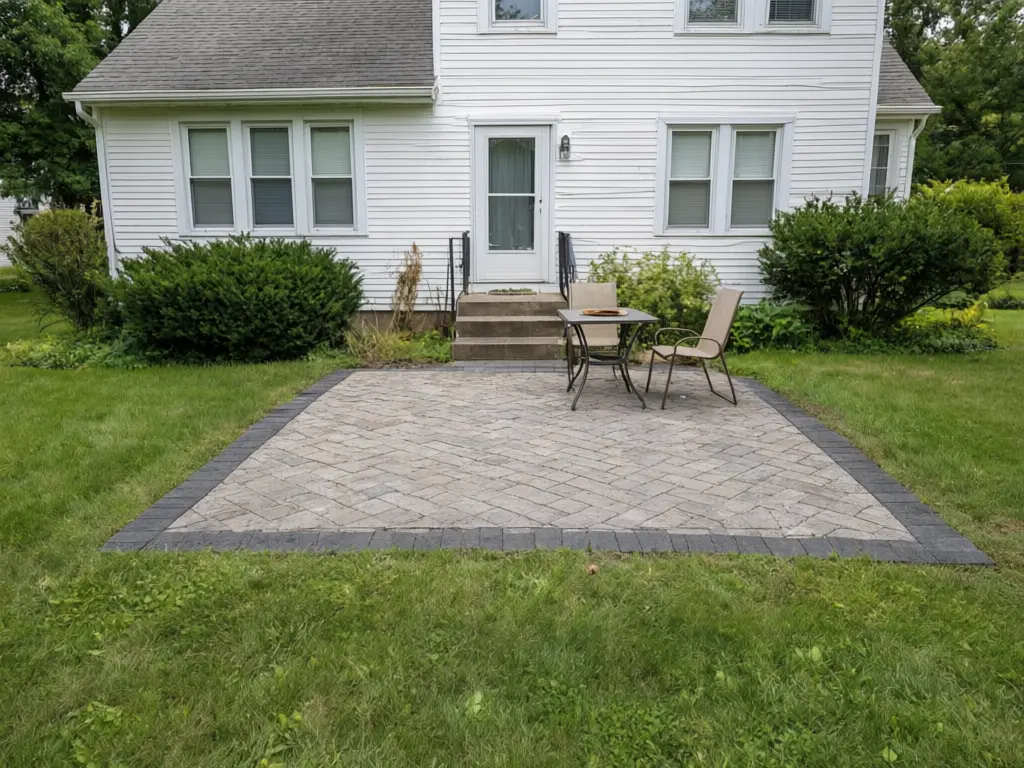
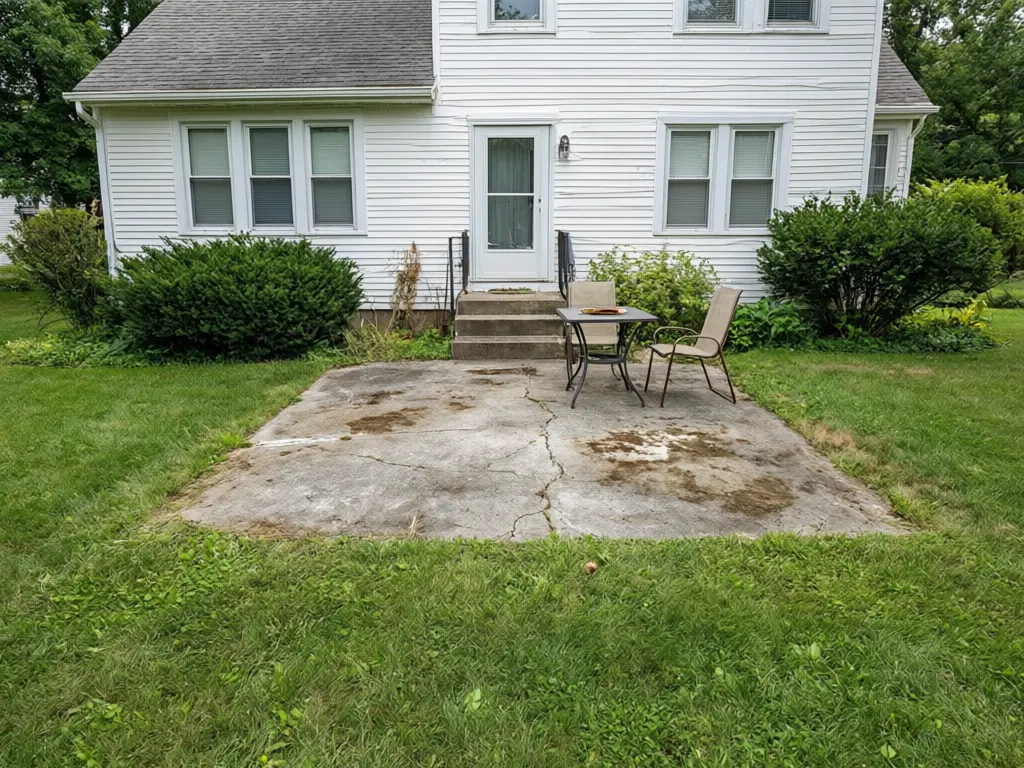
Drag to compare
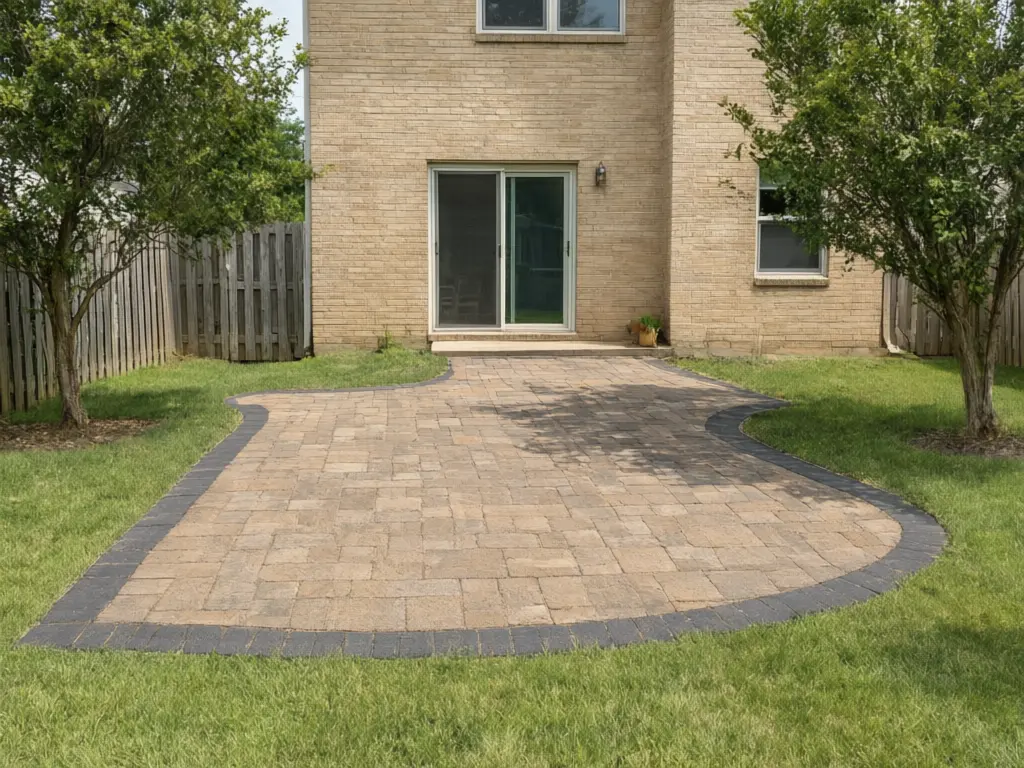
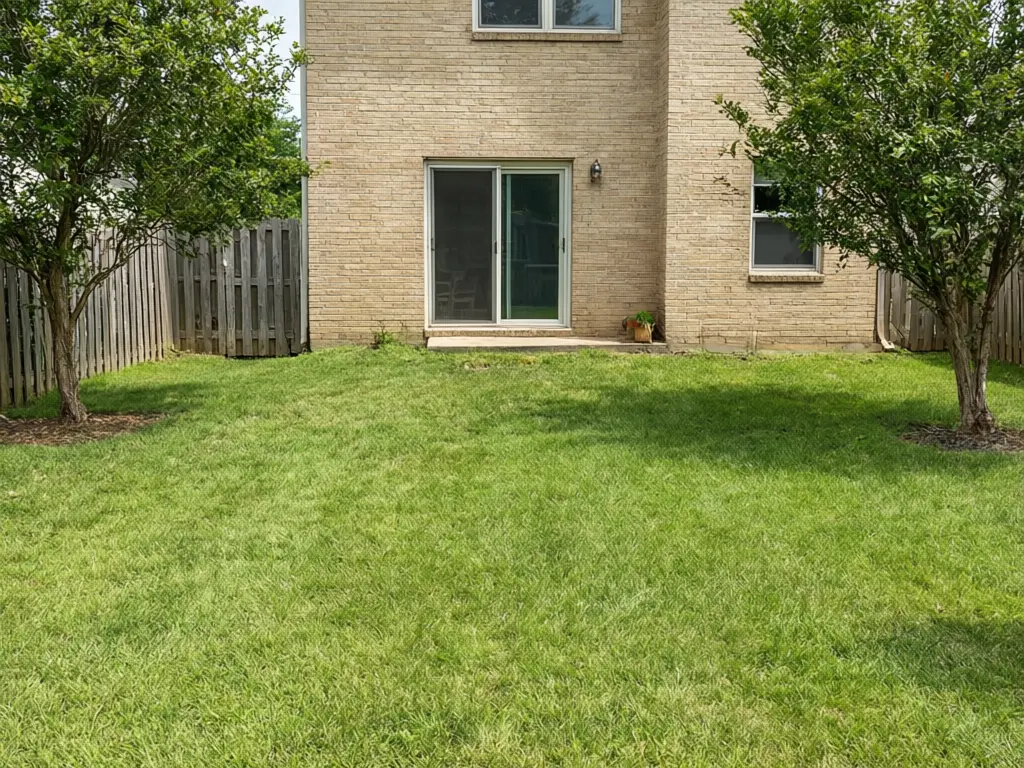
Drag to compare
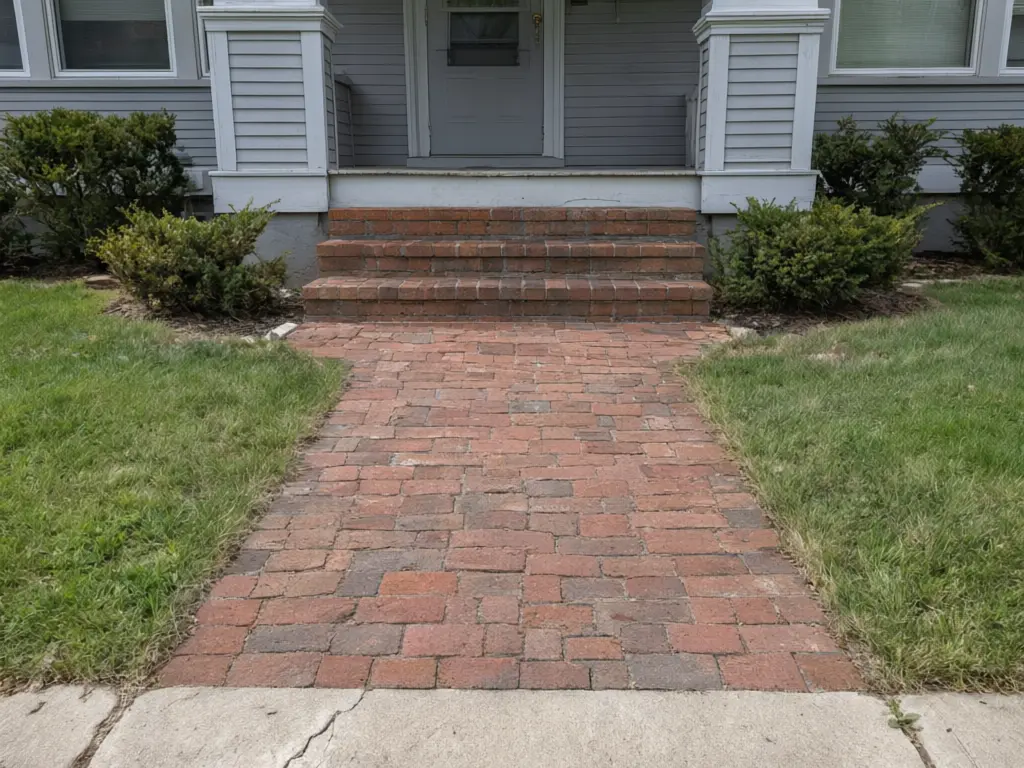
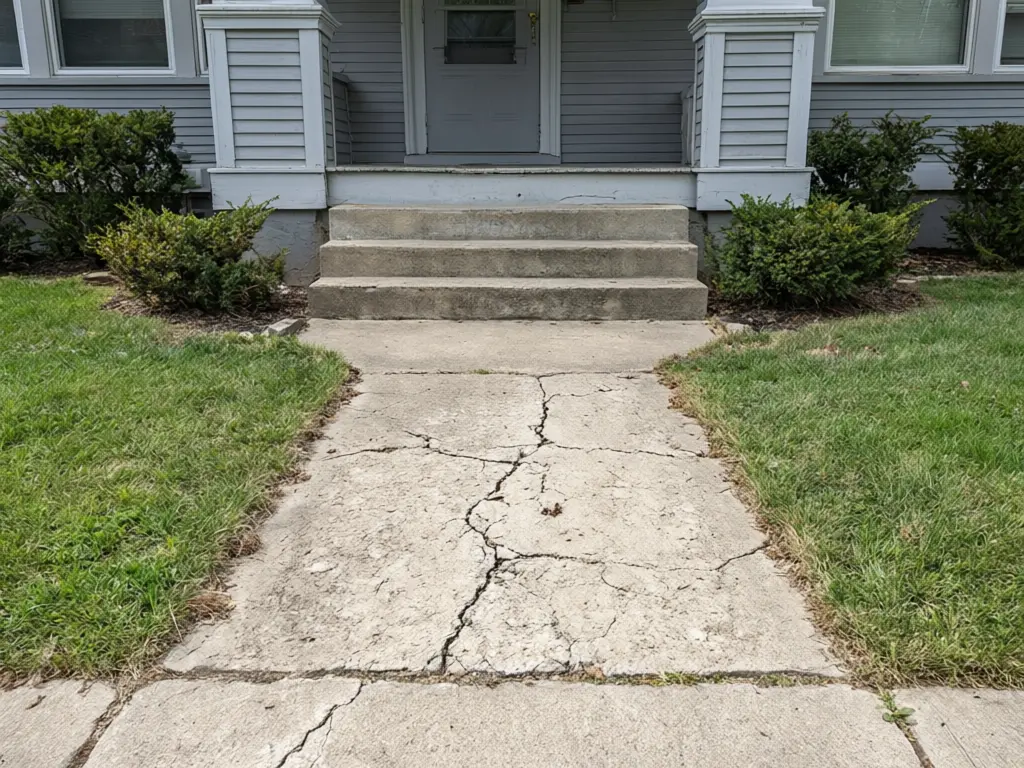
Drag to compare
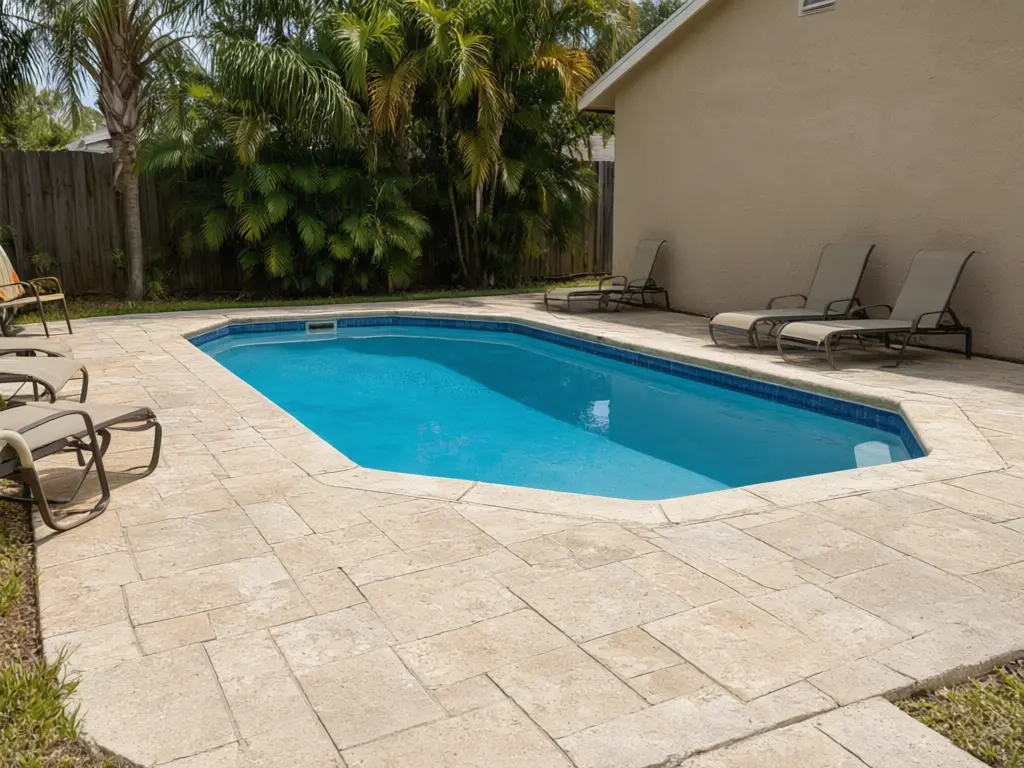
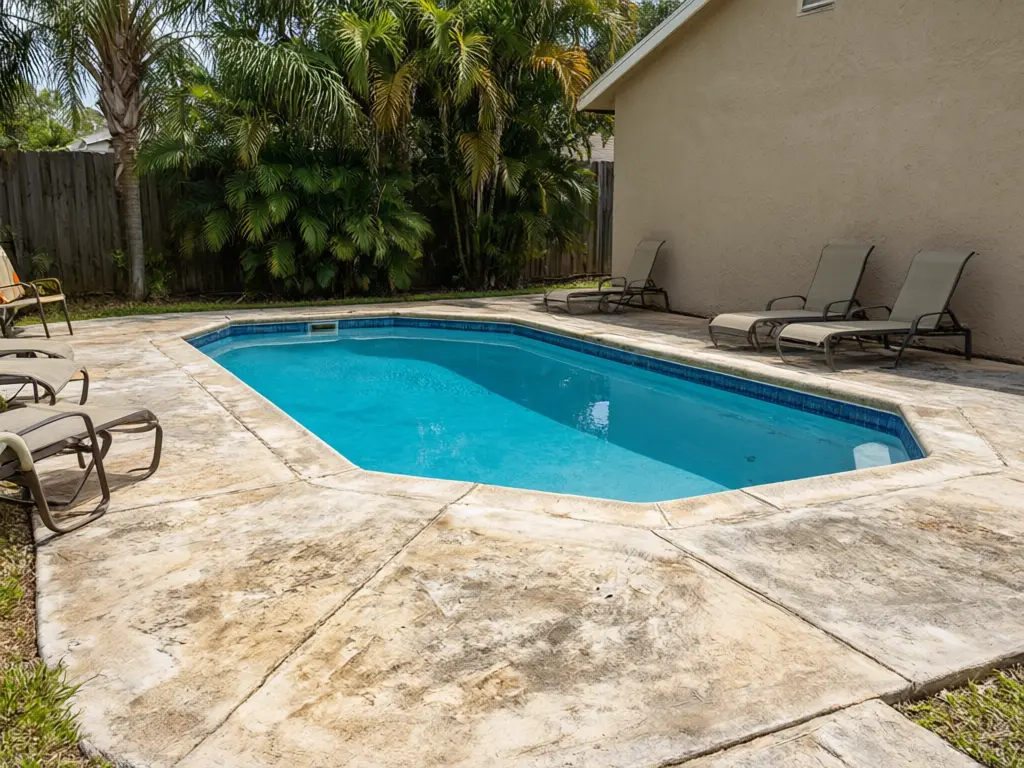
Drag to compare
Real, unretouched output from this tool. Drag any slider to compare.
Upload a photo of your patio, walkway or pool deck and see it paved. Try concrete pavers, clay brick, travertine, large porcelain tiles, natural flagstone or permeable pavers, in herringbone, running bond, basketweave or ashlar, in a colour blend with or without a border. No patio yet? Add a new one on the lawn. Free to try.
How the AI paver visualizer works
Pavers are a big purchase, and a small sample in a showroom says little about how a whole patio will look next to your house. You upload one photo, pick the paver, pattern, colour and border, and the AI repaves only the ground while the house, plants and furniture stay where they are.
The result is a preview of the look. It does not measure the area, count pavers or plan the base and drainage.
1
Upload a photo
A wide daylight photo of the patio, walkway or pool deck. JPG, PNG or WebP.
2
Choose a mode
Patio Pavers, Walkway & Steps, Pool Deck Pavers or Your Own Description.
3
Pick the details
Six materials, four patterns, five colour blends and three border options.
4
Compare and download
Keep the versions you like and compare them with your original photo.
Paver patterns and materials to compare
The pattern and the colour change the feel of a patio more than people expect, so compare a few on your own photo.
1
Herringbone
Pavers set at an angle in a zigzag. Busy and strong, and the classic choice for driveways and paths that carry weight.
2
Running bond
Rows offset by half a paver, like a brick wall. Calm and simple, and it makes a narrow space look longer.
3
Basketweave
Pairs of pavers alternating direction. A traditional look that suits brick and older houses.
4
Ashlar
Mixed rectangle sizes in a loose grid. It reads like cut stone and suits larger patios.
5
Travertine and porcelain
Light and cool underfoot, the usual pick around pools. Porcelain gives a sleek modern look with fewer joints.
6
Flagstone and permeable pavers
Flagstone gives a natural, irregular look. Permeable pavers let rain soak through, which some towns now ask for.
Before you order pavers
A preview shows the look. It cannot check what makes a patio last: a compacted gravel base, a slope that sends water away from the house, edge restraints and the right paver thickness for the load. Colours also vary between batches and look different in sun and shade, so ask your supplier for real samples of the one you liked.
Measure the area, ask two or three installers to quote the same paver, and show them your preview.
If something other than the ground surface changed, run it again, or name the detail to keep in the Additional Details box.
More yard and home tools
Planning more of the yard? These tools preview other projects on your own photo.
Who uses a paver visualizer
🏠
Homeowners
✓Pick a paver, pattern and colour before you ask for quotes.
✓See a new patio on the lawn before you commit to the size.
💡
Hardscape contractors and landscapers
✓Show a customer their own patio repaved before you quote.
✓Offer a budget concrete option next to travertine or porcelain.
🏢
Paver dealers and pool builders
✓Help buyers choose a colour blend from a photo of their yard.
✓Show a pool deck in two or three finishes.
🧱
AI Paver Visualizer
Upload your imageTap anywhere here — your AI design will appear in this space after you generate.JPG · PNG · WebP
Repave your patio or add a new one
Premium users can generate images without watermark
Higher quality options available for premium users
Be specific for better results0/400
Output quality:
Frequently Asked Questions
It is free to try: new users get free generations. Paid plans add credits, remove the watermark and unlock higher resolution.
Yes. In Patio Pavers, set Area to a new rectangular or curved patio on the lawn. Use Additional Details to give a rough size, such as "about 4 by 5 meters".
No. It shows a paver type, pattern and colour, not a brand's exact product. Once you know the look you like, match it with real samples from your supplier.
Herringbone is the strongest and suits paths and areas that take weight. Running bond is calm and simple. Basketweave suits brick and older houses. Ashlar looks like cut stone. Try two on your photo and pick the one that fits your house.
Yes. Upload the customer's patio and make two or three versions, such as concrete pavers, travertine and porcelain, to show with your quote.
A wide daylight photo taken from a standing height, with the whole area and the edge of the house in view. Clear away hoses and toys if you can.
Yes. It runs in your phone browser: stand back, take a photo of the patio, walkway or driveway edge, upload it, pick a paver and pattern, and download the result. Nothing to install.
Yes. Pick Herringbone in the pattern list and compare it with Running bond, Basketweave and Ashlar on the same photo.
Yes. Use Front walkway and steps or Walkway only, or the New curving garden path mode for a garden. It restyles the surface in your photo; it does not measure or lay out the job.
Yes. Save two or three paver and pattern combinations and send the same images to each contractor so the quotes are for the same look. The image is a visual concept, not a quantity or cost estimate.