An AI architecture generator transforms architectural sketches, photos, or descriptions into photorealistic building renders using artificial intelligence. Upload a sketch or photo, select your architectural style and materials, and the AI generates a detailed, professional visualization in about 30 seconds — no expensive rendering software like V-Ray or Lumion needed.
AI Architecture Design & Rendering
AI Architecture Design & Rendering is a free AI tool. AI architecture design and rendering — generate photorealistic building designs from a sketch, photo or description in about 30 seconds. Built for architects, homeowners and developers.
Free to try · first generation free on signup · no credit card
1
Step 1
Upload Image
Start by uploading image
Upload your image
Click to browse or drag & drop
2
Step 2
Select Mode
Choose your transformation style
Convert architectural sketches, hand drawings or line drawings to photorealistic renders
3
Step 3
Options
Configure your options
Output quality:
Mode
Sketch to Render
Your AI Design Will Appear Here
Fill in the options on the left, then press Generate.
Upload your image
Drag & drop your file here or click to browse
JPG, PNG, WebP
Max 10MB
AI Ready
Popular in Home Design Studio
Paint My House AIExterior House Paint AIAI Kitchen DesignAI Bathroom DesignAI Bedroom DesignAI Interior Design From a PhotoAI Landscaping DesignHome Color Combination AIAI Curb Appeal RaterAI Interior Design RaterAI House Style IdentifierAI Renovation Cost EstimatorAI Day to Dusk Photo EditingAI Declutter Room PhotosAI Home Addition VisualizerAI Home Design Tools Compared
Quick facts about AI Architecture Design & Rendering
- Tool nameAI Architecture Design & Rendering
- CategoryHome Design
- PriceFree to try
- InputPhoto upload + text prompt
- OutputAI-generated image
Before / After
Example results
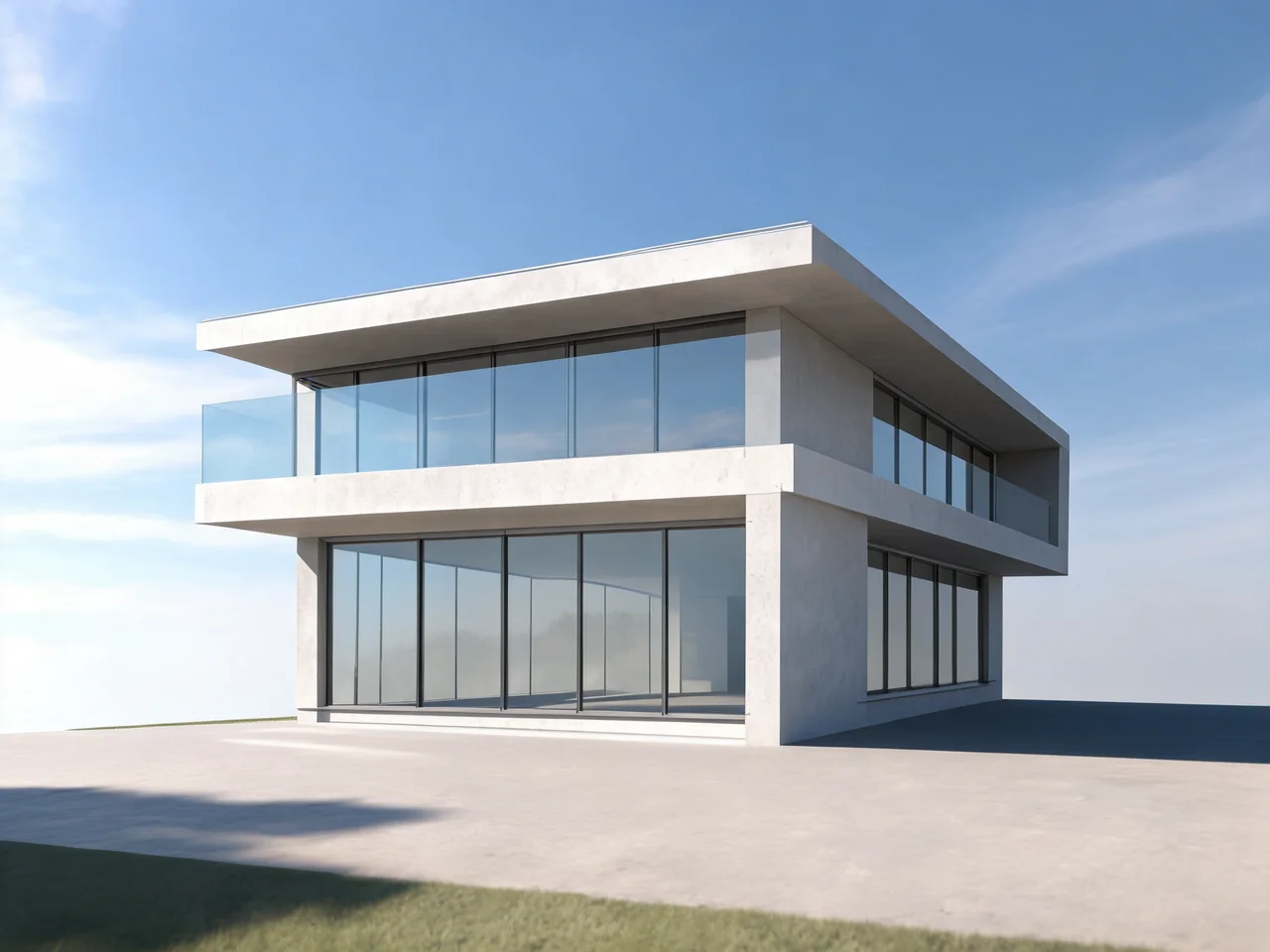
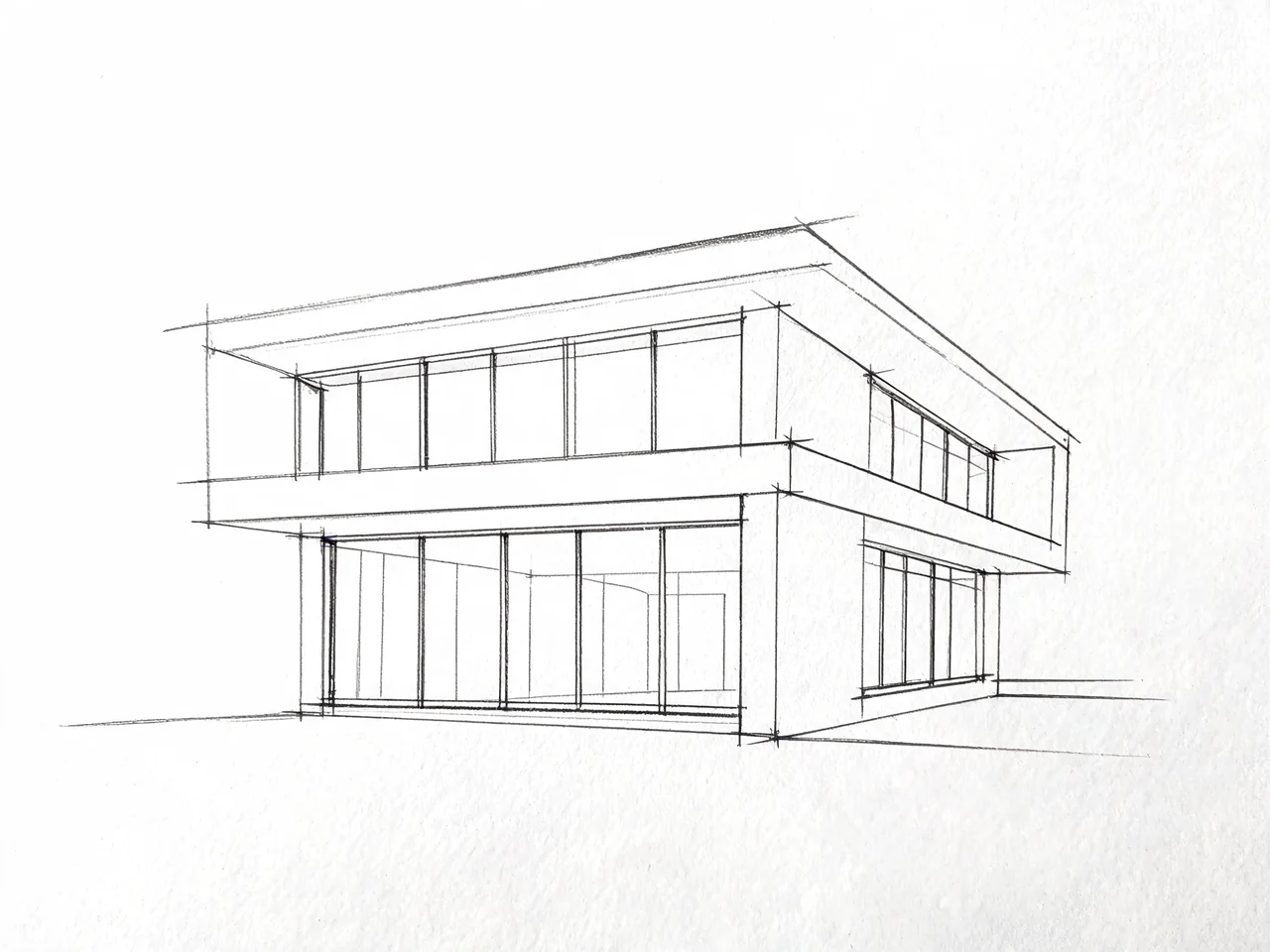
Drag to compare
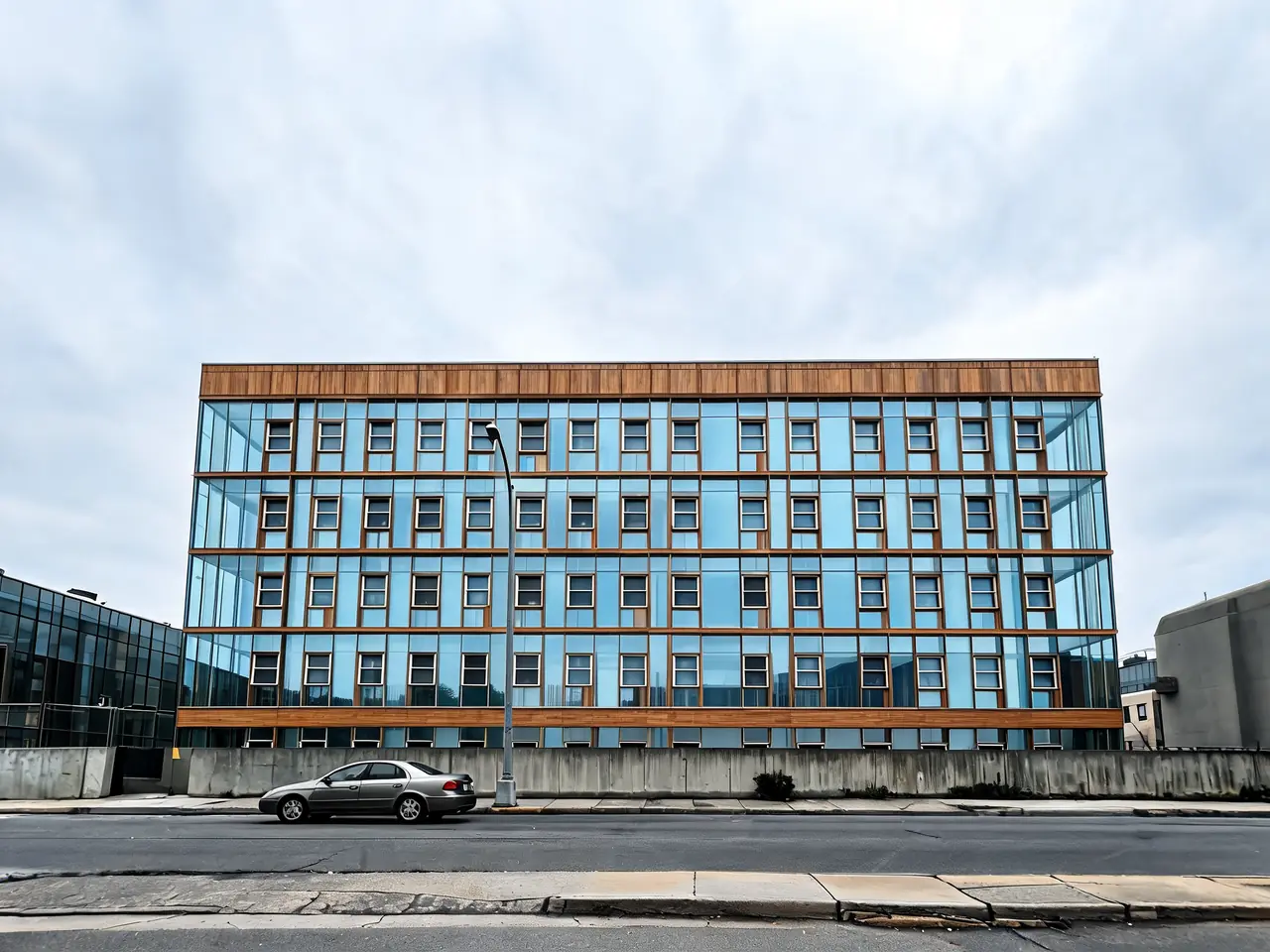
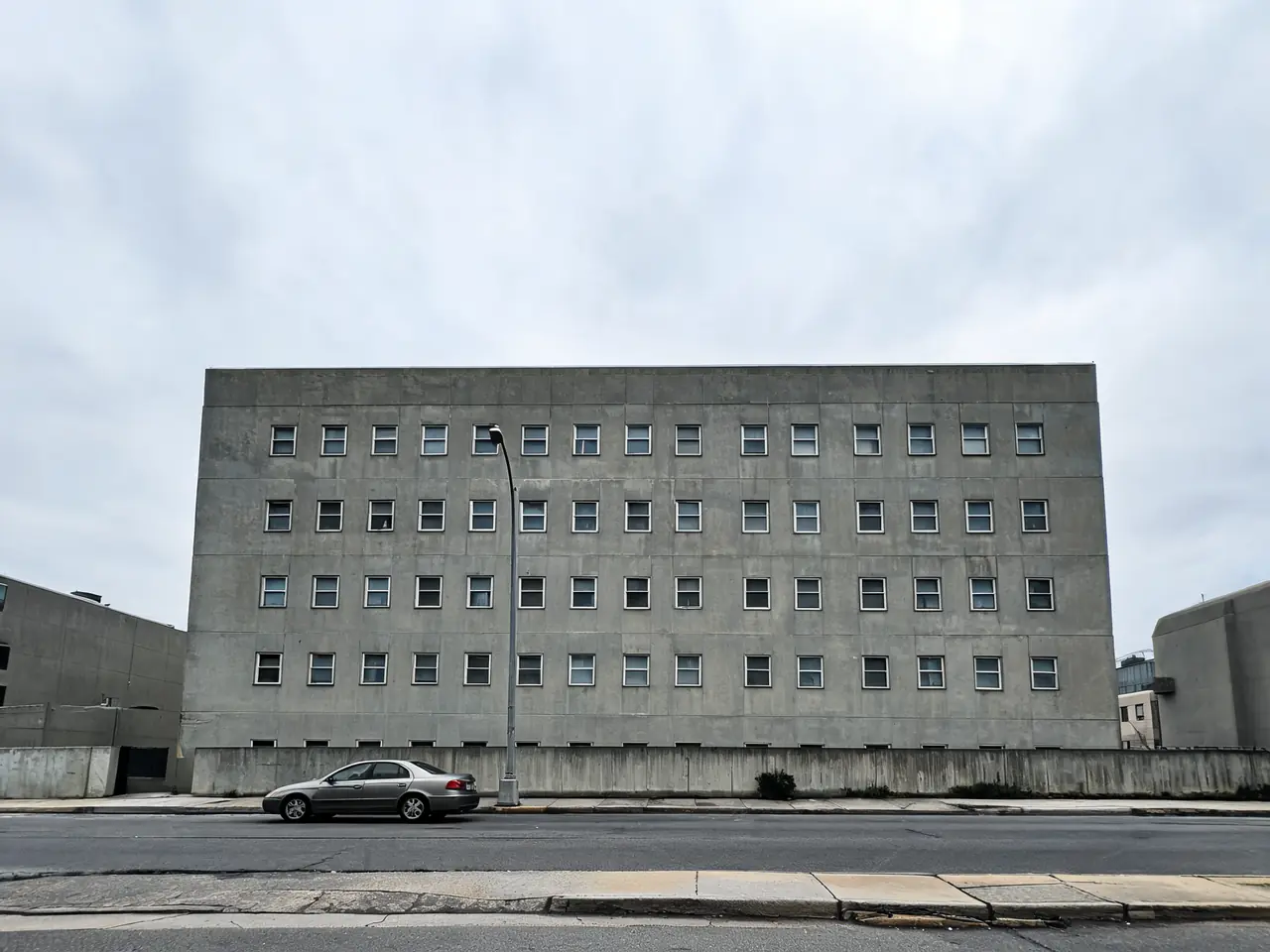
Drag to compare
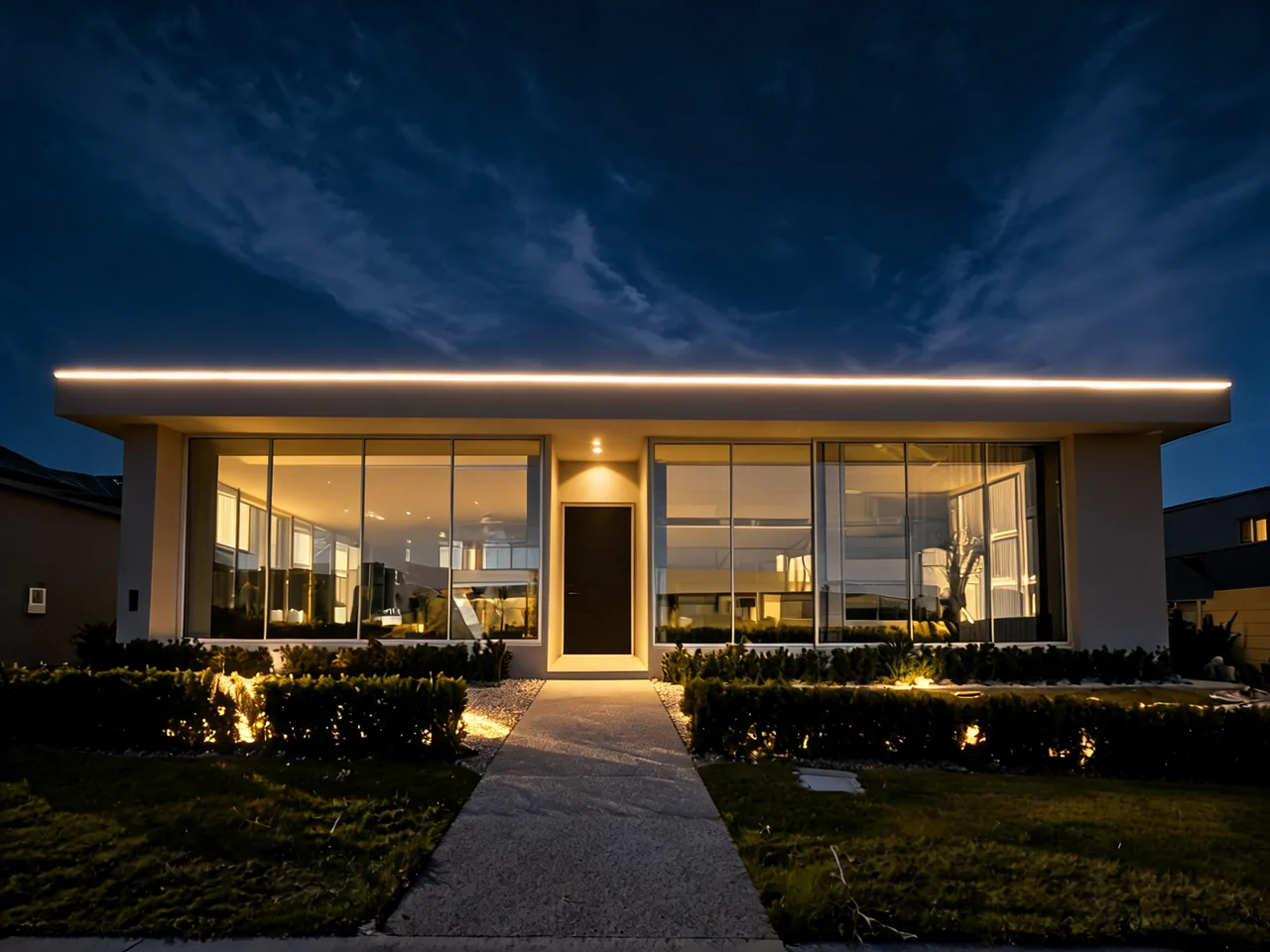
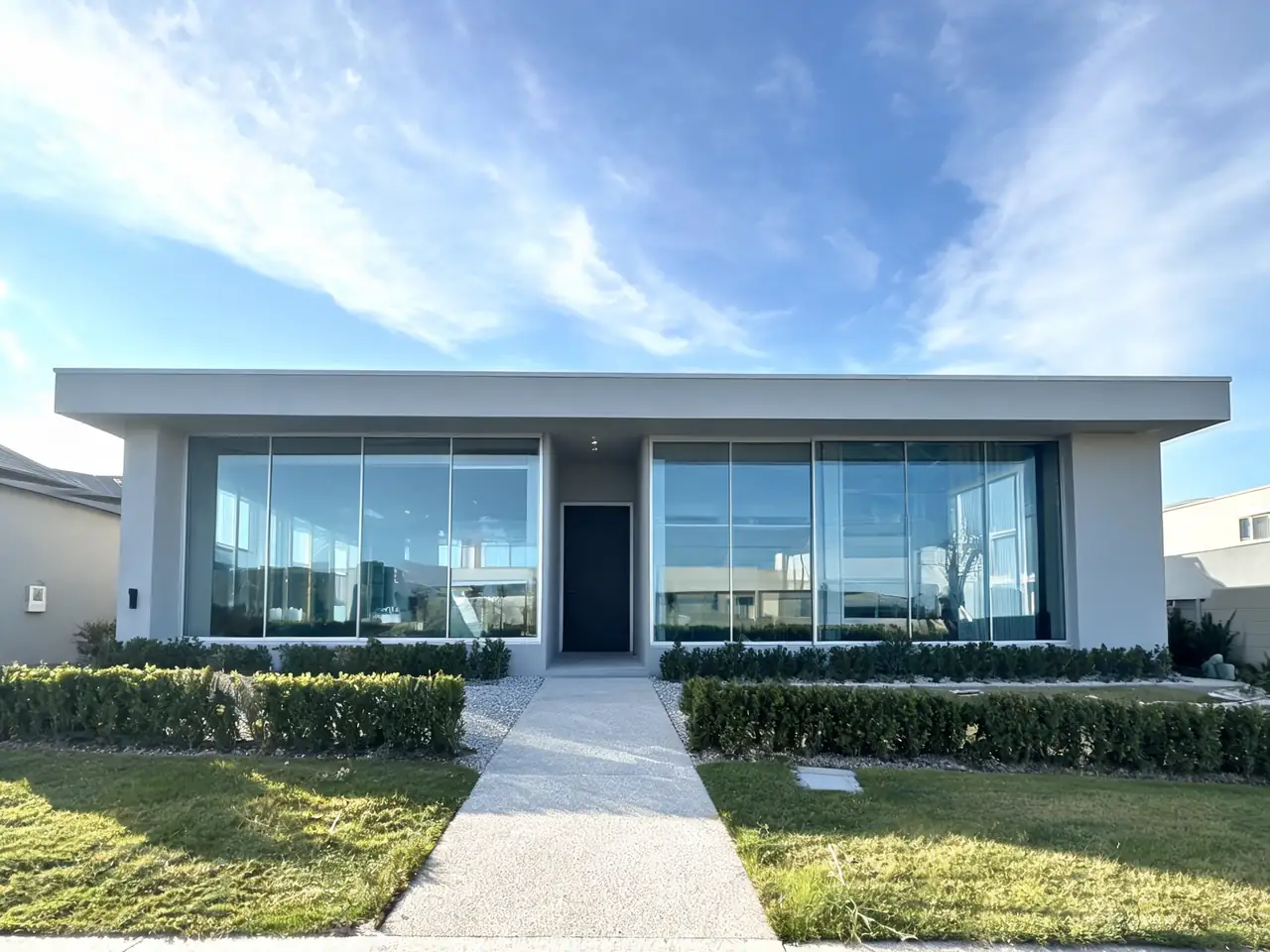
Drag to compare
Real, unretouched output from this tool. Drag any slider to compare.
A sketch, an elevation or a massing screenshot becomes a presentable visual in about 30 seconds — no render engine, no lighting setup, no overnight batch.
Free to try · 22 architectural styles · no credit card
Sketch to render, and what the model is really doing
The generator reads the drawing you give it as geometry rather than as a picture. Roofline, window rhythm, floor heights, massing and the relationship between solid and opening are the signals it holds on to; materials, light, planting, sky and surroundings are what it invents around them. That division is why a rough hand sketch with clear lines often outperforms a beautifully shaded one with ambiguous edges.
It is a visualisation tool, and the distinction matters in practice. The output is not dimensioned, not structurally reasoned, and not a document anyone can build from. What it is good at is the early conversation — the stage where the question is which direction, not which detail, and where producing five options quickly is worth more than producing one accurately.
That is the stage where traditional visualisation is worst value. A commissioned render costs enough that you commission it after the decision is made, which is precisely backwards. Being able to see five directions before the decision changes which decision gets made.
What to feed it, and what you get back
Hand sketches work, and work well, provided the lines commit. A confident single line for a roof edge is read correctly; six overlapping searching lines are read as texture. If you sketch loosely, a quick pass tracing the final intent gives a markedly better render than the working drawing does.
CAD and BIM exports work at least as well. A flat elevation export, a section, or a screenshot of a massing model in a viewport all carry exactly the information the model wants. Keep the linework black on white and drop the annotation, dimensions and title block — text in the image gets rendered as marks on the building.
Site photographs are the third input, and the most useful for renovation and extension work. Rendering a proposal onto the actual site, with the actual neighbours and the actual trees, produces something a client or a planning committee can read immediately, which a floating object on a white background never does.
What comes back is a single presentable image at a plausible time of day, with materials, planting and context invented to suit the style you chose. Run the same input two or three times: the variation between passes is itself informative, because the parts that stay stable are the parts your drawing actually specified.
AI architecture rendering — photorealism without a render farm
Rendering is where AI has changed architectural work most visibly. The traditional pipeline — model the building, texture it, set up lighting, wait for the render — exists because photorealism used to require simulating physics. An AI architecture rendering approaches the same result from the other direction: it has seen enough photographs of real buildings to know what concrete looks like at golden hour, how glass reflects an overcast sky, and where the shadow of an eave falls at midday. You supply the geometry; it supplies the physics-shaped plausibility.
In practice that means a sketch, elevation or site photo comes back as a render with material texture, believable lighting and a real-feeling setting, in about 30 seconds rather than an overnight batch. The quality directives baked into every mode on this page target the failures people report in other tools: blurred over-smoothed output, painted-on materials, shadows pointing in two directions, and — worst of all — the model quietly redesigning the building it was asked to render.
The trade against a V-Ray, Lumion or Enscape workflow is control for speed. A traditional render lets you art-direct every reflection; an AI render gives you a strong, presentable interpretation immediately, and iterating the prompt is how you steer it. For concept and client-facing work that trade is usually worth taking. For a final marketing image of a fully resolved design, the two approaches also combine well — an AI pass to settle the direction, a traditional render once the direction is fixed.
Night renders deserve a specific mention because they are disproportionately persuasive and disproportionately tedious to produce traditionally. The Night Architecture Render mode handles interior glow through glazing, uplighting falloff and wet-pavement reflections as a single generation, which makes a twilight hero image a routine output rather than a specialist one.
Style is a constraint, not a decoration
Choosing an architectural style does more than change the finish. It sets the proportions the model reaches for, the depth of the eaves, the ratio of glazing to wall, the material palette and the way the building meets the ground. A brief that says "modern" and a brief that says "Scandinavian modern" produce genuinely different buildings, not the same building in different colours.
This is why the named styles are worth using even when you have a clear picture in your head. Twenty-two of them are available, along with eleven building and elevation types running from residential through to hospitals, schools and warehouses — and the building type matters as much as the style, because the plausible massing of a warehouse and a house have almost nothing in common.
For renovation and extension work the more useful starting point is what the building already is. The House Style Identifier reads a photo and names the architectural language in play, including the details that carry it. An extension that respects the existing eave line and window rhythm reads as part of the house; one that ignores them reads as an addition, no matter how good the materials are.
Architectural styles the generator knows
Every style below is a named option inside the design modes, and each carries its own proportions, materials and detailing — not just a colour filter. Running the same sketch through two or three of them is the fastest way to find out which direction the design actually wants to go.
| Style | What it looks like |
|---|---|
| Modern Minimalist | Clean flat surfaces, large openings, monochrome palette, disciplined detailing — the default language of contemporary AI generated architecture. |
| Contemporary | Current mainstream design: mixed materials, generous glazing, asymmetric massing without the severity of strict minimalism. |
| Brutalist Concrete | Board-formed concrete, heavy massing, deep shadow reveals. Renders particularly well because the material is the whole story. |
| Mediterranean | Warm plaster, terracotta, arched openings, shaded courtyards — a forgiving style for renovation renders in warm climates. |
| Scandinavian Nordic | Light timber, white render, restrained forms, strong indoor-outdoor connection. |
| Parametric / Organic | Flowing, computationally-shaped forms in the Zaha Hadid lineage — the style people usually mean by "futuristic AI architecture". |
| Industrial Loft | Exposed brick, steel and reclaimed timber; reads best on conversions and urban infill. |
| Art Deco | Geometric ornament, stepped massing, strong verticals and metallic accents. |
| Japandi | Japanese restraint meeting Scandinavian warmth — natural materials, low contrast, quiet detail. |
| Biophilic | Planting integrated into the architecture itself: green walls, roof gardens, timber structure. |
| Traditional Classical | Symmetry, ordered openings and heritage detail — useful for extensions that must defer to an existing building. |
| Deconstructivist | Fragmented geometry and colliding planes; a strong test of whether a massing idea survives being taken seriously. |
Building types span the same range — houses, villas, apartment blocks, offices, hotels, schools, hospitals and warehouses — and the type matters as much as the style, because the plausible massing of each is baked into the generation.
AI for architects — how professionals actually use it
The question behind "AI in architecture" is rarely whether the technology is interesting; it is where it earns a place in a fee-bearing workflow. The honest answer, from how this tool gets used, is that AI slots into the phases where speed and quantity of options matter more than precision — and stays out of the phases where a signature and an insurance policy are attached.
1
Concept iteration
The economics of early design change when a direction costs one generation instead of a day of modelling. Testing five massing and style directions before the first client meeting means the meeting starts from comparison rather than persuasion — and the directions that die, die cheaply.
2
Client presentations
Most clients cannot read a plan, and every architect knows it. A photorealistic view of the scheme on its actual site closes the gap between what was drawn and what was understood, at a stage when a commissioned visualisation could not be justified.
3
Material and facade studies
The same elevation in corten, in white render and in timber battens, side by side, ten minutes after the question was asked. Facade and material decisions that used to be argued from samples get argued from images of the building itself.
4
Renovation and planning context
Rendering a proposal onto a photograph of the real site — real neighbours, real trees, real street — produces the image a planning committee or a hesitant client actually needs, which a floating object on white never was.
Homeowners and developers use the same modes from the other side of the table: to arrive at the architect's office with a direction instead of a vague brief, or to test whether a plot's potential justifies the fees before committing to them. Either way the render is the start of the professional conversation, not a substitute for it.
How to design architecture with AI
The workflow is the same whether you start from a hand sketch, a CAD elevation, a site photograph or nothing but a description.
1
Upload or describe
Upload a sketch, elevation export or site photo — or describe the building in plain English. Clean linework with a readable roofline gives the most faithful result; a text-only brief gives the model the most freedom.
2
Pick a mode
Sketch to Render for drawings, Facade Redesign for existing buildings, Renovation Visualizer for extensions, Night Render for twilight shots, plus floor plan, interior and site planning modes.
3
Set style, materials and context
Choose the architectural style, primary materials, environment and time of day. Context does most of the work in making a render read as a real building rather than an object in white space.
4
Generate and iterate
The render arrives in about 30 seconds. Run two or three style directions from the same input and compare — the parts that stay stable across passes are the parts your drawing actually specified.
Where this fits in real practice — and where it does not
The honest positioning is early-stage and client-facing. Concept options for a first meeting, a feasibility sketch made presentable, a mood-setting image for a competition board, a quick test of whether a massing idea reads well from the street. In all of those the value is speed and quantity of options, and the tolerance for imprecision is high.
Where it does not belong is anywhere a number matters. It cannot verify that a span works, that a stair complies, that a window meets an egress requirement or that a proposal fits a planning envelope. It does not know your local codes and it will happily render something that could not be built. Every render should be treated as an illustration of intent that a qualified professional then makes real.
Used inside those limits it composes well with the rest of the property tools: the Home Addition Visualizer for extensions and second storeys on an existing house, House Design AI for facade-level remodels, the exterior visualisers for roofs, doors and windows, and Landscaping AI for the setting — which, on a residential render, does more for believability than any amount of detail on the building itself.
Related architecture and elevation tools
📏
Front Elevation Maker →
Create a front elevation design online free — restyle a house front from a photo or sketch.
🏡
House Design AI →
Facade-level remodels of an existing house from a photo.
🏗️
Home Addition Visualizer →
Put an extension or second storey on your actual house.
🌿
Landscaping AI →
Render the setting — yard, garden and street context.
🎨
Paint My House AI →
A dedicated exterior colour pass once the architecture is settled.
📐
Floor Plan Generator →
Dedicated floor plan drawings with room labels and dimensions.
🔎
House Style Identifier →
Name a building's existing architectural language before restyling it.
✏️
AI Architecture Design & Rendering
Upload your imageTap anywhere here — your AI design will appear in this space after you generate.JPG · PNG · WebP
Convert architectural sketches, hand drawings or line drawings to photorealistic renders
Be specific for better results0/400
Output quality:
Frequently Asked Questions
Yes — use the "Sketch to Render" mode. Upload any hand-drawn sketch, line drawing, or rough diagram. The AI interprets your structural lines as walls, floors, and architectural elements, then renders them as a photorealistic building in your chosen style and materials. It maintains your exact proportions and layout while adding realistic textures, lighting, and environment.
Yes — "Exterior Facade Redesign" mode is specifically built for this. Upload a photo of any building and choose new cladding materials, color palette, window treatment, and style. The AI preserves the exact building structure — window count, floor count, roofline, proportions — and only changes the surface. This is used by homeowners planning renovations, architects exploring concepts, and real estate developers visualizing upgrades.
No — and preventing this is built into every design mode. Our AI instructions include strict structural preservation directives: the footprint, floor count, window count and position, roofline, and proportions are completely locked. Only the surface materials, colors, and rendering quality change. This is the most common failure in other AI tools, and we've engineered against it.
Yes — the "Floor Plan Design" mode generates professional orthographic top-down floor plans. Specify bedrooms, bathrooms, layout style (open concept, traditional, two-storey), and special rooms. The AI produces a clean black-on-white architectural drawing with room labels, dimensions, door swings, window positions, and logical room adjacency — suitable for client presentations or planning discussions.
Yes — "Home Renovation Visualizer" mode shows how a completed renovation will look. Upload a photo of your current home, describe what you're adding (rear extension, second storey, loft conversion, etc.), and the AI renders the finished result. The original building remains recognizable while the new addition is integrated architecturally — matching roof pitch, consistent materials, proper structural connection.
Yes — "Night Architecture Render" mode is specifically for illuminated night visualizations. Choose your lighting concept (warm hospitality, cool dramatic, architectural uplighting), night sky condition, color temperature, and specific lighting elements. The AI renders accurate light falloff, building interior glow, reflections on wet surfaces, and consistent shadow-free night atmosphere.
Yes — "Interior Space Concept" mode renders architectural interior spaces at professional photography quality. Choose from open-plan living, grand lobbies, double-height atriums, loft apartments, libraries, spa bathrooms, and more. Specify all finishes: floor materials, wall treatment, ceiling treatment, natural light quality, and furniture approach. Output is styled as professional architectural photography.
Architects mostly use AI in the early, option-heavy phases of a project: generating concept directions before the first client meeting, turning a feasibility sketch into a presentable image, testing the same elevation in several materials, and rendering proposals onto photographs of the real site for planning discussions. The common thread is speed and quantity of options at the stage where imprecision is tolerable. Final construction documents, code compliance and structural design remain fully human work.
Yes — for the visualization and exploration side of architectural design. AI can turn a sketch, photo or written brief into a photorealistic building design, compare architectural styles on the same massing, and show a renovation before it is built. What it cannot do is produce dimensioned, code-compliant, buildable documents — treat every output as an illustration of design intent that a qualified professional then makes real.
AI generated architecture is building imagery produced by a model trained on photographs of real buildings, working from your sketch, photo or description. It differs from traditional CGI in that nothing is modelled or ray-traced: the model draws on learned knowledge of how materials, light and buildings behave. The results are visualizations of possible buildings — useful for concept work, presentations and exploring directions, not construction documentation.
No. AI compresses the visualization and iteration stages of architecture, but the core of the profession — judgment about site, brief, budget, buildability, regulation and liability — is untouched by it. In practice tools like this shift architects' time away from producing images and toward the decisions the images are meant to inform.
Each mode offers a curated style palette. Available styles include: modern minimalist, contemporary, parametric/organic, industrial loft, brutalist concrete, scandinavian nordic, traditional classical, art deco, mediterranean, japandi (Japanese-Scandinavian), biophilic nature-integrated, and deconstructivist — among many others.
The tool supports all building types: houses, apartments, condominiums, mansions, cottages, villas, farmhouses, office buildings, commercial buildings, hotels, restaurants, museums, schools, places of worship, high-rise buildings, and more. Any building type can be rendered in any architectural style.
Our quality standard targets professional architectural visualization level — the kind used for client presentations, planning applications, and competition boards. Every instruction template includes specific photorealism directives: accurate material textures with correct surface properties, physically plausible shadow direction, correct glass reflectivity, and appropriate material weathering. For most use cases, the output is ready to present directly to clients.