
Home analysis tools on AI Two
Color Combination AI, curb appeal and interior raters, house style ID, and renovation cost estimates in Home Design Studio.

Home analysis on AI Two is where I send a photo when I need a read before I spend edit credits. Color combinations, curb appeal scores, interior ratings, house style tags, and renovation cost estimates sit in this cluster so agents and homeowners can decide what to change next. When I open a new listing brief, I often run Analyze first so Wall Changer and Exterior tools start from a shared language with the client. Home Design Studio keeps these pages beside the edit tools without mixing them into Fashion Studio.
Who this analysis group is for
Use these tools when you need feedback or a planning number from a photo, not a finished visual edit yet. Agents preparing seller consults, designers pitching a palette, and homeowners sizing a remodel open this group before they commit to paint or staging runs.
When I meet a seller who thinks the house only needs paint, I run Curb Appeal Rater and House Style Identifier first. The scores and style tag give us a shared starting point before anyone argues about beige versus cream.
This cluster is for the home audience. Apparel try-on and clothing color belong in Fashion Studio. Analysis pages here look at rooms and houses, not garments on a model.
I treat analysis outputs as decision aids. They are not appraisal documents or contractor bids. Renovation Cost Estimator helps frame a conversation. It does not replace a local quote.
Free signup credits cover a few analysis runs so you can learn the pages. Paid monthly credits help when you score every listing in a portfolio each week.
I save the rating screenshots next to the listing address in my notes. That beats guessing which curb score matched last month’s open house when the seller asks again.
Tools in this group
Five pages cover planning reads. Color Combination AI suggests palettes from a room photo. Curb Appeal Rater scores the facade view. Interior Design Rater scores the room. House Style Identifier labels architectural style. Renovation Cost Estimator estimates remodel cost ranges from what the photo shows.
I open Color Combination AI when the client wants new wall and accent ideas without committing to Wall Changer yet. I open the raters when we need a blunt score to prioritize work. Style ID helps marketing copy and filter language on listing sites.
Cost estimates come last in my order. I want style and rating context first so the estimate conversation is about the right scope, not a random kitchen fantasy on a living-room photo.
Each tool has a planned child walkthrough. Use the cards below for those deep guides when you are ready to practice uploads and settings.
How I run an analysis workflow
Step one: pick one clear photo that matches the question. Facade for curb and style. Interior wide shot for room rating and color. Step two: run the matching tool once and read the output carefully. Step three: share the result with the client before you open Edit or Exterior tools. Step four: only then spend credits on visual changes that match the agreed plan.
When I tested Interior Design Rater on a cluttered den, the low score matched what I already felt. Declutter and staging fixed the photo later. The rater saved me from painting first.
Color Combination AI works best when walls and major furniture are visible. I do not crop to a pillow. The model needs room context to suggest a palette you can actually paint.
House Style Identifier wants a front elevation with roof and openings readable. Extreme detail crops of a single door confuse the label. I step back across the street when I can.
Renovation Cost Estimator needs honesty about scope in the prompt fields the page offers. Vague inputs produce vague ranges. I still tell clients to get local bids before they sign anything.
Credits apply to analysis generations the same way they apply to edits. I do not spam five rater runs on the same file. One clean pass plus a note is enough for most consults.
What photo works best
Bright, level photos with the subject fully in frame beat filtered social crops. Heavy Instagram looks hide true paint and landscaping, which hurts both raters and cost estimates.
I keep a “consult_in” folder of originals separate from edited listing exports. Analysis should see the real house, not a staged fantasy, when the job is diagnosis.
For curb appeal, include yard edge and entry when possible. A tight door crop misses landscaping that drives the score.
For interiors, turn on overhead lights or open curtains so Color Combination AI sees actual wall color. Mixed color temperature bulbs make beige look peach and waste a credit.
If the photo is noisy or motion-blurred, I re-shoot before I analyze. Scores on soft files teach the wrong lesson about the property.
Where to go next
After you agree on priorities, open the edit cluster for walls, floors, staging, and declutter, or the exterior cluster for facade paint and curb fixes. The compare guide explains when Analyze should stay first versus when you already know the edit. The Home Design Studio pillar shows the full map.
If the client already approved a paint chip, skip Color Combination AI and go straight to Wall Changer. Analysis is optional when the decision is done.
Stay in Home Design Studio for this audience. Fashion Studio will not help a curb appeal consult.
FAQs
Related studio guides
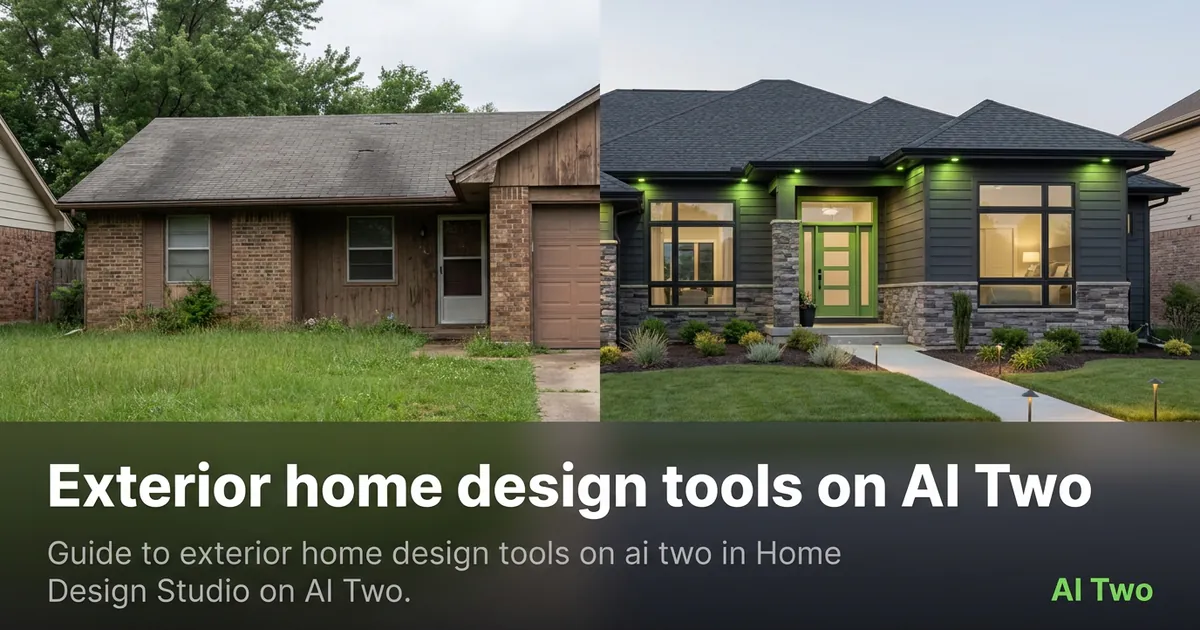
Exterior home design tools on AI Two
Guide to exterior home design tools on ai two in Home Design Studio on AI Two.
Read guide
Room design tools on AI Two
Interior, kitchen, bedroom, bathroom, ceiling, and floor plan tools for room redesign in Home Design Studio.
Read guide
Outdoor and structure design tools on AI Two
Pool, fence, deck and patio, and driveway design tools for outdoor structures in Home Design Studio.
Read guide