Upload the photo, open Shoe Changer mode, describe the footwear you want, and generate. The AI replaces the shoes on the feet while keeping pose, outfit, and background from your picture.
AI Shoes Changer
AI Shoes Changer is a free AI tool that lets you change shoes in any photo with free AI. Swap sneakers, heels, and boots on feet, add shoes to a picture, or build catalog footwear shots. AI shoes changer with free credits on signup.
Free to try · first generation free on signup · no credit card
1
Step 1
Upload Image
Start by uploading image
Upload your image
Click to browse or drag & drop
👤
Optional
Choose your model
Same face across every shot. All models are synthetic and free for commercial use.
2
Step 2
Select Mode
Choose your transformation style
Change shoes on your feet in photos
3
Step 3
Options
Configure your options
Output quality:
Mode
Shoe Changer
Your AI Design Will Appear Here
Fill in the options on the left, then press Generate.
Upload your image
Drag & drop your file here or click to browse
JPG, PNG, WebP
Max 10MB
AI Ready
Popular in Fashion Studio
AI Fashion Photoshoot StudioFemale Fashion Models AIAI Jewelry ModelingSwimwear Modeling AIJacket Modeling AIShoes on AI Fashion ModelsAI Jewelry Models HubKids Clothing Modeling AIIndian Fashion Models AIMale Fashion Models AIAnklet AI Jewelry ModelChoker Necklace Photo EditorWatch Photography with ModelMature AI Fashion ModelsScarf Modeling AIHair Accessories Modeling AIGhost Mannequin EffectAI Outfit GeneratorAI StylistAI Color AnalysisDescribe This Outfit
Quick facts about AI Shoes Changer
- Tool nameAI Shoes Changer
- PriceFree to try
- InputPhoto upload + text prompt
- OutputAI-generated image
Before / After
Example results
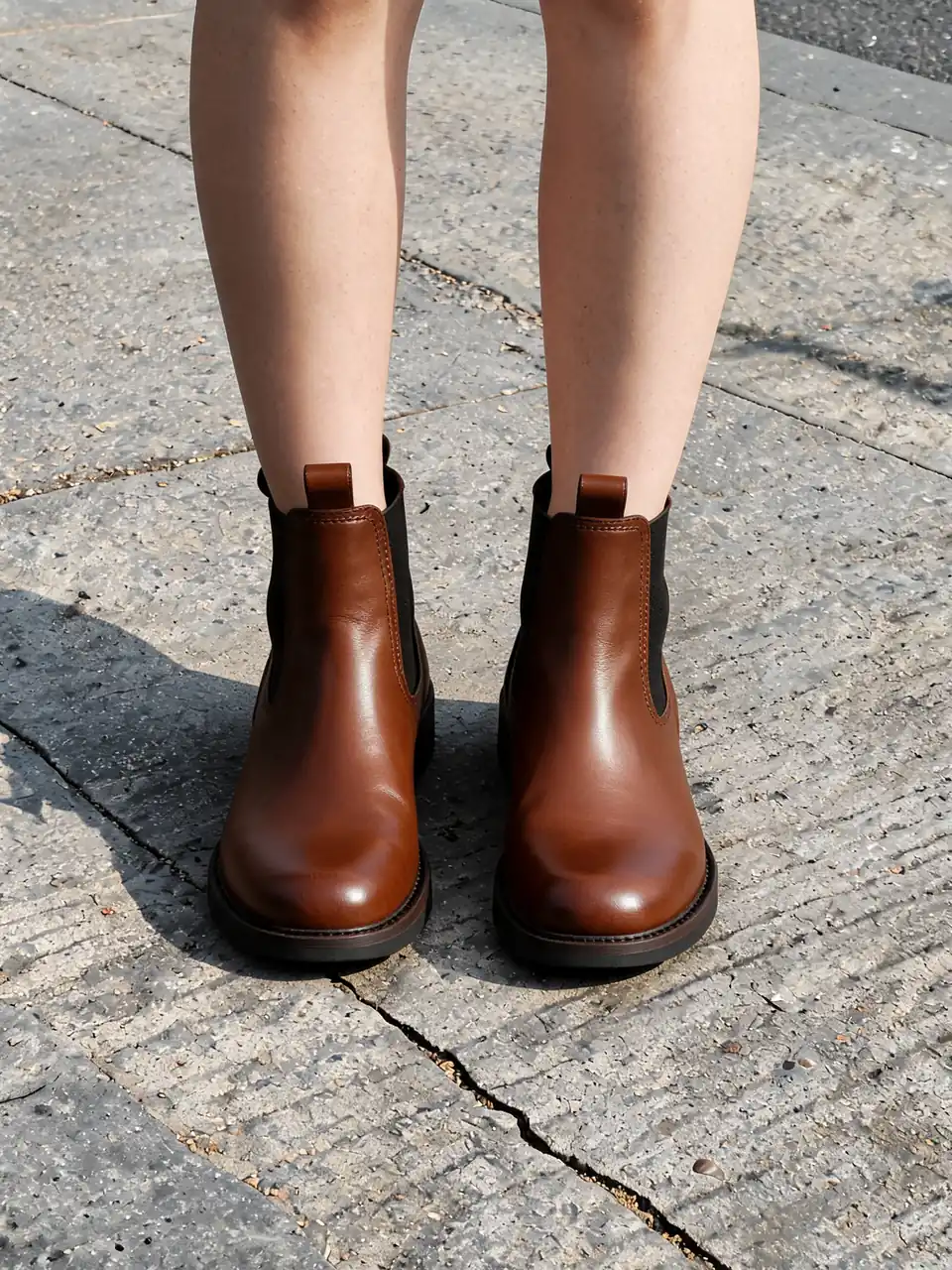
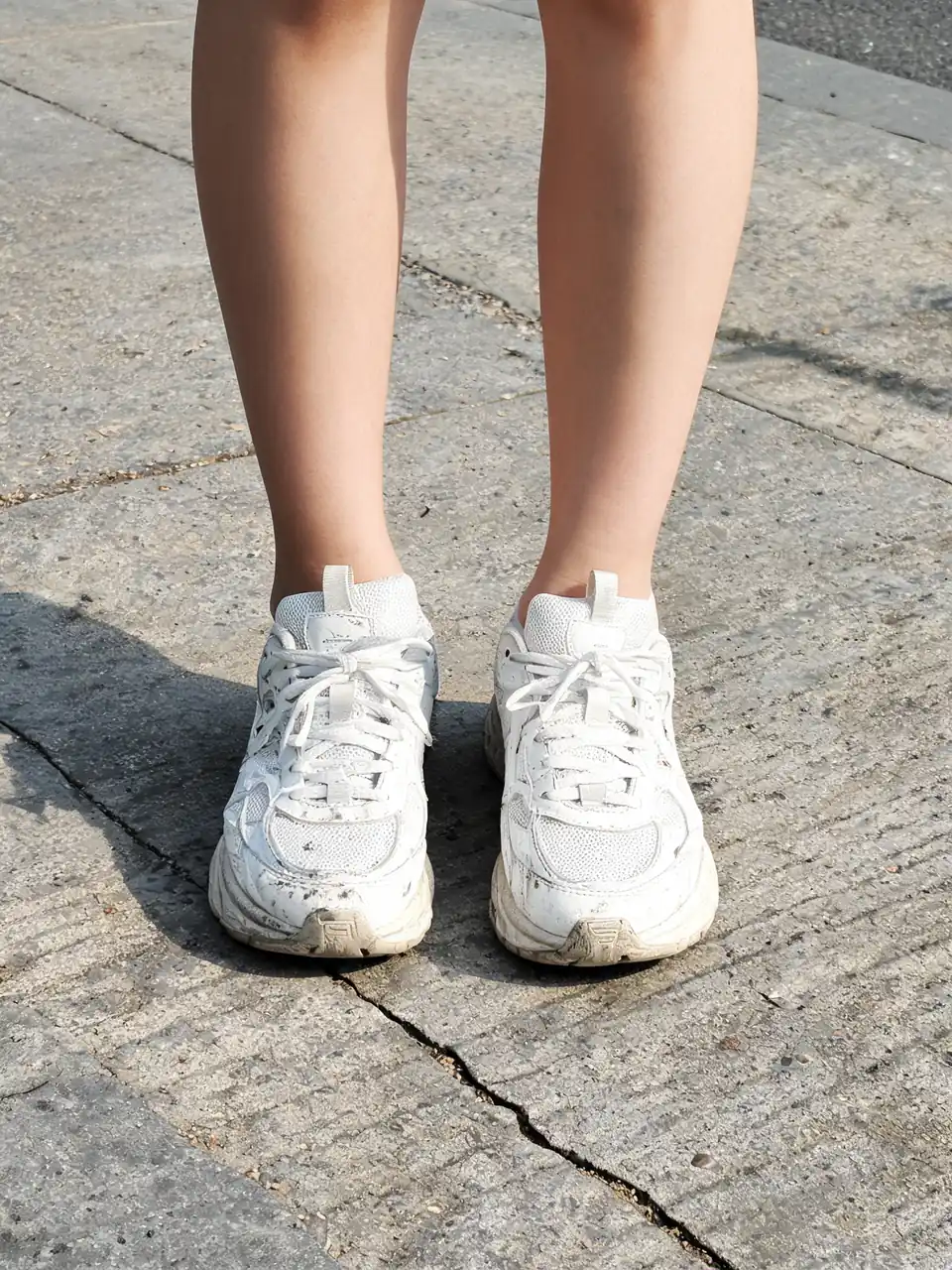
Drag to compare
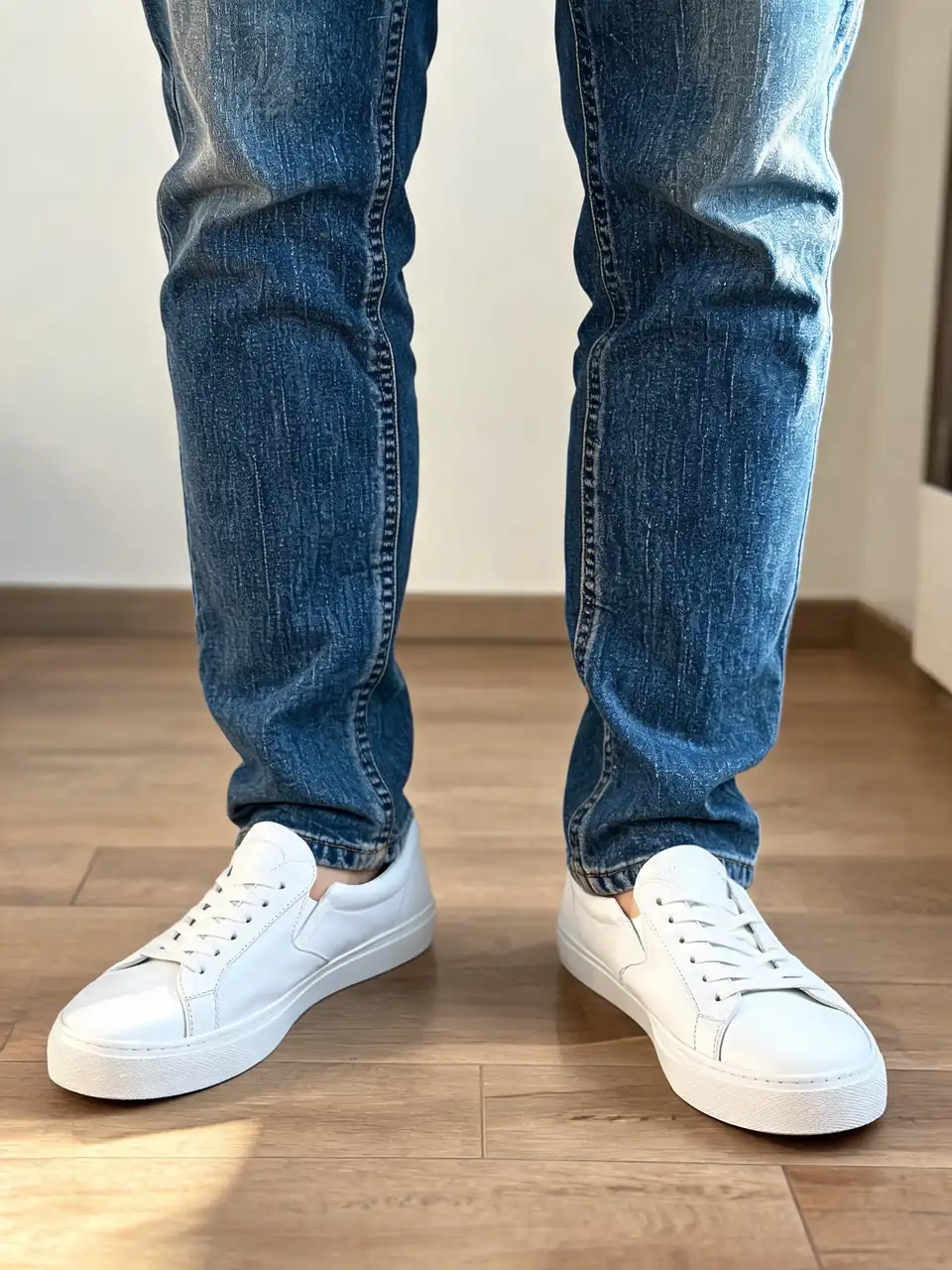
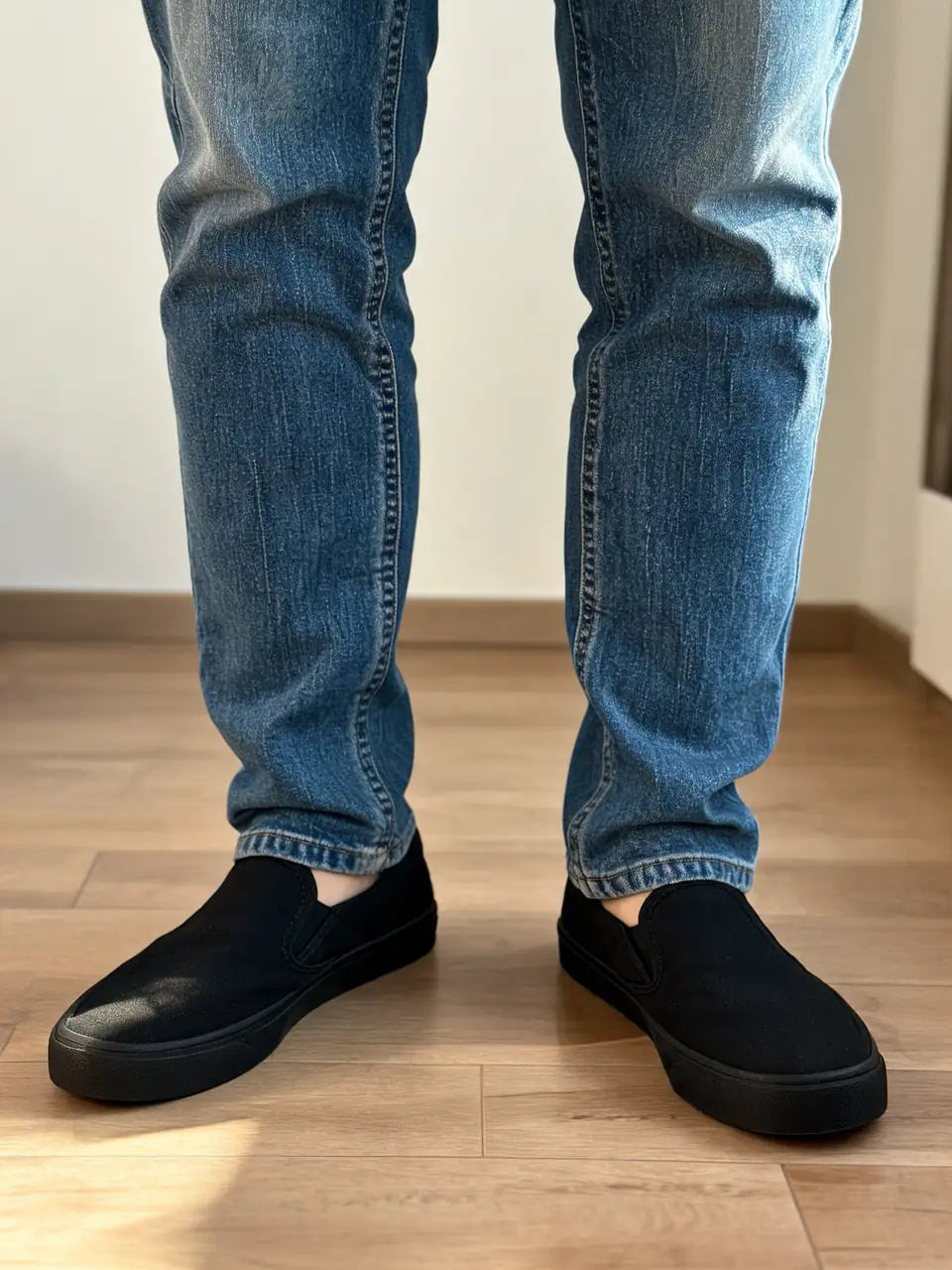
Drag to compare
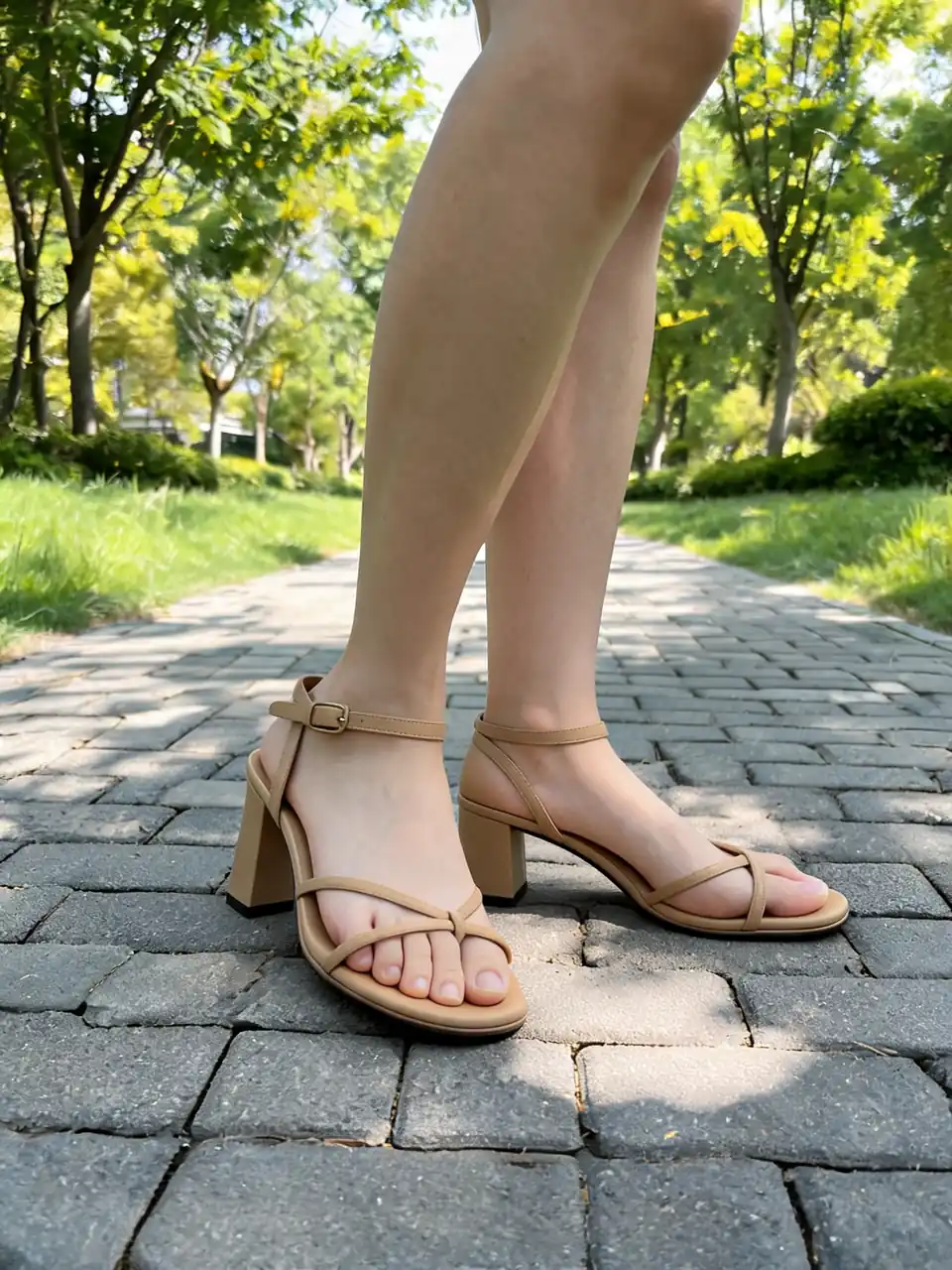
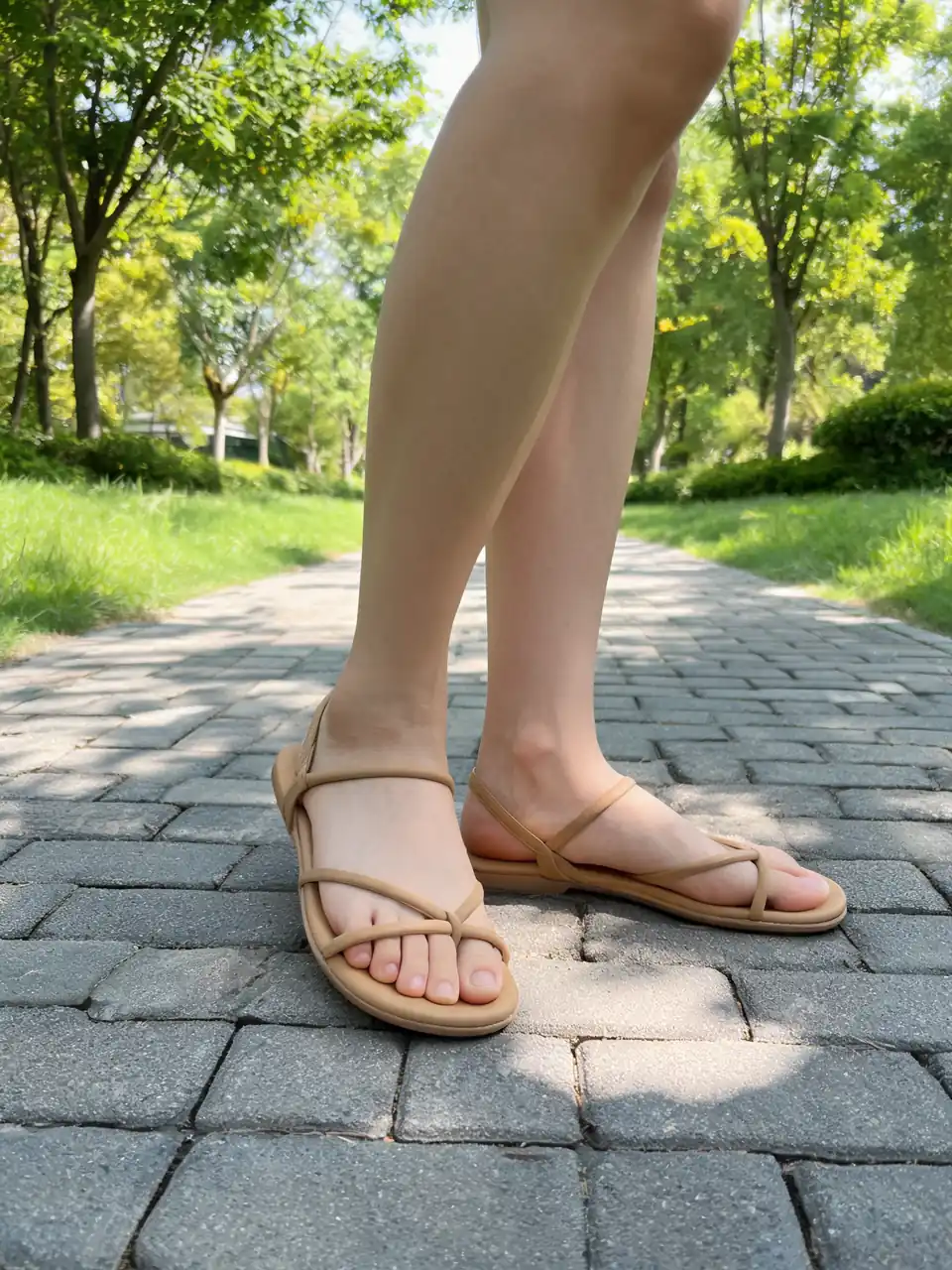
Drag to compare
Real, unretouched output from this tool. Drag any slider to compare.
Need to change shoes in a photo without reshooting? This AI shoes changer lets you swap sneakers, heels, boots, and everyday footwear on feet in a picture, add a new pair to an existing shot, or move into catalog and on-model modes when you are building listings.
Free credits to start. No card required. Works in your browser.
How to change shoes in a photo with AI
Most visitors land here to replace footwear in a picture they already have. Upload the image, open Shoe Changer mode, name the style you want, and generate. The tool keeps foot angle, skin tone, and background while it swaps the shoes.
A specific brief such as "white leather low-top sneakers" gives the model more to work with than a vague "cool shoes". Naming the shoe type, color, and material produces cleaner swaps.
1
1. Upload a photo with visible feet
Front or three-quarter angles work best. Even daylight beats mixed yellow bulbs. If both feet show, say whether one or both should change.
2
2. Pick Shoe Changer and describe the target pair
Examples: black chelsea boots, red running shoes, beige block heels. Add material or brand cues only when they matter for your brief.
3
3. Proof the swap before you download
Check sole thickness, heel height, and ground shadow. If the toe looks pinched, reshoot straighter or tighten the style name on the next run.
Shoe photo editing modes on this page
Shoe Changer is the core AI shoes swap tool for pictures where someone already wears footwear. The other modes extend the same upload into styling, product photography, on-model frames, and color edits.
1
Shoe Changer
Replace shoes on feet in a photo. Best for "change shoes in photo," "shoes swap ai," and "add shoes to photo" workflows when legs or feet are visible.
2
Shoe Styler
Add patterns, logos, or design elements to shoes already in the picture. Use when you want to test branding on an existing pair without a new product shoot.
3
AI Shoes Photography
Turn a shoe upload into a studio-style product frame with a new background. Useful for marketplace hero shots after you lock the pair design.
4
AI Fashion Model and Color Changer
Place shoes on a roster model or recolor footwear in place. Fashion Model helps catalog sellers. Color Changer helps when only the shade changes.
Tips for natural shoe swaps and edits
Treat this as a shoe photo editor for footwear only, not a full Photoshop replacement. Name heel height and sole type when swapping dress shoes or boots. Keep one variable per run when you are learning the tool.
Free signup credits cover first tests. Batch many SKUs on a paid plan when you need watermark-free listing downloads across a season.
Who uses AI footwear tools
🏠
Shoppers and stylists
✓Preview how a sneaker or heel looks on your own photo before you buy.
✓Swap two shoe styles on the same picture to compare outfits.
💡
Shoe brands and DTC labels
✓Produce on-model frames for new drops without a full studio day per colorway.
✓Keep one model and lighting setup across a season for coherent category pages.
🏢
Marketplaces and resellers
✓Turn intake photos into cleaner listing imagery.
✓Standardize angle and background across mixed inventory.
Related tools
👟
Shoes Fashion Models →
On-model footwear photos from a product shot.
👟
Sneakers Photography →
Category page tuned for sneaker product shots.
👠
High Heels Photography →
Heel-focused footwear pages with tighter briefs.
🔍
AI Shoe Identifier →
Identify brand and model from a photo.
✨
Fashion Studio →
Pick a roster model and run catalog work in one place.
🧵
AI Fashion Models Hub →
Flat-lay to on-model tools across apparel categories.
More Footwear AI tools
Popular on AI Two
👟
AI Shoes Changer
Upload your imageTap anywhere here — your AI design will appear in this space after you generate.JPG · PNG · WebP
Same face across every shot. All models are synthetic and free for commercial use.
Change shoes on your feet in photos
Be specific for better results0/200
Output quality:
Frequently Asked Questions
Yes. New accounts get free credits on signup with no card required. Each generation uses credits. Paid plans add more credits and watermark-free downloads for listing work.
Yes. Shoe Changer runs in your browser on AI Two. Upload a JPG, PNG, or WebP, name the target style, and generate a swap without installing an app.
Yes when feet or legs are visible. Describe the shoe style in Shoe Changer. Empty space with no feet is harder; use a photo where ground contact is clear.
It edits footwear inside your picture: change style, swap pairs, recolor shoes, or build product and on-model shots. It is built for shoe replacement and catalog work, not general photo retouching.
A sharp three-quarter product shot with the full shoe visible, plain background, and even light. Side profiles help when sole and last shape matter.
Yes. Use AI Fashion Model mode or the shoes fashion models page to place your shoe on a roster model with attention to contact shadow and scale.
Usually yes. Name shoe type, heel height, sole thickness, and material. Ground contact and toe shape matter more than lifestyle-only language.
Yes. Keep the same shoe upload and vary pose or camera direction across generations to build a listing gallery.
Yes. The AI shoe identifier can help name brand and model family from a photo when you are identifying an existing pair rather than merchandising your own SKU.