
Upload a photo or type a prompt, pick a mode, and the AI returns a styled result in seconds. The tool runs six fashion modes from one screen, and the Smart chip picks one for you based on your prompt.
Fashion GPT
Design your fashion looks with AI Fashion GPT
Upload your photo and restyle outfits, or start from text and generate new fashion looks. Six AI modes run from one screen, from outfit restyling to background removal and prompt writing.
Free generation on signupNo credit card850,000+ designs generated
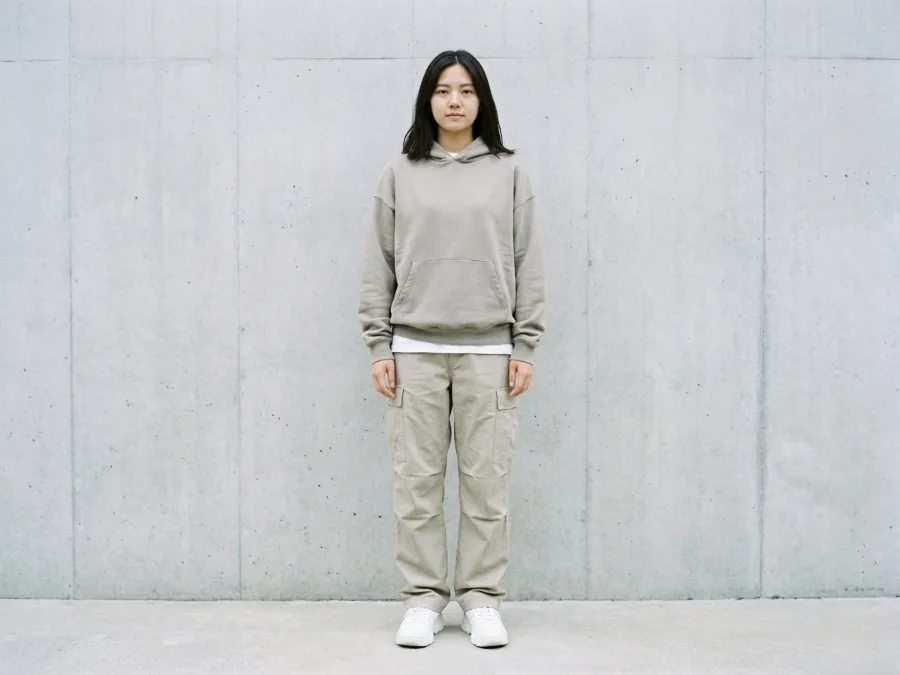
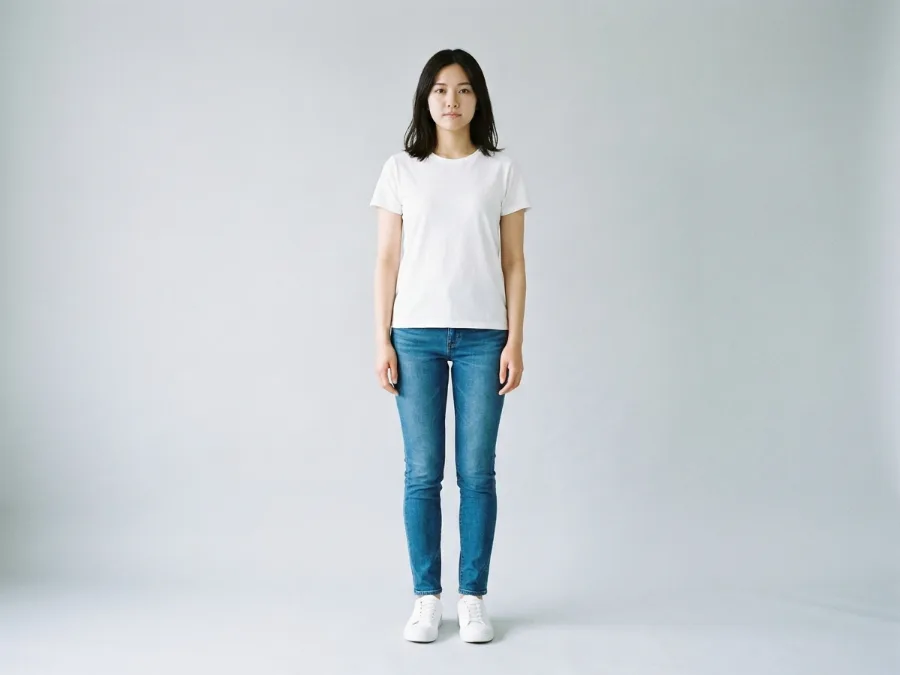
Drag to compare
Casual outfit restyled into a streetwear look with a layered hoodie and cargo pants. · real output, drag to compare
Tools
Tools of AI Fashion GPT
Every one runs on your own photo. Upload once, try as many directions as you like.
Before / After
Real results, generated in seconds
Drag the slider on each image to see what changed. Every preview keeps your real room proportions, so the layout you see is the layout you get. No mockup rooms, no fake walls.
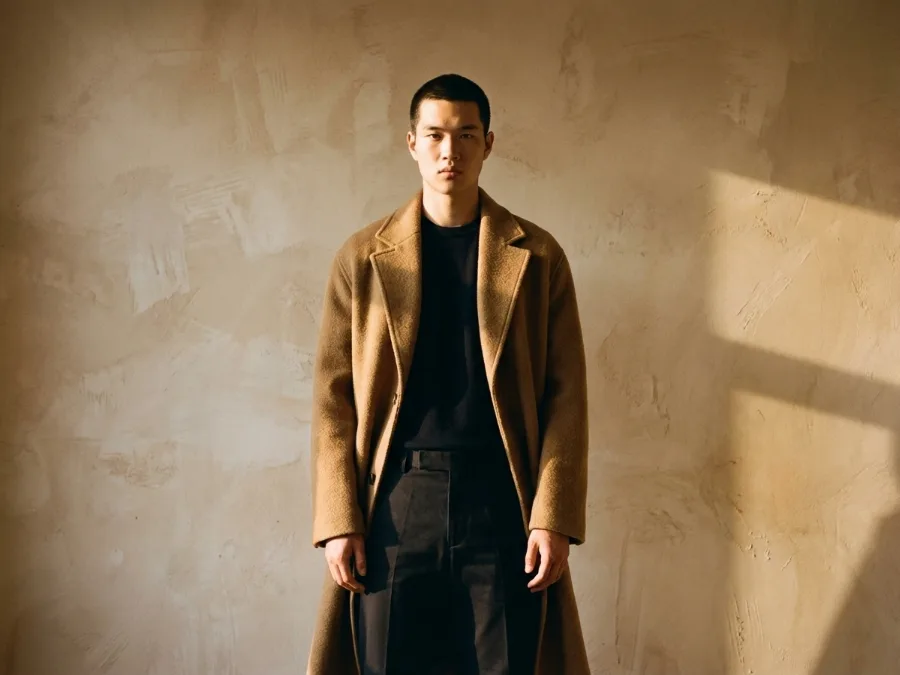
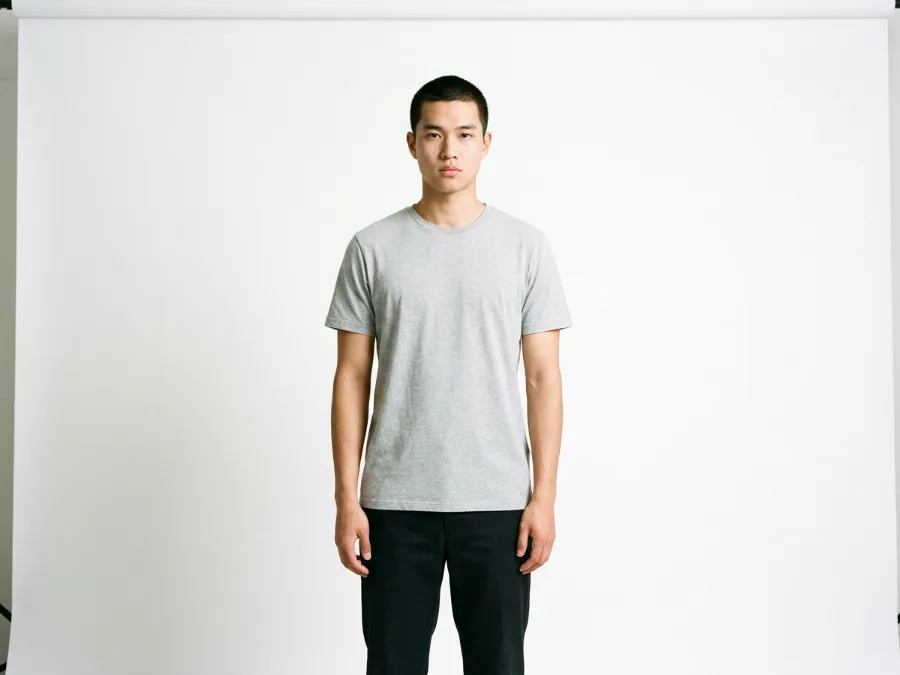
Drag to compare
01
Studio portrait upgraded with an editorial coat and a textured background.
Same pose and framing. Wardrobe and background direction tested only.
- Basic top replaced with a statement wool coat.
- Background swapped for a textured plaster wall in warm light.
- Color palette shifted to a deeper editorial tone.
- Lighting direction adjusted for stronger shadows.
After on right
Drag to compare
02
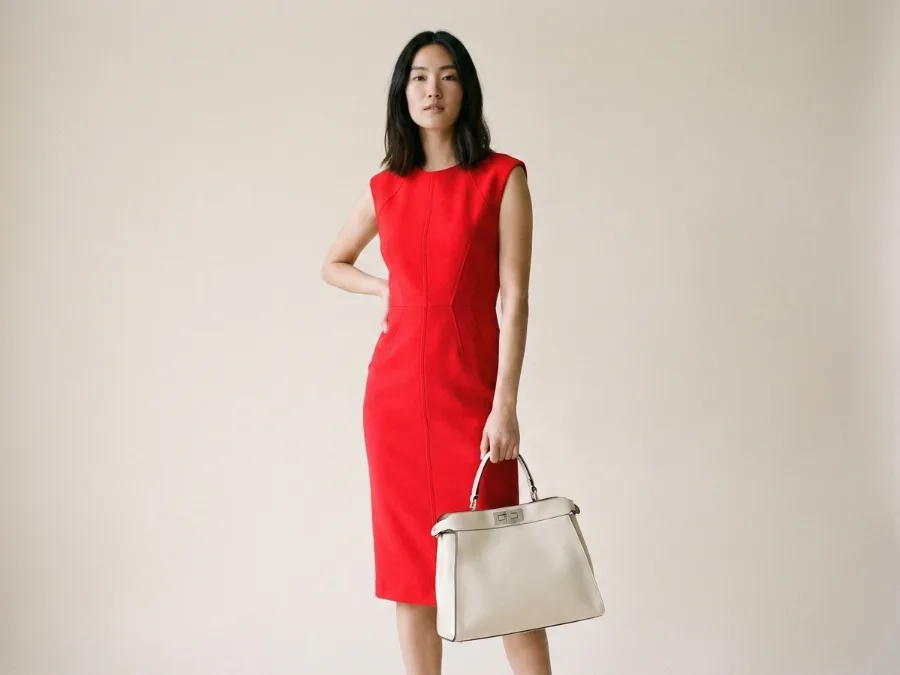
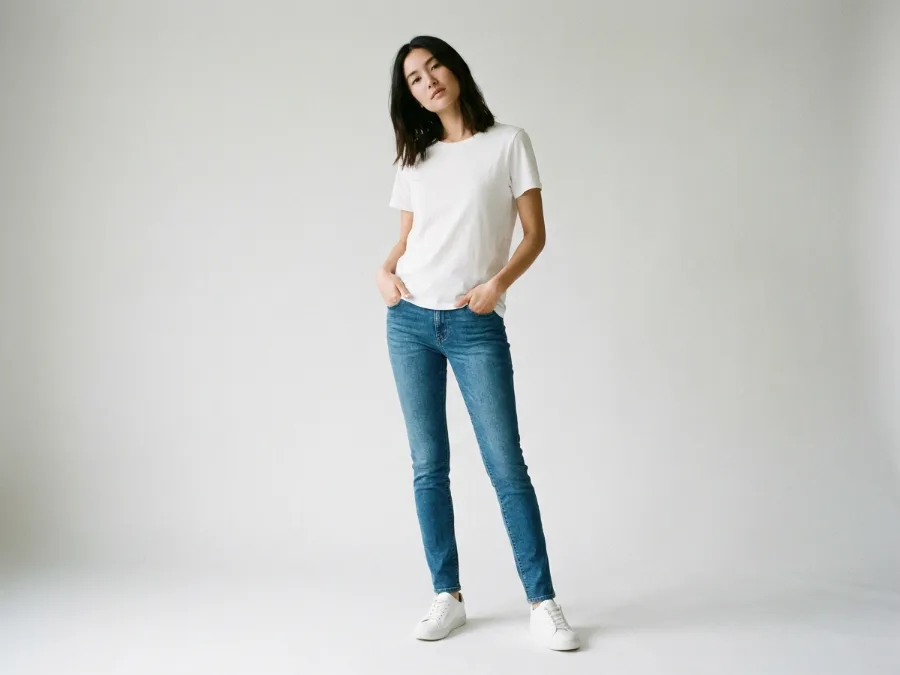
Magazine-style pose restyled with a new dress and a statement bag.
Same model and pose. Dress and bag direction tested only.
- Plain casual dress replaced with a structured magazine-style dress in bold red.
- Basic bag swapped for a statement leather handbag in cream.
- Pose kept identical, hand on hip and bag held in the other hand.
- Background refined to a clean editorial studio backdrop.
After on left
Your room could be the next slider
Upload one photo, type a short brief, and get a redesign in seconds. Test three or four directions on the same image before you buy a single piece of furniture.
How to use
How to use free AI fashion design
1
Upload your photo or type a prompt
Use a front facing full body shot in even daylight for restyling, or skip the upload and describe the look you want for the create mode. JPG, PNG, or WebP under 10MB. Avoid heavy shadows that hide your silhouette.
2
Pick the mode you need
Choose Edit to restyle your photo, Create to generate from text, Similar for variations, Remove Background for cutouts, Analyze to describe an outfit, or Generate Prompt to write a brief. The Smart chip picks one for you based on your prompt.
3
Generate and iterate
Download concepts for your shoot, your deck, or your store. Run three or four briefs on the same photo to compare directions before you commit.
What you can do
What you can do with the tool
The tool ships with six fashion modes. Each one handles a different part of your workflow, from restyling a photo you already have to writing the prompt for your next shoot. You do not need a separate app for cutouts or prompt writing.
1
Edit image
Upload a photo and describe the new outfit, color, or background. The AI keeps your body proportions and swaps the rest.
2
Create image
Type a description and the AI generates a fashion look from scratch. Pick a style like photorealistic or editorial, and an aspect ratio.
3
Similar image
Upload a reference and generate variations. Control how close the result stays to the original, from very similar to inspired by.
4
Remove background
Get a clean cutout from any model or product photo. Drop the result into a lookbook or a product page.
5
Analyze image
Upload a photo and the AI describes the outfit, colors, and mood. Useful for wardrobe audits and reverse styling.
6
Generate prompt
Describe your shoot idea and get a detailed prompt you can reuse in any image tool or hand to your photographer.
Who uses this
Who uses AI fashion design tools
🏠
Fashion brands
✓Plan lookbooks before booking talent.
✓Test product colors without reshooting every variant.
💡
Influencers and creators
✓Mock outfits before a shoot day.
✓Generate a week of content from one photo.
🏢
Stylists
✓Present two wardrobe directions in one meeting.
✓Build mood boards from a real client photo.
📸
E-commerce stores
✓Restyle product photos with new backgrounds.
✓Pull clean cutouts for catalog pages.
Styles to try
Fashion styles you can test on your photo
Run the same photo with different briefs to see which direction fits your brand and your taste. Five styles tend to work well for fashion shoots.
| Style | What it looks like |
|---|---|
| Streetwear | Oversized hoodie, cargo pants, chunky sneakers, and a neutral backdrop. |
| Minimalist | White tee, tailored trousers, one accent piece, and a clean studio wall. |
| Editorial | Statement coat, bold color, dramatic lighting, and a textured background. |
| Athleisure | Fitted leggings, cropped jacket, performance sneakers, and an outdoor setting. |
| Evening | Tailored suit or slip dress, heels, soft lighting, and a moody interior. |
Next steps
From AI preview to real shoot
Once you have a concept you like, the next step is turning it into a real shoot. Download the image and write down the garment type, color, and background the AI used.
Bring the image and your notes to your stylist, your brand team, or your photographer. They can tell you which pieces are in stock and which need to be sourced. Most garment sizes follow standard charts, so a look that fits in the preview should fit on shoot day if your measurements match.
1
Check your measurements
Measure your chest, waist, and inseam before you order sample pieces. A size 4 in one brand is not a size 4 in another.
2
Lock the shot list early
Save the renders that work and note the angle, lighting, and background. Share them with your photographer so the shoot matches the concept.
FAQ
Frequently asked questions
Quick answers before you start
Tools
Beta
AI Two sites