It is told to change only the wall where the stone goes and keep the windows, doors, roof, garage door, plants and any cars exactly as they are. Compare the result with your original, and run it again if something else changed.
AI Stone Veneer Visualizer
AI Stone Veneer Visualizer is a free AI tool. Upload a photo of your house and see stone or brick veneer on it: stacked ledgestone, fieldstone, river rock, cut limestone or thin brick, on a lower band, around the door or the whole front. Free to try.
Free to try · first generation free on signup · no credit card
1
Step 1
Upload Image
Start by uploading image
Upload your image
Click to browse or drag & drop
2
Step 2
Select Mode
Choose your transformation style
Stone or brick veneer on your walls
3
Step 3
Options
Configure your options
Output quality:
Mode
Add Stone Veneer
Your AI Design Will Appear Here
Fill in the options on the left, then press Generate.
Upload your image
Drag & drop your file here or click to browse
JPG, PNG, WebP
Max 10MB
AI Ready
Popular in Home Design Studio
Paint My House AIExterior House Paint AIAI Kitchen DesignAI Bathroom DesignAI Bedroom DesignFree AI Architecture GeneratorAI Interior Design From a PhotoAI Landscaping DesignHome Color Combination AIAI Curb Appeal RaterAI Interior Design RaterAI House Style IdentifierAI Renovation Cost EstimatorAI Day to Dusk Photo EditingAI Declutter Room PhotosAI Home Addition VisualizerAI Home Design Tools Compared
Quick facts about AI Stone Veneer Visualizer
- Tool nameAI Stone Veneer Visualizer
- CategoryHome Design
- PriceFree to try
- InputPhoto upload + text prompt
- OutputAI-generated image
Before / After
Example results


Drag to compare
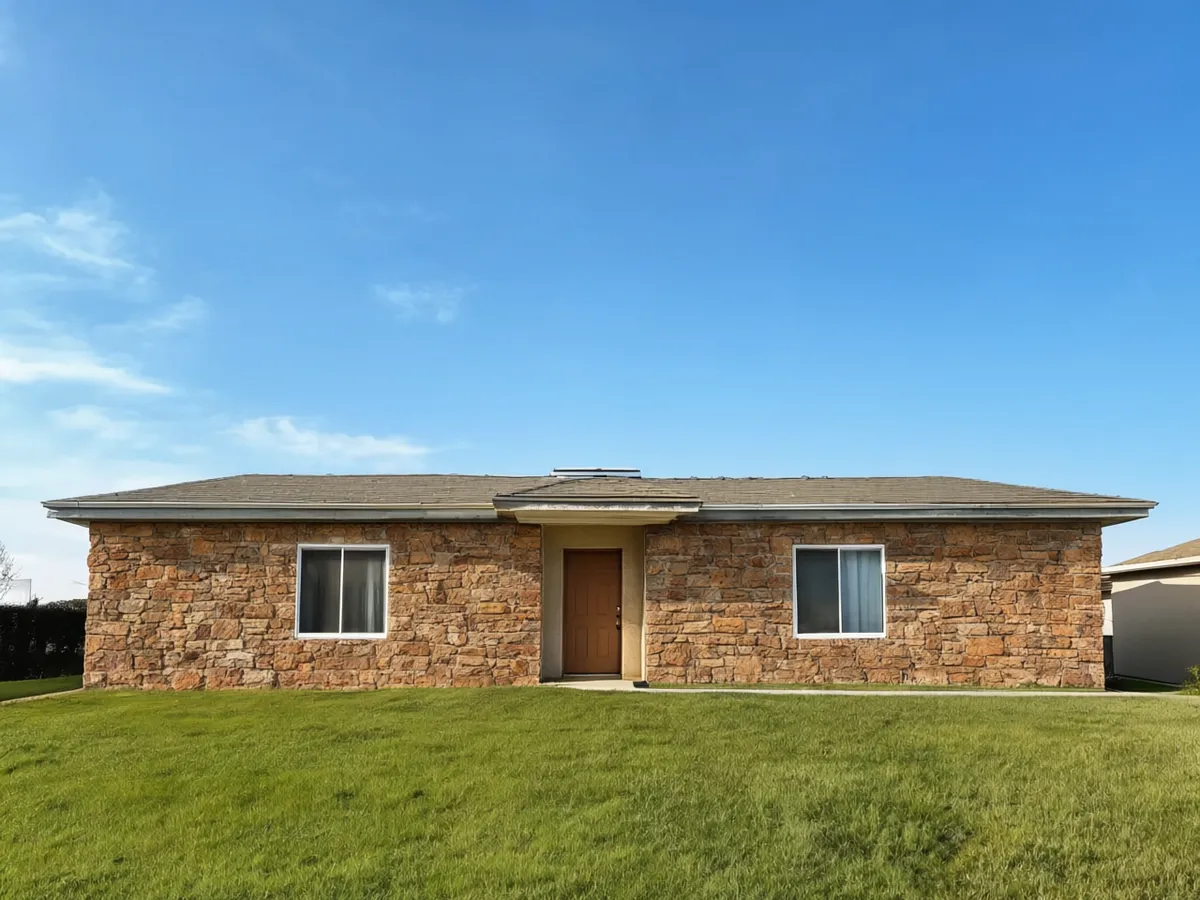
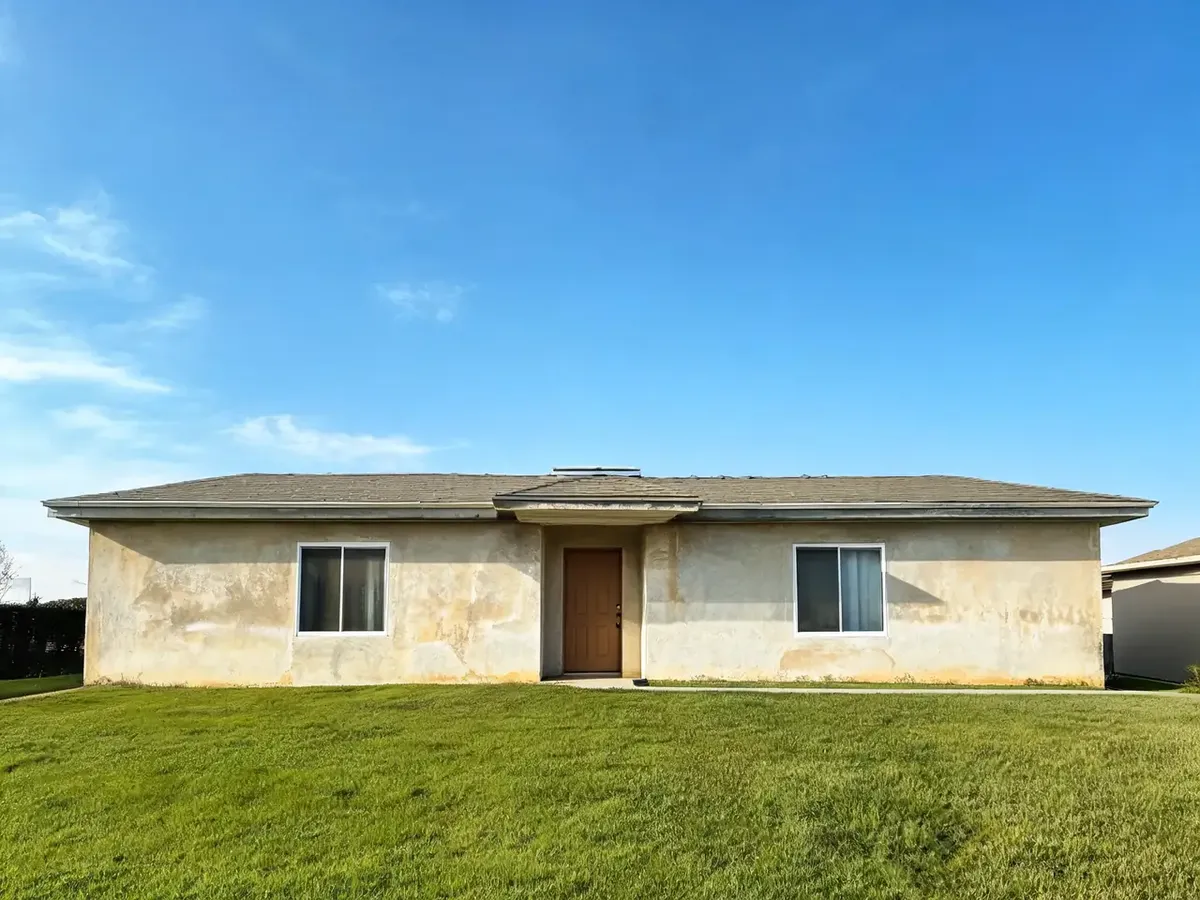
Drag to compare
Real, unretouched output from this tool. Drag any slider to compare.
Upload a photo of your house and see stone veneer on it. Try stacked ledgestone, fieldstone, river rock, cut limestone or thin brick, on a lower wall band, around the front door or over the whole front, in the colour blend you want. Free to try.
How the AI stone veneer visualizer works
Stone makers' visualizers ask you to trace the wall by hand and only show their own profiles. Here you upload one photo of your house, pick the stone, where it goes and the colour blend, and the AI lays the veneer on your wall while the windows, doors, roof and the rest of the house stay as they are.
The result is a preview of the look. It does not measure the wall or replace a quote from a mason or installer.
1
Upload a photo
A daylight photo of the front of the house with the walls in view. JPG, PNG or WebP.
2
Choose the stone
Five veneer types, from rough fieldstone to clean cut limestone and thin brick.
3
Choose where it goes
A wainscot band at the bottom, the entry and porch columns, or the whole front.
4
Compare and download
Keep the versions you like and compare them with your original photo.
Stone veneer types to compare
The stone type sets the feel of the house: rough and rustic, or clean and modern.
1
Stacked ledgestone
Thin, long stones stacked tight with little mortar showing. A modern favourite for lower bands and columns.
2
Fieldstone
Irregular rounded stones with wider mortar joints. Suits farmhouse, cottage and rustic houses.
3
River rock
Smooth rounded stones. Often used on lower walls, chimneys and porch bases.
4
Cut limestone
Rectangular dressed blocks in light tones. A formal, classic look.
5
Thin brick veneer
Real brick faces at a fraction of the depth. Gives a brick look on a sided or stucco house.
Where to put the stone
A lower band of stone, about knee to waist height, is the most common way to add stone to a sided house, and it keeps the cost down. Stone around the entry and on the porch columns draws the eye to the front door. A whole stone front is the boldest change.
If something other than the wall changed, run it again, or name the detail to keep in the Additional Details box.
More house tools
More projects you can preview on your own photo.
Who uses a stone veneer visualizer
🏠
Homeowners
✓See which stone and how much suits your house before you order.
✓Show your HOA or family what it will look like.
💡
Masons and stone suppliers
✓Show a customer stone on their own house.
✓Compare a lower band with a full front in the quote.
🏢
Home sellers and agents
✓See how stone would lift the curb appeal before a listing.
✓Decide whether stone or a repaint is enough.
🪨
AI Stone Veneer Visualizer
Upload your imageTap anywhere here — your AI design will appear in this space after you generate.JPG · PNG · WebP
Stone or brick veneer on your walls
Premium users can generate images without watermark
Higher quality options available for premium users
Be specific for better results0/400
Output quality:
Frequently Asked Questions
It is free to try: new users get free generations. Paid plans add credits, remove the watermark and unlock higher resolution.
Yes, that is how it works. Use a daylight photo of the front taken straight on, with the walls clearly visible.
No. Pick where the stone goes (a lower band, around the door and porch, or the whole front) and the AI places it on the wall in your photo.
No. It shows a stone type and colour blend, not one maker's product. Take the look you like to your supplier and match it to their range.
Yes. Pick Thin brick veneer in the Stone list, or describe the brick you want in Your Own Description.