
🛋️Virtual Staging Studio
The virtual staging app for empty rooms
Upload one photo of a bare room, pick a style, and get it back furnished in about 30 seconds. Then clear the clutter and fix the light on the rest of your listing photos, all from the same place.
Free to try · sign up free for your first generation · no credit card
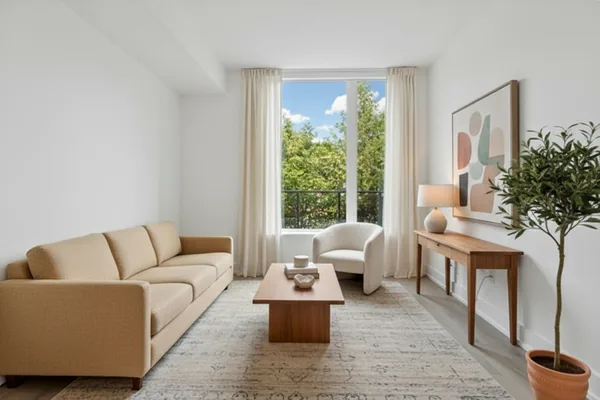
Real tool output: the same room as the before shot below
Made with this studio
Stage a Room
Start here: furnish a bare room, a whole home or a single product shot from a photo.
Stage by Room
Room-specific staging pages, so the furniture fits the room you actually have.
Fix the Listing Photos
The photo edits that usually come before or after staging.
Real results
Both pairs are genuine tool output from a real uploaded photo, not mockups.
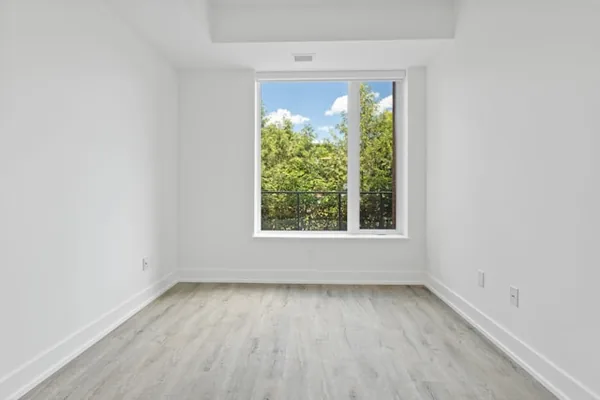
Virtual Staging: bare room furnished
Before / after — drag to compare
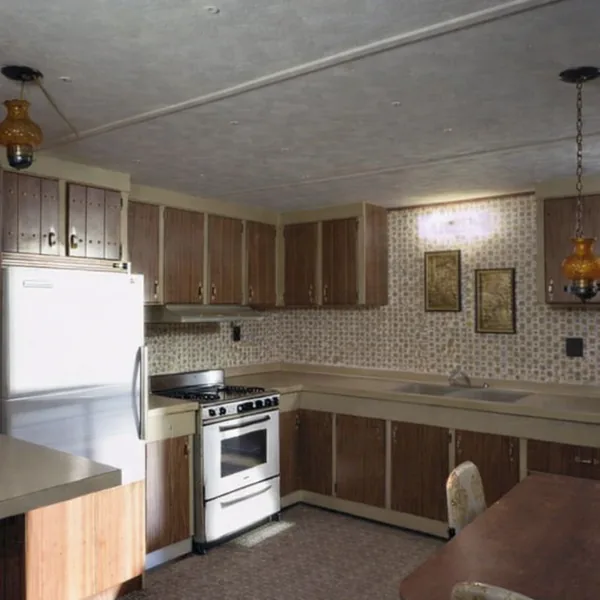
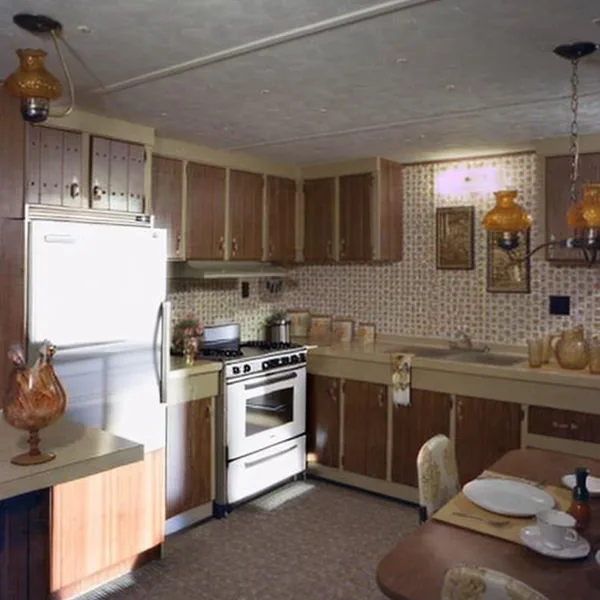
Declutter: same room, mess removed
Before / after — drag to compare
The process
How a piece is made
Step 01
Upload a photo of the empty room
A phone photo is enough. Stand in a corner, get the floor and ceiling line in frame and switch the lights on. The app works from the room that is really there, so a clear shot gives a cleaner result.
Step 02
Choose a style and stage
Pick the look you want a buyer or guest to picture, or describe it in plain words. You can stage up to 10 photos in one batch, so a whole listing is one sitting rather than ten.
Step 03
Check, label and download
On the main Virtual Staging tool each result is checked against your original so walls, windows and doors have not moved. Download it with an editable "virtually staged" label on the image, or take a copy without the label if your channel does not need one.
Why Virtual Staging Studio
Built around one job
This is a virtual staging app, not a generic image box. Staging, decluttering, twilight, perspective and lawn fixes are separate tools for listing photos, linked together here.
Room-by-room pages
Bedrooms, nurseries, kitchens, bathrooms, offices, condos, patios and decks each have their own staging page, so you start from the room you are actually selling or renting.
Structure stays real
Staging adds furniture and decor. It should not move a wall, add a window or change the floor plan, and the main Virtual Staging tool checks every result against your original photo for exactly that.
Batch of up to 10
Agents and hosts rarely have one room. Upload a set, stage them in a single run, and keep the style consistent across the listing.
Free to try, no card
Signing up is free and your first generation is free. You see the real output quality before deciding whether you need anything more.
What a virtual staging app does, and what it should not
A virtual staging app puts furniture and decor into a photo of an empty room so a viewer can see how the space could be used. The sofa, rug, lamp and plant are drawn onto the picture; nothing is moved into the real room. That is why it costs a fraction of physical staging and takes seconds instead of a weekend.
What it should not do is change the building. Walls, windows, doors, the floor and the ceiling are facts about the property, and a staged photo that quietly improves them is a misleading photo. The main Virtual Staging tool checks each result against your original for structural drift, and credits are refunded if a result fails that check.
For best results, shoot wide from a corner, keep the camera level, and avoid cropping the floor. Rooms with strong natural light stage well, because the furniture picks up the same light direction as the room.
Who it is for: agents, landlords and short-term rental hosts
Real estate agents use staging to make vacant listings read as homes. An empty room photographs smaller than it is, and buyers struggle to judge whether a bed or a dining table fits. A staged photo answers that before the first viewing.
Landlords use it to show a unit as lived-in on a rental listing without paying to furnish a flat they are trying to let. Short-term rental hosts use it to test how a spare room or a bare patio looks as a guest space before buying anything, and to keep photos fresh between seasons.
Each of these has a room page here (bedroom, condo, patio, deck and more) and a path to the listing fixes that usually go with staging, such as declutter, twilight and perspective correction.
Disclosure and honest staging
Staged photos show how a room could look, not how it looks today. In most markets they need to be disclosed as virtually staged, and listing portals and MLS boards often have their own wording rules, so check the ones you publish on. The main Virtual Staging tool adds an editable label to the image for this reason.
Staging should not hide defects. Do not use it to cover damage, stains or a poor view, and keep an unstaged photo available so a buyer can compare. Honest staging sells better in the long run because the viewing matches the photo.
If a room is cluttered rather than empty, declutter first, then stage. Run Declutter to clear the mess, then Virtual Staging to furnish the cleared space, and finish with twilight or perspective fixes on the exterior and wide shots.
Questions
Before you commission one
What is a virtual staging app?
It is software that places furniture, rugs and decor into a picture of a bare or half-furnished room, so buyers and guests can see how the space could be used. Here you upload one photo, choose a style and get the furnished version back in about 30 seconds.
Is the virtual staging free to try?
Yes. Signing up is free and your first generation is free, with no credit card. After that, further generations use credits, so you can judge the real result before deciding on anything more.
Does it change the room itself?
It should not. Staging adds furniture and decor only. The main Virtual Staging tool checks each result against your original photo for structural changes such as moved walls, windows or doors, and credits are refunded if a result fails the check.
Can I use staged photos in a property listing?
Generally yes, as long as you disclose that they are virtually staged. Rules differ by country, state, portal and MLS, so check the one you list on. The main tool puts an editable label on the image, and you can download a copy without it where no label is required.
How many photos can I stage at once?
You can stage up to 10 photos in one batch on the main Virtual Staging tool, which is enough for most single listings. The room-specific pages work from one photo at a time.
Which rooms and spaces can it stage?
Living rooms, bedrooms, master bedrooms, nurseries, teen bedrooms, kitchens, bathrooms, offices, condos, patios and decks all have their own page, and the main tool takes any empty interior photo. Whole-house and penthouse pages cover larger listings.
My room is cluttered, not empty. What should I do?
Run the Declutter tool first. It clears mess, cables and personal items while leaving the furniture where it is. If you want different furniture too, stage the cleared photo afterwards.
Can landlords and Airbnb hosts use it?
Yes. Landlords use it to show a vacant unit as a furnished home, and short-term rental hosts use it to preview a spare room or patio before buying furniture. Disclose staged images on any listing where guests or tenants rely on them.
Everything in Virtual Staging Studio
25 of them, grouped by the job they do.
Stage a Room
By Room
Listing Photo Fixes
Popular in Virtual Staging Studio
Create your own AI tools & assistants
Describe what you need in plain English — AI Two builds a working tool with its own shareable page, live in about a minute. No code, no setup.
Part of the Community AI platform — create, discover, and share AI-powered tools