AI Hairstyle ChangerCreate Personalized Hairstyles with AI
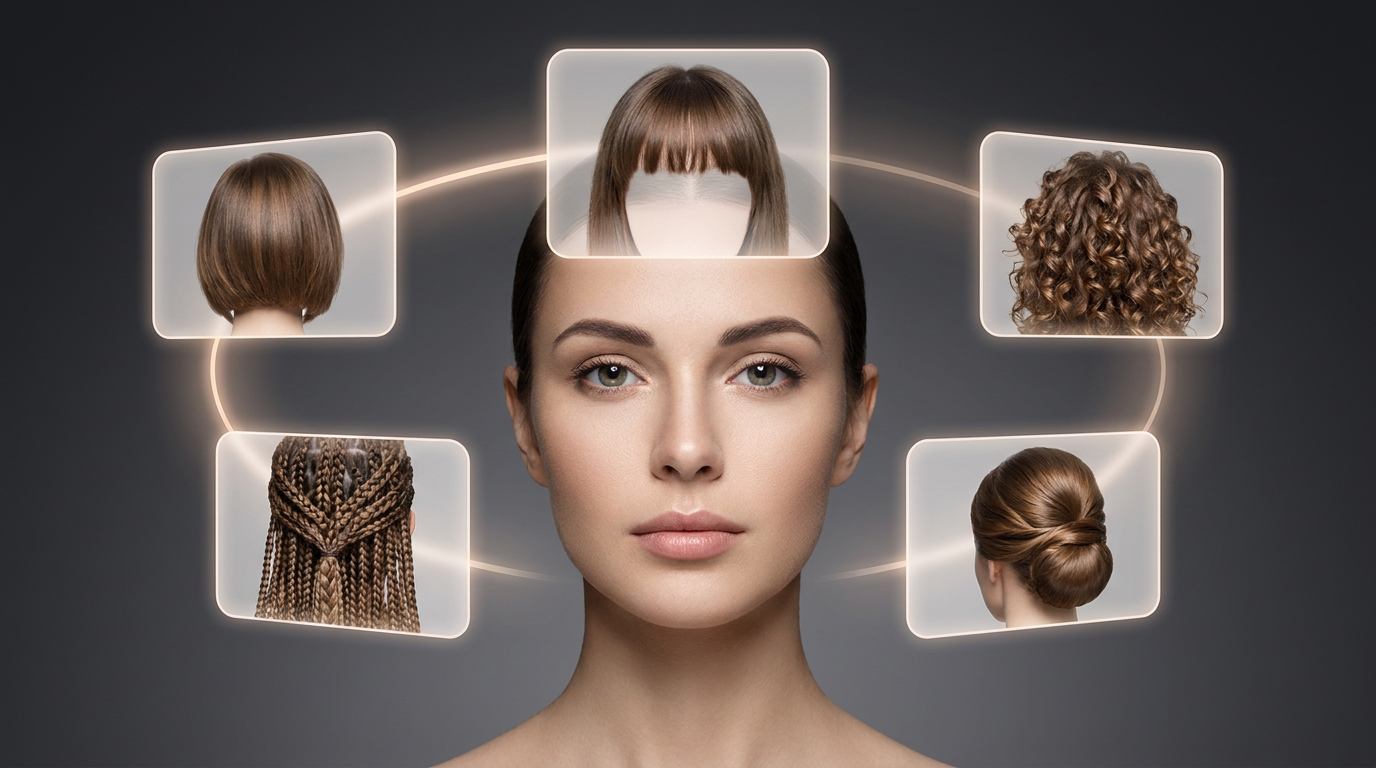
You control the hairstyle type, hair texture, face shape matching, styling direction, maintenance level, and even the rendering model before generating anything. Upload your photo and see exactly how a new look fits you before touching a single strand.
Try New Hairstyles in 3 Easy Steps
Transform your look in three simple steps - no technical skills required.
Upload Your Image
Use a clear portrait or selfie with decent lighting. Cleaner images produce stronger hairstyle renders. You don't need professional photography, but avoid blurry or heavily filtered photos since those affect how accurately the AI reads your face shape and texture.
- Clear portrait or selfie
- Decent lighting
- No heavy filters
Configure Hairstyle Settings
Choose the hairstyle type, texture, face shape, maintenance level, and rendering model. Add custom hairstyle instructions if you want more control over the result. This is really where AI Two separates itself from simpler generators because every setting you add pushes the output closer to something that actually fits you.
- Hairstyle type & texture
- Face shape matching
- Custom instructions
Generate Your AI Hairstyle Design
Once everything is configured, hit generate and compare different looks directly from your uploaded image. Most people try multiple versions before settling on a direction they like. Save anything useful as a reference for your next salon visit.
- Compare multiple looks
- Try different versions
- Save for salon reference
Create Hairstyles for Every Look
People rarely stick to one hairstyle reference anymore. Someone might save polished salon photos one day, then screenshot messy textured cuts the next. AI Two makes it easier to test different directions without starting over every time.
Hairstyle Types
French Bob Hairstyles
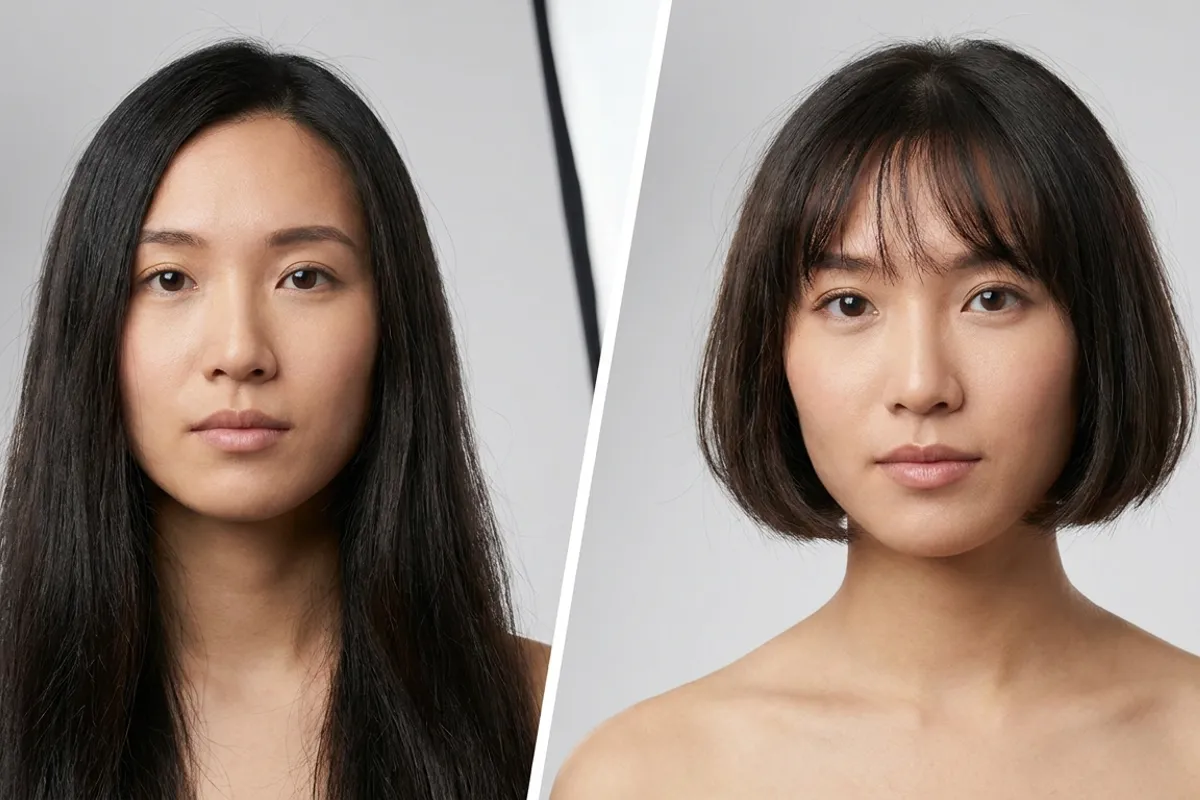
French bob hairstyles usually sit somewhere between polished and relaxed. Shorter length, softer structure, cleaner framing around the face. The style works especially well when paired with texture or lighter bangs because it avoids looking overly stiff. A lot of people hesitate on this one because it's shorter than they're used to, which is exactly why trying it here first makes sense.
Try This StylePopular Hairstyle Tools
Browse through our collection of AI-powered hairstyle tools. Click any style to try it on your photo.
Women's Hairstyles
Men's Hairstyles
Textured & Braided Styles
Hair Color & Highlights
Why Choose Our AI Hair Style Tool?
A lot of hairstyle generators feel disposable after five minutes. Upload a photo. Try a random cut. Laugh at the result. Leave. AI Two is built more for actual hairstyle planning.
Advanced Hairstyle Controls
Most competitors give you a gallery of presets and a generate button. AI Two gives you actual settings, including hairstyle type, length, texture, maintenance level, styling preferences, and more. The output reflects your inputs rather than a one-size-fits-all result.
Face Shape Personalization
The tool doesn't just apply a style to your photo. It factors in your face shape when rendering, which means the way it places the style is calibrated to your actual features. That's what makes results look natural rather than like a costume wig dropped on a headshot.
Hair Texture Matching
Texture-aware rendering helps prevent the plastic-looking hairstyle effect that many generators produce. Thick hair sits differently from fine hair. Wavy hair responds to cuts differently than straight hair does. Getting this right means what you see actually resembles what you'd get in real life.
Multiple AI Hairstyle Models
Five different rendering models mean you can choose between speed, detail, creativity, or precision depending on what you need at any given moment. That kind of flexibility isn't something you'll find in most beauty AI tools.
Lifestyle-Based Suggestions
A hairstyle still has to work on normal weekdays. The maintenance preference setting helps narrow down looks that actually fit your routine instead of just looking good in one generated image. That practical side matters more than people usually expect.
Professional-Level Customization
The customization depth is what separates AI Two from basic hairstyle filters. Texture controls, custom hairstyle instructions, rendering models, and maintenance settings all stack together. The result feels more intentional and closer to a real consultation than a beauty app.
What You Can Do With AI Two
High-Resolution Aspect Ratio Support
Generated hairstyle images can be output in 1:1, 9:16, and 16:9 formats, making them ready for social media, portrait use, or widescreen layouts without any cropping or adjusting afterward.
Perfect for Hairstyle Planning
Some users come in looking for inspiration. Others already know what they want and just need to see if it works on their face. AI Two supports both.
Try Haircuts Before Visiting a Salon
Showing a stylist a generated hairstyle preview is usually easier than trying to explain a cut verbally from memory. Especially for layered styles, bangs, or anything with a specific structural shape. Walking in with a clear reference saves time for both sides.
Explore New Hair Colors and Styles
Testing color changes digitally first helps avoid expensive mistakes later. The same goes for dramatic haircut shifts. Try a French bob with copper highlights or a layered cut with balayage, and see how both look on your face at the same time.
Create Social Media Hairstyle Looks
The platform works well for beauty creators, portrait styling, and hairstyle-focused content. Vertical image support makes it easy to create content that's already sized for the formats that matter most.
Discover Hairstyles That Match Your Face
Some hairstyles immediately click once they're matched properly to facial structure and texture. That's usually the moment people stop randomly testing every trend they see online and start building toward something that actually suits them.
Full Control Over Your Hairstyle
A haircut can look great on one person and completely wrong on someone else. Face shape changes things. Texture changes things. Even hair density affects how layers sit. That's why AI Two gives you actual controls instead of preset hairstyle filters.
Choose a Hairstyle Type
AI Two supports everything from pixie cuts and layered looks to braids, bangs, curly styles, and structured bob cuts. Test a French bob without committing, try angled bob looks, or preview shorter cuts that sit above the jawline.
Customize Hair Length
Move between short hairstyles, medium lengths, and longer looks without uploading a new image every time. Compare the same angle, lighting, and expression across each version to judge what works best.
Match Hairstyles to Your Face Shape
Face shape matching for oval, square, round, heart-shaped, and diamond structures. Generate styles that feel natural against your proportions so previews look believable instead of awkwardly pasted.
Generate Styles Based on Hair Texture
The system adjusts structure based on your selected texture - straight, wavy, curly, or coily. Volume placement completely changes how a cut looks, especially with curly hairstyles.
Select Styling Techniques
Choose softer movement, messier texture, sharper edges, or heavier layering around the face. Small changes in styling can completely shift the personality of a haircut.
Choose Your Maintenance Level
Low, medium, and high-maintenance preferences directly in the generation process. Want something easier to manage? The AI leans toward more practical cuts.
Add Special Hairstyle Instructions
Add custom instructions like softer curtain bangs, copper tones, cleaner framing around the cheeks, editorial styling, or celebrity haircut inspiration for more personal results.
Select an AI Rendering Model
Choose how the image gets generated. Some models focus on speed, others on realism, detail, or experimental styling. A quick preview doesn't need the same approach as a polished redesign.
Advanced AI Hairstyle Models
Different hairstyle ideas need different rendering behavior. AI Two includes several models built around specific generation styles instead of forcing every request through the same system.
AI Two – Express
FastExpress is built for speed. Good for testing lots of haircut ideas quickly without waiting around for heavy rendering. It works well during the early stage, where you're still deciding between broad directions like shorter hair, bangs, layering, or texture changes.
AI Two – Precision Pro 2
RealisticThis model focuses on realism and detail. Hair texture looks cleaner, layering feels more natural, and the final render holds facial framing better. If you're seriously considering a haircut change, this is probably the model you'll spend the most time with.
AI Two – Creative Vision
CreativeCreative Vision pushes things further stylistically. More dramatic transformations, fashion-inspired looks, and experimental structure changes. Not every result feels realistic, and that's kind of the point.
AI Two – Transform Ultra
PowerfulTransform Ultra handles bigger hairstyle shifts better than the lighter models. Long-to-short transitions, stronger reshaping, bigger volume adjustments. The renders generally come out more refined when the hairstyle change is dramatic.
AI Two – Smart Editor 2
PreciseSometimes you don't want a completely different haircut. You just want to test a fringe, soften the layering, or clean up the shape slightly. Smart Editor 2 works better for that kind of controlled adjustment without touching the rest of the style.
Loved by Thousands
See what our users are saying about their hair transformations.
Saved me from a bad haircut!
"I was about to cut my long hair short but tried this tool first. Turns out short hair doesn't suit my face shape at all! This tool literally saved me from months of regret."
Sarah M.
Fashion Blogger
Finally found my style
"I've always been scared to change my hairstyle. This app let me try so many different looks that I finally found one I love. My barber was impressed when I showed him exactly what I wanted."
Mike R.
Student
Perfect for trying colors
"I wanted to go red but wasn't sure if it would look good. This tool showed me exactly how I'd look with different shades of red. Ended up choosing auburn and I love it!"
Jessica L.
Marketing Manager
Great for client consultations
"I use this with my clients to help them visualize different looks for photoshoots. It's become an essential part of my pre-shoot planning process."
David K.
Photographer
Ready to Find Your Perfect Hairstyle?
Upload your photo now and discover how amazing you could look with a new hairstyle. It's completely free!
Try New Hairstyles NowFrequently Asked Questions
Got questions? We've got answers.
Most hairstyle generators rely on preset filters with minimal control. AI Two includes texture settings, face shape matching, rendering model selection, maintenance preferences, and custom hairstyle instructions inside the same workflow. The result is more personalized and more accurate to what you'd actually look like after a real haircut.
Yes. You select your face shape before generating, and the AI uses that information to render a style that complements your features. Oval, round, square, heart-shaped, and diamond face shapes are all supported.
Yes. The platform supports straight, wavy, curly, coily, fine, and thick hair settings during hairstyle generation. The rendering model adjusts based on your texture, so the preview looks realistic rather than generic.
It depends on what you need. Express works best for quick browsing. Precision Pro 2 focuses on realism and detail. Creative Vision is designed for experimental looks. Transform Ultra handles major style changes at high quality. Smart Editor 2 is better for smaller refinements to an existing result.
Yes. Short bobs are one of the most tried styles on the platform. You can preview blunt bobs, textured bobs, and angled variations at different lengths, all from your own uploaded photo.
Yes. The French bob hairstyle is available as a preset and can also be requested through the custom instructions field. Upload your photo, and the AI will show you how a French bob haircut sits on your face with your specific texture and face shape factored in.
Yes. You can generate hairstyle images in 1:1 for standard posts, 9:16 for stories and vertical formats, and 16:9 for widescreen or cover images.
Yes. There's a text field where you describe what you want, including a celebrity-inspired look, a color direction, or a specific style you have in mind. The AI factors your description into the final result.
That's the main purpose of the platform. Upload your photo, configure your settings, and get a realistic preview you can use as a reference at your next salon appointment.