It takes a product photo of a ring, necklace, earrings or bracelet and makes a photo of the same piece worn by an AI-generated model.
AI Jewelry Model Generator: Show Your Jewelry Worn on a Model
AI Jewelry Model Generator: Show Your Jewelry Worn on a Model is a free AI tool. Upload a photo of a ring, necklace, earrings or bracelet and see it worn by an AI model at the right scale. Made for jewelry sellers. Free to try.
Free to try · first generation free on signup · no credit card
1
Step 1
Upload Image
Start by uploading image
Upload your image
Click to browse or drag & drop
2
Step 2
Select Mode
Choose your transformation style
Studs, hoops, drops and statement earrings, worn at the right size
3
Step 3
Options
Configure your options
Related Tools
→try new exterior paint colors on your own photo
→redesign a home exterior from a single photo
→plan a new yard or garden layout from a photo
→repaint a car in any shade before you commit
Output quality:
Mode
Earrings on Ear
Your AI Design Will Appear Here
Fill in the options on the left, then press Generate.
Upload your image
Drag & drop your file here or click to browse
JPG, PNG, WebP
Max 10MB
AI Ready
Explore Fashion Studio
Turn product shots into on-model photos
For when you have the garment but no model.
- Flat lay to modelDress a model from a garment laid out flat.
- Mannequin to modelReplace the mannequin in an existing product photo.
- On-model photographyShow fit and drape without booking a shoot.
- AI fashion modelsChoose the model who suits your customer.
Prepare the catalog
Clean, consistent images for a store.
- Ghost mannequinGet the hollow-garment look for product pages.
- Clothing flat layTidy overhead shots of a garment.
- Fashion catalogKeep a whole range in one visual style.
- Amazon clothing image rulesCheck what the main image has to show.
Shoot accessories and footwear
Small products that need scale and detail.
- Ring photographyBring out stones and metal in close-up.
- Footwear AIPlace shoes on feet or in a styled scene.
Help shoppers choose
For store owners and personal shoppers.
- Virtual try-onPreview a garment on a person in a photo.
- AI outfit generatorPut looks together around one item.
- AI stylistGet outfit suggestions for an occasion.
- Ecommerce photo guidePlan a full product image set.
Quick facts about AI Jewelry Model Generator: Show Your Jewelry Worn on a Model
- Tool nameAI Jewelry Model Generator: Show Your Jewelry Worn on a Model
- CategoryProduct Photo Tools
- PriceFree to try
- InputPhoto upload + text prompt
- OutputAI-generated image
Before / After
Example results
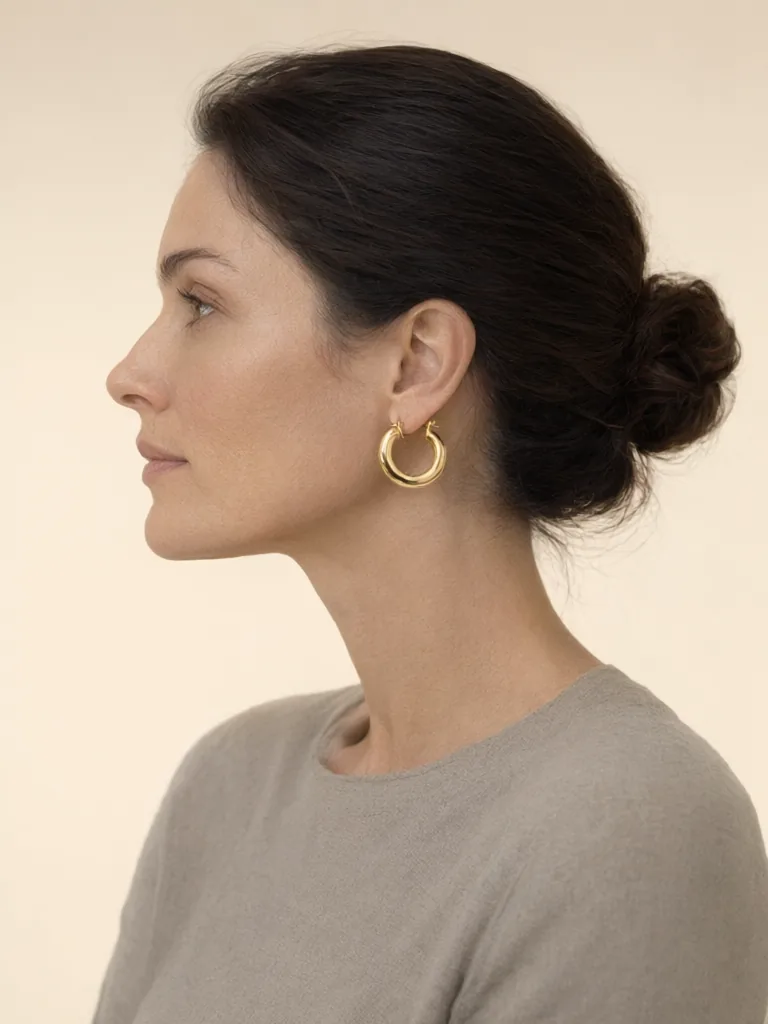
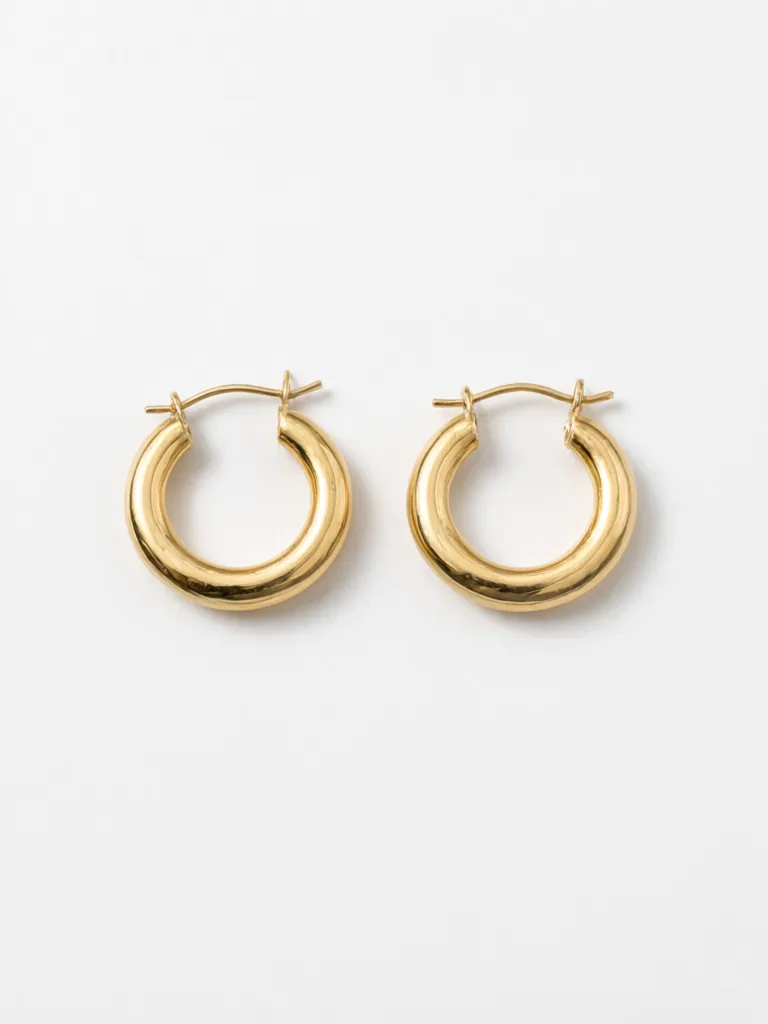
Drag to compare
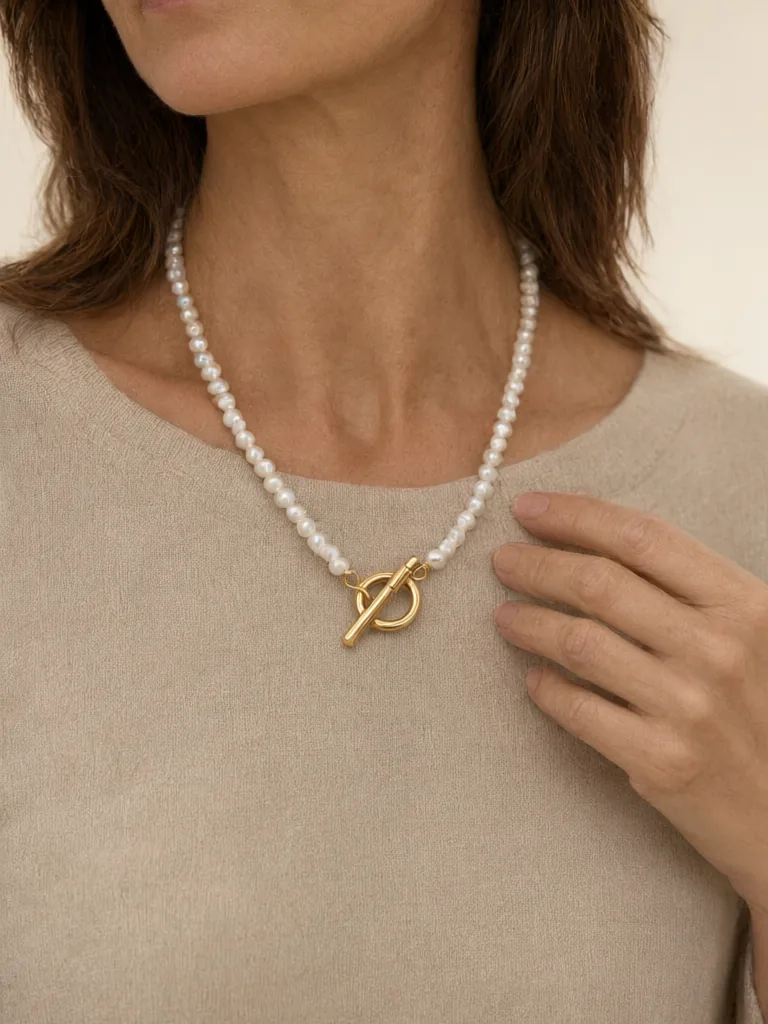
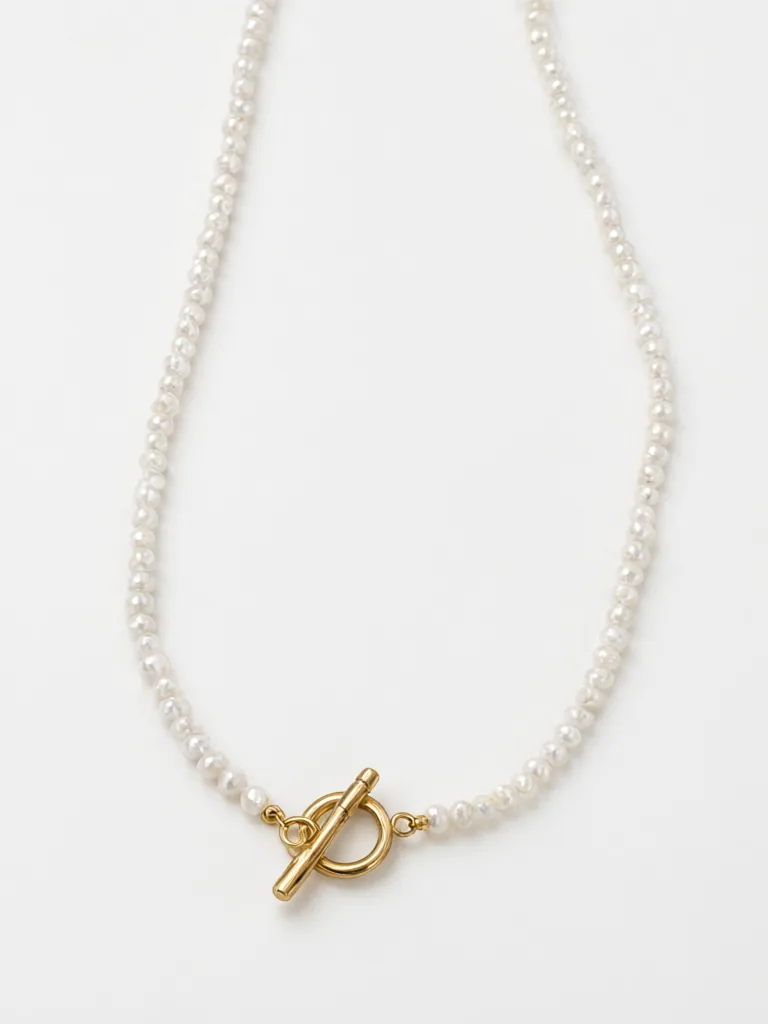
Drag to compare
Drag to compare
Real, unretouched output from this tool. Drag any slider to compare.
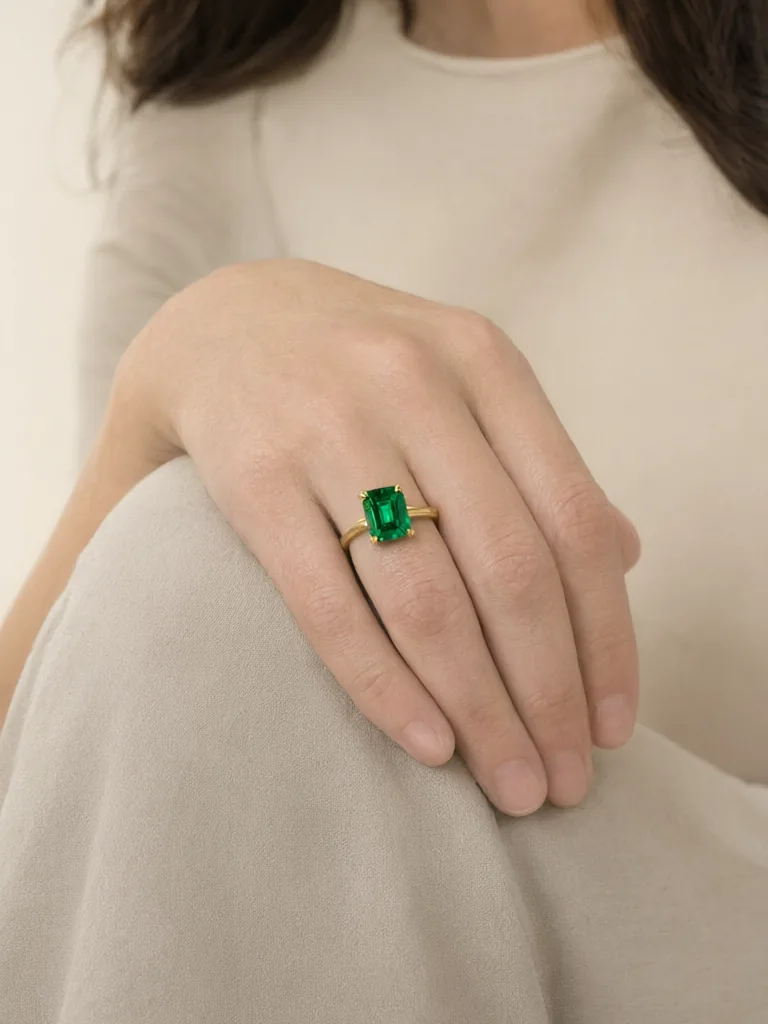
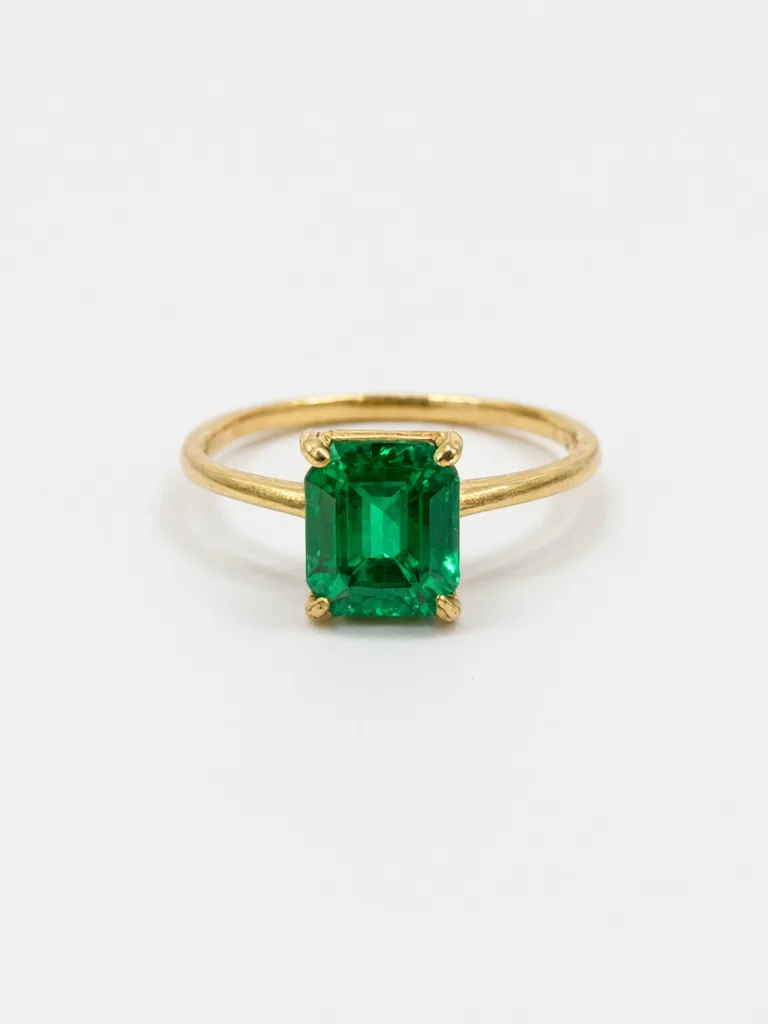
A jewelry photo on a white background shows the piece, but not how big it is or how it looks on a person. A shopper who cannot judge the size will often skip the listing. This tool puts your piece on an AI-generated model, as a close crop of the ear, the neck, the hand or the wrist. You choose the size of the piece, so the scale is right, and the piece itself is kept exact.
One mode for each kind of jewelry
A ring is worn on a hand, earrings on an ear, a necklace on the neck. Each needs a different crop and a different size guide, so each has its own mode.
1
Earrings on Ear
A close view of the ear and jaw. Choose from studs, hoops, drops and statement earrings, each with a size.
2
Necklace on Model
A close shot of the neck and chest, with a chain-length setting from choker to opera length.
3
Ring on Hand
A close shot of a hand, with the finger you pick and clean, natural nails.
4
Bracelet or Watch on Wrist
A close shot of the wrist on a plain table or against a plain sleeve.
5
Earring and Necklace Set
A close portrait with both pieces worn together.
How to use the jewelry model generator
Start with the best photo of the piece you have.
1
Photograph the piece
Use a plain white or light background, soft even light, and a sharp close photo. Show the whole piece and the clasp or setting.
2
Pick the mode
Choose the kind of jewelry in the photo.
3
Set the size
Choose the piece size or the chain length that matches the real item.
4
Choose the model
Pick the skin tone and the age, and a plain, simple setting.
5
Generate and check
Compare the stones, the metal and the size with the real piece.
A scale guide for jewelry
Scale is the most common mistake in AI jewelry photos, so the settings here use real measurements. Use them to match the piece you sell.
1
Stud earrings
About 4 to 8 mm across. They sit on the lobe and show as a small dot or gem.
2
Hoop earrings
About 20 mm for small hoops and 35 to 40 mm for medium hoops. A hoop larger than 50 mm is a statement piece.
3
Drop earrings
About 30 to 50 mm long, hanging below the lobe.
4
Choker
About 14 to 16 inches, sitting at the base of the neck.
5
Princess length
About 17 to 19 inches, sitting at the collarbone. This is the most common necklace length.
6
Matinee and opera
Matinee is about 20 to 24 inches and sits below the collarbone. Opera is about 28 to 36 inches and hangs to the chest.
Tips for a better jewelry result
Small details matter more on jewelry than on any other product, so a good input photo is worth the extra minute.
1
Show the stones clearly
A sharp photo helps the AI keep the cut and the colour of a gemstone.
2
Say the metal
Add "yellow gold", "rose gold" or "silver" in Additional Details if the photo has a tint.
3
Keep it simple
A plain neutral top and a plain background keep the eye on the piece.
4
One piece at a time
Use one piece per photo for the best result, or use the set mode for earrings and a necklace.
5
Make a close crop and a wider view
Use the close crop for detail and the portrait for the feel of the piece when worn.
Why worn photos sell jewelry
A flat photo cannot answer the questions a buyer asks first: how big is it, and how will it look on me? A worn photo answers both in one look. Stud earrings look tiny on a white page but clear on an ear, and a long chain looks heavy until you see it fall to the chest.
Small sellers rarely have a model, a hand model or a studio. This tool gives each new design a worn photo in minutes, so you can list a piece the day you make it, test which crop gets more clicks, and add a worn photo to every listing in a shop.
1
Add a worn photo as the second image
Keep the clean white photo first for search results, then show the worn photo second so buyers see the scale.
2
Match the crop to the piece
Use an ear crop for earrings, a neck crop for a pendant, a hand crop for a ring and a wrist crop for a bracelet.
3
Keep the same model look across a collection
Use the same model choices for every piece in a range so the shop looks consistent.
Honest limits
The model is told to keep the shape, the metal, the stones and the setting, but fine detail such as tiny stones, engraved patterns or a very thin chain can drift. Compare every image with the real piece before you publish. If a result changes the stones or the setting, do not use it.
This tool uses our own AI-generated adult models. It does not map jewelry onto a selfie, so it is not a live virtual try-on for shoppers. It is a photo tool for sellers.
Models are AI-generated adults, never real or famous people, and wear a plain top. The tool is for jewelry, not for underwear, swimwear or nightwear.
More tools for jewelry sellers
Other ways to show jewelry.
💍
AI Jewelry Hand Model Photo →
A hand-only photo for rings, watches and bracelets.
💎
Jewelry Photography Studio →
The full jewelry photography studio.
🖼️
AI Product Photo Background →
Put the piece on a clean, new background.
🛒
Etsy Listing Photo Maker →
Build a photo set for an Etsy listing.
🛍️
Shopify Product Photo Enhancer →
Polish product photos for your store.
🧍
AI Fashion Model Generator →
Show clothing on a model.
Who uses an AI jewelry model generator
🏠
Etsy and handmade jewelers
✓Show a new design worn before you pay for a photo shoot.
💡
Small online jewelry shops
✓Give every product a worn photo with the right scale.
🏢
Designers testing a design
✓Check how a piece looks when it is worn.
📸
Resellers and wholesalers
✓Show buyers the size of a piece on a person.
💎
AI Jewelry Model Generator: Show Your Jewelry Worn on a Model
Upload your imageTap anywhere here — your AI design will appear in this space after you generate.JPG · PNG · WebP
Studs, hoops, drops and statement earrings, worn at the right size
Premium users can generate images without watermark
Higher quality options available for premium users
Be specific for better results0/400
Output quality:
Frequently Asked Questions
You choose the piece size or the chain length, using real measurements, and the tool shows the piece at that scale. Always compare with your real item.
The tool is told to keep the shape, metal colour, gemstones and setting. Tiny stones and engraved patterns can still drift, so check every image.
No. It is a photo tool for sellers that uses our own AI models. It does not map jewelry onto a customer selfie.
Yes. You can choose a man or a woman, and four skin tones in the model list.
Yes, that is the best input. Use a sharp, evenly lit photo that shows the whole piece.
It is faster and has no model fee, and you can test many pieces. A real photo shoot still gives the most exact detail, so use whichever fits.
No. Every model is an AI-generated adult, never a real or famous person.
Your first generation is free when you sign up. Paid plans add credits, remove the watermark and unlock higher resolution.