It takes a photo of a garment and makes a photo of the same garment worn by an AI-generated model. You choose the model, the skin tone and the background.
AI Clothing Model Generator: Show Tops, Dresses, Coats and Activewear on Models
AI Clothing Model Generator: Show Tops, Dresses, Coats and Activewear on Models is a free AI tool. Pick your clothing category, upload the garment photo, and get it worn by an AI model. Tops, dresses, coats, activewear and trousers. Free to try.
Free to try · first generation free on signup · no credit card
1
Step 1
Upload Image
Start by uploading image
Upload your image
Click to browse or drag & drop
2
Step 2
Select Mode
Choose your transformation style
Tees, shirts, blouses and knitwear on a model
3
Step 3
Options
Configure your options
Related Tools
→try new exterior paint colors on your own photo
→redesign a home exterior from a single photo
→plan a new yard or garden layout from a photo
→repaint a car in any shade before you commit
Output quality:
Mode
Tops and Shirts
Your AI Design Will Appear Here
Fill in the options on the left, then press Generate.
Upload your image
Drag & drop your file here or click to browse
JPG, PNG, WebP
Max 10MB
AI Ready
Explore Fashion Studio
Turn product shots into on-model photos
For when you have the garment but no model.
- Flat lay to modelDress a model from a garment laid out flat.
- Mannequin to modelReplace the mannequin in an existing product photo.
- On-model photographyShow fit and drape without booking a shoot.
- AI fashion modelsChoose the model who suits your customer.
Prepare the catalog
Clean, consistent images for a store.
- Ghost mannequinGet the hollow-garment look for product pages.
- Clothing flat layTidy overhead shots of a garment.
- Fashion catalogKeep a whole range in one visual style.
- Amazon clothing image rulesCheck what the main image has to show.
Shoot accessories and footwear
Small products that need scale and detail.
- Jewelry model generatorShow a piece being worn at a believable size.
- Ring photographyBring out stones and metal in close-up.
- Footwear AIPlace shoes on feet or in a styled scene.
Help shoppers choose
For store owners and personal shoppers.
- Virtual try-onPreview a garment on a person in a photo.
- AI outfit generatorPut looks together around one item.
- AI stylistGet outfit suggestions for an occasion.
- Ecommerce photo guidePlan a full product image set.
Quick facts about AI Clothing Model Generator: Show Tops, Dresses, Coats and Activewear on Models
- Tool nameAI Clothing Model Generator: Show Tops, Dresses, Coats and Activewear on Models
- CategoryProduct Photo Tools
- PriceFree to try
- InputPhoto upload + text prompt
- OutputAI-generated image
Before / After
Example results
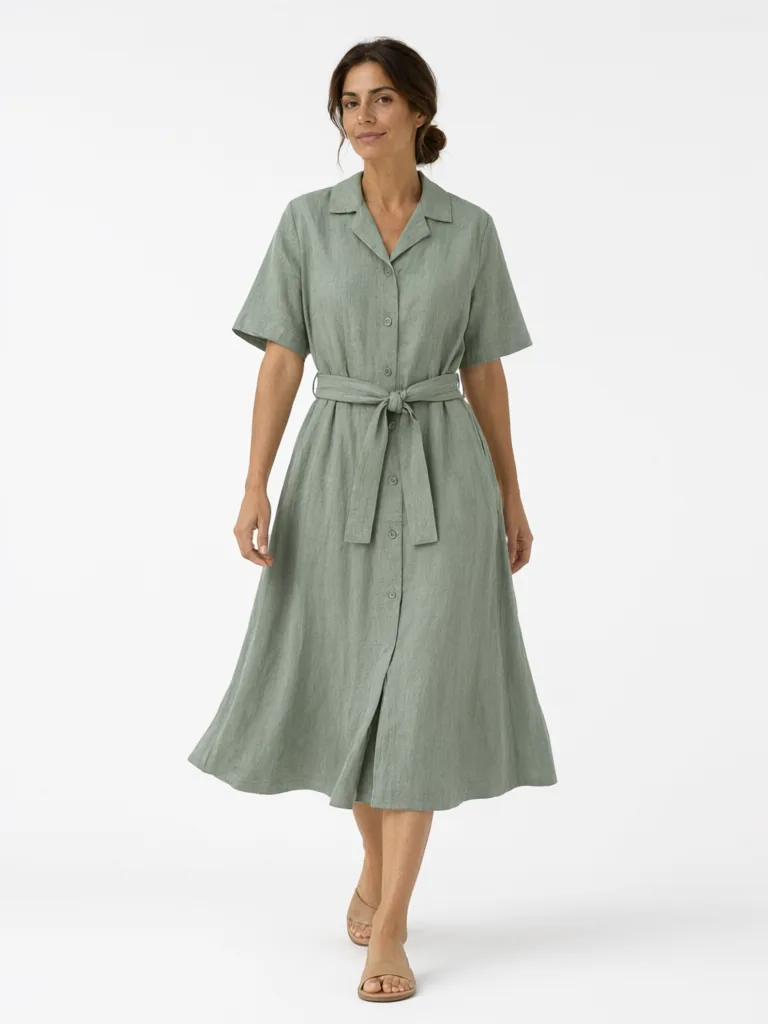
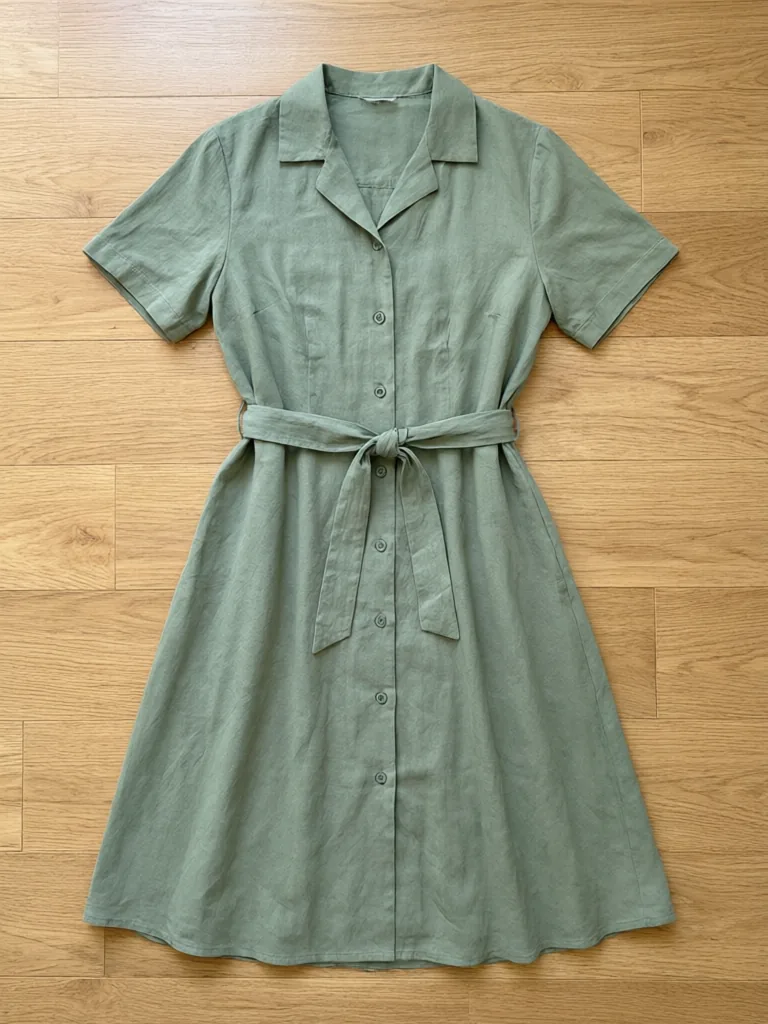
Drag to compare
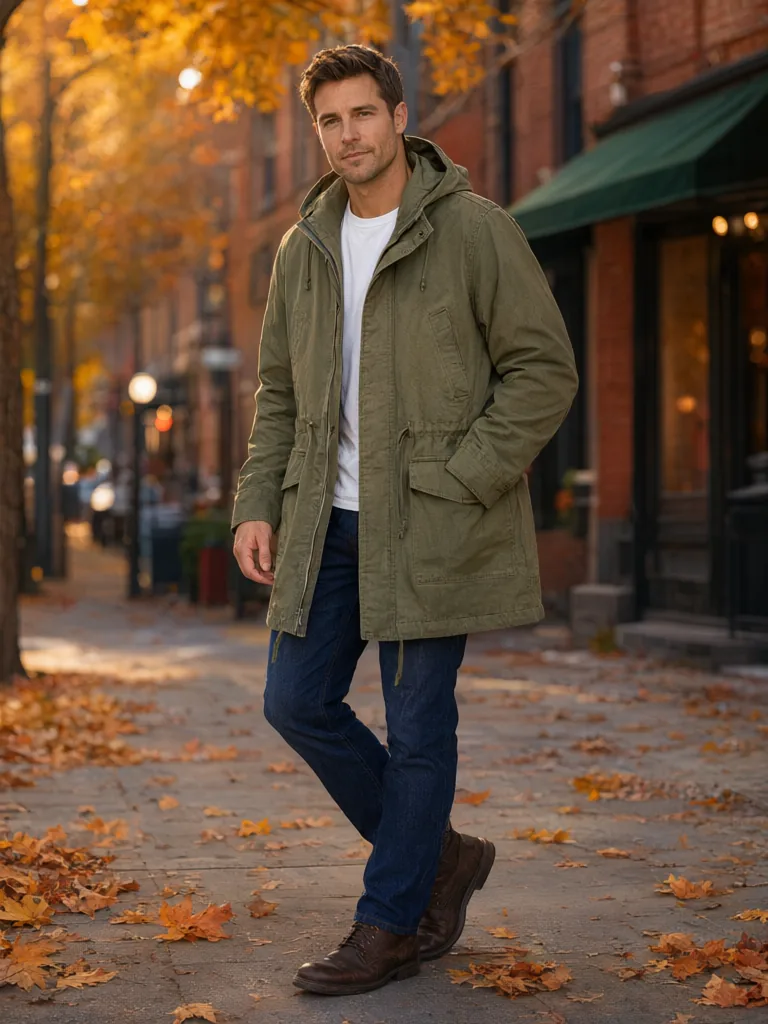
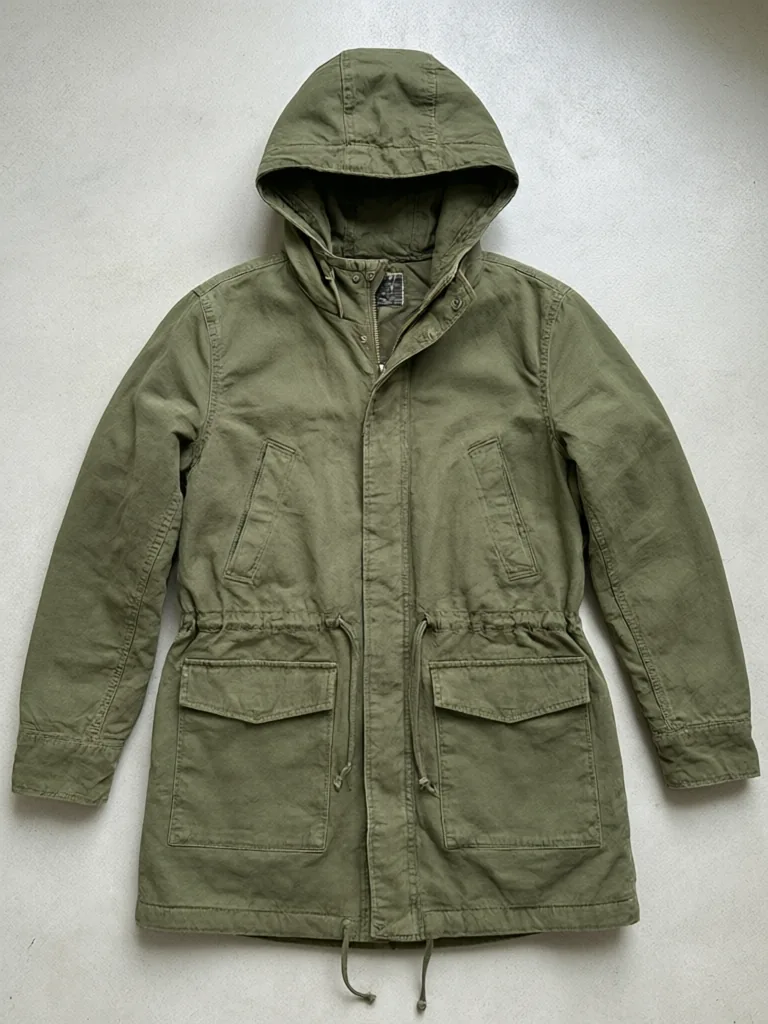
Drag to compare
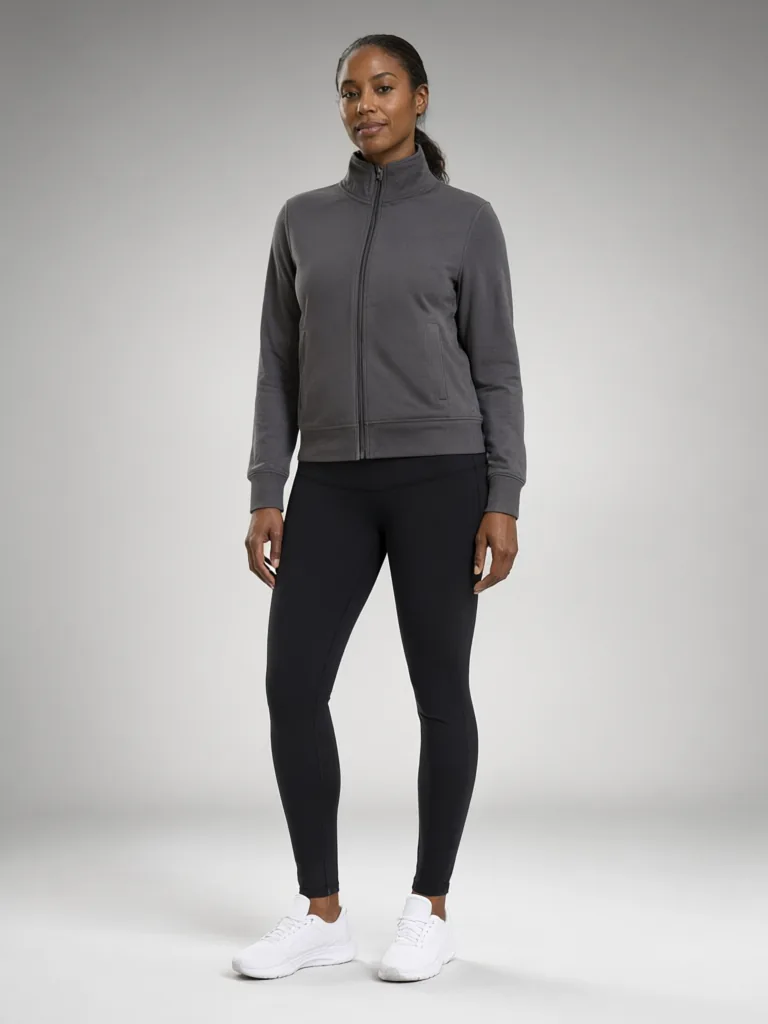
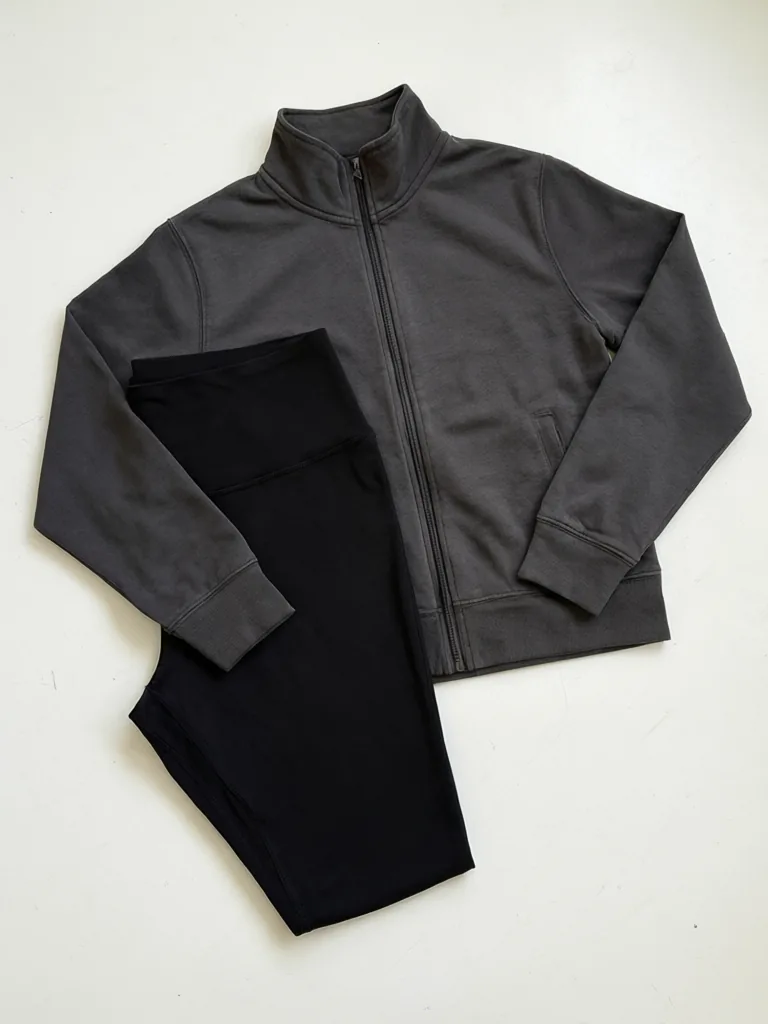
Drag to compare
Real, unretouched output from this tool. Drag any slider to compare.
Tops, dresses, coats and leggings all hang differently, and a shopper looks for different things in each. For a top it is the hem and the sleeve. For a dress it is how the skirt moves. For a coat it is the length and whether it opens or closes. This clothing model generator has a mode for each category, with the settings that matter for that kind of garment. Upload the garment photo, pick the category, and get it worn by an AI-generated adult model.
A mode for every clothing category
Most AI model tools use one prompt for every garment. That is why a dress can come out looking like a shirt, or a coat can come out buttoned up when you wanted it open. Here each category has its own mode, and its own choices.
Choose the category that matches the item in your photo. You then pick the model, the skin tone and the background, and the options for that category.
1
Tops and Shirts
Tees, shirts, blouses, knitwear and sweatshirts, worn untucked or tucked.
2
Dresses and Skirts
A full-length frame, with the option to stand still, walk or turn so the fabric moves.
3
Outerwear
Coats, jackets and parkas, worn open over a plain base layer or closed.
4
Activewear
Leggings, joggers, track jackets and hoodies, worn as full-coverage sportswear.
5
Trousers and Jeans
Full length or waist down, with a plain top and the shoes you pick.
How to use the clothing model generator
The steps are the same for every category.
1
Upload the garment photo
One garment per photo, whole item in view, plain background.
2
Pick the category mode
The mode name tells you which kind of garment it is set up for.
3
Choose the model
Woman, plus-size woman or man in the category modes. Four skin tones.
4
Set the category options
For example the hem for tops, the movement for dresses, open or closed for coats.
5
Generate, check, repeat
Zoom in on the details and make the other categories in your range.
What to show for each category
Think about the question the shopper is asking, and choose the setting that answers it.
1
Tops
Shoppers ask about length and fit. An untucked hem shows how long the top really is. A front tuck shows the waist.
2
Dresses
Shoppers ask how it moves. A walking or turning pose shows the swing of the skirt, and a standing pose shows the clean outline.
3
Coats and jackets
Shoppers ask about length and layers. Show it open over a plain base layer to see the shape, and closed to see the front.
4
Activewear
Shoppers ask about stretch and fit. A full-length view shows the line of leggings, and a park or gym setting shows when you would wear it.
5
Trousers and jeans
Shoppers ask about the rise and the break at the ankle. A full-length frame with a plain top and simple shoes keeps the focus on the legs.
How to photograph each category before you upload
A good input photo is the biggest step towards a good result.
1
Tops and dresses
Hang them on a plain hanger or lay them flat and smooth the fabric. Show the full length.
2
Coats and jackets
Fasten the front the way you want to show it, and lay the sleeves in a natural shape.
3
Leggings and joggers
Lay them flat with the legs together so the full length and the waistband can be seen.
4
Jeans and trousers
Zip them up, close the button and lay them flat or hang them from the waistband.
5
For all
Even daylight, no flash, a plain background and no other clothes in the frame.
Build a full range, category by category
A clothing shop rarely sells one kind of item. The quickest way to a consistent catalogue is to work through your range one category at a time, using the same model and the same background for every item in that category.
Start with your best sellers, because they get the most visits. Make one on-model photo for each, check it against the real garment, and add a second angle or a second colour later. Keep a note of the settings you used, so the next batch looks like the first.
If a category does not fit any mode, such as a jumpsuit or a two-piece set, use Your Own Description and say exactly how the pieces are worn together.
Tips and honest limits
The model is told to keep the cut, colour, print and fabric. Fine prints, small logos and the number of buttons or pockets can still drift, so compare each image with the real garment before you publish.
A garment photo cannot show how heavy a fabric is or how it stretches. Say it in Additional Details, for example "thick wool, hip length, relaxed fit", and keep your size chart on the listing.
Activewear is shown as full-coverage sportswear. Every model is an AI-generated adult, never a real or famous person. Underwear, swimwear, nightwear and children's clothing are not supported.
More tools for clothing sellers
Other ways to build a fashion listing.
🧍
AI Fashion Model Generator →
Hanger, mannequin and accessory photos worn by AI models.
👚
Flat Lay to Model AI →
Built around a garment photographed flat on a table.
👻
Ghost Mannequin Effect →
A hollow-body product shot with no model at all.
🧍
AI Plus Size Model Generator →
Show the same garment on a plus-size body.
🎨
Product Color Variants AI →
Show the same garment in more colours.
🛍️
Shopify Product Photo Enhancer →
Clean up the product photos on your store.
Who uses an AI clothing model generator
🏠
Online clothing shops
✓Add on-model photos to every category in the catalogue.
💡
Dropshippers and resellers
✓Show supplier items worn, with your own photo style.
🏢
Small fashion labels
✓Test how a new design looks before a sample shoot.
📸
Stylists and bloggers
✓Mock up an outfit idea on a model.
👕
AI Clothing Model Generator: Show Tops, Dresses, Coats and Activewear on Models
Upload your imageTap anywhere here — your AI design will appear in this space after you generate.JPG · PNG · WebP
Tees, shirts, blouses and knitwear on a model
Premium users can generate images without watermark
Higher quality options available for premium users
Be specific for better results0/400
Output quality:
Frequently Asked Questions
A top, a dress, a coat and leggings need different shots. Each mode has the options that matter for that kind of garment, such as tucked or untucked, standing or walking, open or closed.
A flat lay, a hanger photo or a mannequin photo with the whole garment in view, in even light on a plain background.
The tool is told to keep the cut, colour, print, zips and logo. Fine prints and small logos can still drift, so compare with your real item and run again if needed.
Yes. Every category mode lets you choose a woman, a plus-size woman or a man, and four skin tones.
Leggings, joggers, track jackets, zip tops and hoodies, shown as full-coverage sportswear. Underwear and swimwear are not supported.
No. Every model is an AI-generated adult, never a real or famous person.
Yes. Follow each marketplace's rules on AI-generated images, and make sure the photo still represents your real item.
Your first generation is free when you sign up. Paid plans add credits, remove the watermark and unlock higher resolution.