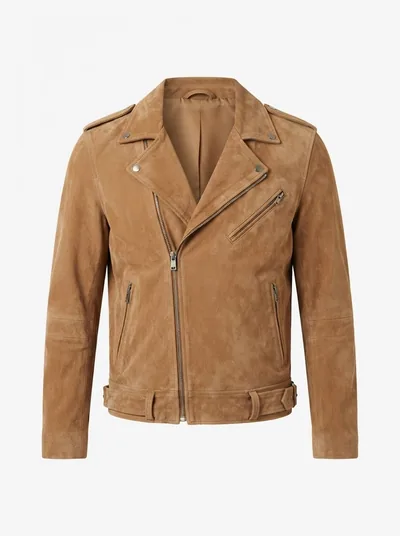
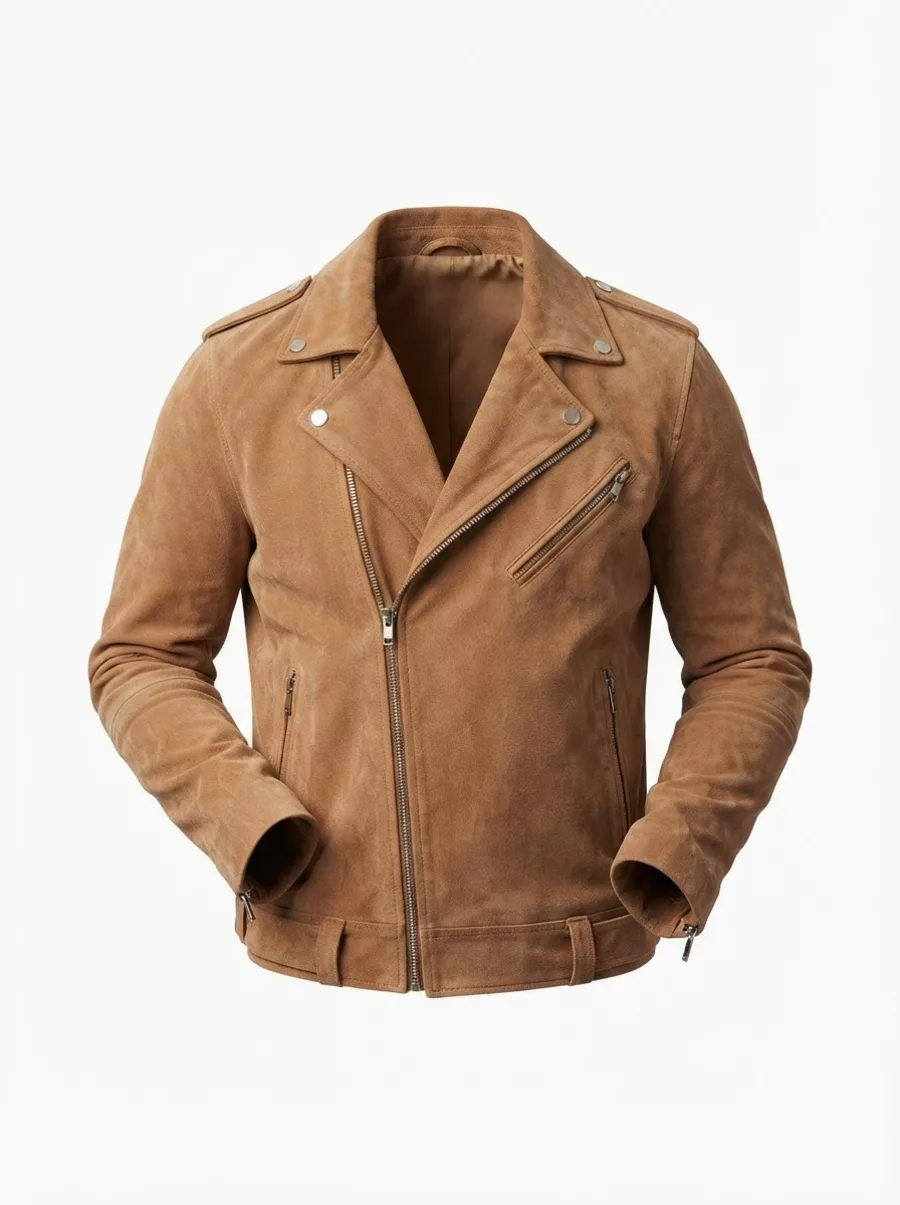
It is a product photography style where a garment appears filled out in its natural worn shape — shoulders, sleeves and neckline all three-dimensional — but with no visible person or mannequin. It is also called invisible mannequin, hollow man or 3D garment photography, and it is the standard main-image style for apparel listings on most marketplaces.
Ghost Mannequin Effect
Ghost Mannequin Effect is a free AI tool that lets you create the ghost mannequin effect with AI, free. Upload a photo of a garment worn or on a mannequin and get a clean invisible-mannequin product photo on white in about 30 seconds — no two-shot photography, no Photoshop compositing.
Free to try · first generation free on signup · no credit card
1
Step 1
Upload Image
Start by uploading image
Upload your image
Click to browse or drag & drop
2
Step 2
Options
Configure your options
Related Tools
→try new exterior paint colors on your own photo
→redesign a home exterior from a single photo
→plan a new yard or garden layout from a photo
→repaint a car in any shade before you commit
Output quality:
Mode
Ghost Mannequin
Your AI Design Will Appear Here
Fill in the options on the left, then press Generate.
Upload your image
Drag & drop your file here or click to browse
JPG, PNG, WebP
Max 10MB
AI Ready
Quick facts about Ghost Mannequin Effect
- Tool nameGhost Mannequin Effect
- CategoryFashion Studio
- PriceFree to try
- InputPhoto upload + text prompt
- OutputAI-generated image
Make ghost mannequin product photos without a studio: upload one worn or mannequin photo and get the garment alone on a clean background in about 30 seconds. The ghost mannequin effect — a garment holding its worn, three-dimensional shape with nobody inside it — is the standard for serious apparel listings. Traditionally it takes a mannequin, a two-shot photography routine and a Photoshop compositing session per product. This tool does it from the one photo you already have.
Free to try · results in about 30 seconds · no card required
What the ghost mannequin effect is — and why marketplaces want it
A ghost mannequin photo (also called invisible mannequin, hollow man, or 3D garment photography) shows a garment filled out as if worn — shoulders squared, sleeves hanging naturally, the neckline open so you can see the inside collar — but with no person and no visible mannequin. The eye reads fit and drape instantly, without a model's face, pose or styling competing with the product.
That is exactly why it became the apparel-listing standard. Marketplaces want the buyer's attention on the garment: Amazon's clothing image guidance pushes plain white backgrounds and product-only shots, and most fashion platforms follow the same logic. A flat-lay hides how a garment hangs; an on-model shot introduces a person the buyer starts evaluating instead of the clothes. Ghost mannequin sits in the middle — the shape of a worn garment, the neutrality of a product shot.
There is a consistency argument too. A catalog of ghost mannequin images looks like one catalog: same framing, same background, same absence of a model whose look dates the photos. Brands that shoot hundreds of SKUs standardize on it because it scales visually in a way model photography never quite does.
The traditional workflow this replaces
The classic ghost mannequin process is a two-shot composite. Shot one: the garment on a physical mannequin, lit for the final image. Shot two: the same garment turned inside-out or draped to capture the inside of the collar and hem — the parts the mannequin's neck and torso block. Then a retoucher masks out the mannequin in Photoshop, layers the inside-collar shot behind the neckline (the "neck joint"), rebuilds any hidden edges, and cleans the background. Done well it is invisible; done at catalog volume it is a real production line.
The costs are the mannequin itself, the studio time for two shots per garment, and the editing — outsourced ghost mannequin retouching is typically billed per image with a turnaround measured in days. None of that is unreasonable for a big brand with a photo studio. It is a lot of machinery for a boutique, a reseller, or anyone listing a few dozen items a month.
The AI route collapses the whole chain into one step: upload any decent photo of the garment being worn (or on a mannequin you already have), and the model removes the person, reconstructs the garment's worn shape, and places it on a clean studio background. No second shot, no masking, no neck-joint compositing. What took a per-image editing queue now takes about 30 seconds — and the source photo can be a phone shot of someone wearing the item.
Getting a clean result: what to upload
Give the model the whole garment. A front-on photo with the full item in frame — hem to collar, cuff to cuff — converts best, because the AI preserves the silhouette it can see and has to infer anything cropped out. Worn shots and physical-mannequin shots both work; what matters is that the garment's shape and details are visible.
Even, soft light beats dramatic light. The output is a product photo, and product photos want the fabric's true color and texture. Harsh side-light bakes shadows into the fabric that survive into the result; flat daylight or diffused indoor light gives the model clean material to work with. Busy backgrounds are fine — they get replaced — but avoid anything overlapping the garment itself (bags, crossed arms, another person).
Zips, buttons and closures photograph the way you present them. If the listing should show the jacket zipped, upload it zipped; the model keeps closures, stitching, prints and labels as photographed rather than inventing a different configuration. Use the additional-requirements box for specifics — "show the inside back collar" or "sleeves hanging straight" — the same way you would brief a retoucher.
And check the result the way a buyer would: neckline shape, sleeve drape, hem line, print alignment. AI reconstruction is strong on typical garments — tops, jackets, dresses, knitwear — and you should still eyeball each image before it goes into a listing, exactly as you would proof a retoucher's composite.
Ghost mannequin, flat lay, or on-model — which shot sells what
Ghost mannequin is the workhorse for structured garments: jackets, shirts, dresses, hoodies, knitwear — anything whose selling point is how it hangs on a body. It is the shot marketplaces prefer for the main image, and the one that makes a catalog look professional at a glance.
Flat lay still wins for items with no meaningful drape — scarves laid to show a print, folded basics in a lifestyle grid, accessories. It is also the honest choice when the garment's appeal is the fabric pattern itself rather than the fit.
On-model photography earns its cost where emotion and context sell: lookbooks, hero banners, social. The practical catalog answer is usually a mix — ghost mannequin as the primary listing image, an on-model shot second — and because this tool works from a worn photo, one photoshoot can feed both: the original worn shot for context, the ghost mannequin conversion for the listing lead image.
👻
Ghost Mannequin Effect
Upload your imageTap anywhere here — your AI design will appear in this space after you generate.JPG · PNG · WebP
Be specific for better results0/400
Output quality:
Frequently Asked Questions
You upload one photo of the garment being worn or on a physical mannequin. The AI removes the person or mannequin completely, reconstructs the garment's natural three-dimensional worn shape, and places it centered on a clean studio background — keeping the design, colors, materials, stitching and details exactly as photographed.
No. The traditional method needs a mannequin, two shots per garment (outer plus inside-collar) and Photoshop compositing for the neck joint. Here a single ordinary photo of the garment being worn is enough — a phone shot works if the whole garment is visible in decent light.
A front-on shot with the entire garment in frame, in even soft light. Worn shots and mannequin shots both convert well. Avoid anything covering the garment (crossed arms, bags) and harsh shadows across the fabric — the background does not matter, since it gets replaced.
No — the instruction explicitly keeps the garment's design, colors, materials, stitching and details exactly as in your photo. Only the person or mannequin is removed and the background replaced. Closures stay as photographed: upload the jacket zipped if the listing should show it zipped.
The tool outputs a garment-only image on a pure white (or light gray) studio background, which matches the product-only, plain-background style marketplaces ask for in clothing main images. As with any product photo — AI or retoucher-made — review each image against your marketplace's current image requirements before listing.
Choose the "White + Soft Shadow (transparent-ready)" option: it produces an even white background with only a subtle shadow under the garment, so a standard background-removal pass afterwards is trivial and clean.
You get free credits on signup with no card required — enough to convert several garments and judge the quality on your own products. Paid plans add more credits across the whole platform rather than charging per tool.