It is told to keep the product exactly as photographed: the same shape, colour, label and logo, and to change only the background and the light and shadow around it. Compare the result with your original, and run it again if something moved or a label looks different.
AI Product Photo Background: Put Your Product in Any Scene
AI Product Photo Background: Put Your Product in Any Scene is a free AI tool. Upload one product photo and get it on a new background: clean studio colours, lifestyle scenes, marble, wood, podiums or seasonal sets. The product stays the same. Free to try.
Free to try · first generation free on signup · no credit card
1
Step 1
Upload Image
Start by uploading image
Upload your image
Click to browse or drag & drop
2
Step 2
Select Mode
Choose your transformation style
Clean colour backdrops for listings
3
Step 3
Options
Configure your options
Related Tools
→try new exterior paint colors on your own photo
→redesign a home exterior from a single photo
→plan a new yard or garden layout from a photo
→repaint a car in any shade before you commit
Output quality:
Mode
Studio Backdrop
Your AI Design Will Appear Here
Fill in the options on the left, then press Generate.
Upload your image
Drag & drop your file here or click to browse
JPG, PNG, WebP
Max 10MB
AI Ready
Quick facts about AI Product Photo Background: Put Your Product in Any Scene
- Tool nameAI Product Photo Background: Put Your Product in Any Scene
- CategoryProduct Photo Tools
- PriceFree to try
- InputPhoto upload + text prompt
- OutputAI-generated image
Before / After
Example results
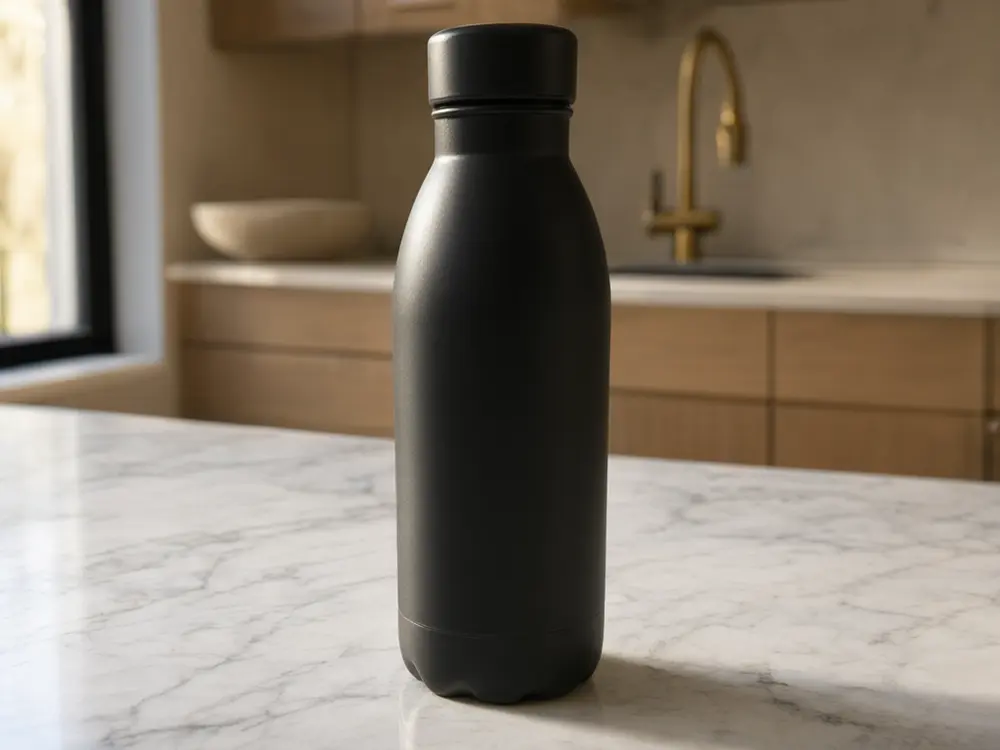
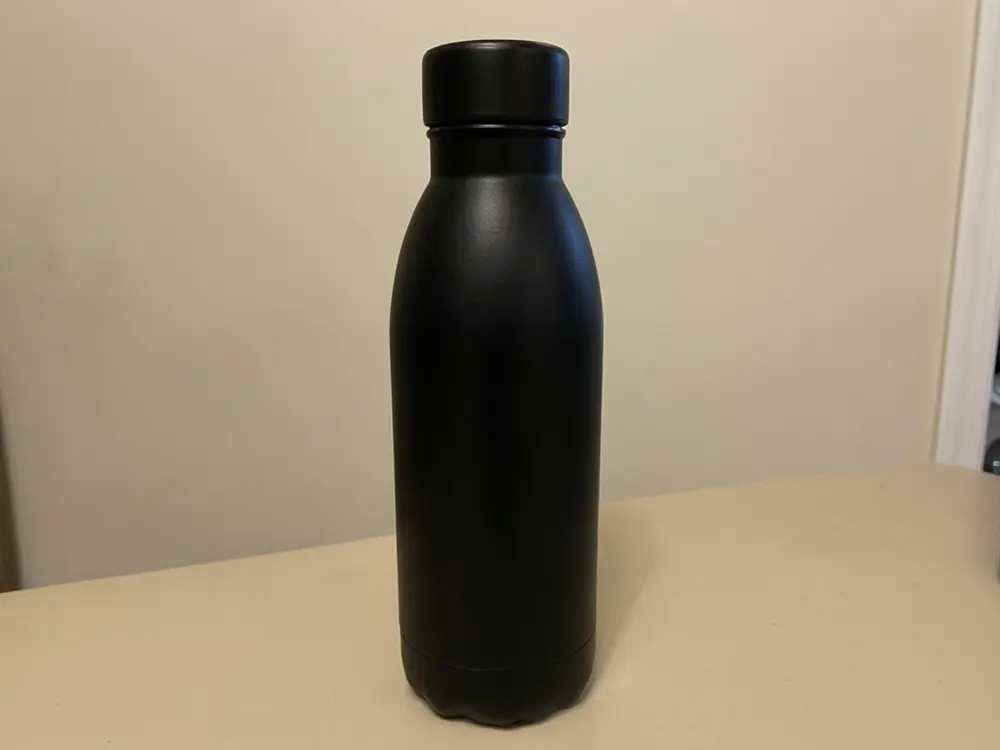
Drag to compare
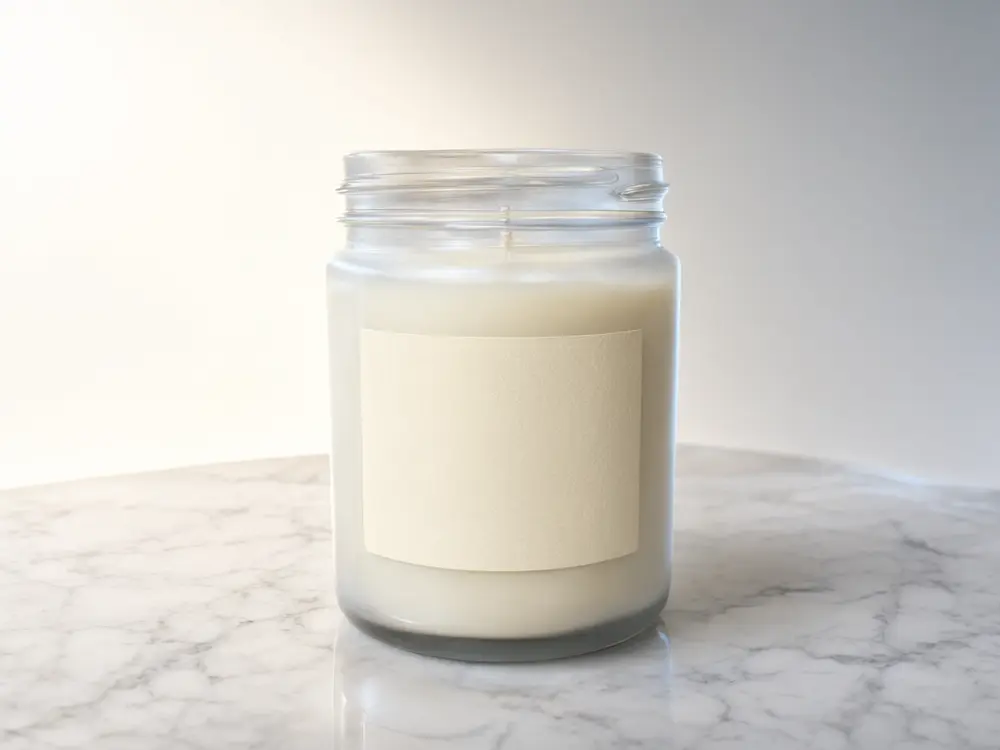
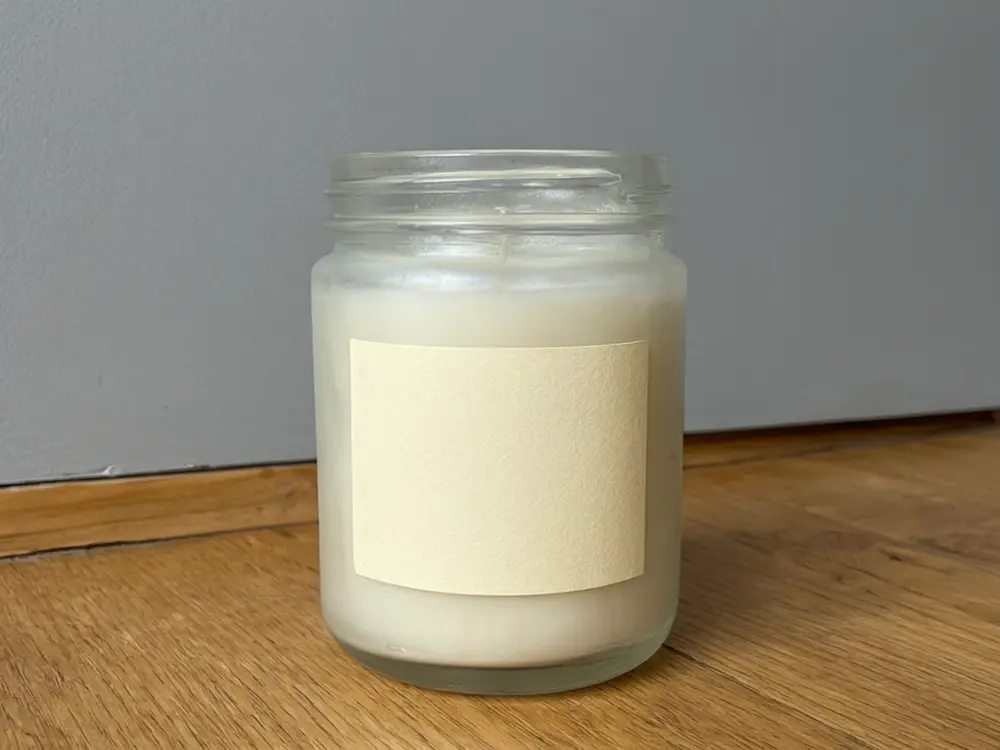
Drag to compare
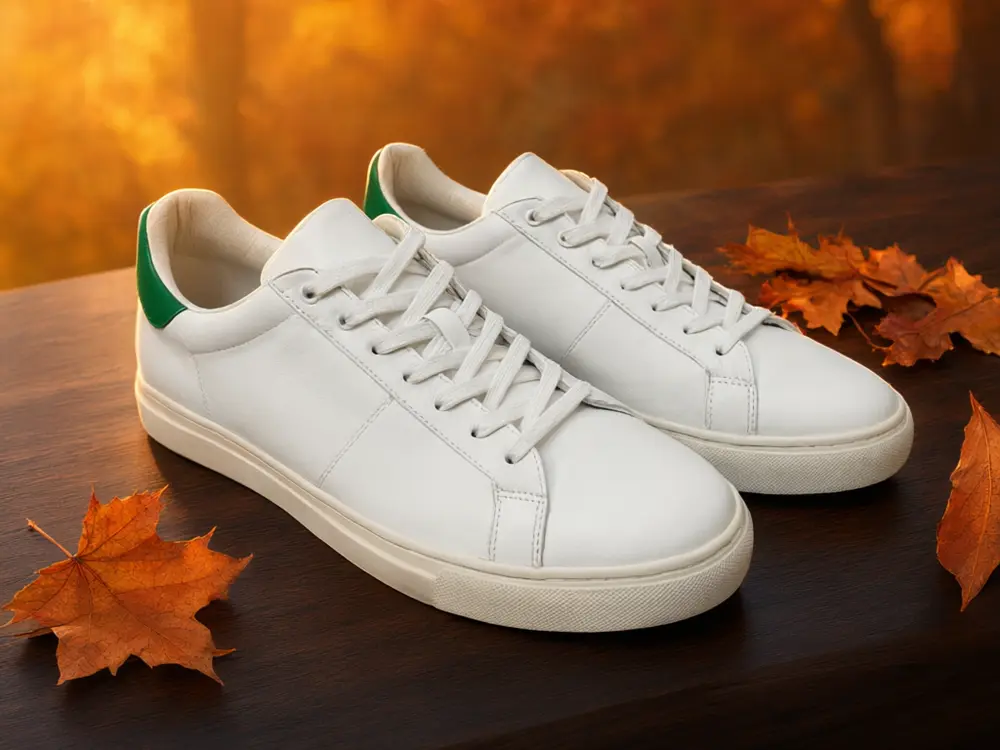
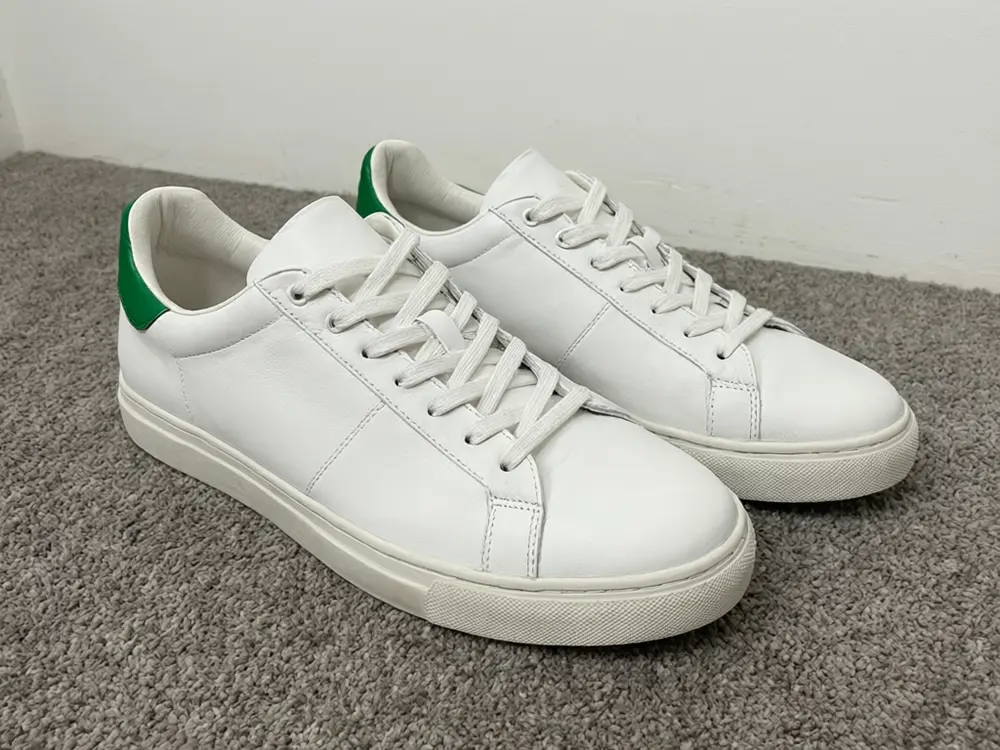
Drag to compare
Real, unretouched output from this tool. Drag any slider to compare.
Upload one photo of your product and see it on a new background. Pick a clean studio backdrop for your shop listing, a lifestyle scene for social posts and ads, a surface such as marble or oak for a premium look, or a seasonal set for a sale. The product is told to stay exactly as you photographed it: same shape, colours, label and logo. Only the background and the light around it change.
How the AI product photo background tool works
A studio shoot with a backdrop, props and lights costs time and money for every product and every season. You upload one photo of the product as it is, choose a background, and the AI places the same product into the new scene, with a matching shadow and light direction.
The result is a ready-to-use product image for your shop, social media or ads. Always compare it with your original photo: AI edits can drift on very small print, so check the label and logo before you publish.
1
Upload a product photo
One product, fully in frame, in even light. JPG, PNG or WebP. A plain background works best.
2
Choose a mode
Studio Backdrop, Lifestyle Scene, Surface & Texture, Seasonal Set or Your Own Description.
3
Pick the background
Six studio colours, seven scenes, six surfaces and six seasonal sets.
4
Edit, upscale or animate
Run it again for another look, upscale the one you like, or turn it into a short video for social media.
Product photo background ideas that sell
Different channels need different backgrounds. A marketplace main image needs a plain, clean look; your own shop and Instagram can carry a story.
1
Studio backdrops
Pure white or light grey for listings and catalogues, a pastel or navy backdrop to make a product stand out in a grid.
2
Lifestyle scenes
Show the product where it is used: a kitchen counter for cookware, a bathroom shelf for skincare, a desk for stationery. Shoppers picture it in their own home.
3
Marble, wood and stone
Surfaces say something about the product. Marble reads clean and premium, oak reads natural and handmade, stone reads earthy.
4
Podiums and velvet
Raised podiums and velvet backgrounds are the classic look for beauty, jewellery and candles.
5
Seasonal sets
Christmas, Valentine's Day, spring, summer, autumn and Eid sets let you refresh the same product photo for every sale without a new shoot.
6
Marketplace main images
Amazon, Walmart and eBay ask for a plain white main image. Use Pure white studio for that, and use the other backgrounds for the secondary images, your shop and your ads.
Tips for a better product photo
Use one product per photo and keep it fully in frame, with space around it. Even, soft light gives the cleanest result. Avoid hands and other objects touching the product, because the AI keeps the main object and replaces the rest.
If a label or logo looks slightly different, run it again or use Additional Details to say "keep the label text unchanged". For a perfectly exact main image on white, our AI Product Photo Generator cuts out your real pixels with code instead of redrawing them.
More tools for sellers
More ways to turn one product photo into listing images, ads and videos.
🛒
AI Product Photo Generator →
A full Amazon listing set from one photo: white main image, size chart, infographic and scenes.
🗑️
AI Object Remover →
Remove a stray prop or a mark from your product shot.
👗
AI Fashion Ecommerce Photos →
Show clothing on a model instead of a flat lay.
🎬
Image to Video →
Turn the finished product shot into a short video ad.
Who uses an AI product photo background tool
🏠
Online shop and Etsy sellers
✓Give every listing the same clean backdrop.
✓Make seasonal versions of the same photo for a sale.
💡
Amazon and marketplace sellers
✓Create secondary lifestyle images from the main product photo.
✓Test different backgrounds to see which one gets more clicks.
🏢
Small brands and makers
✓Candles, soap, skincare, jewellery and food: look premium without a studio.
✓Keep Instagram and ads looking consistent.
📸
Agencies and freelancers
✓Show a client three background directions in minutes.
✓Deliver catalogue images faster.
⬜
AI Product Photo Background: Put Your Product in Any Scene
AI Tool
Upload your imageTap anywhere here — your AI design will appear in this space after you generate.JPG · PNG · WebP
Clean colour backdrops for listings
Premium users can generate images without watermark
Higher quality options available for premium users
Be specific for better results0/400
Output quality:
Frequently Asked Questions
It is free to try: new users get free generations. Paid plans add credits, remove the watermark and unlock higher resolution.
For marketplace main images, pure white. For your own shop and ads, a clean colour backdrop or a lifestyle scene that shows where the product is used. Surfaces such as marble or oak suit beauty, jewellery and handmade goods.
Yes, for the secondary images. Amazon asks for a pure white main image that accurately shows the product, so use Pure white studio for that and check it against the product. For a main image built from your exact pixels, use our AI Product Photo Generator.
One product, fully in frame, on a plain surface in even light. Avoid hands and other objects touching the product.
No. Upload the photo as it is. The AI keeps the product and replaces what is behind it.
Yes. Pick Seasonal Set and run it with the same photo. You can refresh a listing for every season without a new shoot.
Yes. Choose Your Own Description and type the setting, for example "on a mossy log in a forest with misty light".
Yes. After the image is made you can upscale it or convert it to a short video from the actions under the result.
Yes, on your shop, marketplaces, ads and social media. Paid plans remove the watermark.