AI Jewelry Model Generator
AI Jewelry Model Generator is a free AI tool. Put necklaces, earrings, rings, and bracelets on photorealistic AI models from a plain product photo. Elegant close-up and portrait shots for jewelry e-commerce — no model booking, no studio day.
Free to try · first generation free on signup · no credit card
Start by uploading image
Upload your image
Click to browse or drag & drop
Same face across every shot. All models are synthetic and free for commercial use.
Choose your transformation style
Upload a product photo — get a photo-realistic on-model shot. Pick a roster model below to keep the same face across shots.
Configure your options
Your AI Design Will Appear Here
Fill in the options on the left, then press Generate.
Upload your image
Drag & drop your file here or click to browse
Why jewelry fails differently from clothing
A dress fills the frame. A pendant occupies perhaps two per cent of it, and every detail you are charging for — the link pattern, the setting, the engraving — lives inside that two per cent. Jewelry is the one category on this site where the crop matters more than the pose, and where a soft upload is not a small problem.
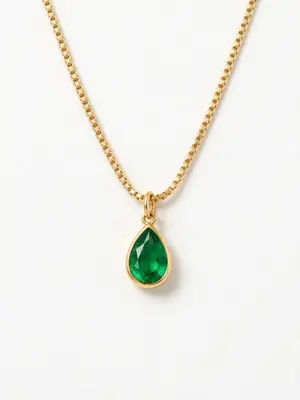
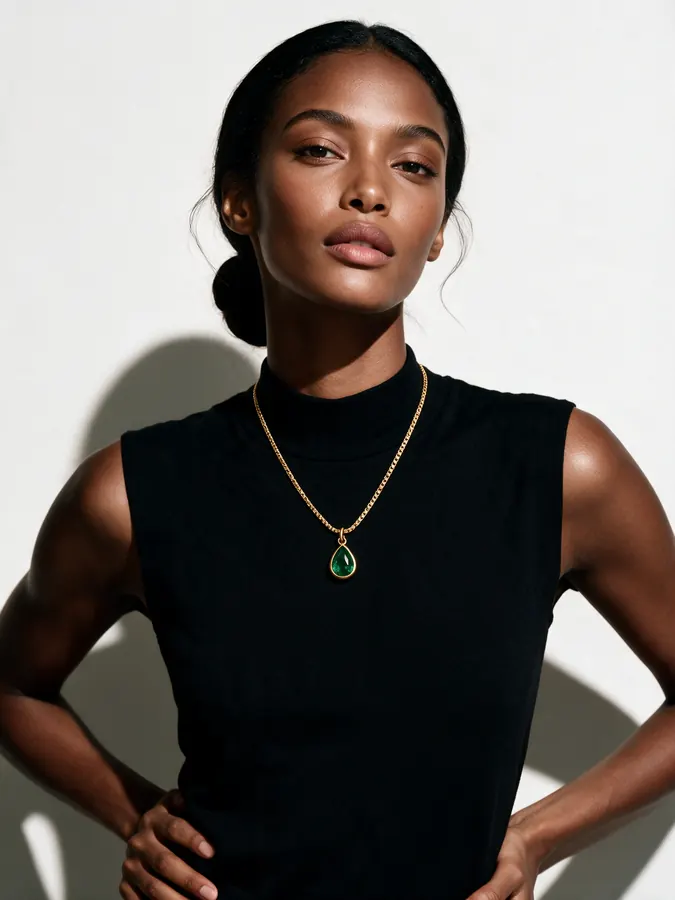
What carried over: the pear-cut emerald, its gold bezel, the drop proportions, and the way the stone sits against a dark top. What drifted: the chain. The upload is a fine box chain and the output is a heavier flat curb link — at that size the chain is a few pixels of repeating pattern, so it got approximated. If the chain is the product rather than the pendant, that is the argument for a tighter crop and a close photo of the links themselves.
Three decisions that make or break a jewelry generation
Fill the frame, diffuse the light
Photograph the piece as large as your camera will let you and light it softly. Both halves matter for the same reason: metal and faceted stones are reflective, so a hard light source becomes a blown white patch with no detail inside it, and a small piece in a big frame simply has too few pixels of engraving for anything to survive. If one detail sells the piece — a hallmark, a claw setting, a link — give that detail its own photograph.
Pick the type, then pick the crop
Jewelry Type is not a label, it is the camera position: the mode frames the photo on the body area where that piece is worn. Set it correctly first. Then decide whether you want the portrait or the macro. Jewelry on Model gives you the elegant campaign frame with a shallow depth of field. Product Detail Shot gives you the Shot Type control — Extreme Close-Up, Close-Up, Detail/Macro, Portrait — along with Detail Focus, where Craftsmanship Details is the setting that puts the engraving rather than the styling at the centre.
Judge the recesses, not the shine
A generation almost always gets the overall shine right and the deep detail wrong, so checking whether it "looks like gold" tells you nothing. Look into the recesses — under a bezel, inside an engraved line, between the links — because that is where an approximation shows. Beauty macro is the photography style built for this crop, and Ring-light beauty is the one to avoid when a stone is faceted: a ring light puts the same circular catchlight in every facet.
The four poses in the library made for jewelry
Jewelry on Model carries no pose control at all — its options are Jewelry Type, photography style and notes, because the type already fixes the crop. When you do want the hand or the wrist posed deliberately, the 40-preset pose library holds four presets built for it, and Pose Set (Consistent Model) is the mode that opens the full library rather than a five-preset subset.
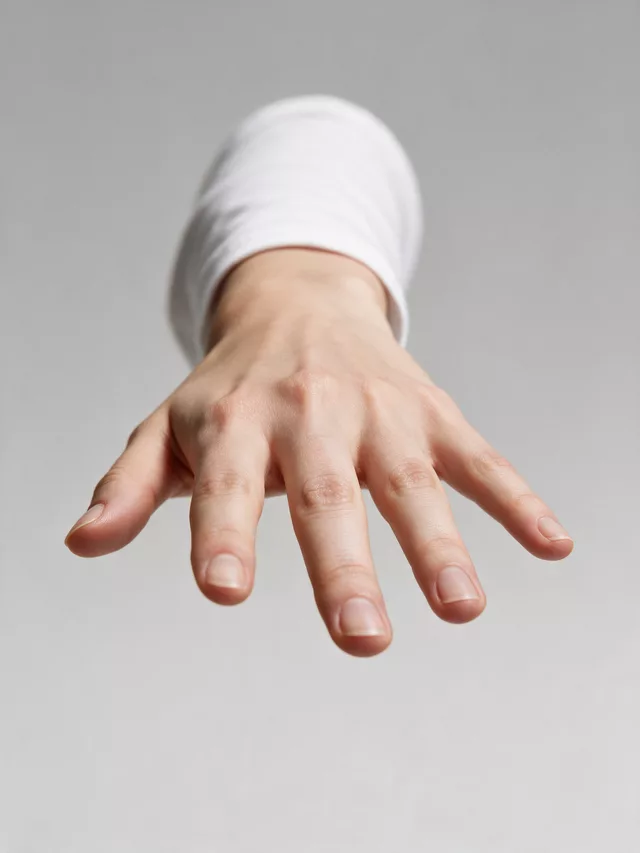
The hand is presented rather than caught doing something, so the stone faces the lens and the band is not foreshortened into an ellipse.
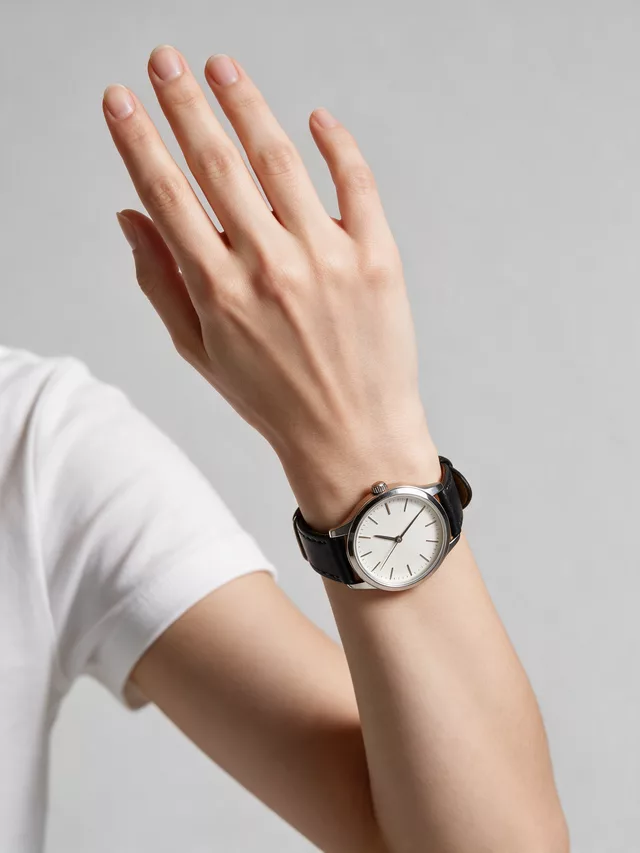
Turns the wrist so the dial and the lug line are both visible. The one pose that stops a watch face rendering as a flat disc.
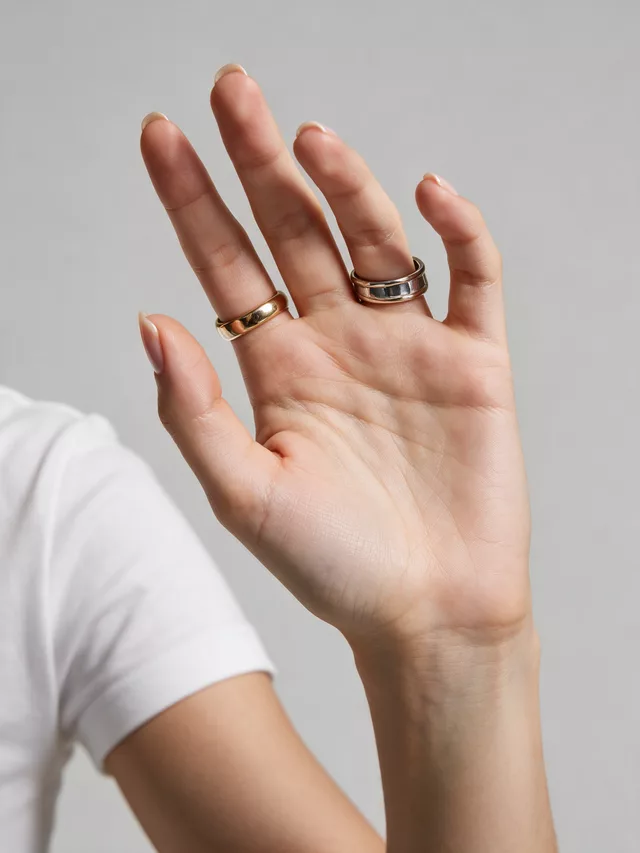
Both hands in frame, which is what a stacked-ring or multi-bangle shot needs. Also the busiest — one strong piece can get lost in it.
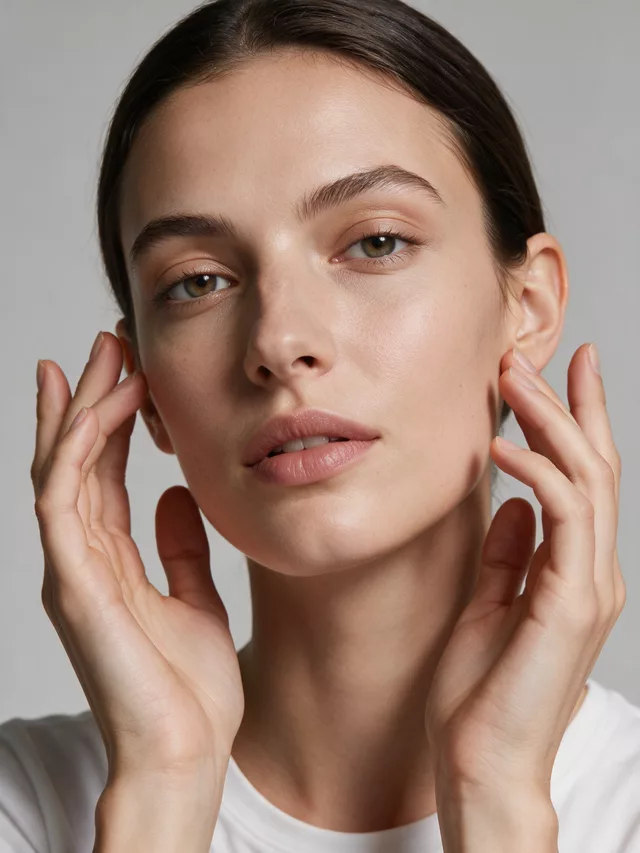
Beautiful and unreliable as a listing image: it puts a face, two hands and the piece in one frame, and the piece loses that competition.
| Shot Type: Detail/Macro | Engraving | The closest framing available. Use it when the thing you are selling is smaller than a fingernail and would be a smudge in a portrait. |
|---|---|---|
| Detail Focus: Craftsmanship Details | Fine work | Points the generation at the making rather than the styling — the setting, the finish, the join. The right choice for anything hand-worked. |
| Background Blur: Heavy Bokeh | Solid forms only | Isolates a bangle or a signet beautifully. On filigree or an openwork setting the blur bleeds through the gaps and softens the detail you paid for. |
| Expression: Not Visible | Listing images | Keeps the face out of the frame entirely. On a category grid the thumbnail that wins is the one where the piece is unmistakably the subject. |
Questions jewelry sellers ask before spending a credit
My chain came back with different links than the one I sell. How do I stop that?
Crop tighter and give it less to invent. A chain is a repeating pattern a few pixels wide in a portrait crop, so it is the first thing a generation approximates — a box chain drifting into a curb chain is the classic failure. Two fixes: upload a photo where the links are large and sharp rather than a full necklace shot where they are hair-thin, and use Product Detail Shot with Shot Type set to Close-Up or Detail/Macro so the frame is the jewelry rather than the person. If the chain is the product, photograph a 3–4 cm run of it, not the whole loop.
Which Jewelry Type should I pick — it changes more than I expected.
It decides where the camera goes. The Jewelry on Model mode frames the photo on the body area where that piece is worn, so Necklace gives you a collarbone crop, Anklet a lower-leg one, Earrings a side-of-face one, Cufflinks a wrist-and-sleeve one. The nine options are Necklace, Choker, Anklet, Watch, Earrings, Nose Ring, Tiara, Bangle and Cufflinks. Picking the wrong one is the reason a pendant sometimes arrives correctly rendered and framed from too far away.
Should the model be smiling, or should the face be in the shot at all?
For a listing image, keep the face out of the decision. In Product Detail Shot the Expression control has a "Not Visible (product focus)" option for exactly this, and Hand Position has "No Hands in Shot". A face and a pair of hands both compete with a 2 cm object for the viewer’s attention, and on a category grid the thumbnail that wins is the one where the piece is unmistakably the subject.
How do I stop the background blurring away the piece?
Set Background Blur to Sharp for anything with fine engraving or an openwork setting, and reserve Heavy Bokeh for a solid, simple form like a bangle. Bokeh is doing a job — it isolates the product — but the blur bleeds into the edge of a filigree piece and softens exactly the craftsmanship you are charging for. Dark luxury as the Background Style plus Sharp is the combination that holds a gold edge without swallowing it.
Gold came out looking like brass. What went wrong?
Almost always the upload. Metal is a mirror, so it renders whatever light you gave it: hard direct flash blows the highlight to white and the output inherits a flat, brassy read with no gradient across the surface. Shoot with soft, diffuse light and a little fall-off across the metal so it has somewhere to go from bright to dark. Then check the deepest recess of the piece in the result — a metal shift shows there before it shows on the flat faces.
Can I show a ring on a hand, or a watch on a wrist, in a specific pose?
Yes, but not from the Jewelry on Model mode, which has no pose control — it carries Jewelry Type, photography style and notes only. The 40-preset pose library holds four poses built for this: Ring hand display, Wrist for watch, Hands close-up and Hands framing face. That full library is what Pose Set (Consistent Model) opens, so that is the mode to use when the hand position itself is part of the shot.
Does it work for a piece that is not on a person — a stack or a set?
The tool on this page is specifically the worn shot. For a stack, a set laid out, or a pure product frame, you want a product-photography workflow rather than a model one — this page will keep trying to put a body in the picture, because that is what it is briefed to do.
Related tools, and why you would switch
Same face across every shot. All models are synthetic and free for commercial use.
Upload a product photo — get a photo-realistic on-model shot. Pick a roster model below to keep the same face across shots.
Premium users can generate images without watermark
Higher quality options available for premium users