Yes. Upload a clear photo of the dress and describe the target color and fabric finish, for example "change the satin midi dress to emerald green." The AI recolors the garment while keeping folds and the rest of the scene.
Change Clothes Color Online Free - AI Dress & Shirt Recolor
Change Clothes Color Online Free - AI Dress & Shirt Recolor is a free AI tool. Recolor dresses, shirts and any garment online free with AI. Upload a photo, pick a color, and see realistic results that keep fabric texture. No credit card.
Free to try · first generation free on signup · no credit card
1
Step 1
Upload Image
Start by uploading image
Upload your image
Click to browse or drag & drop
2
Step 2
Options
Configure your options
Output quality:
Mode
Color Change
Your AI Design Will Appear Here
Fill in the options on the left, then press Generate.
I can edit images with your instructions. Estimated credits: 2.5.
Attach an image, video or voice clip, then tell the AI what to do with it.
Upload your image
Drag & drop your file here or click to browse
JPG, PNG, WebP
Max 10MB
AI Ready
Popular in Fashion Studio
AI Fashion Photoshoot StudioFemale Fashion Models AIAI Jewelry ModelingSwimwear Modeling AIJacket Modeling AIShoes on AI Fashion ModelsAI Jewelry Models HubKids Clothing Modeling AIIndian Fashion Models AIMale Fashion Models AIAnklet AI Jewelry ModelChoker Necklace Photo EditorWatch Photography with ModelMature AI Fashion ModelsScarf Modeling AIHair Accessories Modeling AIGhost Mannequin EffectAI Outfit GeneratorAI StylistAI Color AnalysisDescribe This Outfit
Quick facts about Change Clothes Color Online Free - AI Dress & Shirt Recolor
- Tool nameChange Clothes Color Online Free - AI Dress & Shirt Recolor
- CategoryColor Changer AI
- PriceFree to try
- InputPhoto upload + text prompt
- OutputAI-generated image
Before / After
Example results
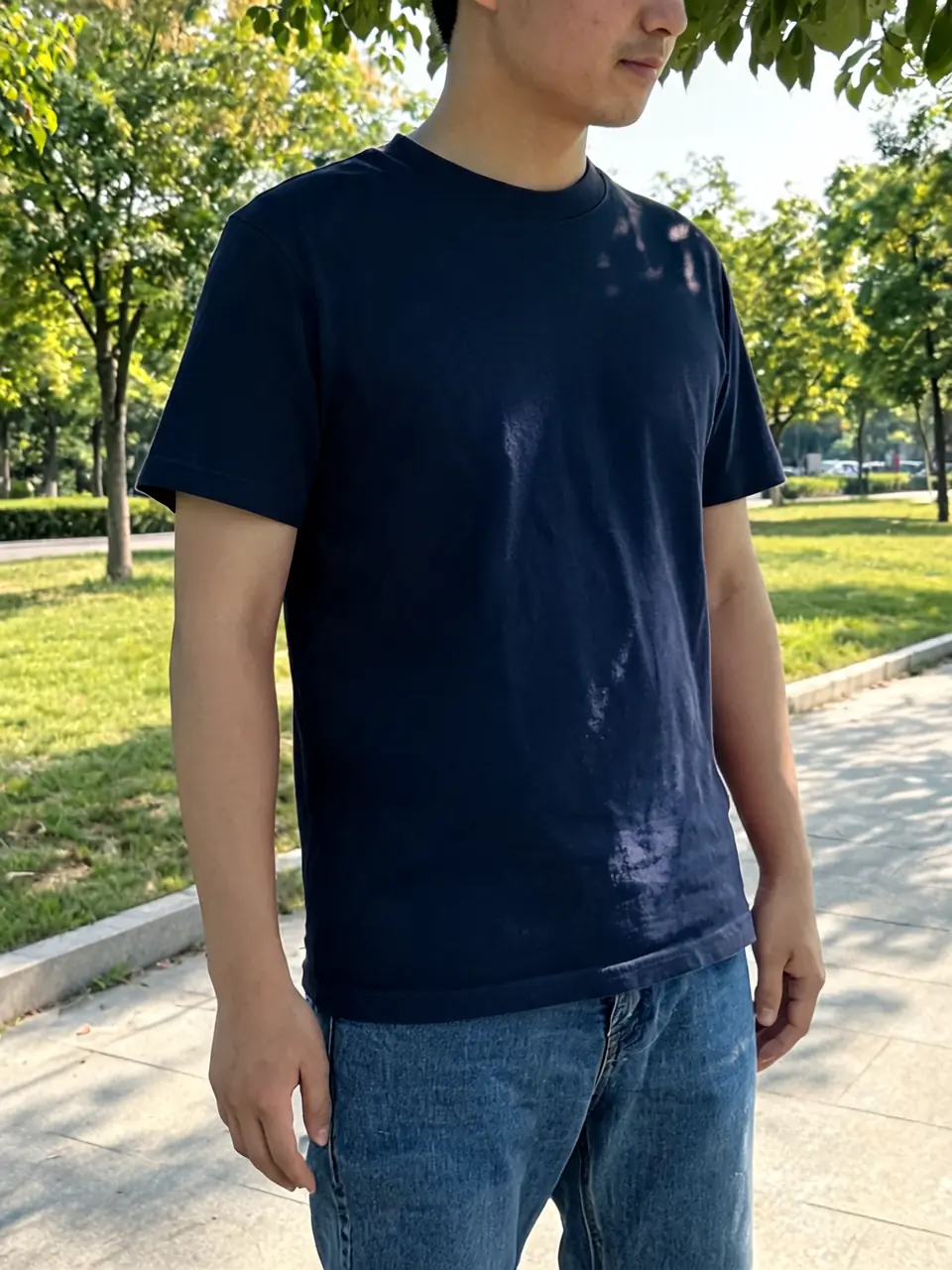
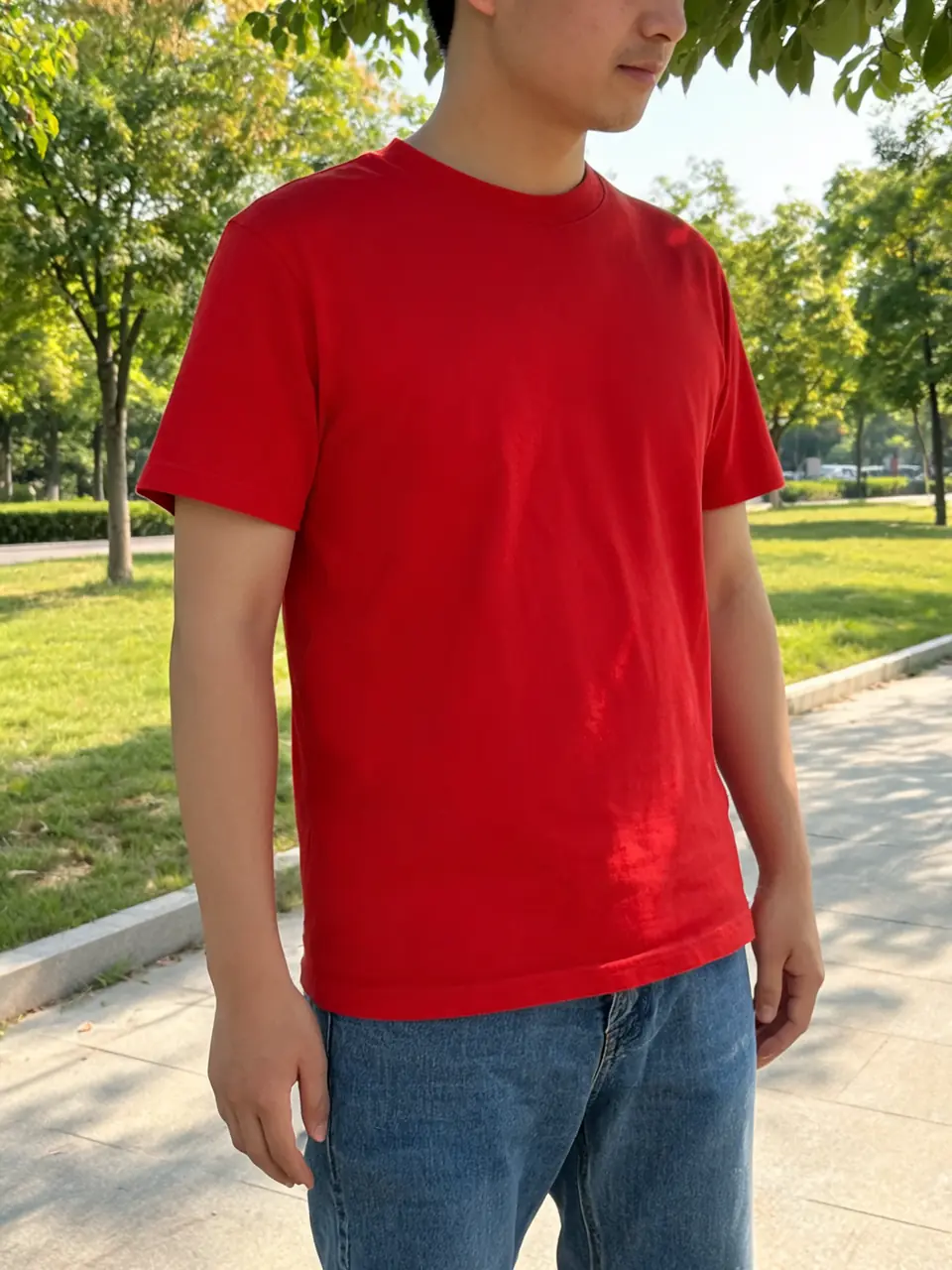
Drag to compare
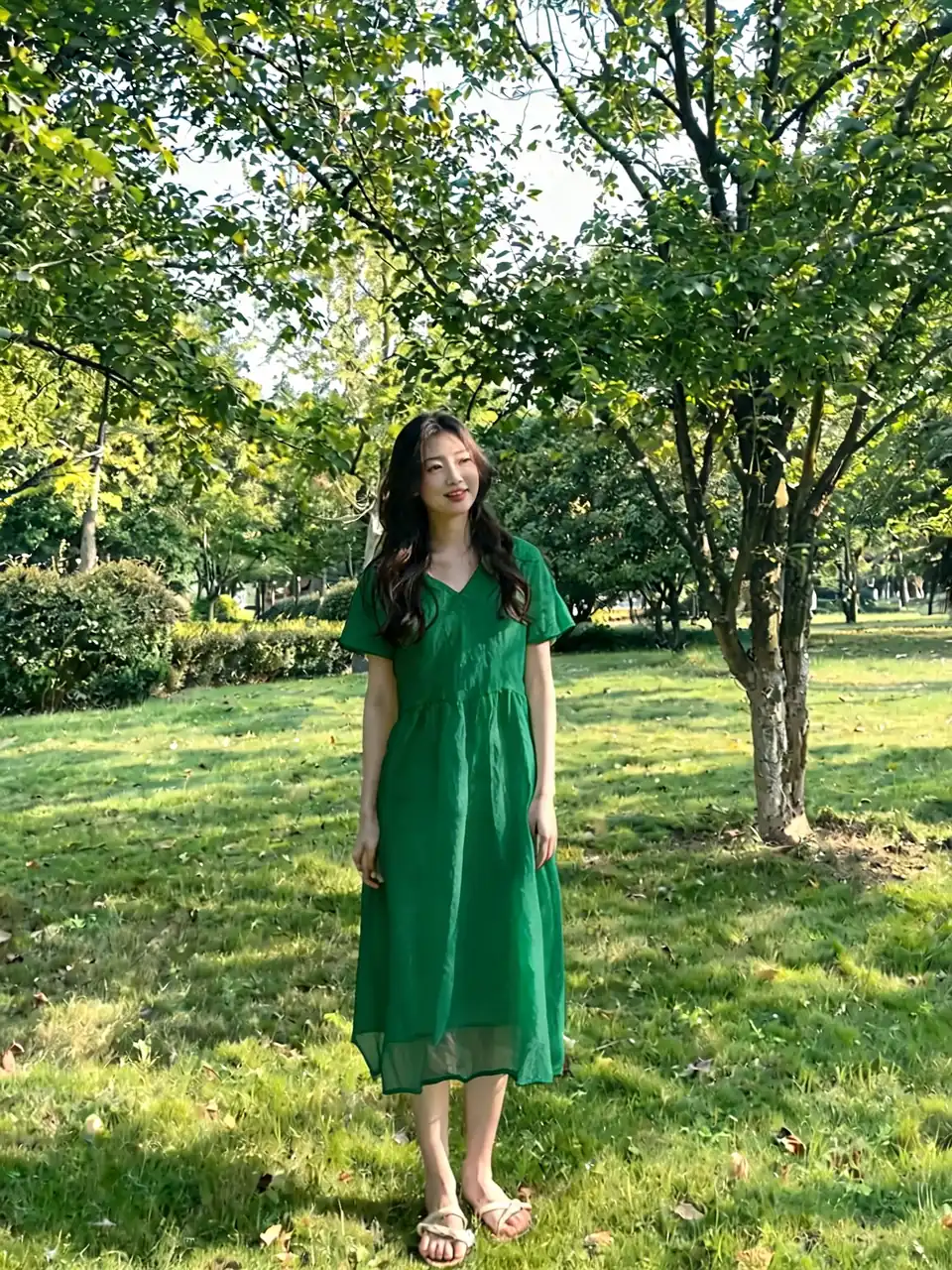
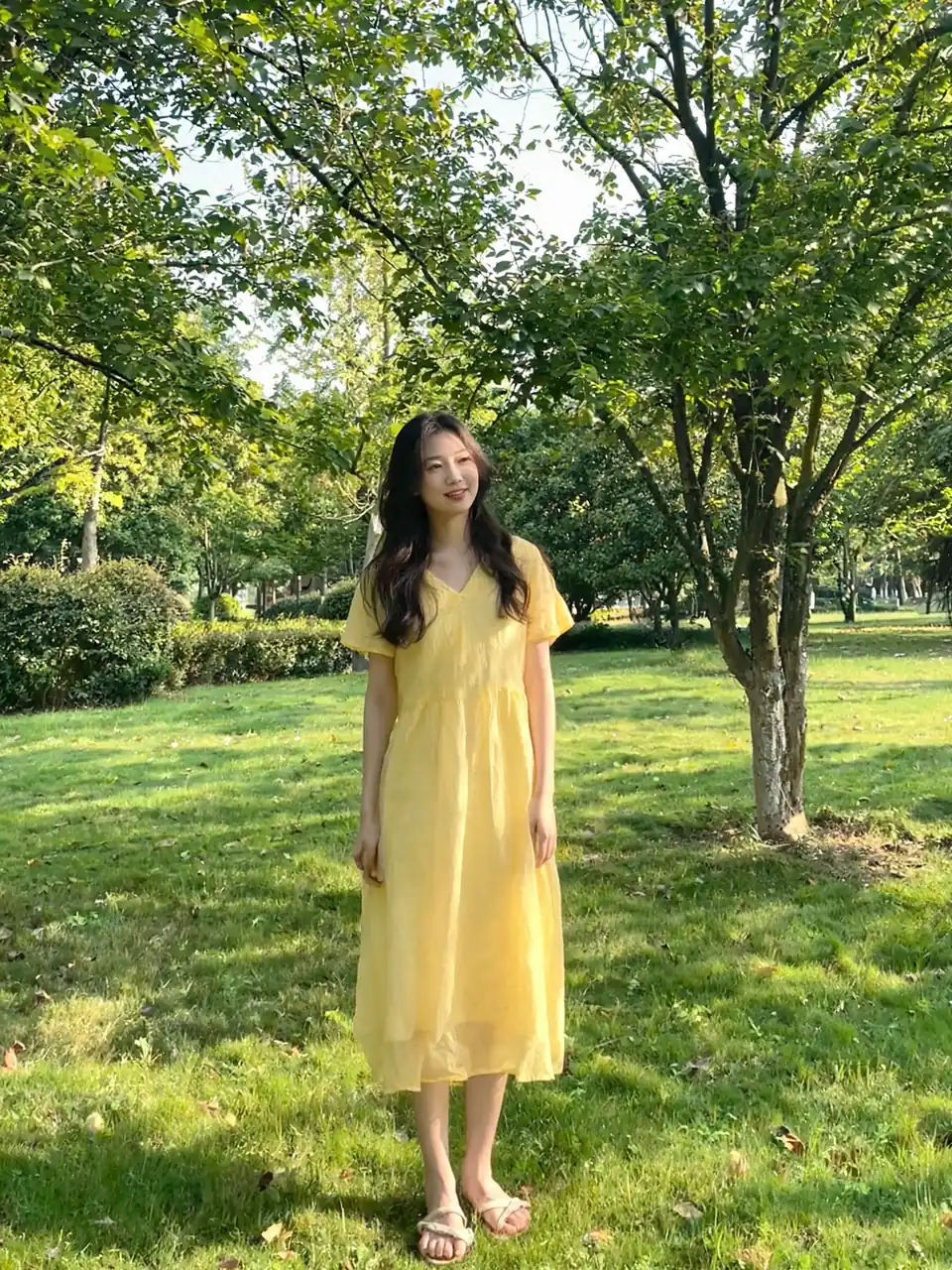
Drag to compare
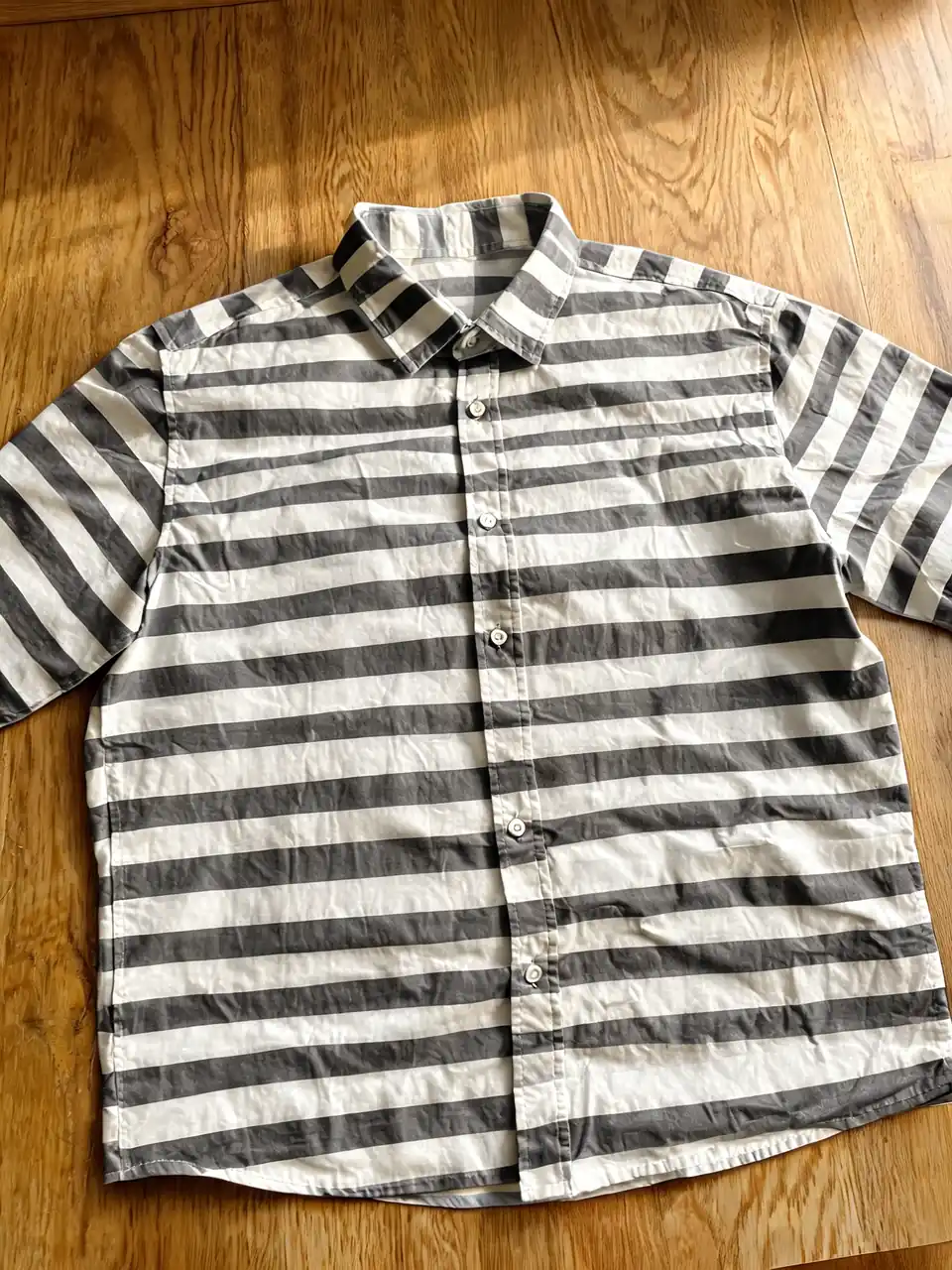
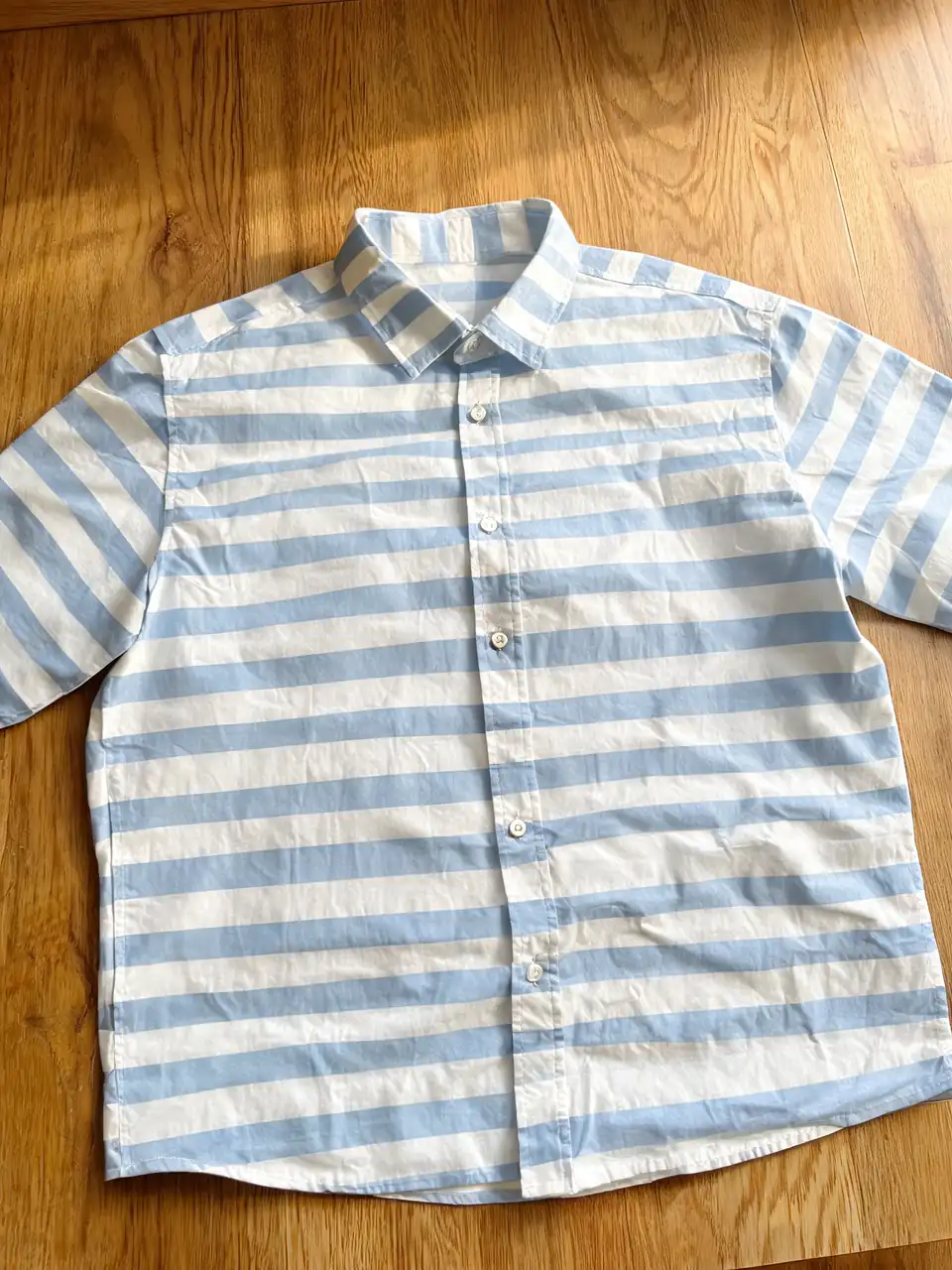
Drag to compare
Real, unretouched output from this tool. Drag any slider to compare.
Upload a photo of a dress, shirt, jacket, or any other garment and preview a new color on it before you dye, reorder fabric, or publish a listing variant. The AI keeps the garment's shape, folds, and the rest of the scene as photographed. Only the clothing color changes, so you can judge a recolor against the real lighting and styling already in the frame.
Free to try. Results in about 30 seconds. No card required.
How clothing recolor works
You upload one clear photo, name the garment, and write the target color. The model isolates that clothing area and replaces the base color while trying to keep weave, print scale, seams, and existing shadows readable. It is an object-level edit, not a global hue shift, so skin, hair, and background stay as shot when the brief is specific.
This page is built for AI clothing change and AI dress changer workflows: one product photo, many colorways, without a new shoot per shade.
1
1. Upload the garment photo
Flat lays, hanger shots, mannequin photos, and on-model frames all work. Front-facing, even light, and a fully visible silhouette give the cleanest edges. Busy backgrounds still work if you name the piece clearly (for example, "the red midi dress" rather than "the clothes").
2
2. Brief the color like a merchandiser
Specific shade language beats vague words. Prefer "dusty rose satin," "navy cotton twill," or "matte black blazer" over "make it nicer" or "brighter." Naming fabric type helps the AI keep texture-dependent shading instead of flat-filling the shape.
3
3. Generate, compare, then lock a SKU color
Run the same upload with different color prompts and download each result. Most catalog teams pick a hero shade only after two or three side-by-side previews against the real product photo.
What to upload for a clean clothing recolor
The tool can only recolor what it can see. Soft focus, heavy folds that hide the silhouette, mixed colored lighting, or a tiny compressed crop all reduce edge precision around sleeves, hems, and collars.
1
Best source shots
Plain background, garment fully in frame, soft daylight or softbox light, and accurate white balance. For patterned pieces, use the highest resolution you have so print scale stays honest after the color swap.
2
Harder inputs
Sheer overlays, busy prints next to busy backgrounds, and multi-garment stacks (jacket plus dress plus scarf) need a clearer brief. Name each piece and which one should change if only one colorway is in scope.
3
On-model vs product-only
On-model photos are fine for styling previews. Product flat lays and ghost-mannequin shots usually give the sharpest e-commerce variants because edges are cleaner and skin tone is not competing for attention.
How to brief color so fabric still looks real
Fabric holds color differently than paint or plastic. A dress recolor that ignores material and lighting is the usual reason a result looks pasted on.
1
Woven and knit apparel
Cotton, linen, wool, and jersey scatter light across fibers, so colors read softer than the same hex on a screen. Name the fabric when you know it. Velvet and satin need finish words (matte, soft sheen, high gloss) so highlights stay in the right places.
2
Leather, denim, and structured outerwear
Leather and coated fabrics take more even, slightly glossy color with visible grain or coating. Denim needs indigo depth and wash language if you are shifting wash rather than dyeing solid. Jackets and coats need seam and panel edges preserved; say "blazer only" if shirts underneath should stay unchanged.
3
Prints and color-blocked pieces
If you want to recolor a solid ground but keep a print, say so. If the whole dress should shift as one color family, say "recolor the entire dress to olive" so the model does not leave one panel behind.
E-commerce uses for clothing color change
🏠
Listing colorways from one shoot
✓Shoot one hero photo and generate additional color variants for the PDP gallery and marketplace tiles.
✓Test which shade gets more clicks before you commit a production color run.
💡
Dress and occasionwear previews
✓Preview bridal party, prom, or evening shades on the real dress photo before ordering dye lots or custom samples.
✓Share options with a client or partner without booking a second studio day.
🏢
Merchandising and marketing
✓Build seasonal color stories from existing inventory photos.
✓Keep pose and model consistent while only the garment color changes across a campaign set.
Quality control before you publish a recolored listing
Professional catalogs fail on small errors. Run every colorway through the same checklist before Shopify, Amazon, or paid social.
Confirm the garment still matches the SKU silhouette: neckline, sleeve length, hem, and seam placement. Confirm color is plausible for that fabric, not neon-flat. Confirm skin, hair, and background were not accidentally recolored. Confirm print scale and hardware (buttons, zippers) still look like the physical piece.
If one region is soft, tighten the brief ("midi dress only, leave belt brown") or use a cleaner source photo before you batch the rest of the drop.
Pair clothing recolor with the rest of Fashion Studio
A colorway decision often sits next to on-model generation, try-on, or ghost-mannequin cleanup. Use the matching tools when the brief goes beyond a single recolor.
👗
Female Fashion Models →
Put the recolored garment on a female roster model for listing heroes.
🪞
Virtual Try-On →
Preview a dress or outfit on a real person photo when fit context matters.
👻
Ghost Mannequin Clothing →
Garment-only marketplace frames without a model.
✨
Fashion Studio →
One workspace for model roster, try-on, and catalog cleanup.
More Color Changer AI tools
Popular on AI Two
Browse every tool in this category: Color Changer AI
🎨
Change Clothes Color Online Free - AI Dress & Shirt Recolor
Upload your imageTap anywhere here — your AI design will appear in this space after you generate.JPG · PNG · WebP
Premium users can generate images without watermark
Higher quality options available for premium users
Be specific for better results0/300
Premium users can generate images without watermark
Higher quality options available for premium users
Output quality:
Frequently Asked Questions
Yes. Dresses, tops, outerwear, denim, and most solid or lightly patterned apparel work. Name the exact piece in your prompt so only that garment changes.
That is the goal. Naming the material (cotton, linen, velvet, leather, denim) helps the model keep weave, grain, and shadow detail instead of filling a flat shape.
Use a sharp, well-lit photo, name the garment and fabric, pick a shade that could exist as real dye or stock fabric, and avoid extreme neon fills. Those choices keep highlights and seams believable.
Yes. Keep the same upload and run new generations with different color briefs. Download each result to compare side by side before you publish listing variants.
Yes. Say which piece should change and which should stay. For stacked outfits, separate generations per garment usually give cleaner control.
Yes. Sellers commonly shoot one hero image and generate additional color tiles for PDPs and marketplaces, then proof each shade against the physical SKU before going live.
Signing up gives you free credits with no card required, enough to try several garment colors. Paid plans add credits and unlock watermark-free and higher-resolution options across the platform.