AI bike modification means uploading a photo of your motorcycle and using AI to preview paint, body kits, wheels, decals, or full themes on that bike. You see the change on your machine before buying parts or booking paint work.
AI bike modification
AI bike modification is a free AI tool. Free AI bike modification and motorcycle customizer online. Upload your motorcycle photo to preview paint, body kits, wheels, decals, and themes. AI motorcycle design free in your browser, no app download.
Free to try · first generation free on signup · no credit card
1
Step 1
Upload Image
Start by uploading image
Upload your image
Click to browse or drag & drop
2
Step 2
Select Mode
Choose your transformation style
Add a photo, choose a style, get instant results
3
Step 3
Options
Configure your options
Related Tools
→try new exterior paint colors on your own photo
→redesign a home exterior from a single photo
→plan a new yard or garden layout from a photo
→repaint a car in any shade before you commit
Output quality:
Mode
Vehicle Design
Your AI Design Will Appear Here
Fill in the options on the left, then press Generate.
Upload your image
Drag & drop your file here or click to browse
JPG, PNG, WebP
Max 10MB
AI Ready
Only want to change the paint? Try a new color on your own motorcycle
Quick facts about AI bike modification
- Tool nameAI bike modification
- CategoryAI Design Generator
- PriceFree to try
- InputPhoto upload + text prompt
- OutputAI-generated image
Before / After
Example results
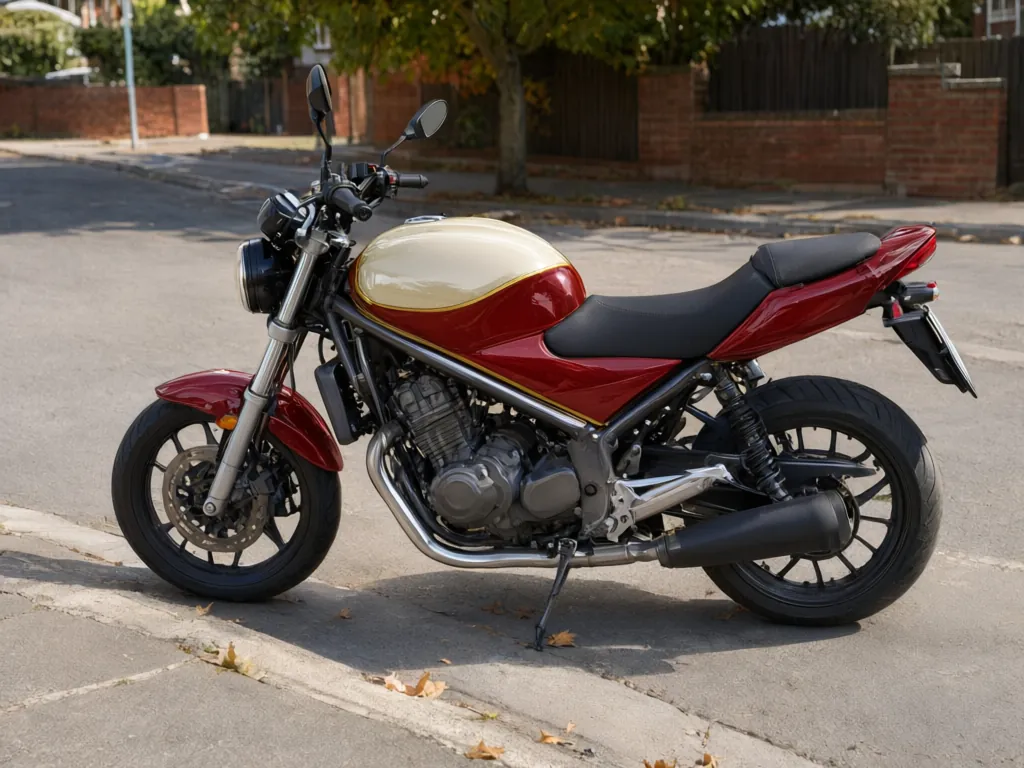
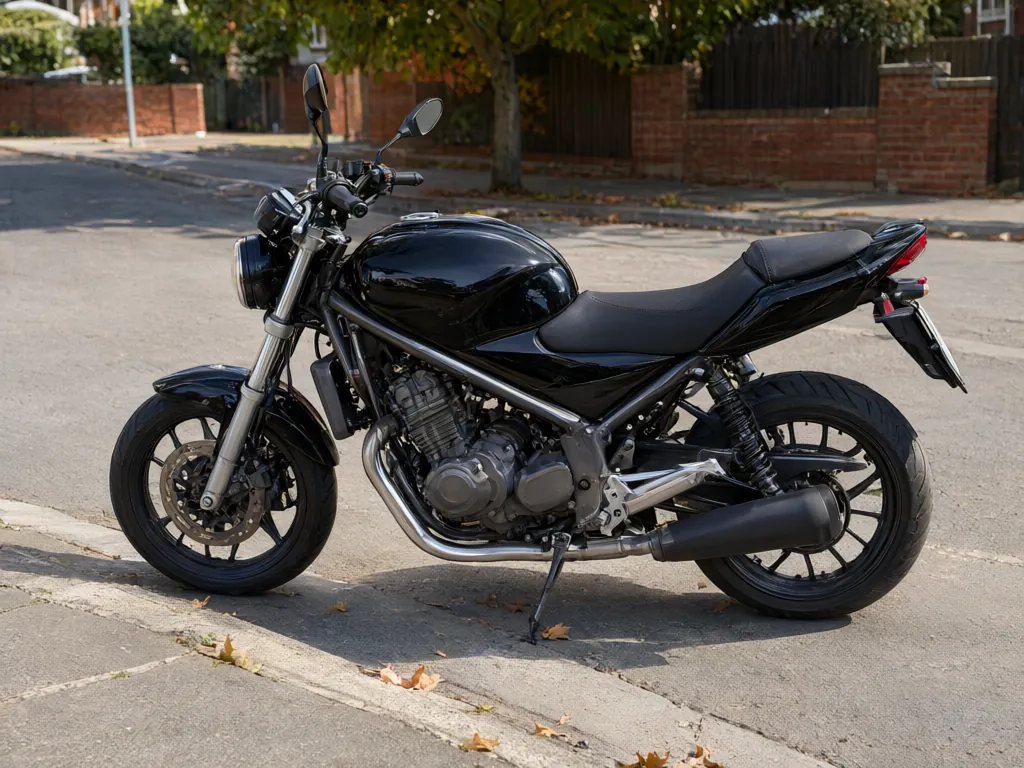
Drag to compare
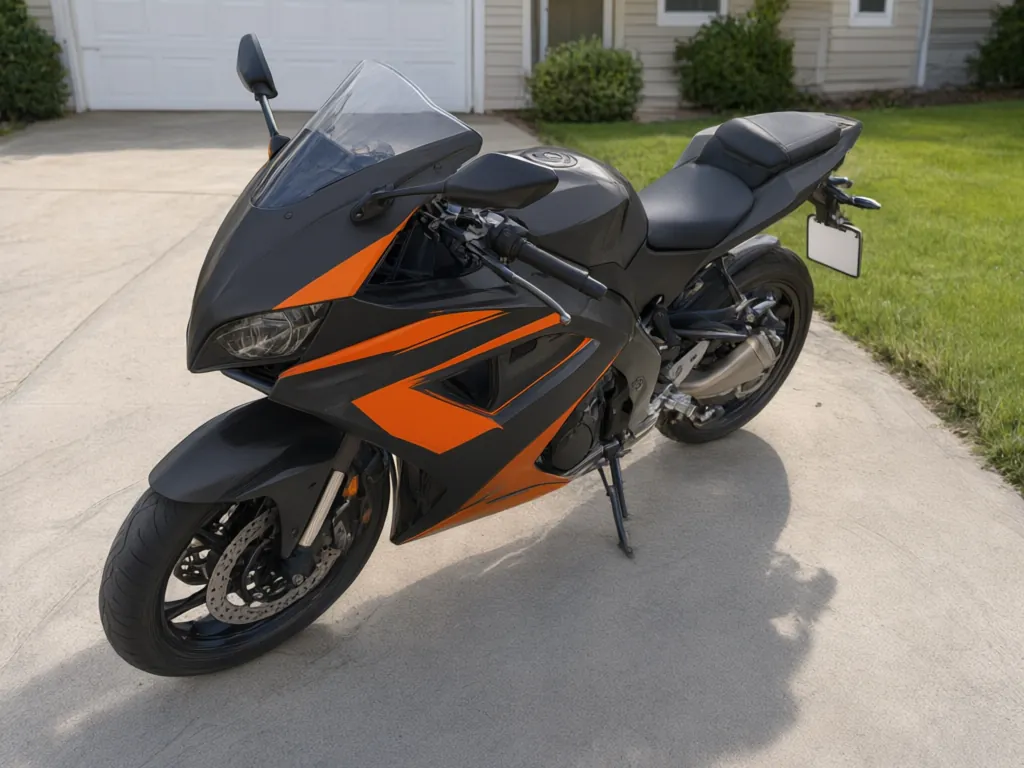
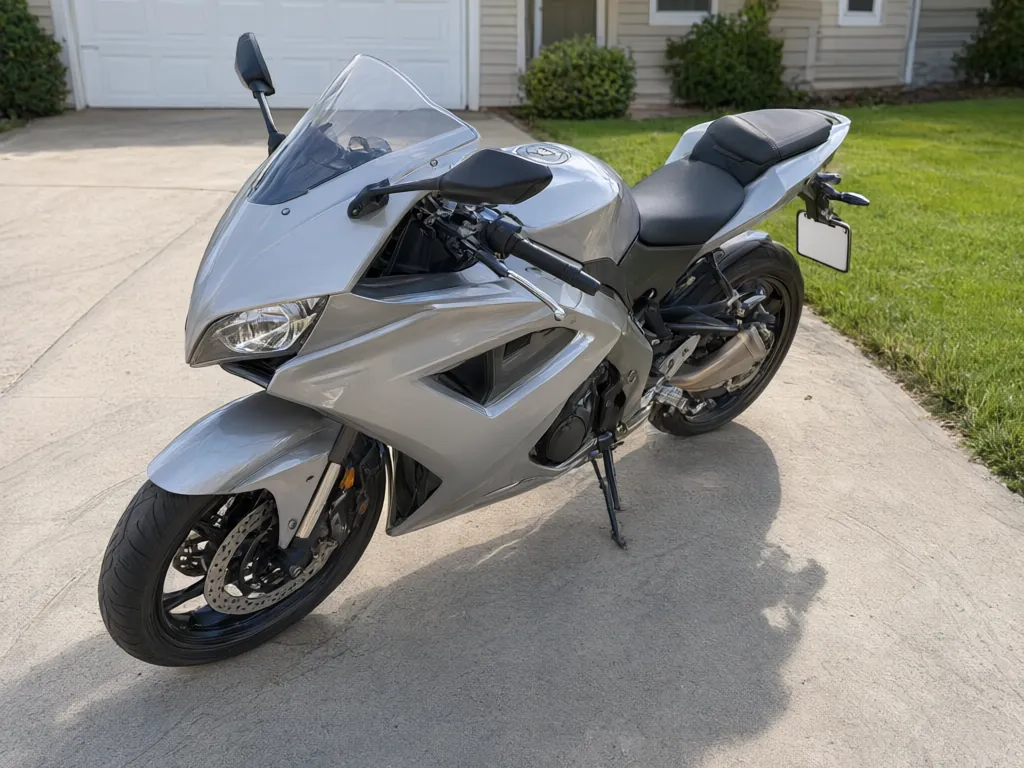
Drag to compare
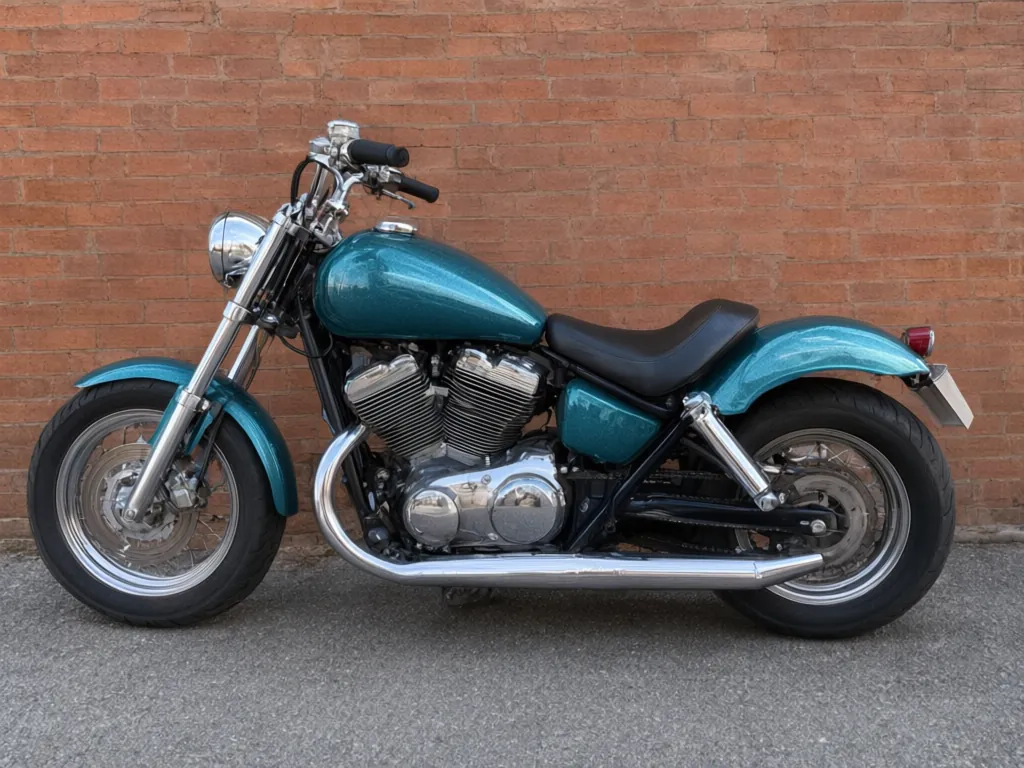
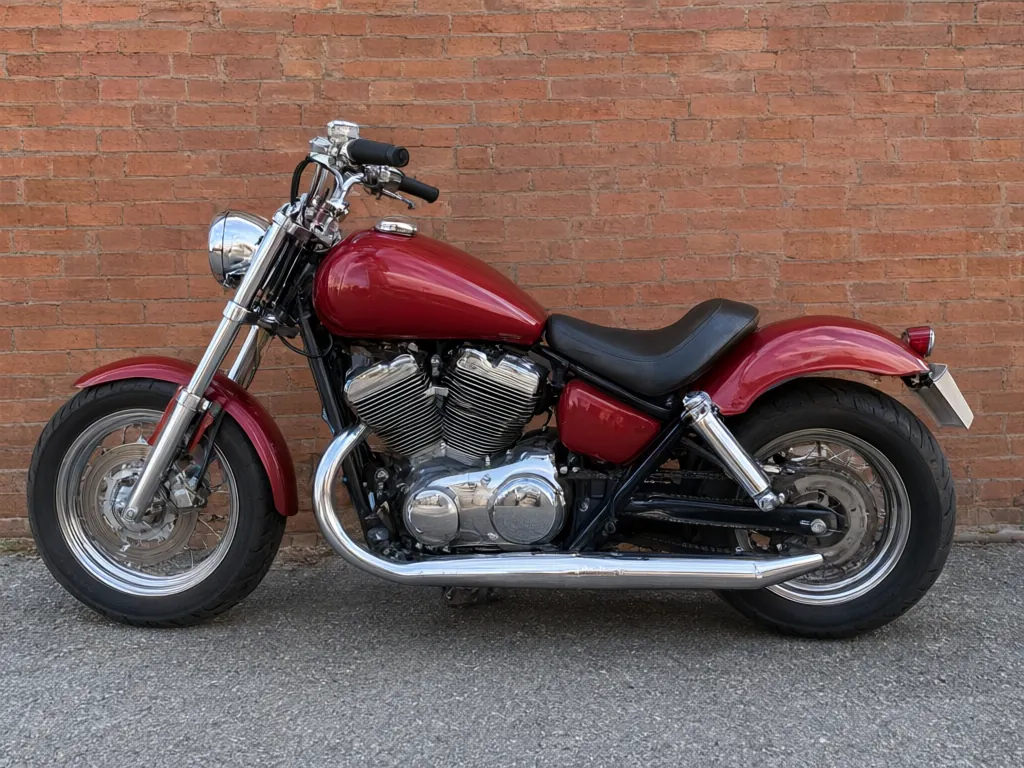
Drag to compare
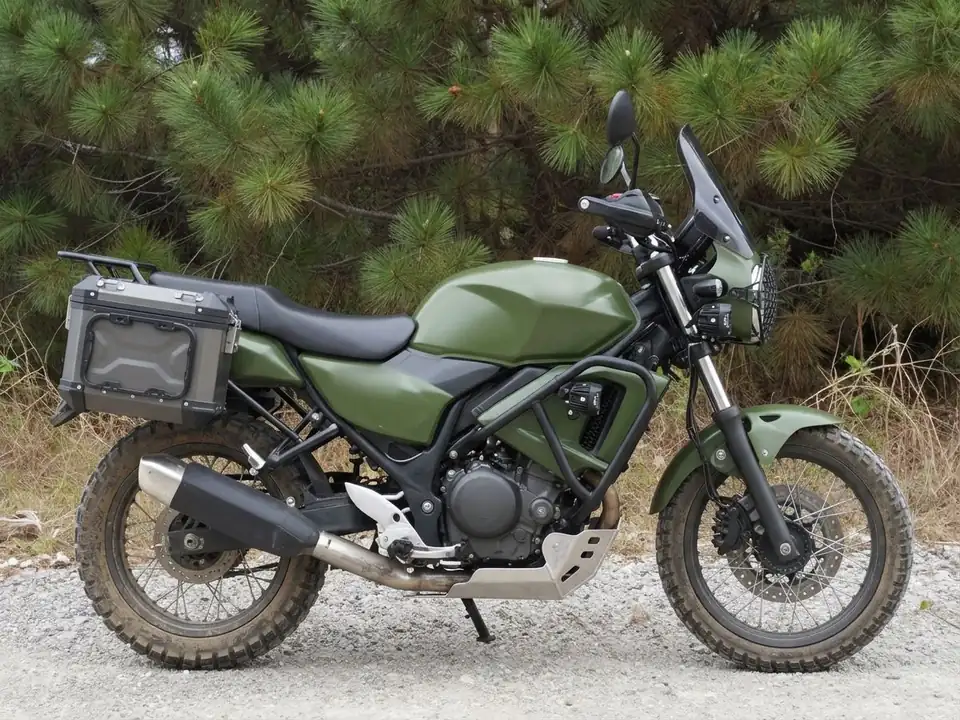
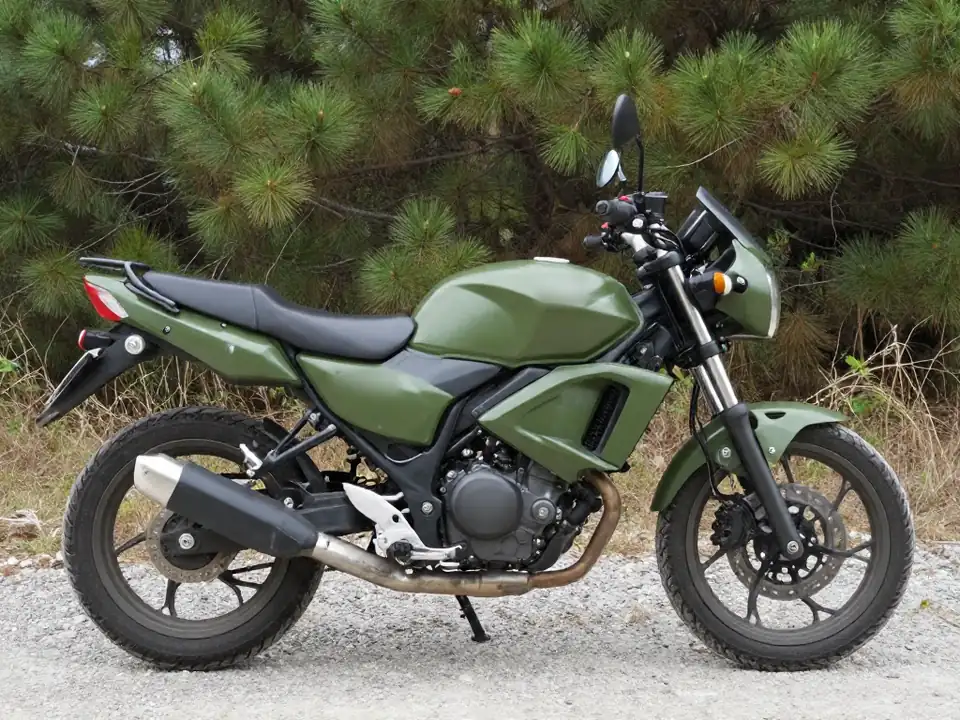
Drag to compare
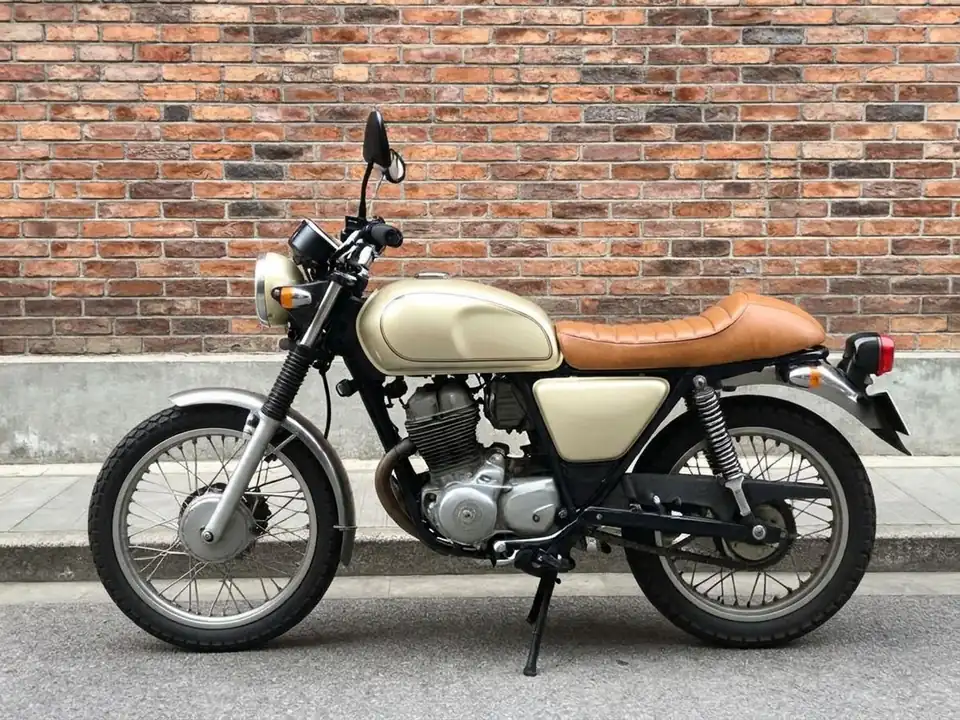
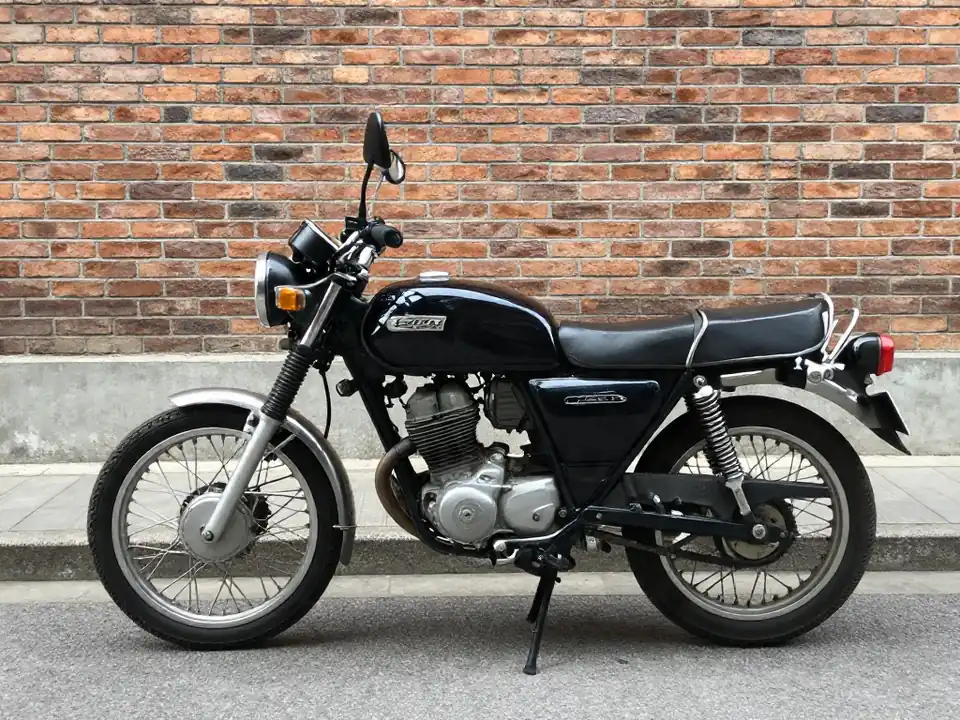
Drag to compare
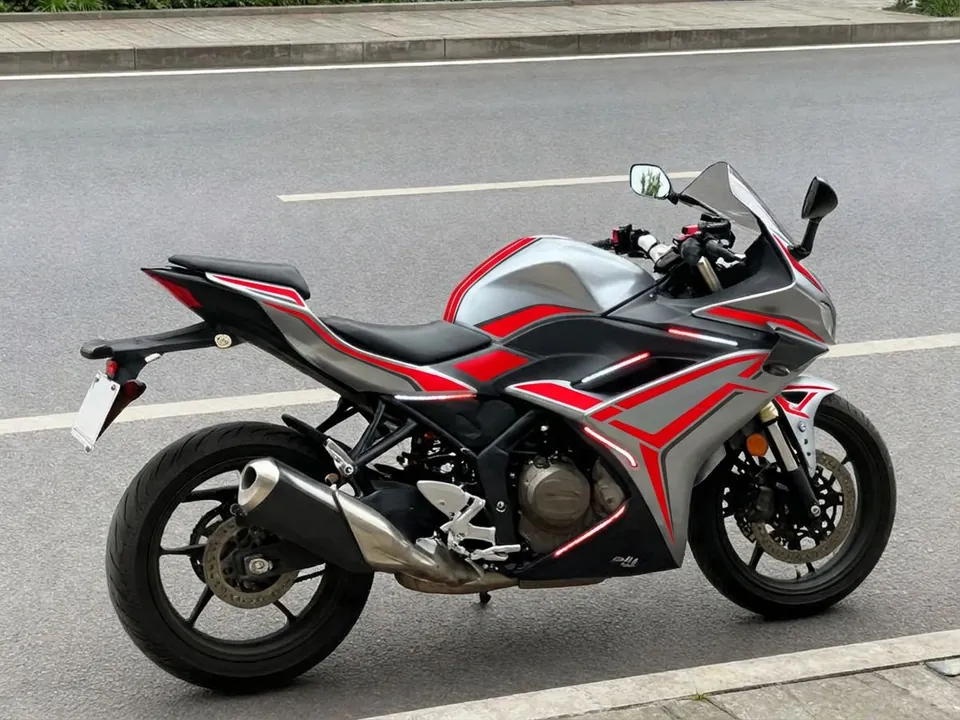
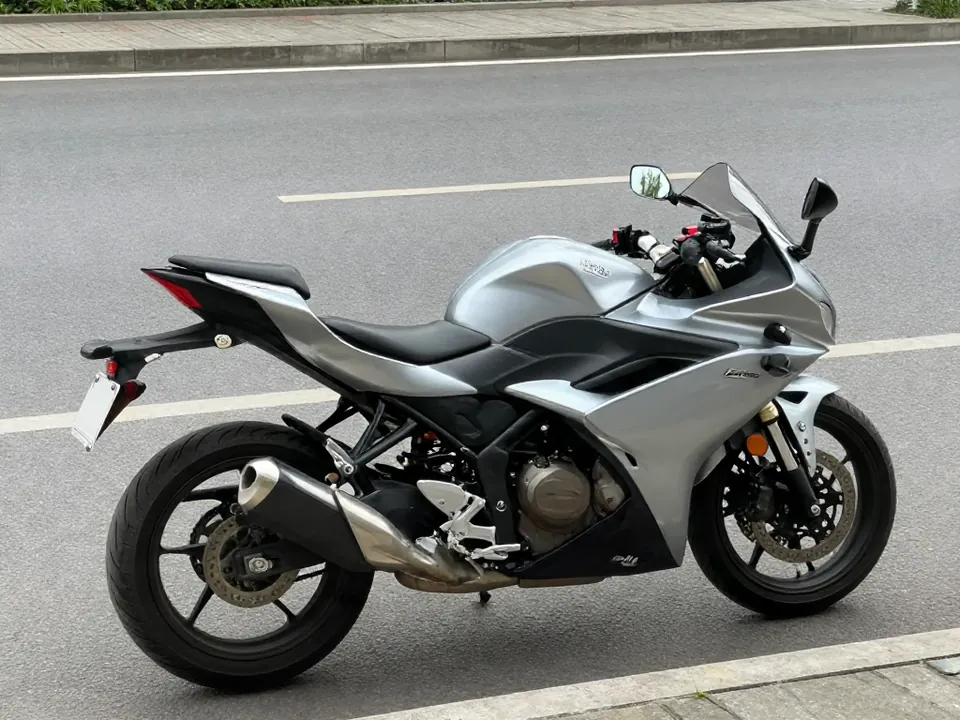
Drag to compare
Real, unretouched output from this tool. Drag any slider to compare.
Use this AI bike modification tool to preview paint, body kits, wheels, decals, and themes on your own motorcycle photo. Upload a side or three quarter shot, pick a modification mode, and compare custom bike looks before you spend on parts or paint.
Free credits to start. Runs in your browser. No app download.
How AI bike modification works
Most visitors search ai bike modification or bike modification ai when they want to see a change on their real bike, not a generic 3D model. This page is built for that: your photo in, restyled motorcycle out.
When I tested a stock sport bike photo with a matte black paint scheme and taller tail section, naming the mod type in Modification mode gave a clearer preview than a one word color prompt alone.
1
1. Upload your motorcycle photo
Use a clear side or three quarter view with even light. JPG, PNG, or WebP under 10MB. Garage shots work when the full bike is visible.
2
2. Pick a modification mode
Vehicle Design and Modification cover body kits, wheels, paint schemes, and aerodynamic add ons. Change Color is fast for paint only. Theme, Decal, and Match Style handle full looks or reference based styling.
3
3. Generate and compare builds
Run two or three directions on the same upload. Download the previews you want to share with a painter, wrap shop, or riding group before you order parts.
AI motorcycle customizer from your photo
Queries like ai motorcycle customizer, custom bike ai, and motorcycle ai usually mean preview mods on a specific machine. A template customizer shows a stock model in showroom light. This customizer shows your bike with your trim, exhaust, and background.
That matters for decisions like whether a neon tank graphic works on your fairing or whether a cafe tail fits your frame lines.
1
Paint and wrap previews
Test gloss, matte, metallic, or two tone paint on your upload. Decal mode supports reference images when you want a wrap concept matched to your tank shape.
2
Performance and street styling
Modification mode lists body kit, wheels upgrade, paint scheme, aerodynamic elements, and custom lighting. Describe sport, cruiser, or track intent in Design Specifications.
3
Theme based builds
Theme mode applies preset directions such as cyberpunk, military, or retro game styling across the whole bike in one run.
Free virtual motorcycle customizer online
Searches for free virtual motorcycle customizer or ai motorcycle design free often land here at position eight with hundreds of impressions. This is a browser based customizer: no install, works on phone or desktop, free credits on signup with no card required.
If you need a spin around 3D model builder, use this page to lock a direction first, then brief a shop with the downloaded preview.
1
Bike modification app online free
No separate bike modification app download. Sign in once and your runs stay available across devices. Paid plans add credits and watermark free downloads for heavy iteration.
2
3D motorcycle customizer online free
Outputs are photoreal previews on your photo, not a rotatable CAD mesh. For many builders that is enough to choose paint, wheel color, and kit direction before fabrication.
3
Motorcycle design app and editor
Motorcycle designer, motorcycle editor, and motorcycle design app searches map to the same workflow: upload, describe the change, generate. Side profile photos produce the cleanest mod previews.
Motorcycle photo editing with AI
Motorcycle photo editing ai is a high impression query on this page. The tool edits your existing photo: color swaps, added parts, removed clutter, and full restyles while keeping the bike recognizable.
1
Color change only
Use Change Color when you only need a new tank or fairing color. Faster than a full Vehicle Design pass when paint is the only variable.
2
Remove and replace parts
Remove and Clean clears visual clutter from the shot. Replace Objects swaps mirrors, exhausts, or guards when you describe the target part in the prompt.
3
AI motorcycle image generator
Dream bike and theme runs can invent a full concept from text plus a reference photo. Use your real bike upload when the goal is modification, not a fantasy render from scratch.
AI bike modifier from your photo
A bike modifier here means a preview, not a workshop. Upload a photo of your own motorcycle, pick Modification or Change Color, and see paint, wheels, body kit, and decal changes on that exact bike before you spend money on parts or paint.
It is a photo preview, not a 3D model and not a parts shop. Take the downloaded image to your painter, wrap shop, or builder so they see the look you have in mind.
1
Bike modification website, no app needed
This bike modification website runs in the browser on phone or desktop. There is nothing to install, and the free credits you get on signup cover a first test.
2
A photo based alternative to a 3D bike modification website
A 3D bike modification website rotates a stock model of a catalog bike. This tool keeps your real bike, background, and lighting, so the preview matches the machine you own.
Who uses bike modification AI
🏠
Owners planning a build
✓Compare two paint directions on the same photo before booking powder coat or wrap work.
✓Preview wheel and body kit combos for a winter project list.
💡
Shops and builders
✓Show clients a mockup on their actual bike photo during intake.
✓Iterate decal layouts without redrawing in Photoshop for every revision.
🏢
Content creators
✓Generate thumbnail variants with different livery for the same ride.
✓Test retro or cyberpunk themes for social posts without a physical build.
More motorcycle design tools
These sibling tools cover color only, parts level customizer controls, and bike type specific designers.
🏍️
Motorcycle Customizer →
Parts level mods: wheels, exhaust, stance, and trim on your photo.
🎨
Motorcycle Color Changer →
Fast paint only previews when you already know the mod list.
🏁
Sports Bike Designer →
Racing and aerodynamic styling tuned for sport bikes.
🛣️
Cruiser Bike Designer →
Classic and comfort focused cruiser transformations.
More AI Design Generator tools
Popular on AI Two
Browse every tool in this category: AI Design Generator
🚗
AI bike modification
AI Tool
Upload your imageTap anywhere here — your AI design will appear in this space after you generate.JPG · PNG · WebP
Add a photo, choose a style, get instant results
Premium users can generate images without watermark
Higher quality options available for premium users
Be specific for better results0/400
Premium users can generate images without watermark
Higher quality options available for premium users
Output quality:
Frequently Asked Questions
Upload a clear side or three quarter photo, choose a mode such as Modification, Change Color, or Theme, describe what you want, and generate. The AI restyles your photo while keeping the bike shape and lighting recognizable.
Yes. It customizes your motorcycle from a photo rather than a generic 3D template. That makes it useful when you need to see how a mod looks on your exact trim and exhaust setup.
You can try ai motorcycle design free with signup credits and no card required. Each generation uses credits. Paid plans add more credits and watermark free downloads for heavy use.
No. This bike modification app online free runs in the browser on iPhone, Android, or desktop. Nothing to install from an app store.
It is an online tool that lets you preview custom looks on a motorcycle without physical parts. Here you upload your real bike photo and generate virtual paint, kit, and theme previews in the browser.
Yes. Modes cover color change, part replacement, clutter removal, decals, and full vehicle design restyles. Use a sharp, well lit photo for the best motorcycle photo editing results.
A 3D customizer rotates a stock model. This tool works on your photo so previews match your real bike, background, and lighting. Outputs are visualization images for decisions and client sign off, not CAD files for manufacturing.
Yes, for previews. Upload your motorcycle photo and the AI shows paint, wheels, body kit, decals, or a full theme on that bike. It does not fit or sell parts; use the image to brief your builder or paint shop.
Yes. It runs in the browser with no app download. It is a place to preview a look on your own bike photo, not a shop or a service directory.
Body kits, wheel upgrades, paint schemes, aerodynamic elements, custom lighting, decals, and theme based full bike styling. Vehicle Purpose and Design Specifications fields help steer sport, cruiser, or show builds.
Even daylight, a level camera, and a side or three quarter view with the full bike in frame. Avoid heavy wide angle distortion and deep shadow across the tank if you want accurate color reads.
Not a simulator in the physics or game sense. This is a photo preview: upload a picture of your own motorcycle, pick a modification type and the AI shows the changes on your bike in seconds. It is the quickest way to see a paint scheme, wheels or a body kit on your bike without a simulator download.
Yes, the preview runs in your browser with nothing to install, so there is no desktop software to buy. Sign up free, upload a side view of your bike, choose a modification and compare versions. It shows how a build could look and does not replace a workshop quote.
Yes. Upload your own bike photo, preview a cafe racer, touring or racing look, then save the versions you like. Because the AI edits your real photo, the engine, frame and angle stay recognisable, which makes it easier to judge a bike modified idea than a generic 3D model.