It is a way to make a matching set of on-model photos from your garment photos, with the same cast, backdrop and light, for lookbooks, product pages and ads.
AI Photoshoot for Clothing Brands: One Cast, One Look, Every Product
AI Photoshoot for Clothing Brands: One Cast, One Look, Every Product is a free AI tool. Run an AI photoshoot for your clothing brand. Fix your cast, backdrop and light, then shoot every garment the same way for lookbooks and ads. Free to try.
Free to try · first generation free on signup · no credit card
1
Step 1
Upload Image
Start by uploading image
Upload your image
Click to browse or drag & drop
2
Step 2
Select Mode
Choose your transformation style
Studio shot with a fixed cast on a brand-colour backdrop
3
Step 3
Options
Configure your options
Related Tools
→try new exterior paint colors on your own photo
→redesign a home exterior from a single photo
→plan a new yard or garden layout from a photo
→repaint a car in any shade before you commit
Output quality:
Mode
Brand Cast Shot
Your AI Design Will Appear Here
Fill in the options on the left, then press Generate.
Upload your image
Drag & drop your file here or click to browse
JPG, PNG, WebP
Max 10MB
AI Ready
Quick facts about AI Photoshoot for Clothing Brands: One Cast, One Look, Every Product
- Tool nameAI Photoshoot for Clothing Brands: One Cast, One Look, Every Product
- CategoryProduct Photo Tools
- PriceFree to try
- InputPhoto upload + text prompt
- OutputAI-generated image
Before / After
Example results
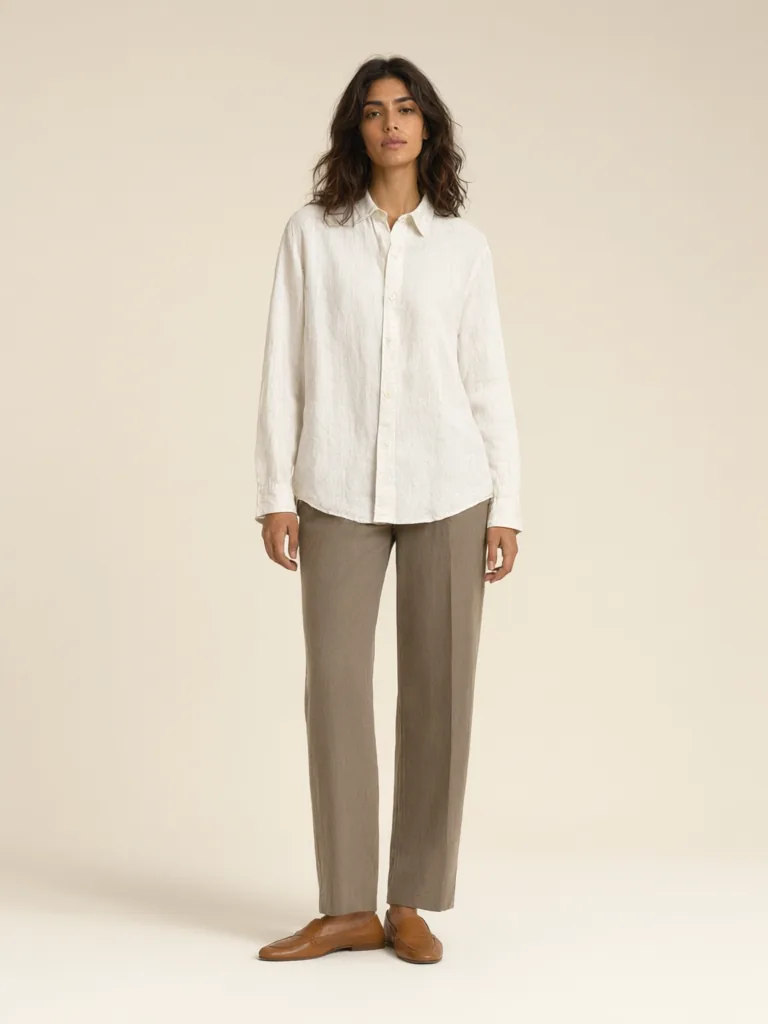
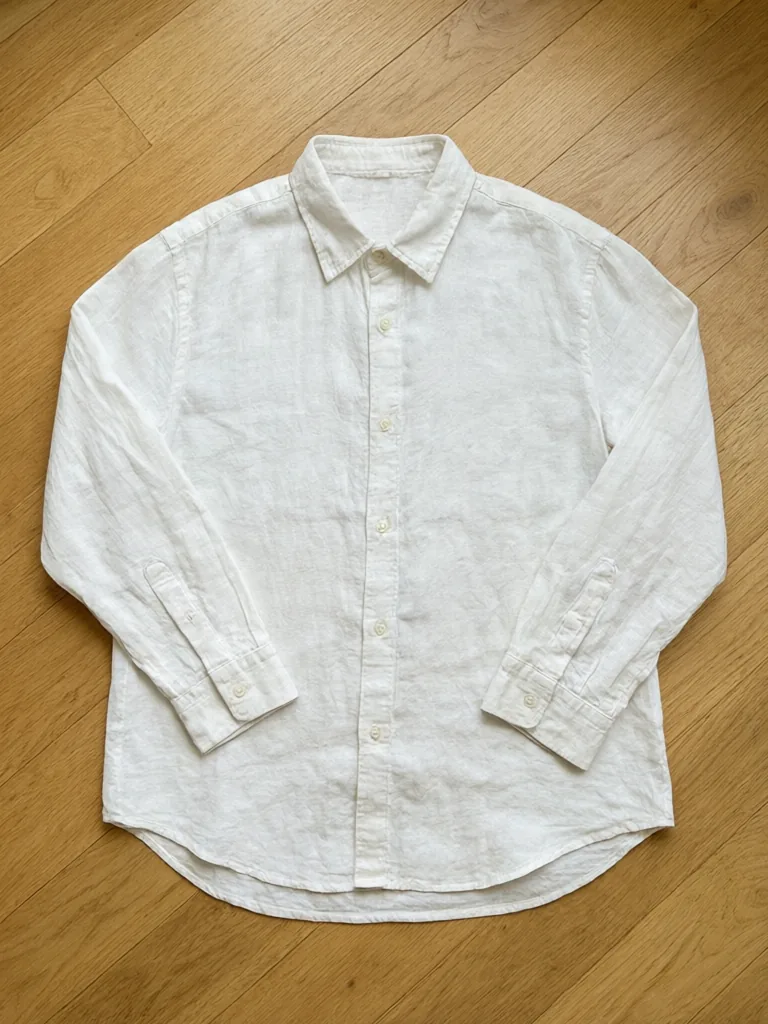
Drag to compare
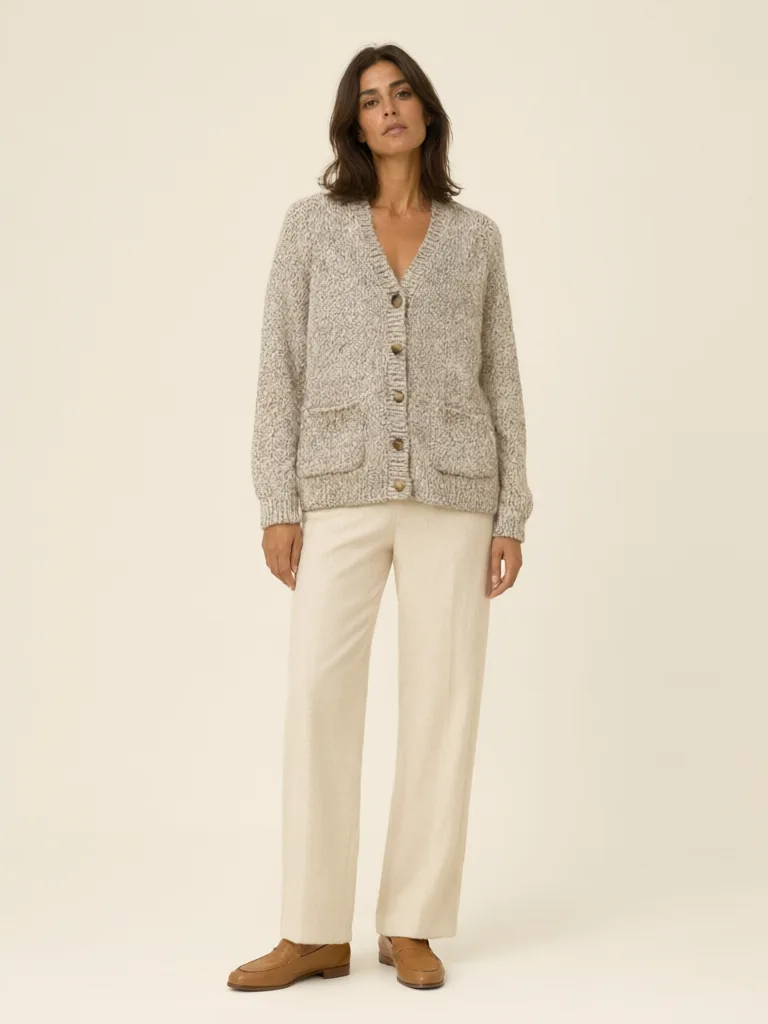
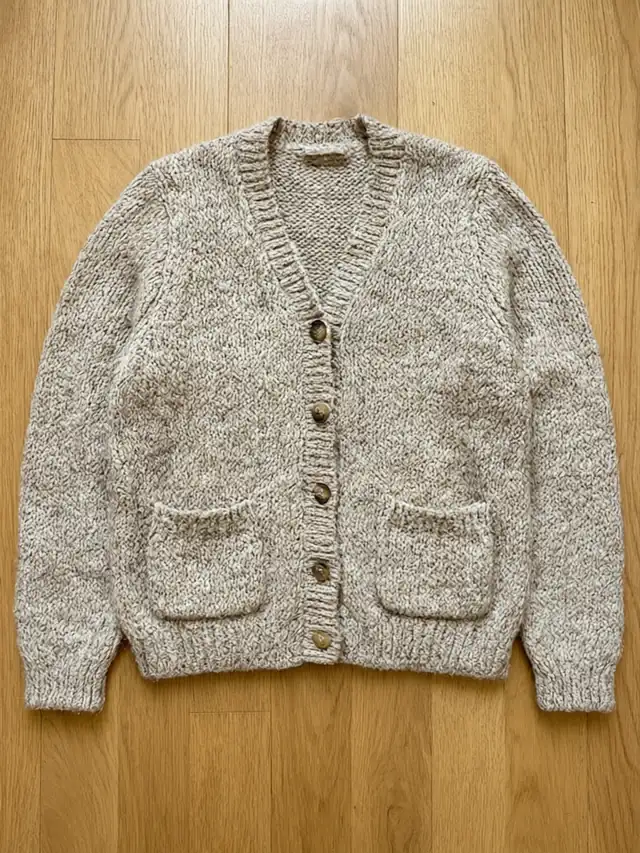
Drag to compare
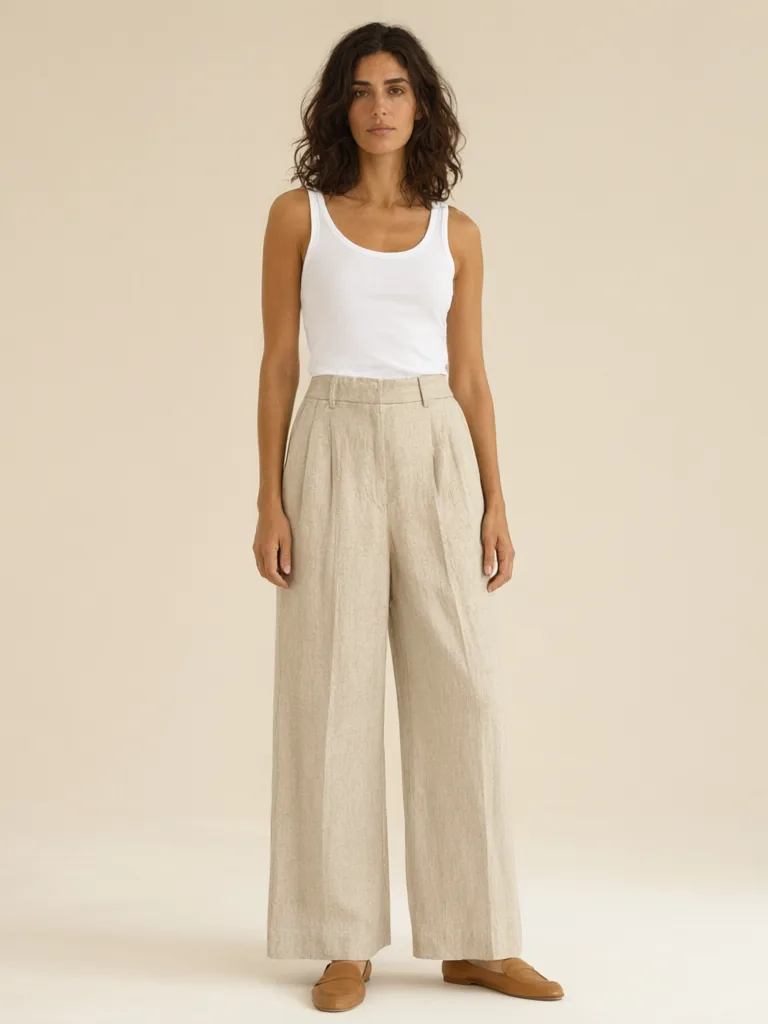
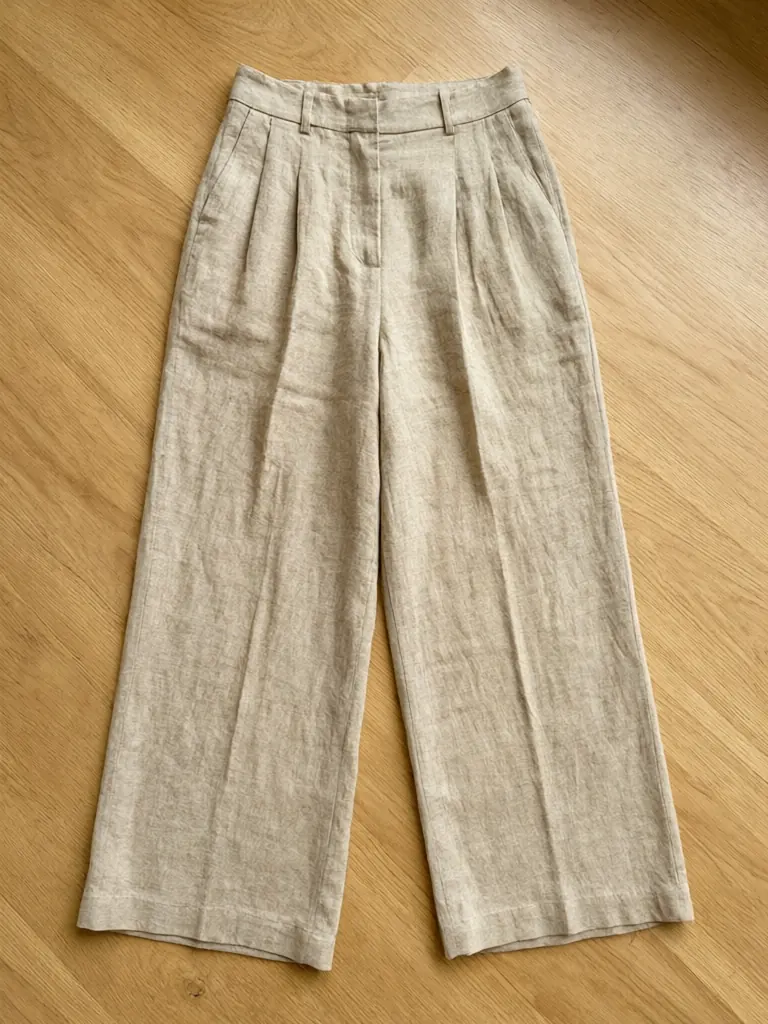
Drag to compare
Real, unretouched output from this tool. Drag any slider to compare.
A clothing brand does not need one good photo. It needs twenty photos that look as if they came from the same day, with the same cast, the same backdrop and the same light. That is what a photoshoot gives you, and it is also what a single AI model photo does not. This tool is built around the set. You fix your brand look once, then shoot each garment with the same settings, for your lookbook, your product pages and your ads.
What a brand photoshoot needs, and what this tool does
A real photoshoot repeats everything between shots: the model, the backdrop, the light, the pose style and the framing. The photos then look like a collection. AI photos made one by one tend to wander, with a different person and a different mood in each.
Here you choose those things from a short list, and each choice is a fixed description. If you use the same cast, the same backdrop and the same light for every garment, the results look like one shoot.
1
Brand Cast Shot
A studio photo with a fixed cast on a brand-colour backdrop. Best for product pages and the lookbook cover.
2
Campaign Scene
The same cast in a real-looking place, such as a cafe window, a brick street or a garden. Best for social posts and the hero image.
3
Ad Layout
A clean background with clear space around the model for your own headline and logo. Square, 4:5 and story formats.
How to run the shoot
Plan the look first, then shoot. The steps below take about five minutes per garment.
1
Pick the cast
Choose one of the four fixed casts and use the same one for the whole collection.
2
Pick the backdrop or the scene
Choose a colour that suits your brand, or a scene that matches your story.
3
Upload the garment
One item per photo, whole item in view, in even light.
4
Generate and check
Compare the result with the real garment. Run again if the print or length has drifted.
5
Repeat for every product
Change only the garment photo. Keep every other setting the same.
Plan a lookbook of 5 to 20 pieces
Pick three or four hero pieces and give them a campaign scene each. Give every other piece a studio shot with the same cast and backdrop. This mix gives you a lookbook with a cover, a story and a clean grid of products, from one set of choices.
Write the settings in a note: cast, backdrop, light, pose. When you add a new product next month, use the same note and the new piece will match the old set.
A checklist for a consistent brand look
Consistency comes from a few habits. Follow them for every product, and the set will hold together.
1
One cast per collection
Choose a cast on day one and keep it for the whole season. Switch casts only when you start a new collection.
2
One backdrop colour per range
Pick a colour that flatters your garments and does not fight with them. Cream and sage suit most colours.
3
The same light
Mixing morning light and golden hour in one grid looks messy. Choose one for the grid and use the other for campaign scenes.
4
The same framing
Use full length for every grid shot, and save closer crops for detail images.
5
A saved settings note
Write down the cast, backdrop, light and pose. A new teammate can then shoot the next product in exactly the same way.
Make ad images that leave room for your words
Ad platforms crop images in different ways. The Ad Layout mode frames the model with clear space, so you can add your headline, price or logo in an editing app afterwards. Pick the format that matches the placement.
1
Square 1:1
Feed posts and marketplace banners.
2
Portrait 4:5
Feed ads on phones, which take up more of the screen.
3
Story 9:16
Stories and short-video covers, with space at the top and bottom for the interface.
Honest limits
Each run makes one photo. The tool does not hold a memory of a person between runs, so the same cast description gives a person with the same age, hair and look, but the face can vary slightly. For a lookbook that is usually fine. If you need exactly the same face in every shot, shoot the hero photo with a real model.
The garment is locked to your photo, but fine prints, small logos and the number of buttons can still drift. Compare every image with the real item before it goes into a lookbook or an ad.
All models are AI-generated adults, never real or famous people. Underwear, swimwear, nightwear and children's clothing are not supported.
More tools for fashion brands
Use these with the brand set.
📖
AI Lookbook Model →
A single lookbook-style model photo from one garment.
🧍
AI Fashion Model Generator →
One garment photo to a model photo, with hanger and mannequin inputs.
👚
Flat Lay to Model AI →
Start from a garment photographed flat on a table.
👻
Ghost Mannequin Effect →
A hollow-body product shot for the product grid.
🧍
AI Plus Size Model Generator →
Show the collection on a plus-size body.
🎨
Product Color Variants AI →
Show a garment in more colours.
Who uses an AI clothing photoshoot
🏠
New clothing brands
✓Build a first lookbook before the first sample run.
💡
Small labels with many products
✓Keep every product page in one visual style.
🏢
Social media managers
✓Make scene shots and ad images for the week.
📸
Boutiques and resellers
✓Give supplier pieces a shared brand look.
📸
AI Photoshoot for Clothing Brands: One Cast, One Look, Every Product
AI Tool
Upload your imageTap anywhere here — your AI design will appear in this space after you generate.JPG · PNG · WebP
Studio shot with a fixed cast on a brand-colour backdrop
Premium users can generate images without watermark
Higher quality options available for premium users
Be specific for better results0/400
Output quality:
Frequently Asked Questions
Use the same cast, backdrop or scene, and light for every garment, and change only the garment photo between runs.
No. The same cast description gives a person with the same age, hair and look, but the face can vary slightly between runs. For a lookbook this is usually fine.
Yes. The Ad Layout mode leaves clear space around the model for your headline and logo, in square, 4:5 and story formats. Add the text in your own editing app.
As many as you like, one garment photo per run. Your credits set the limit.
The tool is told to keep the cut, colour, print and details. Fine prints and small logos can drift, so compare each result with the real item.
Yes. The casts include a woman, a mid-size woman, a man and an older woman, and you can describe another cast in Your Own Description.
No. Every model is an AI-generated adult, never a real or famous person.
Your first generation is free when you sign up. Paid plans add credits, remove the watermark and unlock higher resolution.