Your first generation is free when you sign up. Paid plans add credits, remove the watermark and unlock higher resolution.
Clothes Wrinkle Remover AI: Smooth the Creases in Your Product Photos
Clothes Wrinkle Remover AI: Smooth the Creases in Your Product Photos is a free AI tool that lets you remove wrinkles from clothes in a photo with AI. Upload a flat-lay or hanger photo of a garment you sell and get it smooth, with the colour, print and background kept. Free to try.
Free to try · first generation free on signup · no credit card
1
Step 1
Upload Image
Start by uploading image
Upload your image
Click to browse or drag & drop
2
Step 2
Select Mode
Choose your transformation style
Garment laid flat, shot from above
3
Step 3
Options
Configure your options
Related Tools
→try new exterior paint colors on your own photo
→redesign a home exterior from a single photo
→plan a new yard or garden layout from a photo
→repaint a car in any shade before you commit
Output quality:
Mode
Flat-lay
Your AI Design Will Appear Here
Fill in the options on the left, then press Generate.
Upload your image
Drag & drop your file here or click to browse
JPG, PNG, WebP
Max 10MB
AI Ready
Quick facts about Clothes Wrinkle Remover AI: Smooth the Creases in Your Product Photos
- Tool nameClothes Wrinkle Remover AI: Smooth the Creases in Your Product Photos
- CategoryProduct Photo Tools
- PriceFree to try
- InputPhoto upload + text prompt
- OutputAI-generated image
Before / After
Example results
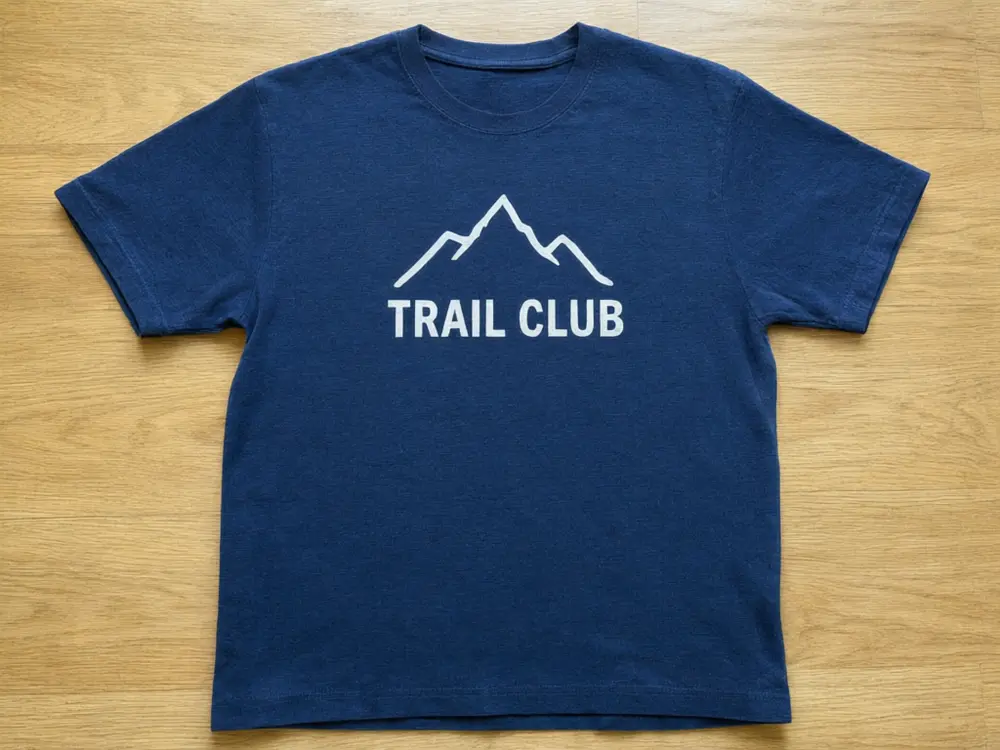
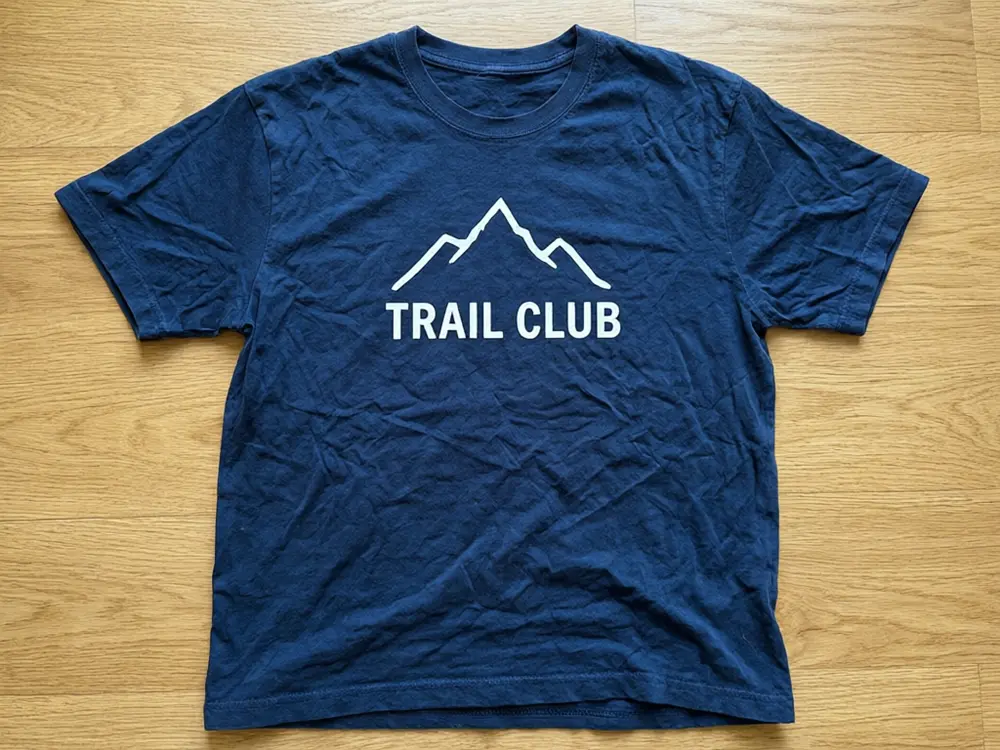
Drag to compare
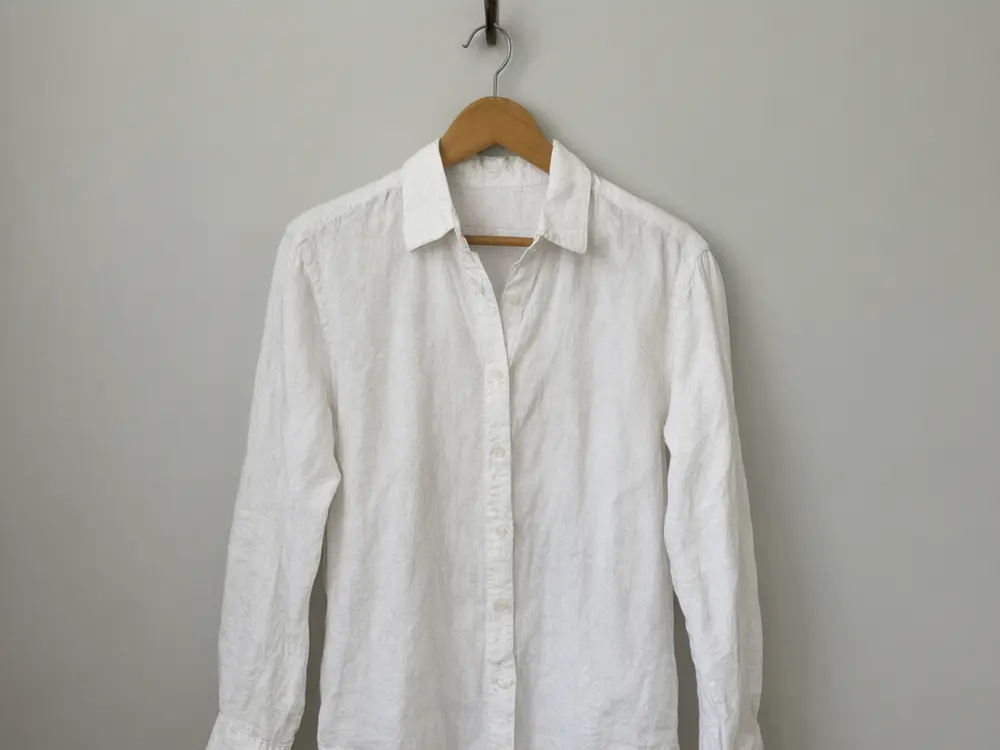
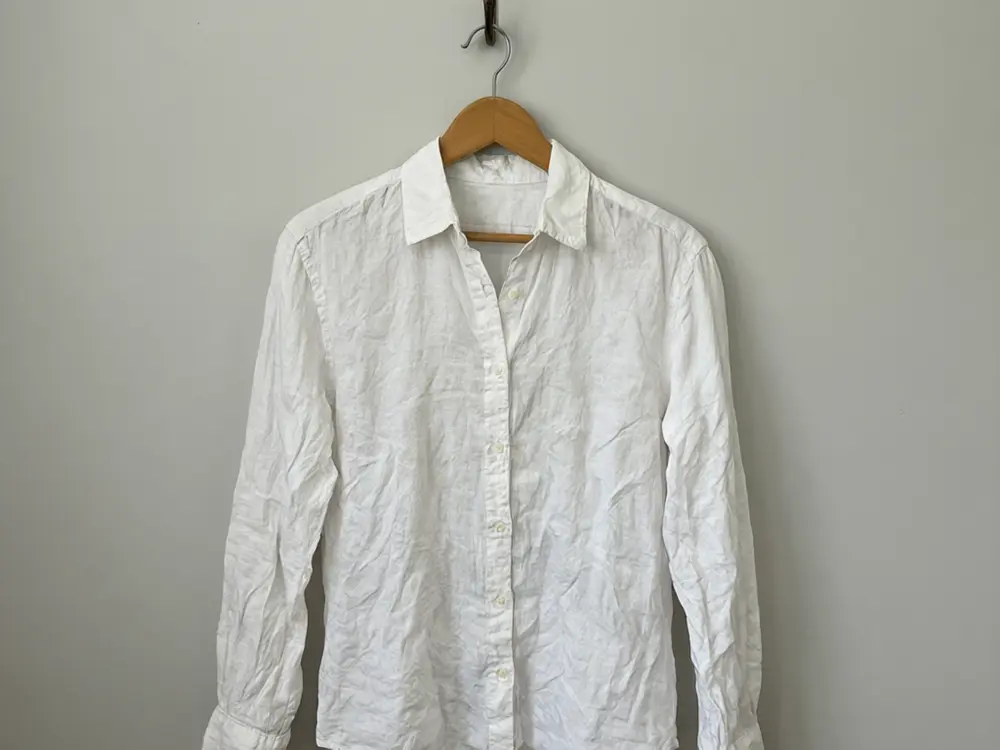
Drag to compare
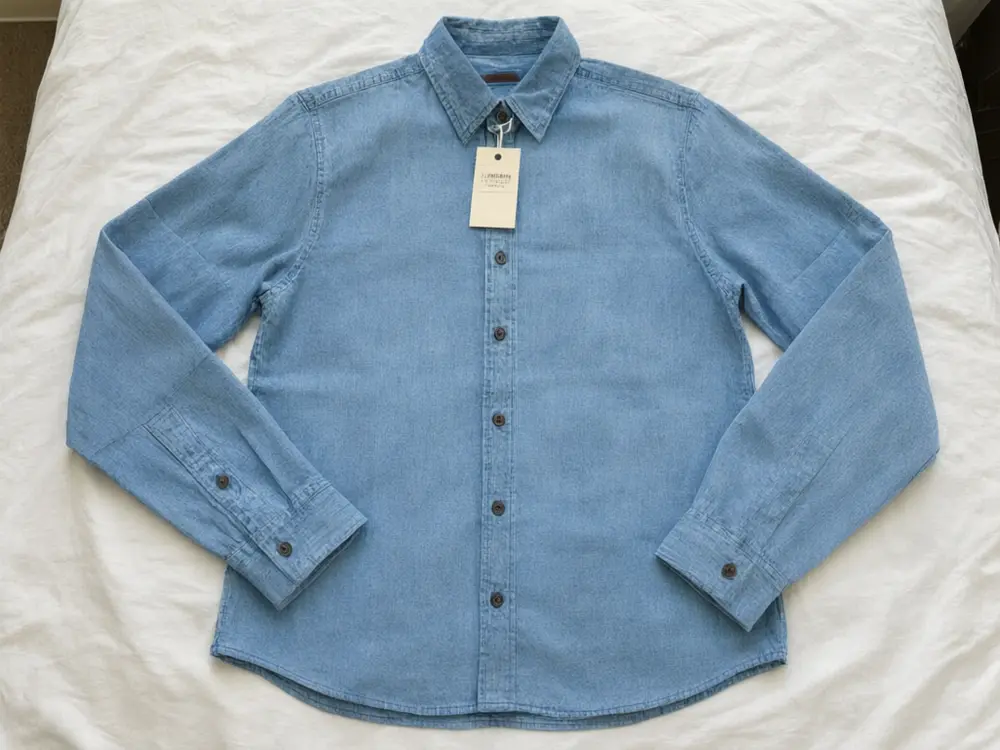
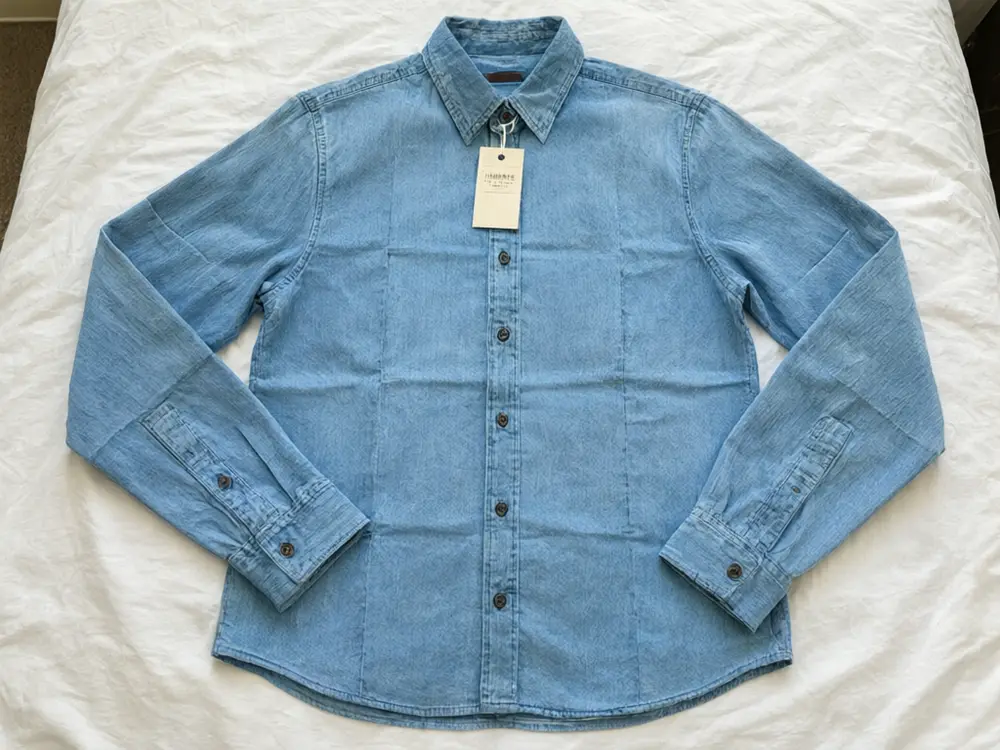
Drag to compare
Real, unretouched output from this tool. Drag any slider to compare.
Steaming every item before you shoot takes time you do not have. Upload the photo of the garment you already took, flat on the floor or on a hanger, and get the same garment with the wrinkles and creases smoothed out. The colour, print, fabric texture, buttons, seams and background stay as they are. It is made for product photos of clothes you sell, not for photos of people.
How the clothes wrinkle remover works
You upload one product photo of a garment and pick the mode that matches how it was shot. The tool smooths only the creases in the fabric and is told to keep everything else exactly as photographed: the colour, print, pattern, any text or graphic already on the garment, the buttons, seams and tags, and the background behind it.
Each run makes one image. For a closet sale or a new drop, use the same mode on every item so the listings look consistent.
1
Shoot the whole garment
Keep the whole item in the frame, in daylight, on a plain surface or against a plain wall. Sharp photos give the best result.
2
Match the mode to the shot
Flat-lay for items on the floor or bed, On a Hanger for hanging shots.
3
Use Light Touch for linen
Linen, gauze and relaxed fits look natural with a few soft folds. Light Touch keeps them.
4
Check the print
Compare graphics, text and patterns with the real garment at full size before you list.
The modes
Four ways to smooth a garment, plus your own description.
1
Flat-lay
Garments laid flat and shot from above: the whole item, or just the sleeves and collar or the body.
2
On a Hanger
Shirts, dresses and jackets on a hanger, smoothed so they hang straight.
3
Light Touch
Only the sharpest creases go, the natural drape stays.
4
Fold Lines
Sharp lines from folding, packaging or storage.
5
Your Own Description
Tell it which creases to smooth.
Honest limits
It is for product photos of garments: flat-lays and hangers. It does not edit photos of people wearing clothes, and photos on a mannequin or dress form are better served by Ghost Mannequin.
It smooths creases only. It does not remove stains, pilling, holes or wear, and marketplaces such as Poshmark, Depop and eBay expect your photos to show the real condition of the item, so keep your flaw close-ups as shot.
Image AI can still change a small detail such as tiny printed text, a fine pattern or a stitch line. Compare the result with the real garment and do not use one that shows something the item does not have.
Very crumpled sheer, satin or sequinned fabric can come out looking too smooth, and a heavily crinkled busy plaid or check may only be partly smoothed and can shift a little in colour. Light Touch or a quick steam works better there.
More tools for clothing sellers
Next steps for a complete listing.
Who uses a clothes wrinkle remover
🏠
Poshmark, Depop, Vinted and eBay resellers
✓List more items a day without steaming each one before the photo.
💡
Etsy and vintage clothing sellers
✓Clean up a flat-lay or hanger shot while the item and its character stay as they are.
🏢
Small boutiques and Shopify brands
✓Smooth creases from shipping and storage in flat-lay and hanger shots.
📸
Closet clear-outs
✓Make a quick sale listing look neat with the photos you already took.
👕
Clothes Wrinkle Remover AI: Smooth the Creases in Your Product Photos
AI Tool
Upload your imageTap anywhere here — your AI design will appear in this space after you generate.JPG · PNG · WebP
Garment laid flat, shot from above
Premium users can generate images without watermark
Higher quality options available for premium users
Be specific for better results0/400
Output quality:
Frequently Asked Questions
Yes. Upload a product photo of the garment and it smooths the wrinkles and creases while keeping the colour, print, texture, seams and background.
Product photos of garments: flat-lays and items on a hanger. It is not for photos of people wearing clothes, and it does not smooth mannequin or dress form shots.
It is told to keep every print, graphic, text and pattern already on the garment exactly as is. Image AI can still alter tiny text or a fine pattern, so compare at full size before you list.
Smoothing creases a steamer would remove is a presentation fix. Marketplaces expect photos that show the real condition, so the tool keeps stains, pilling and wear, and you should keep close-ups of tags and flaws as shot. Check each marketplace's own photo rules.
It is told to keep seams, darts, pleats and stitching. Use Light Touch for linen or a relaxed look, and check pleats after.
No. The surface, wall, hanger and the light stay as they are. Use AI Product Photo Background if you want a new backdrop.
Yes. Pick Fold Lines for sharp lines from packaging or storage.
A sharp daylight photo of the whole garment on a plain surface or wall, as large as your phone makes it.
Yes, one photo at a time. Use the same mode for every item so the listings look consistent.