It is free to try: new users get free generations. Paid plans add credits, remove the watermark and unlock higher resolution.
YouTube Banner Maker: Your Channel Name, Drawn as a Banner
YouTube Banner Maker: Your Channel Name, Drawn as a Banner is a free AI tool that lets you make a YouTube channel banner with AI: type your channel name, pick your niche and a look, and get a wide 16:9 banner with the name spelled exactly. Free to try, no design skills needed.
Free to try · first generation free on signup · no credit card
1
Step 1
Select Mode
Choose your transformation style
Game channel banners
2
Step 2
Options
Configure your options
Related Tools
→try new exterior paint colors on your own photo
→redesign a home exterior from a single photo
→plan a new yard or garden layout from a photo
→repaint a car in any shade before you commit
Output quality:
Mode
Gaming
Your AI Design Will Appear Here
Fill in the options on the left, then press Generate.
Upload your image
Drag & drop your file here or click to browse
JPG, PNG, WebP
Max 10MB
AI Ready
Quick facts about YouTube Banner Maker: Your Channel Name, Drawn as a Banner
- Tool nameYouTube Banner Maker: Your Channel Name, Drawn as a Banner
- PriceFree to try
- InputText prompt
- OutputAI-generated image
Before / After
Example results
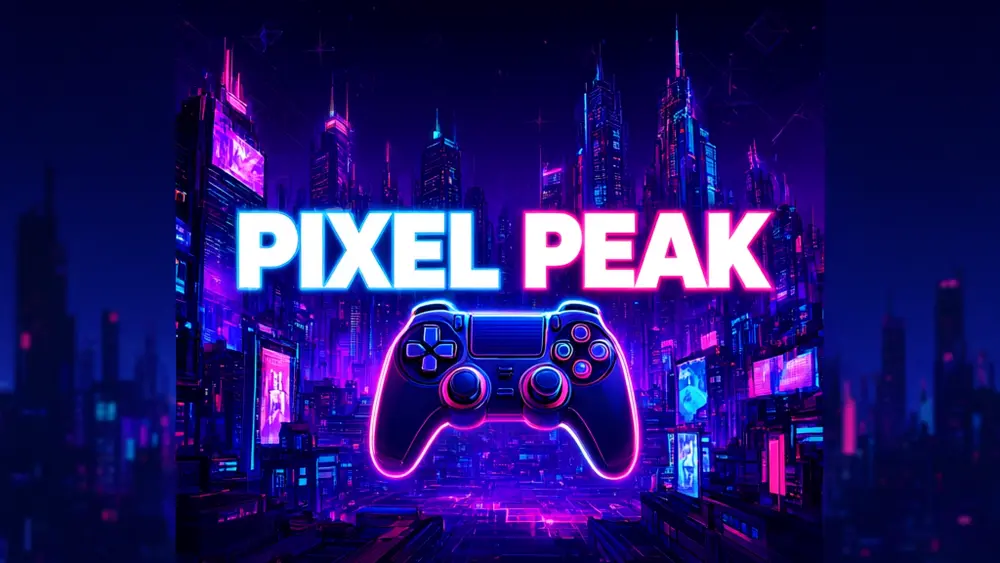
Drag to compare
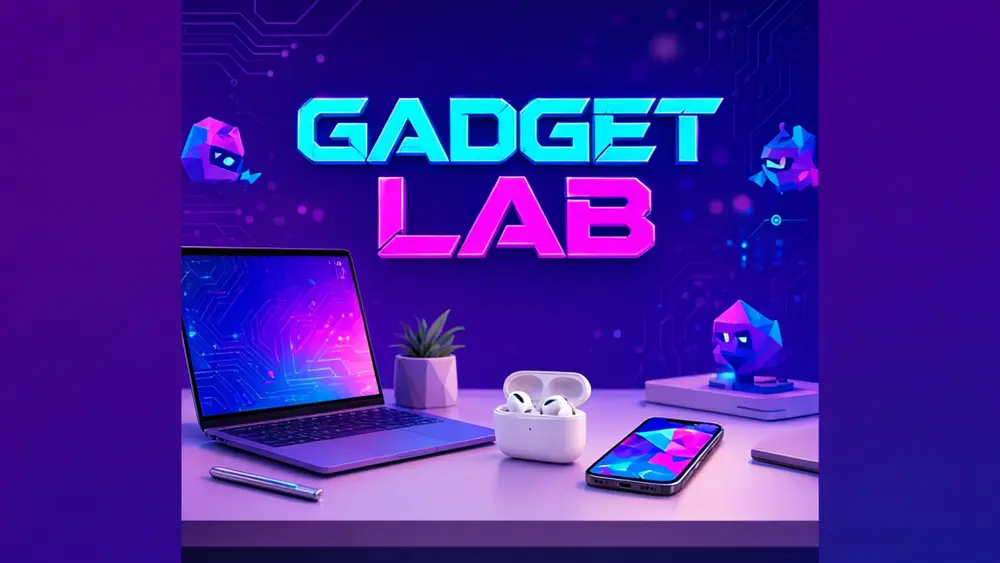
Drag to compare
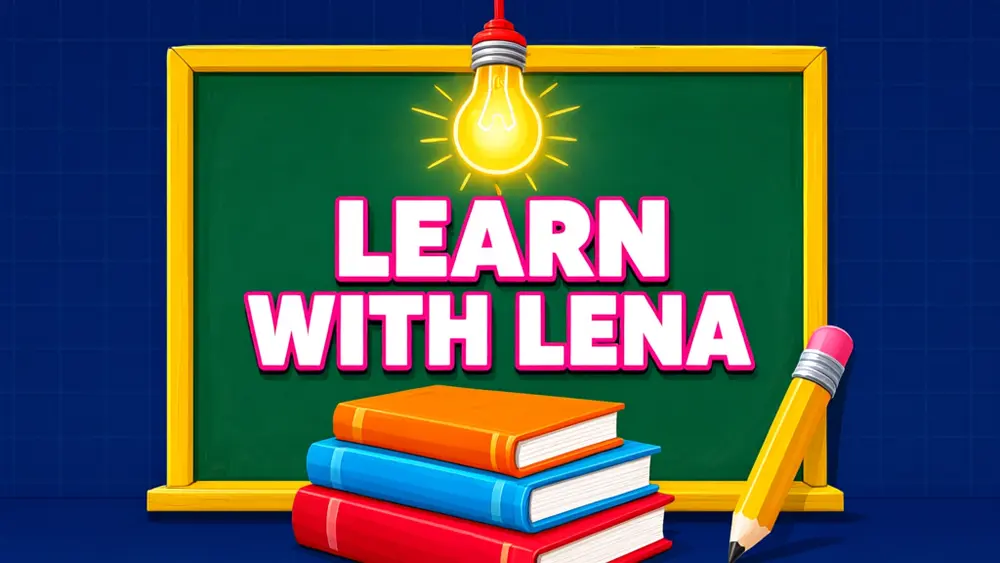
Drag to compare
Real, unretouched output from this tool. Drag any slider to compare.
Your banner is the first thing a visitor sees on your channel page. Type the channel name, pick your niche and a look, and the tool draws a wide banner with the name spelled exactly and the main content kept in the centre, where YouTube's crops always show it.
How the YouTube banner maker works
You pick a niche mode, type the channel name and describe the scene. The tool makes one finished wide image: the name in large letters, a simple scene around it and calm edges.
Each run makes one banner. Run it again or change one choice to get another version, and compare two or three before you upload.
1
Keep important things in the centre
YouTube shows a different crop on phones, desktops and TVs. The tool keeps the name and main subject in the middle and leaves the edges as simple background.
2
A short name reads best
Long names get small. If yours is long, use the main word only, or put the full name in your channel description.
3
Match your thumbnails
Pick the same look you use for thumbnails so the channel feels like one brand.
4
Check the spelling
The name is passed to the model with an instruction to spell it exactly. Check every letter before you upload.
The niche modes
Six modes with different scenes and moods.
1
Gaming
Glowing, energetic scenes with game-style objects and bold colour.
2
Tech and reviews
Clean desk and gadget scenes with soft lighting.
3
Education and tutorials
Notebooks, lightbulbs, chalkboards and simple friendly shapes.
4
Lifestyle and vlog
Travel, home and daily-life scenes with warm light.
5
Music and podcast
Instruments, headphones and microphones in moody or colourful settings.
6
Business and finance
Confident, clean scenes with desks, charts and office objects.
What this tool does not do
It does not add your logo or face, does not export a tagged 2560x1440 file and does not promise more subscribers. A banner is one part of a channel that people choose to follow.
The size and safe-area numbers are set by YouTube and can change, so check its current channel art guide and use the crop preview in the upload dialog.
If you want your own logo or photo on the banner, make the background here and add them in your usual editor.
More tools for channel owners
Next steps once the banner is done.
Who uses a banner maker
People who run a channel and want it to look finished.
1
New creators
Get a clean first banner without learning a design tool.
2
Small businesses
Make a channel look consistent with your shop or brand.
3
Teachers and course makers
Give a lesson channel a clear, friendly header.
4
Podcasters and musicians
Make a banner that matches your cover art and episodes.
🎮
YouTube Banner Maker: Your Channel Name, Drawn as a Banner
AI Tool
Game channel banners
Be specific for better results10/30
Be specific for better results51/140
Be specific for better results0/400
Output quality:
Frequently Asked Questions
YouTube sets the size, the safe area and the file limit, and may change them, so check its current channel art guide. The tool makes a 16:9 image with the content kept in the centre; use YouTube's crop preview when you upload.
The name is passed to the model with an instruction to spell it exactly. In our tests it came out right, but AI can slip on long or unusual names, so check every letter.
YouTube shows a narrow centre strip on phones and TVs. That is why the tool keeps the name and main subject in the middle and the edges simple.
Not in this tool. Make the background here, then add your logo or photo in your usual editor. You can make a logo with the AI Logo Maker.
Yes. You are responsible for what you upload and it must follow YouTube's policies.
Run it again, or change the scene, the look or the mode. The scene description changes the result the most.
Use the Twitch Banner Maker or Discord Banner Maker for those, since their shapes and uses are different.
No tool can promise that. A clear banner helps a visitor understand your channel quickly, which is all it can do.