It is free to try: new users get free generations. Paid plans add credits, remove the watermark and unlock higher resolution.
YouTube Thumbnail Maker: Type Your Video Title, Get a Thumbnail
YouTube Thumbnail Maker: Type Your Video Title, Get a Thumbnail is a free AI tool that lets you make a YouTube thumbnail with AI: type the headline text, say what is in the picture, pick a niche and a look. Get a bold 16:9 thumbnail with your text spelled exactly. Free to try.
Free to try · first generation free on signup · no credit card
1
Step 1
Select Mode
Choose your transformation style
High-energy game thumbnails
2
Step 2
Options
Configure your options
Related Tools
→try new exterior paint colors on your own photo
→redesign a home exterior from a single photo
→plan a new yard or garden layout from a photo
→repaint a car in any shade before you commit
Output quality:
Mode
Gaming
Your AI Design Will Appear Here
Fill in the options on the left, then press Generate.
Upload your image
Drag & drop your file here or click to browse
JPG, PNG, WebP
Max 10MB
AI Ready
Quick facts about YouTube Thumbnail Maker: Type Your Video Title, Get a Thumbnail
- Tool nameYouTube Thumbnail Maker: Type Your Video Title, Get a Thumbnail
- PriceFree to try
- InputText prompt
- OutputAI-generated image
Before / After
Example results
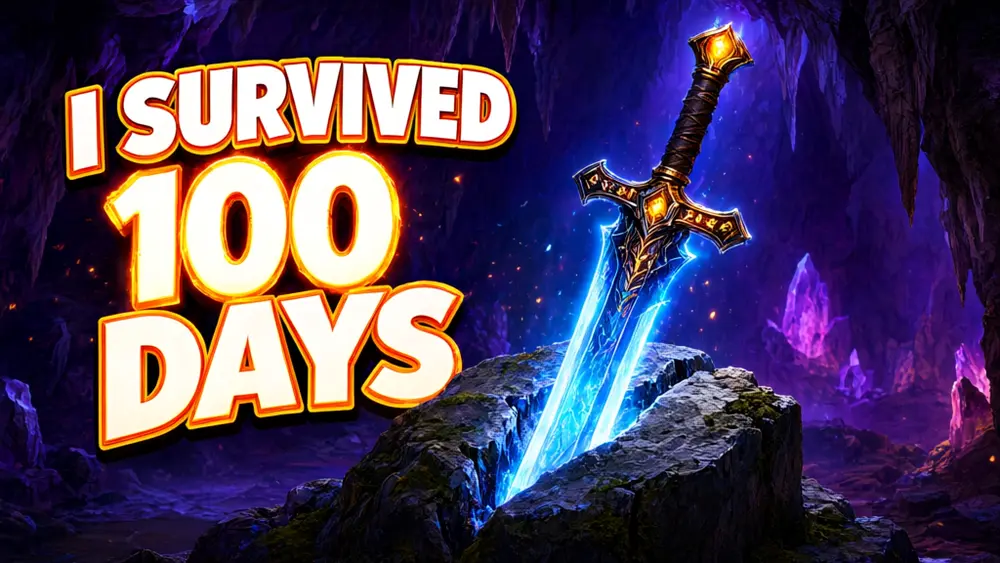
Drag to compare
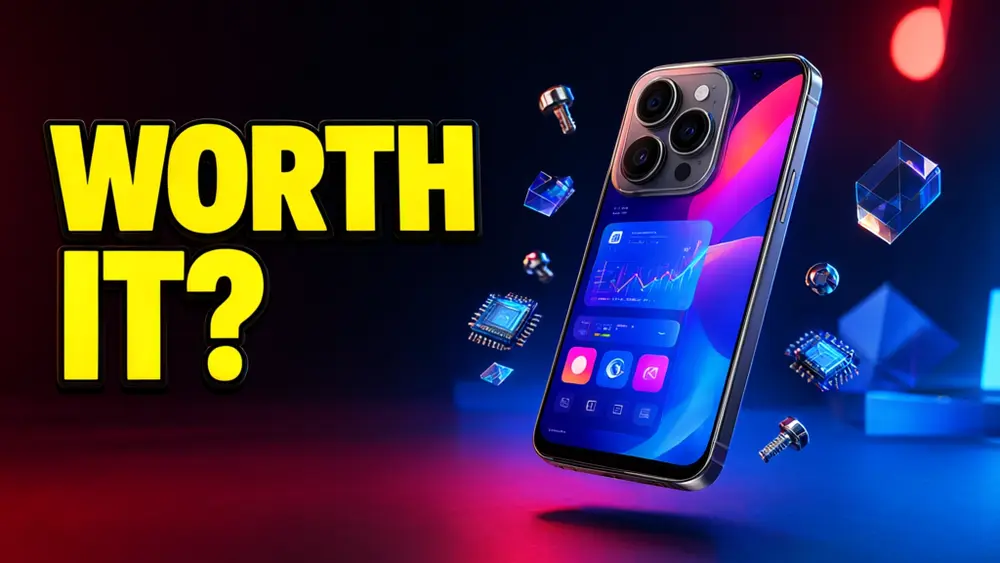
Drag to compare
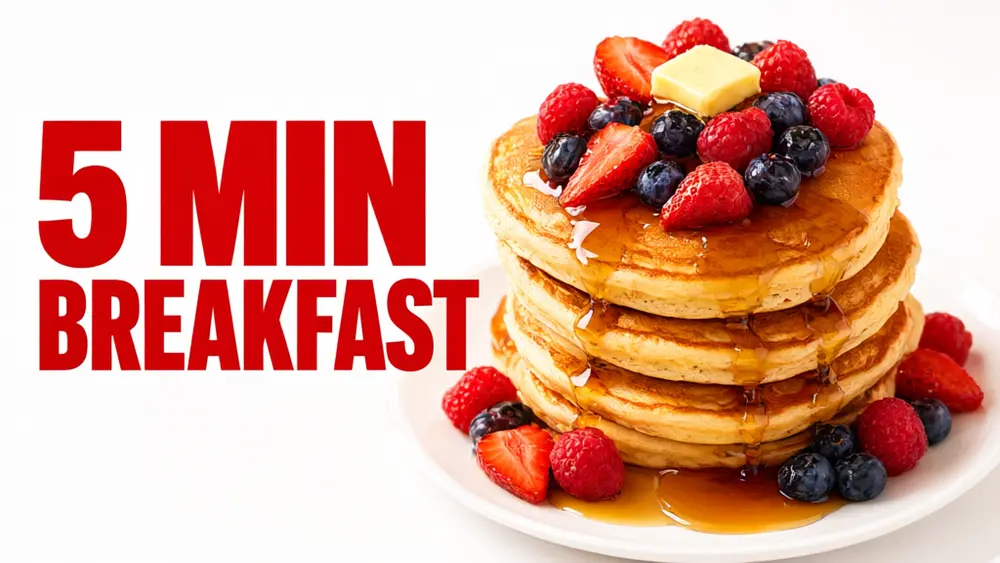
Drag to compare
Real, unretouched output from this tool. Drag any slider to compare.
A thumbnail is the first thing a viewer sees. Type the headline text, say what is in the picture, pick your niche and a look, and the tool draws a bold thumbnail with your text spelled exactly as typed. Make a few versions and choose the one that reads best when it is small.
How the YouTube thumbnail maker works
You pick a niche mode, type the headline text and describe the main subject. The tool turns that into one finished thumbnail: large text, a single clear subject and a strong colour contrast.
Each run makes one thumbnail. Run it again, or change one choice, to get a different version, and test two or three before you upload.
1
Keep the text short
Two to five words. The text must still be readable when the thumbnail is the size of a postage stamp on a phone.
2
One subject only
A thumbnail with one clear object or scene beats a crowded one. Describe the single thing you want people to look at.
3
Pick the look to match the niche
Dark neon suits gaming and tech, clean bright suits tutorials and business, cartoon suits kids and family channels.
4
Check the spelling
The text is passed to the model with an instruction to spell it exactly. Check every letter, and run again if one is wrong.
The niche modes
Six modes, each with its own layout and mood.
1
Gaming
High energy, glowing colour and one big game-style subject such as a controller, a sword or a creature.
2
Tech and review
A single product in the centre with a clean background and a bold label.
3
Vlog and lifestyle
Warm, bright travel, daily-life and challenge scenes with large friendly text.
4
Tutorial and education
Clear, simple layouts with an object or diagram idea that explains the lesson.
5
Business and finance
Confident, clean thumbnails with money, charts or office objects, without promising results.
6
Food and cooking
Close, appetising dishes with warm light and short bold text.
What this tool does not do
It does not import your face or your channel logo, does not pull frames from an existing video and does not guarantee more clicks: a thumbnail is one part of a video that people choose to watch.
Thumbnails drawn here show objects, scenes and illustrated characters, not realistic people. If you need your own face in the thumbnail, make the background here and add your photo and logo in your usual editor.
Follow YouTube's own thumbnail rules: no misleading images, no content that breaks its policies. File size and size limits are set by YouTube, so check its current guide before uploading.
More tools for video creators
Next steps once the thumbnail is done.
Who uses a thumbnail maker
People who publish video and need a thumbnail for every upload.
1
YouTubers and Shorts creators
Make a first thumbnail idea in seconds and test two or three before you pick one.
2
Small businesses and shops
Make a thumbnail for a product demo, a how-to or an ad video.
3
Teachers and course creators
Make a clear thumbnail for each lesson in a playlist.
4
Podcasters and streamers
Make an episode or stream cover for the video version of the show.
🎮
YouTube Thumbnail Maker: Type Your Video Title, Get a Thumbnail
AI Tool
High-energy game thumbnails
Be specific for better results19/40
Be specific for better results47/120
Be specific for better results0/400
Output quality:
Frequently Asked Questions
YouTube recommends 16:9, and its help pages give the current size and file limits, so check them before you upload. Pick 16:9 here for videos, 9:16 for Shorts, or square.
The text is passed to the model with an instruction to spell it exactly. In our tests it came out correct every time, but AI can still slip on long or unusual words, so check every letter.
Not in this tool: it draws objects, scenes and illustrated characters. Make the background here, then add your photo and channel logo in your usual editor.
Yes, but they must not mislead viewers and must follow YouTube's policies. You are responsible for what you upload.
Use one clear subject, two to five words, strong contrast, and check it at phone size. Test two or three versions. No tool can promise more clicks.
Yes. Choose the 9:16 shape. Shorts mostly show the video itself, so use it as a cover image for your channel page or other platforms.
Run it again, or change the subject, the look or the mode. Small changes to the subject change the result the most.
Yes. Use the Tech and Review or Business mode, or describe it yourself. For the product photo itself, see the product photo pages.