
QR codes for business and apps on AI Two
Spotify, PayPal, Google Maps, app download, and GitHub QR tools in QR Studio.
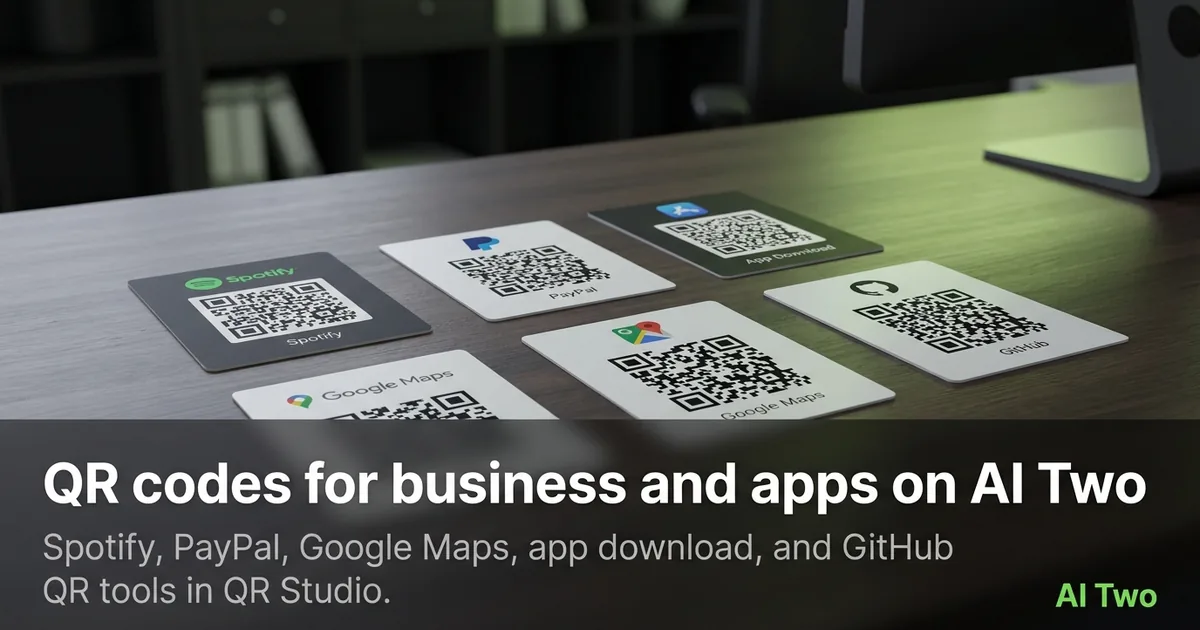
Business and app QR codes on AI Two are the cluster I open when a print piece needs to send someone to music, payment, maps, an app store, or a code repository. Spotify, PayPal, Google Maps, App Download, and GitHub tools live in QR Studio so creators, developers, and local businesses can print scan-ready codes without juggling five random generators. Every QR on AI Two is scan-verified before download, so a failed decode check blocks a broken file instead of shipping a dead poster. Credits apply to generations on your account. This guide maps the business and apps group so you pick the right page for today’s flyer, merch, or repo card.
Who this business and apps group is for
Open this cluster if you print codes that deep-link into products people already use: streaming, payments, maps, mobile apps, or GitHub. Musicians, cafe owners, event organizers, indie developers, and small teams use these pages when a generic URL code is not specific enough for the job.
When I build a merch table kit, I separate Spotify codes for the playlist from PayPal codes for tips, and I never reuse one PNG for both. Wrong payloads confuse scanners and staff. QR Studio keeps each content type on its own page so the fields stay honest.
This is a QR Studio audience. Home Design and Fashion studios will not encode a PayPal link. Stay in QR Studio for scan-verified business codes.
I batch by channel. Gig posters get Spotify. Checkout signs get PayPal. Storefront windows get Google Maps. Landing cards get App Download. Conference badges and README cards get GitHub.
Free signup credits cover learning a few codes. Paid monthly credits help when you regenerate packs for every tour date or retail location.
I still proof on a real phone after download. Scan verification on the server catches bad patterns. Your phone catch catches print size and contrast problems in the real world.
Tools in this group
Five pages cover business and app payloads. Spotify QR Code links tracks, albums, playlists, artists, or podcasts. PayPal QR Code points scanners at a payment flow you configure on the page. Google Maps QR Code opens a place or directions target. App Download QR Code sends people to an app install destination. GitHub QR Code links a repository or profile you specify.
I pick Spotify when music or podcast listening is the call to action. PayPal when money should move. Google Maps when foot traffic needs a pin. App Download when the product is the install. GitHub when the audience is developers who should land on source or docs.
Each child walkthrough covers field tips for that page. Use the cards below for the focused guides.
Colored QR pages live in a separate cluster when brand ink matters. Start here for the correct payload type, then open the colored codes guide if the print brief demands a brand hue.
WiFi, vCard, menu, and social profile tools sit elsewhere in QR Studio. This group is for business deep links and app installs, not for cafe WiFi passwords or plain contact cards.
How I run a business QR workflow
Step one: write the exact destination URL or ID the page asks for before you open the generator. Step two: choose the matching tool, not a generic link page, when a specialist exists. Step three: generate, wait for scan verification, and download only after the page accepts the code. Step four: print a small test, scan with two phones, then scale up for the full run.
When I tested a Spotify playlist code on a poster last month, the phone opened the right list on both iOS and Android. That is my pass check. If one device fails, I recheck the payload and regenerate instead of forcing a larger print of a bad code.
PayPal codes need the payment destination filled carefully. A tip jar sign with a wrong account wastes a whole event. I confirm the account on a quiet test scan before doors open.
Google Maps codes should use the place you actually want people to arrive at. Ambiguous pins that land on a street centroid create angry customers. I copy the place link from Maps after I verify the pin on desktop.
App Download codes need store destinations that match the audience’s platform story. I keep separate assets when iOS and Android need different store links, rather than one vague marketing URL that redirects poorly.
GitHub codes are for repos and profiles you are ready to show. I avoid linking private repos people cannot open. Credits still apply when you regenerate after a rename, so I lock the final repo URL first.
Credits are metered across QR Studio generations on your account. I batch tour dates or store locations once the payload pattern is proven, instead of regenerating one-off tests for every tiny layout tweak.
Print and scan tips
Keep quiet zone margins around the code. Crowding logos into the quiet zone breaks scanners even when the server verified the pattern.
I print at a size people can frame with a phone camera from arm’s length. Tiny codes on busy merch fail in low light even when the file is clean.
High contrast helps. Dark modules on a light field scan more reliably than pale ink on kraft paper. If the brand needs color, open the colored QR cluster and pick a hue that still keeps modules readable.
Matte finishes beat glossy glare under stage lights. When I print Spotify codes for a venue, I avoid laminate that mirrors spotlights into the camera.
Test after the first print batch, not after five hundred stickers. Scan verification protects the digital file. Print process still needs a human with a phone.
I store the exact payload string next to the PNG name in a sheet. Regenerating months later without the original Spotify or Maps link is how teams invent broken reprints.
Where to go next
If brand color is the next constraint, open the colored QR codes cluster and match print ink while keeping contrast strong. The QR Studio pillar maps WiFi, vCard, menus, social, repair, and tracking pages when your job is not a business deep link.
Stay in QR Studio for scan-verified codes. Home Design and Fashion studios solve different audiences.
Child how-to posts for Spotify, PayPal, Maps, App Download, and GitHub expand field tips. Use this page as the map, then open the matching card.
FAQs
Related studio guides
Essential QR code types on AI Two
WiFi, link, vCard, WhatsApp, PDF, menu, and text QR tools in QR Studio with scan verification before every download.
Read guide
Contact and messaging QR codes on AI Two
Email, phone, and SMS QR tools in QR Studio for cards, posters, and packaging that start a conversation on scan.
Read guide
Social media QR codes on AI Two
Instagram, Facebook, TikTok, YouTube, LinkedIn, Telegram, and LINE QR tools in QR Studio for print that opens the right profile.
Read guide