
How to create a GitHub QR Code on AI Two
Generate a scan verified GitHub repository QR code for README files, stickers, and event booths. Free in QR Studio.
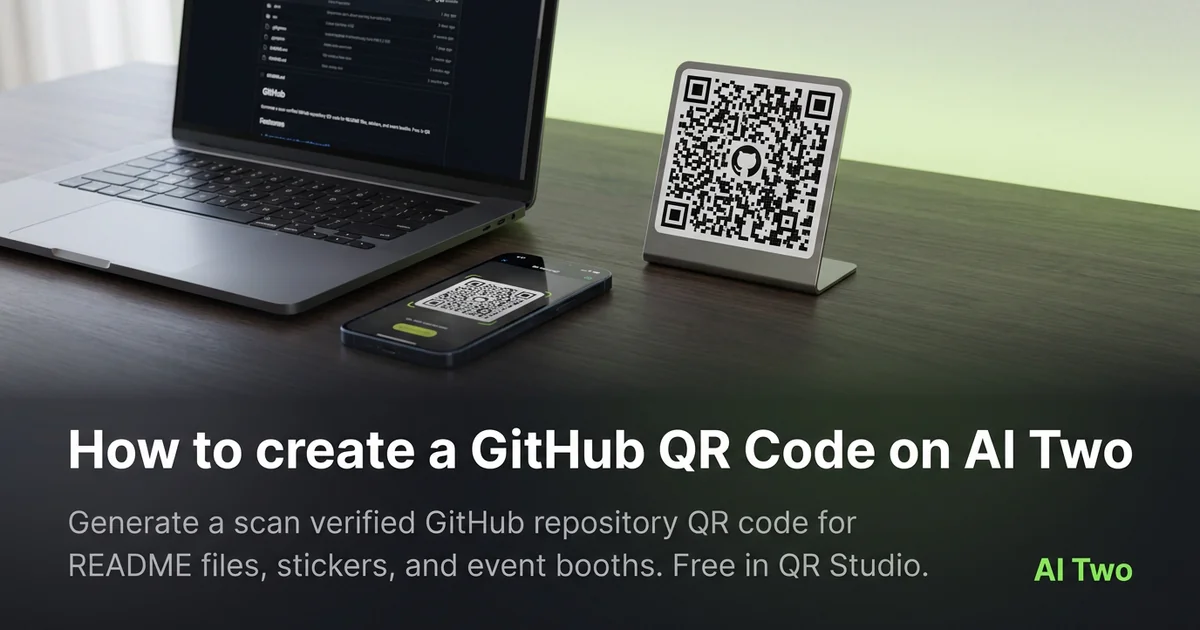
GitHub QR codes on AI Two live in QR Studio’s business and apps tools. I open GitHub QR Code when a README, slide deck, or booth banner should open a repository without typing a long URL. Every code is scan verified before download. When I tested a repo link on a hackathon table card, both phones landed on the correct default branch view. I keep a plain text URL under printed cards so contributors can type the repo if hall WiFi is slow.
What a GitHub QR code does
You enter the repository URL, generate a QR image, and download a scan verified PNG for print or screen.
When I tested an open source demo repo, the scan opened the mobile GitHub view with the readme visible after one tap.
Credits apply per generation. I lock the repo URL first, then pick print size.
Stay in QR Studio for App Download, Spotify, and PayPal generators when the payload is a different business link.
I regenerate when the default branch or org rename moves the URL.
Scan verification catches broken patterns before download. I still proof on paper at final size.
In my experience, labeling the repo name beside the code helps booth staff answer what the scan opens.
For workshops I paste the same PNG into slide masters and table cards so every asset decodes the same URL.
I date the filename when the repo is a release candidate so old swag is not confused after launch week.
How to run it step by step
Step one: copy the exact repository URL from GitHub. Step two: open GitHub QR Code in QR Studio. Step three: paste the URL, generate, wait for scan verification, download. Step four: embed in README art or print a table card. Step five: scan with two phones before a large print run.
I keep a screenshot of the repo landing page beside the PNG in the project folder.
Store the file with the org and repo name in the filename notes.
If the repo moves, regenerate. Do not edit modules in a layout app.
When I proofed a conference card, hall WiFi was slow but the scan still opened the repo in the browser.
I note print width in millimeters beside the filename for vendor reorders.
If one phone struggles, I enlarge the art ten percent and regenerate.
I add the org and repo name in plain text under the code for attendees on slow conference WiFi.
Print and placement tips
Use high contrast modules on a light field for paper cards.
Matte stock reduces glare on booth tables.
Size for arm length scanning at a demo table.
Leave a quiet zone free of logos and patterns.
Place the code near the repo name in slide art so viewers know what they will open.
Test under venue lighting, not only on a monitor.
Avoid printing over dark photography without a white sticker island.
Mistakes I avoid
Using a private repo URL on public signage without checking access on a logged out phone.
Skipping the phone proof because the PNG verified on screen.
Printing five hundred cards before a two phone test.
Saving a low resolution PNG and upscaling in the layout app.
Pointing at a temporary fork URL instead of the canonical repo you want stars on.
When to use another QR tool
Need app store download links? App Download QR Code. Need PayPal or Google Maps? Those pages sit in the same business cluster. Need a generic URL? Essential types.
The business and apps cluster guide maps sibling pages. The QR Studio pillar maps everything else.
Dynamic tracking codes live in My QR Codes when you need scan counts on campaign materials.
After the download
I embed the PNG in README art at the width GitHub renders on mobile so contributors scan from their laptop screen.
For booth tables I tape a printed proof beside the monitor so volunteers compare failed scans against a known good sample.
If the repo moves orgs, I regenerate the code the same day and swap slide decks before the next talk.
I store the payload URL in a text file beside the image so future maintainers know which repo the sticker opens.
Open source nights get noisy WiFi, so I keep a short URL test on two phones before the first attendee arrives.
FAQs
Related studio guides
How to create a Spotify QR Code on AI Two
Generate a scan verified Spotify QR code for playlists and tracks. Free in QR Studio.
Read guide
How to create a PayPal QR Code on AI Two
Generate a scan verified PayPal payment QR code for print and checkout. Free in QR Studio.
Read guide
How to create a Google Maps QR Code on AI Two
Generate a scan verified Google Maps location QR code for print and signage. Free in QR Studio.
Read guide