Your first generation is free when you sign up. Paid plans add credits, remove the watermark and unlock higher resolution.
AI Pool Design: See a Pool in Your Own Backyard
AI Pool Design: See a Pool in Your Own Backyard is a free AI tool. Upload a photo of your backyard and preview an inground, plunge or above-ground pool with the deck, shape and finish you choose. Free AI pool design.
Free to try · first generation free on signup · no credit card
1
Step 1
Upload Image
Start by uploading image
Upload your image
Click to browse or drag & drop
2
Step 2
Select Mode
Choose your transformation style
Choose the pool type, shape, finish, deck and extras
3
Step 3
Options
Configure your options
Related Tools
→try new exterior paint colors on your own photo
→redesign a home exterior from a single photo
→plan a new yard or garden layout from a photo
→repaint a car in any shade before you commit
Output quality:
Mode
Pick a Pool
Your AI Design Will Appear Here
Fill in the options on the left, then press Generate.
Upload your image
Drag & drop your file here or click to browse
JPG, PNG, WebP
Max 10MB
AI Ready
Quick facts about AI Pool Design: See a Pool in Your Own Backyard
- Tool nameAI Pool Design: See a Pool in Your Own Backyard
- CategoryHome Design
- PriceFree to try
- InputPhoto upload + text prompt
- OutputAI-generated image
Before / After
Example results
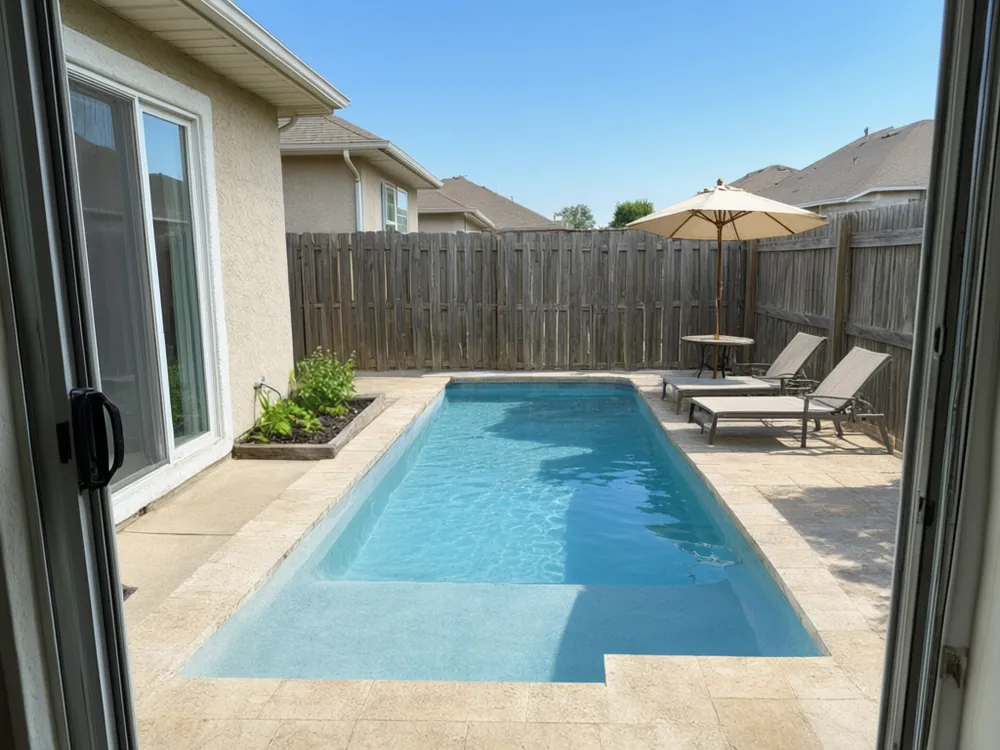
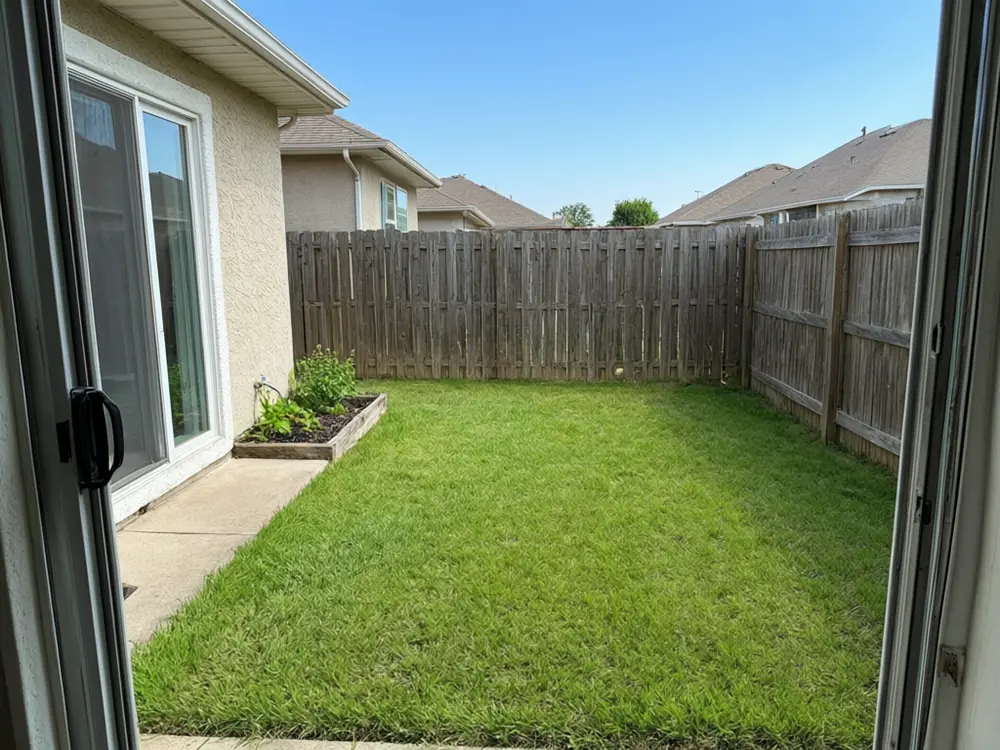
Drag to compare
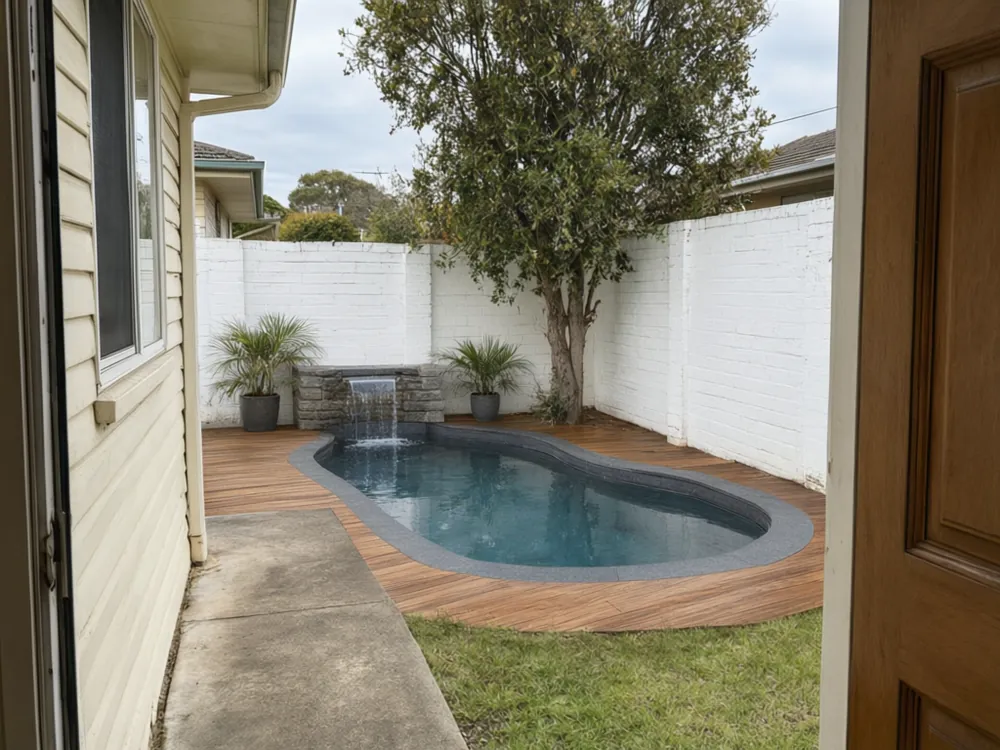
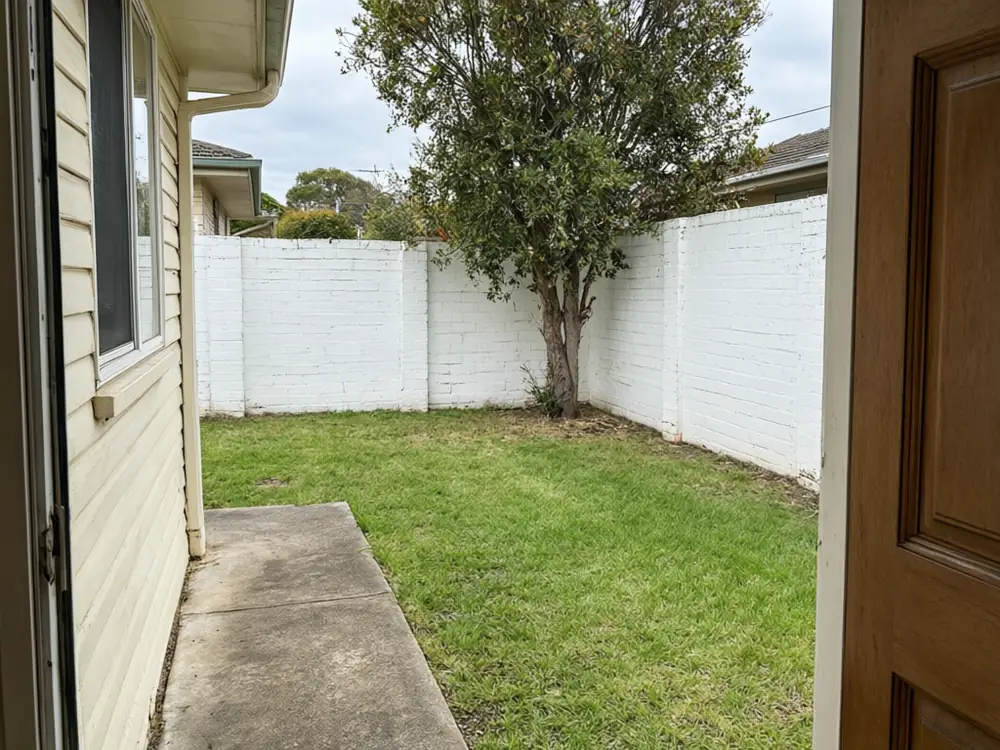
Drag to compare
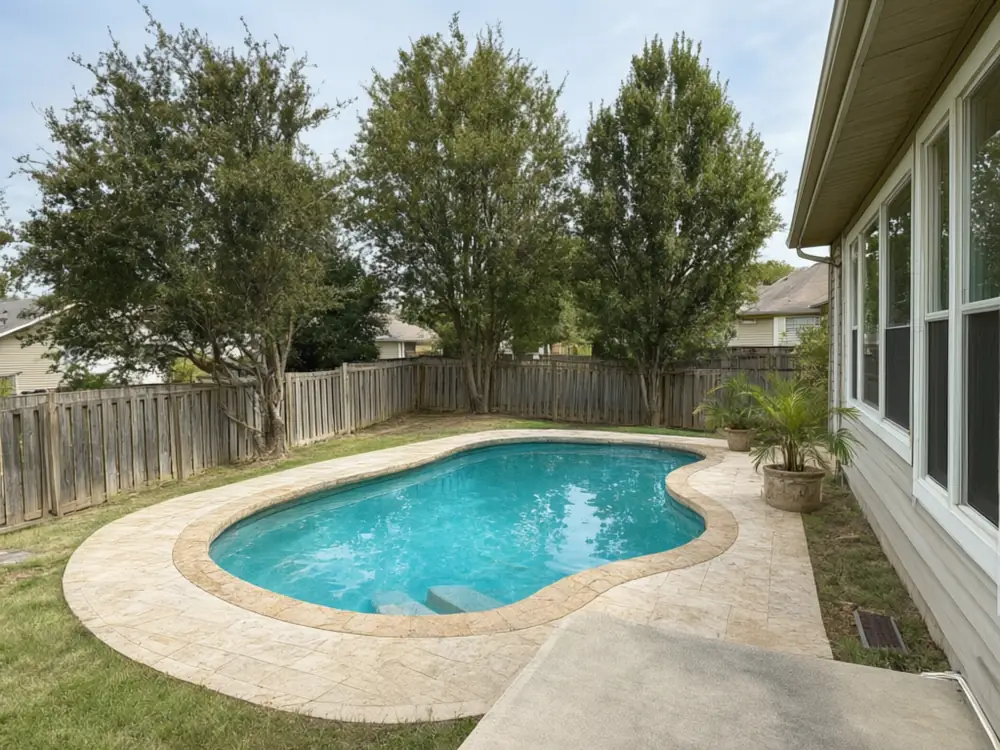
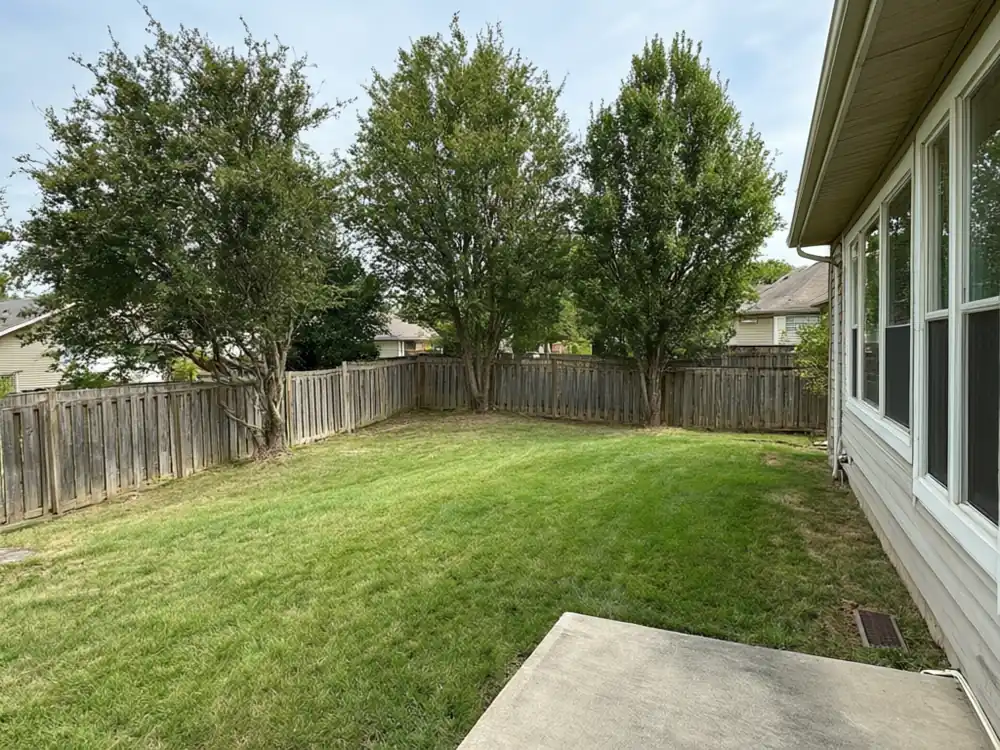
Drag to compare
Real, unretouched output from this tool. Drag any slider to compare.
Before you spend on a pool you want to know one thing: will it look right in my yard? Brochures and stock photos do not answer that, because your lawn, your fence and your house are different. Upload a photo of your own backyard, choose a pool type, shape, interior finish and deck, and the AI adds the pool to your photo with your yard kept: same house, same fence, same trees, same slope. Only the pool and the surround you named are added, so you can compare a rectangular pool, a freeform pool or a small plunge pool before you speak to a builder.
What the AI pool design tool adds
It adds a pool and its surround to open ground in your photo. The rest of the yard stays as it was.
1
Pool type
Inground, plunge, lap or above-ground with a deck. Plunge and above-ground pools suit smaller or tighter yards.
2
Pool shape
Rectangular, freeform, kidney, L-shaped or round. The shape changes how much of the lawn is left.
3
Interior finish
Light blue plaster, deep blue pebble, dark slate or white with mosaic edge tile. The finish changes the colour of the water more than people expect.
4
Deck and surround
Travertine, timber, gray porcelain, flagstone or concrete around the pool.
5
Extras
Sun loungers and an umbrella, a small waterfall and palms, or dusk lighting.
Two ways to design
Use whichever suits how far along you are.
1
Pick a Pool
Best when you know what you are weighing up. Choose type, shape, finish, surround and extras and preview the exact mix.
2
Pick a Style
Best when you have no plan yet. Pick modern minimalist, tropical resort, Mediterranean, natural pond-style or family friendly and see it in your yard.
3
Your Own Description
Describe it in a sentence, such as "a long narrow lap pool along the fence with a timber deck".
How to get a realistic result
The tool works best when it can see enough open ground.
1
Show the open space
Include the area where the pool would go, the fence line and a piece of the house so the scale makes sense.
2
Stand level
A tilted photo makes the pool look as if it slopes. Hold the camera straight at about eye height.
3
Use daylight
Daylight shows how water and surround will look. Dusk photos give dark, muddy pool water.
4
Clear the lawn
Furniture, toys and hoses in the middle of the yard can end up in the render.
5
Run it more than once
Each run is a new interpretation. Keep the one where the pool size and position look believable.
Pool ideas worth previewing
Starting points for different yards.
1
Small yards
A plunge pool or a narrow lap pool leaves room for a patio. Preview both before you assume you need something bigger.
2
Sloping yards
Pool and deck work on a slope. It adds cost, so a render helps you decide whether it is worth it.
3
Family yards
A rectangular pool with a wide deck and loungers gives room to supervise children. Compare it with a freeform shape.
4
Budget planning
An above-ground pool with a timber deck is a lower-cost way to enjoy a pool. Preview how it looks before you decide.
5
Resale
Check whether a pool suits the style of your home and neighbourhood.
Pool planning before you spend money
A pool is a long-term cost: building, fencing, heating, cleaning and insurance. A picture of the finished yard helps you decide whether to go ahead before you pay for a design.
Use the result as a visual brief. Show a pool builder the picture and say "this is the shape and the finish I like". It is faster than describing it in words.
Remember what a picture cannot show: depth, setbacks, drainage, access for machinery, local permits and safety fencing. These decide what you can build. Ask a licensed pool builder to check the site.
Honest limits
The result is a picture, not a plan. Sizes, depths, setbacks and permits are not calculated, so ask a licensed pro before you commit.
Pool size is drawn by eye from your photo, so the pool can look bigger or smaller than a real pool that fits the space.
Photos taken at a steep angle, or with little open ground in view, give less reliable results.
The tool adds a pool to open ground. It is not made for moving a house, removing trees or reshaping the slope.
More backyard tools
Related tools to try on the same photo.
🛡️
Pool Fence Visualizer →
Preview safety fencing around a pool.
🌿
AI Landscape Design →
Plan planting and lawn around the pool.
🏖️
Patio Cover Visualizer →
Add shade next to the pool.
🪵
Deck Railing Visualizer →
Preview a deck railing for the pool deck.
🏡
AI House Exterior Design →
Redesign the outside of your home as well.
Who uses this
🏠
Homeowners
✓Decide whether a pool suits the yard before calling a builder.
💡
Pool builders and landscapers
✓Show a client their own yard with two or three pool options.
🏢
Buyers and agents
✓See what a property could become.
📸
Landscape designers
✓Share a quick concept before drawing a full plan.
🏊
AI Pool Design: See a Pool in Your Own Backyard
AI Tool
Upload your imageTap anywhere here — your AI design will appear in this space after you generate.JPG · PNG · WebP
Choose the pool type, shape, finish, deck and extras
Premium users can generate images without watermark
Higher quality options available for premium users
Be specific for better results0/400
Output quality:
Frequently Asked Questions
Yes. That is what the tool is built for. Upload a photo of your real yard and the AI adds a pool with your house, fence and trees kept.
Inground, small plunge, long lap and above-ground with a deck. Plunge and above-ground options are useful for smaller yards or lower budgets.
Yes. The prompts keep the house, fences, trees, structures and slope as photographed. Only the pool and the surround you name are added.
Not exact. The pool is drawn by eye from your photo, so size and depth are not measured. Ask a licensed pool builder to check the site before you decide.
You can choose the deck and surround and a few extras here. For planting and lawn, use the landscape design tool linked on this page.
A wide, level daylight photo that shows the open ground, the fence line and part of the house. Clear the middle of the lawn first.