Your first generation is free when you sign up. Paid plans add credits, remove the watermark and unlock higher resolution.
AI Landscape Design Generator: See a New Yard Design on Your Own Photo
AI Landscape Design Generator: See a New Yard Design on Your Own Photo is a free AI tool. Upload a photo of your yard and see a new landscape design on it: cottage, modern, low-maintenance or desert styles. The house and fence stay as they are.
Free to try · first generation free on signup · no credit card
1
Step 1
Upload Image
Start by uploading image
Upload your image
Click to browse or drag & drop
2
Step 2
Select Mode
Choose your transformation style
Choose the area and a landscape style
3
Step 3
Options
Configure your options
Related Tools
→try new exterior paint colors on your own photo
→redesign a home exterior from a single photo
→plan a new yard or garden layout from a photo
→repaint a car in any shade before you commit
Output quality:
Mode
Pick a Style
Your AI Design Will Appear Here
Fill in the options on the left, then press Generate.
Upload your image
Drag & drop your file here or click to browse
JPG, PNG, WebP
Max 10MB
AI Ready
Quick facts about AI Landscape Design Generator: See a New Yard Design on Your Own Photo
- Tool nameAI Landscape Design Generator: See a New Yard Design on Your Own Photo
- CategoryHome Design
- PriceFree to try
- InputPhoto upload + text prompt
- OutputAI-generated image
Before / After
Example results
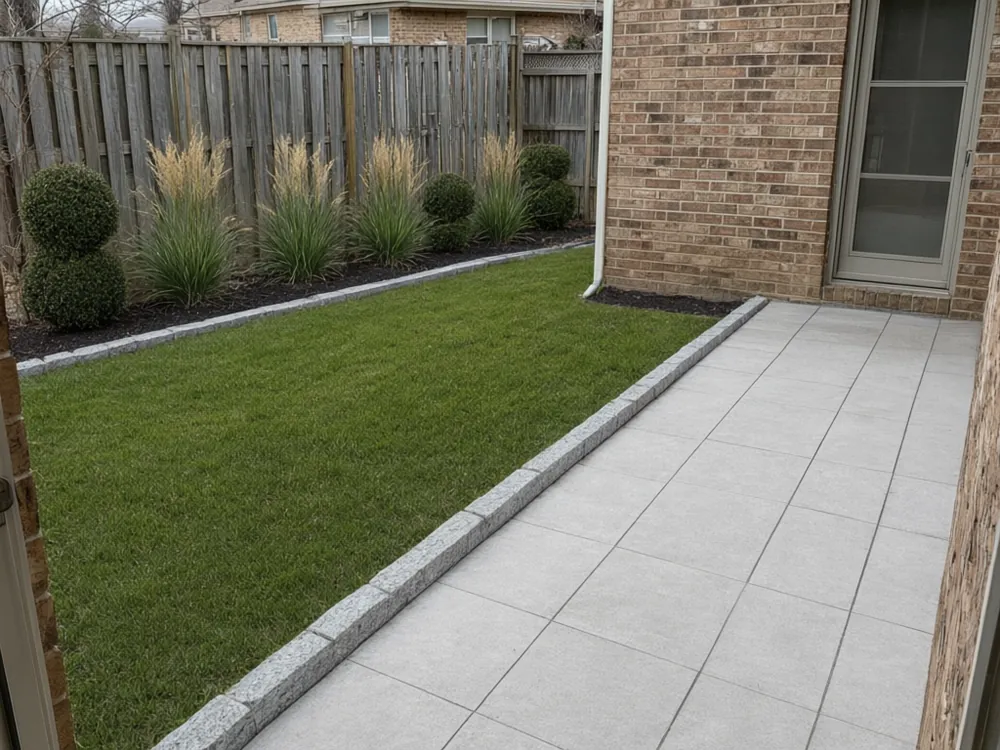
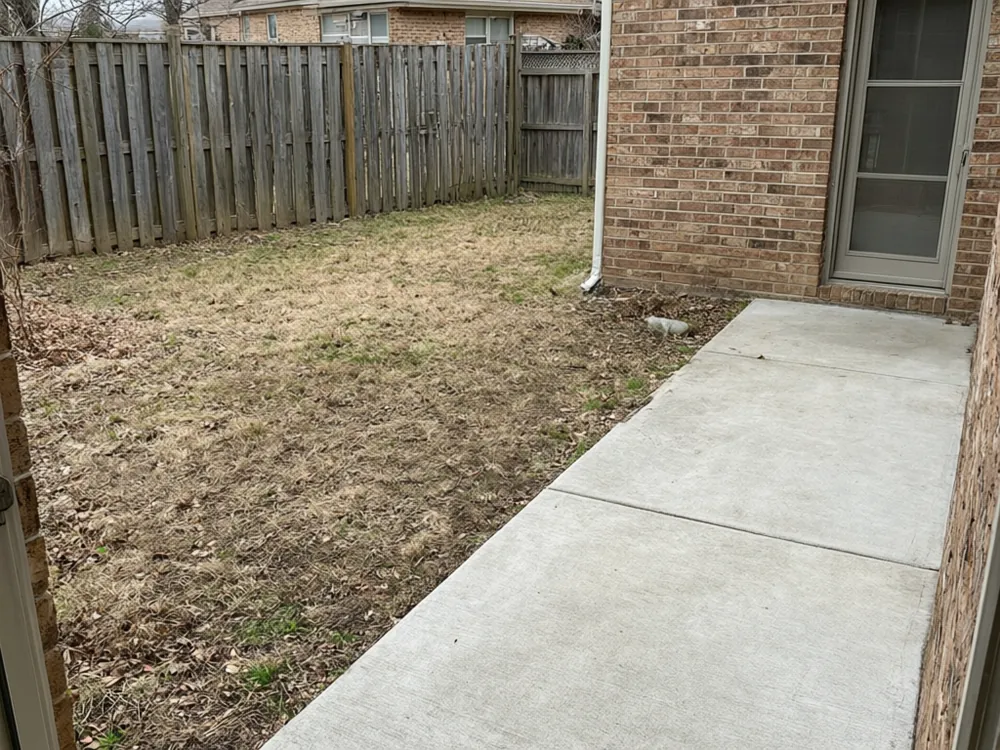
Drag to compare
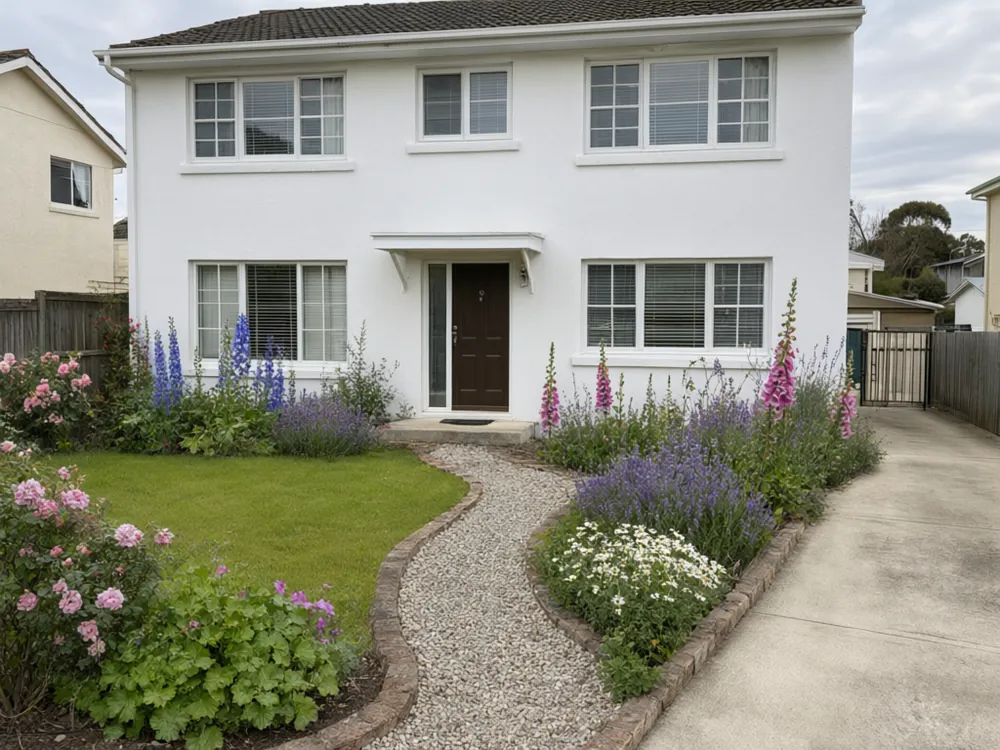
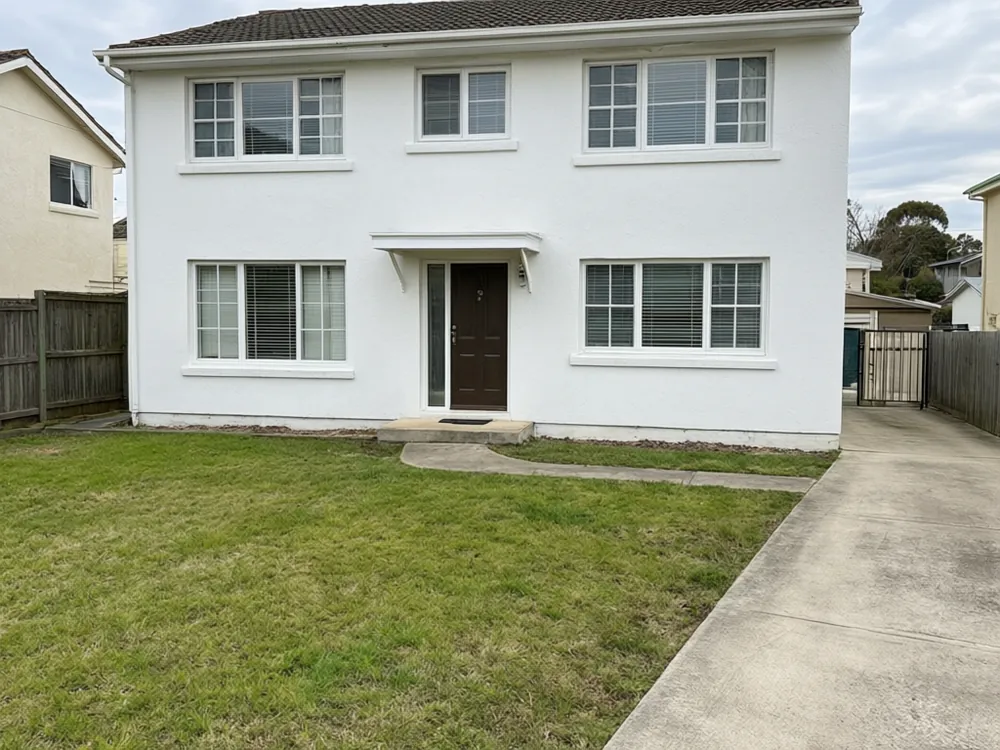
Drag to compare
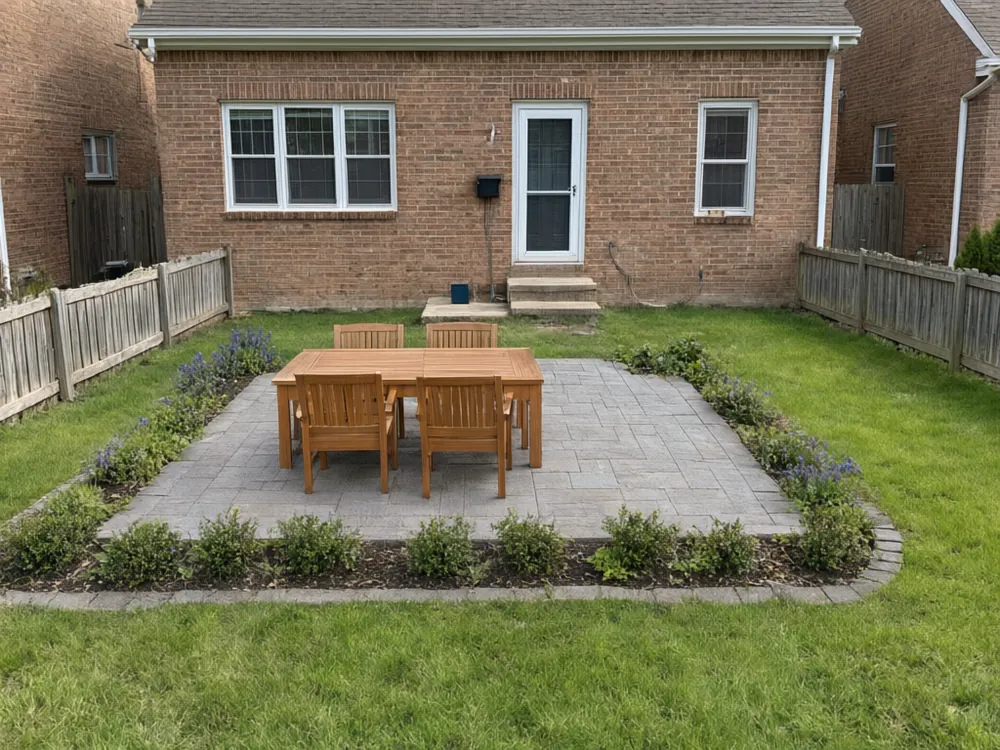
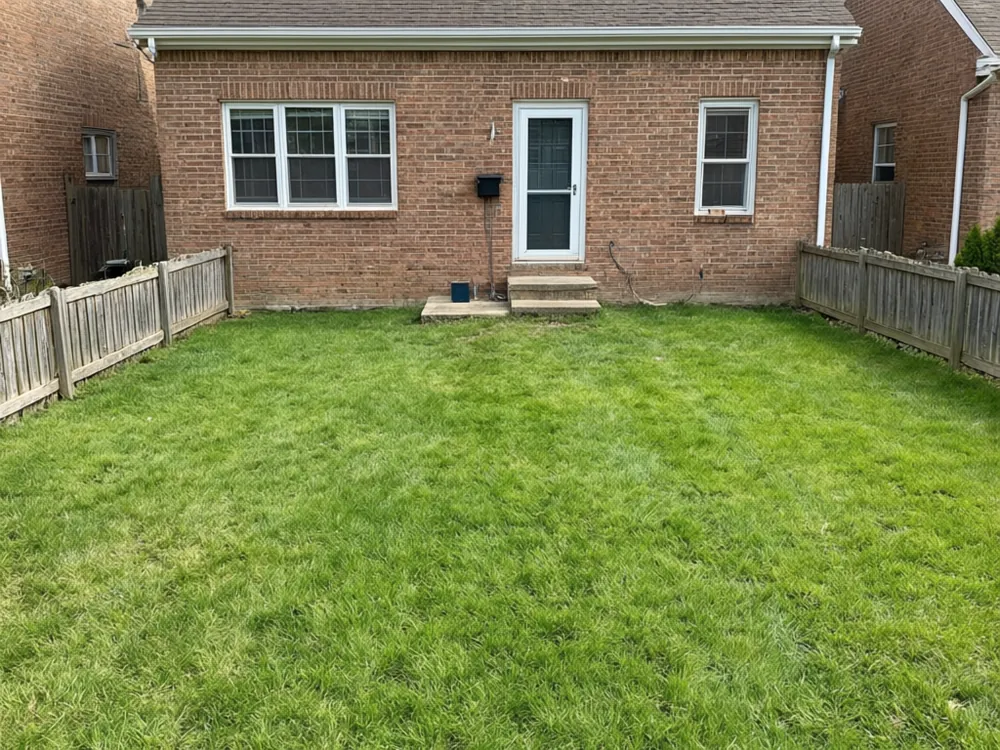
Drag to compare
Real, unretouched output from this tool. Drag any slider to compare.
Most people cannot picture a new yard from a plan. This page redesigns the yard in your own photo: upload it, pick a style, and see the lawn, beds, paths and planting redrawn while the house, fence and the shape of the yard stay as they are. Try a cottage garden, a clean modern layout or a low-maintenance one, and compare them before you spend on plants or paving.
Landscape styles to try
Each style changes the planting and paving, not your house.
1
Cottage garden
Mixed flower borders, a soft lawn and a winding path. Looks full and informal, and needs regular weeding and deadheading.
2
Modern minimalist
Straight lines, a tidy lawn, stone edging and a few sculptural shrubs or grasses. Clean, with few plant types.
3
Low maintenance
Gravel and mulch beds, tough evergreens and ornamental grasses with little or no lawn. A common pick if you do not want to mow or water much.
4
Desert xeriscape
Agave, yucca, boulders and decomposed granite. Built for dry climates and low water use.
5
Mediterranean
Terracotta pots, olive trees, lavender and warm gravel or stone. Suits sunny, well-drained yards.
6
Japanese-inspired
Raked gravel, moss, a maple and stepping stones. Calm and spare, with a few carefully placed plants.
Front yard, backyard or side yard
The goal is different in each part of the property.
1
Front yard
Curb appeal comes first: a clear path to the door, simple planting under the windows and a lawn or gravel that looks tidy all year.
2
Backyard
This is where you live outdoors, so think about a seating area, shade, play space and privacy from the neighbours.
3
Side yard
Often a narrow strip. A path with a few shade-tolerant plants can turn it from storage space into a walkway.
Add features to the yard
Use the features mode to try a single addition on your photo.
1
Patio with seating
See where a paved sitting area could go and how much of the lawn it takes.
2
Fire pit
A round stone fire pit with chairs. Check local rules and keep a safe distance from the house and fences.
3
Raised vegetable beds
Timber or stone beds placed in the sunniest part of the yard.
4
Path, pergola or pond
A stone path to a back gate, a wooden pergola over a patio or a small garden pond with edge planting.
Before you dig
A picture helps you choose a direction. These checks make it work in the real yard.
1
Check sun and shade
Watch where the sun falls at different times of day. Plants labelled full sun will struggle in a shady corner.
2
Match plants to your climate
The tool draws plants that look right, not plants that survive your winters. Ask a local nursery for species that suit your zone.
3
Measure and budget
Measure the area and price the paving, soil and plants. A design that looks simple can still cost a lot to build.
4
Check drainage and utilities
Know where water runs after rain and where pipes and cables are buried before digging or building.
5
Check local rules
Fences, decks, fire pits and some trees may need a permit or approval from your council or HOA.
Honest limits
The result is a visual concept. It is not a scaled landscape plan, and it does not list plants, quantities or costs.
Only the landscaping changes. The house, fence, driveway and the shape of the yard are kept as photographed. To change the house colors, use the house painter afterwards.
Plants and paving are drawn from your description, so check species, size at maturity and spacing with a nursery or a landscape designer before you buy.
Sizes in the picture are approximate. Measure the real space before you order materials.
More landscape ideas
Each page runs the same kind of tool on your own photo.
🌿
Landscape Design AI →
The full landscape design tool.
🏡
Backyard Design →
Backyard layouts, seating and planting.
🌼
Garden Design →
Flower beds, borders and paths.
🪑
Patio Design →
Patio ideas and outdoor seating.
🏊
Pool Area Design →
Pool surrounds, decking and planting.
🌳
Yard and Garden Design →
Yard and garden ideas on your photo.
More tools for your home
Next steps for your house.
Who uses this
🏠
Homeowners
✓See a new yard layout on your own photo before you hire anyone or buy plants.
💡
Home sellers
✓Show buyers what a bare yard could become, or try simple curb appeal ideas.
🏢
Landscapers and gardeners
✓Show a customer two or three directions on their own yard before quoting.
📸
Designers and real estate agents
✓Give a client a quick visual of what the outdoor space could look like.
🌿
AI Landscape Design Generator: See a New Yard Design on Your Own Photo
AI Tool
Upload your imageTap anywhere here — your AI design will appear in this space after you generate.JPG · PNG · WebP
Choose the area and a landscape style
Premium users can generate images without watermark
Higher quality options available for premium users
Be specific for better results0/400
Output quality:
Frequently Asked Questions
A clear daytime photo of your yard taken from a spot where you can see the whole area. Avoid close-ups and very dark evening shots.
No. The house, fence, driveway and the shape of the yard are kept as photographed. Only the landscaping changes.
No. It gives you a picture of a design idea. Ask a nursery or a landscape designer for plant lists, quantities and costs.
Yes. Run the same photo with a cottage, a modern and a low-maintenance style and compare.
Yes. Pick the area in the style mode, or describe it in your own words.
It is an approximation that shows the look of a design. Measure the real space and check sun, drainage and climate before you build or buy plants.