Your first generation is free when you sign up. Paid plans add credits, remove the watermark and unlock higher resolution.
AI Facade Design: Try a New Facade on a Photo of Your Building
AI Facade Design: Try a New Facade on a Photo of Your Building is a free AI tool. Upload a photo of a house, shopfront or building. Try new cladding, colors and entrances and see a realistic facade with the same shape and windows.
Free to try · first generation free on signup · no credit card
1
Step 1
Upload Image
Start by uploading image
Upload your image
Click to browse or drag & drop
2
Step 2
Select Mode
Choose your transformation style
Choose the building type, cladding and entrance
3
Step 3
Options
Configure your options
Related Tools
→try new exterior paint colors on your own photo
→redesign a home exterior from a single photo
→plan a new yard or garden layout from a photo
→repaint a car in any shade before you commit
Output quality:
Mode
Pick a Facade
Your AI Design Will Appear Here
Fill in the options on the left, then press Generate.
Upload your image
Drag & drop your file here or click to browse
JPG, PNG, WebP
Max 10MB
AI Ready
Quick facts about AI Facade Design: Try a New Facade on a Photo of Your Building
- Tool nameAI Facade Design: Try a New Facade on a Photo of Your Building
- CategoryHome Design
- PriceFree to try
- InputPhoto upload + text prompt
- OutputAI-generated image
Before / After
Example results
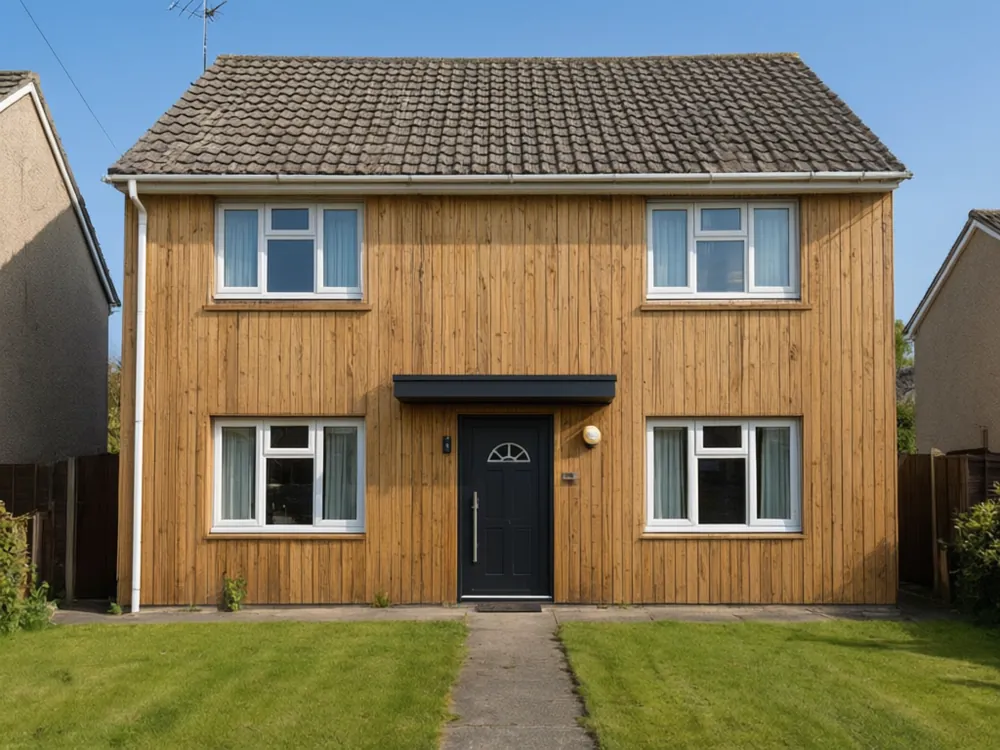
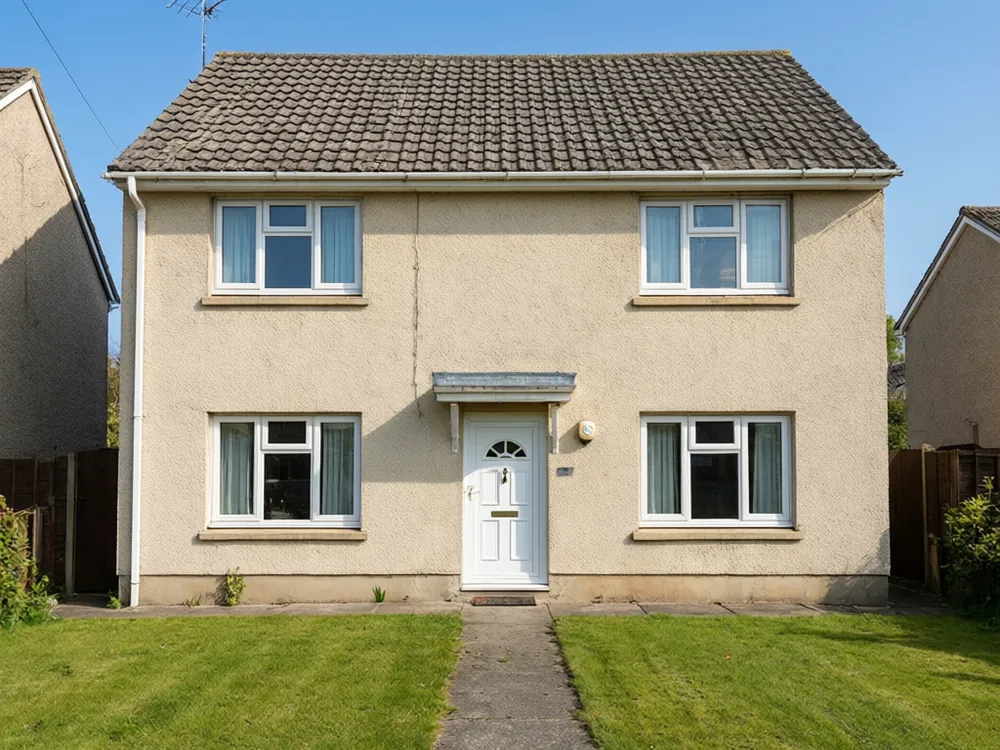
Drag to compare
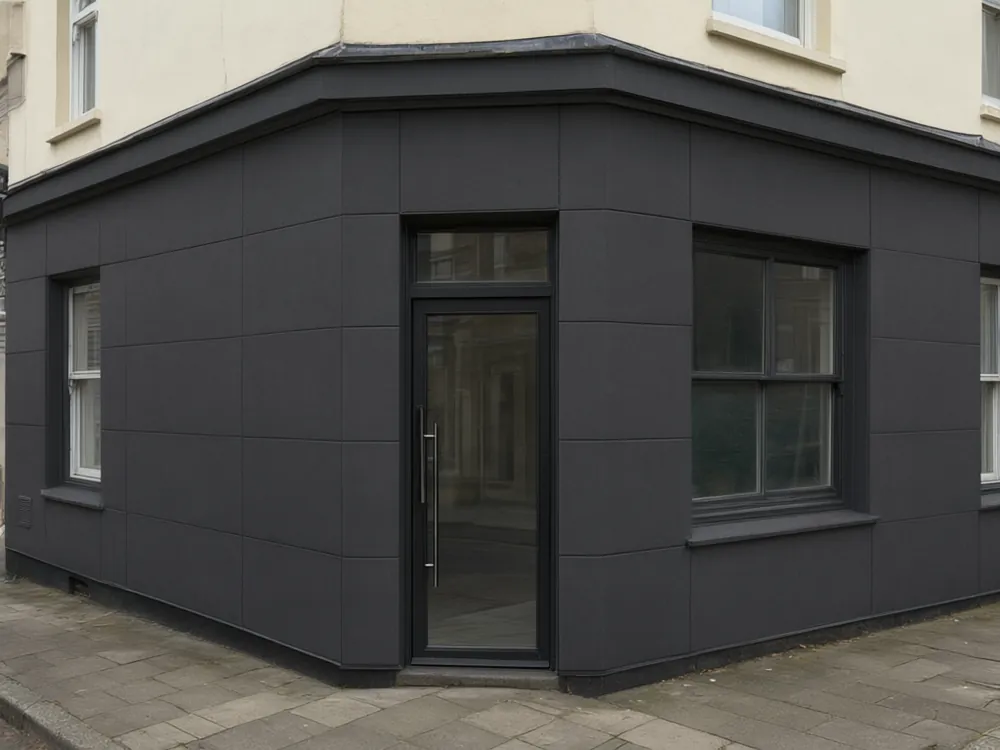
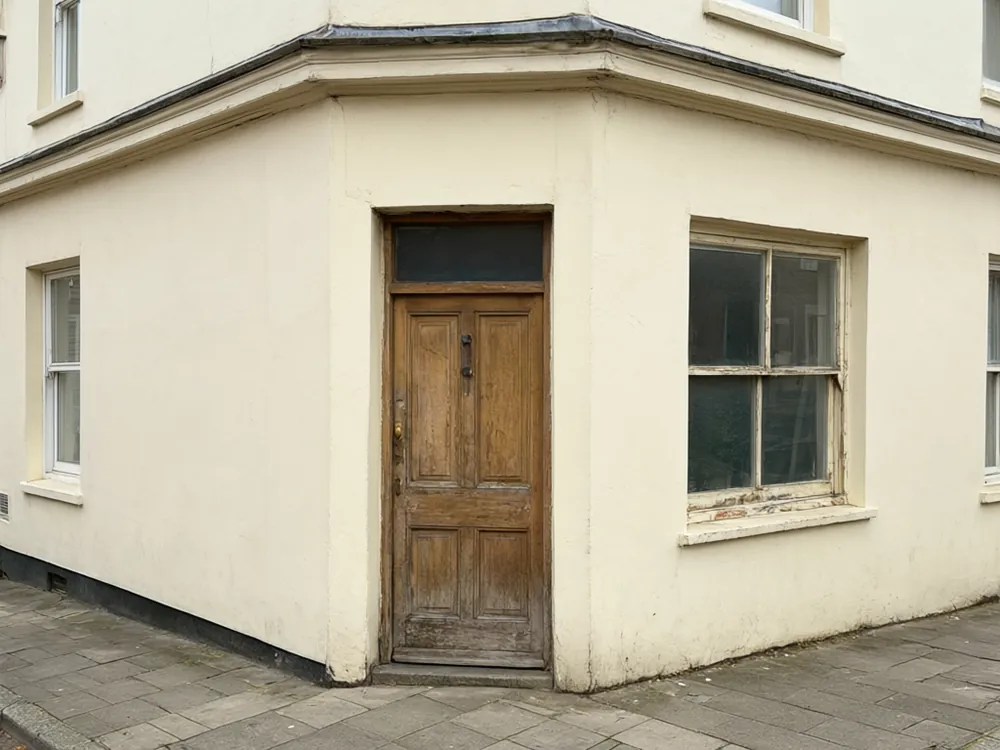
Drag to compare
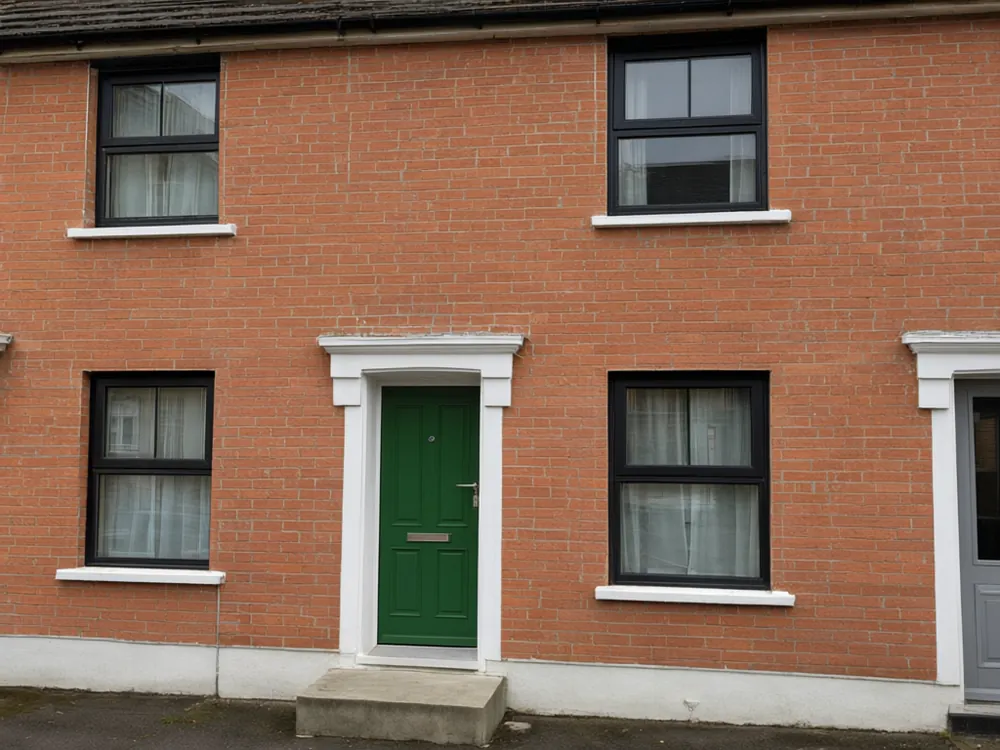
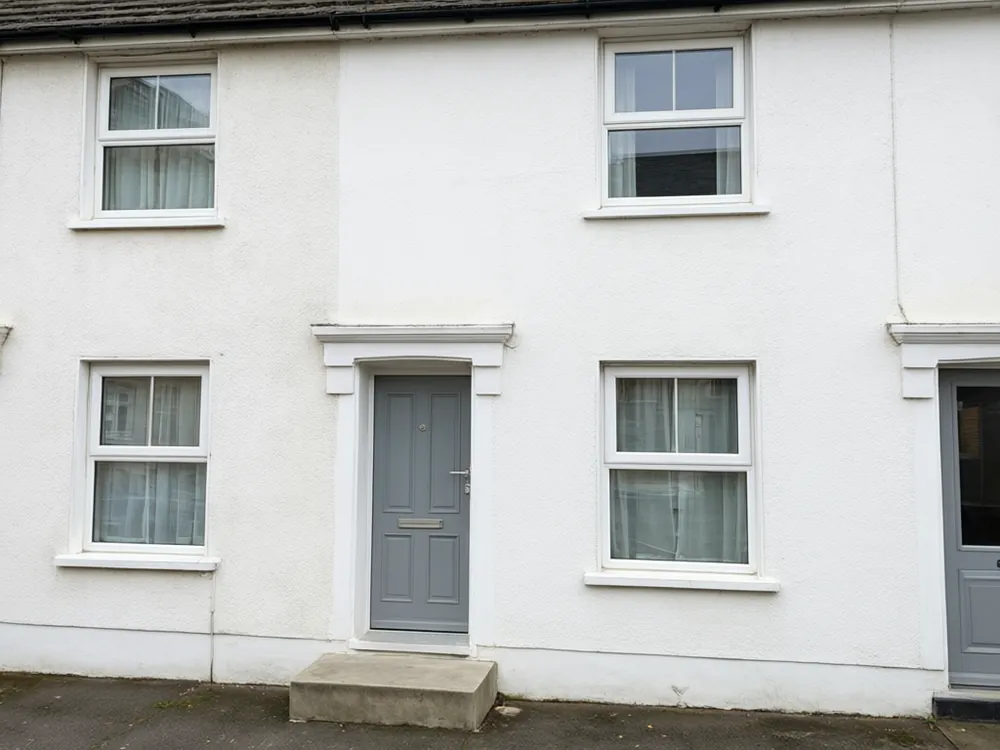
Drag to compare
Real, unretouched output from this tool. Drag any slider to compare.
Before you commit to new cladding, paint or a new entrance, see how it could look. Upload a straight photo of your house, shopfront or building, pick a facade material and an entrance style, and the AI redraws the surfaces. The structure, windows, roof, street and sky stay as photographed, so you are comparing real options on your own building.
What you can redesign
Homes and commercial buildings.
1
Houses
Try timber, brick, render or stone on a house front, or a bolder entrance.
2
Shopfronts
Preview a new glass shopfront, a darker frame or new surfaces above the sign line.
3
Apartment buildings
Compare cladding options for a block or a mixed-use building.
4
Small offices
Give an older office or workshop a cleaner, more modern front.
Cladding and entrances
Two choices that change the look the most.
1
Eight claddings
White render, timber, red brick, charcoal panels, gray stone, beige stucco, dark metal and blue-gray lap siding.
2
Four entrances
Keep as is, a dark door with a slim canopy, a wooden door with a small porch, or a glass shopfront entrance.
3
Your own description
Describe the facade in your own words, such as "warm brick with black window frames and a green front door".
Tips for a better facade preview
A few habits that help.
1
Photograph the whole front
Stand back so the roof, walls and ground are all in the picture. Avoid trees or cars hiding the walls.
2
Shoot in daylight
Even light helps the tool find the edges of windows and walls.
3
Change one big thing
A new cladding or a new entrance reads more clearly than changing everything at once.
4
Compare a few options
Each run is a fresh interpretation. Keep the one that looks most natural.
Facade ideas that work
Starting points to try in the preview.
1
Warm and natural
Timber boards next to white render or brick give a warm, inviting front. Use them on the entrance wall to draw the eye to the door.
2
Dark and modern
Charcoal panels or dark metal with slim black window frames feel clean and sharp. Keep the entrance light or wooden for contrast.
3
Classic and calm
Red-brown brick with white window frames and a colored front door suits older streets and terraced houses.
4
Light and airy
White render or beige stucco keeps a house bright and works well in hot climates, where light colors reflect heat.
5
Shopfront refresh
A darker frame, glass entrance and clean panels above the sign line can make a small shop look newer without moving the walls.
Why the entrance matters
The entrance is where visitors and customers look first. A new door color, a slim canopy or a small porch can change how a whole front reads, even when the walls stay the same.
For a shopfront, the entrance also decides how open and welcoming the shop feels. A glass entrance with a slim frame shows the inside, while a solid door feels private. Try both in the preview and see which fits your business.
For a house, a bold door against calm walls is one of the cheapest ways to give a front more character, so it is worth previewing before you repaint anything else.
Before you build
A preview is not a plan.
1
Check local rules
Planning rules, conservation areas and heritage listings can limit what you can change on a facade.
2
Check the structure
Changes in cladding can affect insulation, fire rating and weight. Ask an architect or builder.
3
Order samples
Look at real samples in daylight before you choose a material.
4
Mention that it is a preview
If you show the picture to a client or neighbour, say it is a digital preview.
Honest limits
The tool keeps the structure, but fine details such as window frames can change slightly. Check the result against your building.
Signs and readable text on shopfronts are not meant to be changed or created.
Photos taken at a steep angle or with the building cut off give less reliable results.
The result is a picture, not a drawing for approval.
More exterior tools
Related tools to try.
🏠
Front Elevation AI →
Front elevation ideas for a house.
🏘️
Elevation AI →
All elevation tools.
🎨
AI House Painter →
Repaint your house exterior.
🏛️
AI Architecture Rendering →
Render a sketch or 3D view.
🚪
Front Door Visualizer →
Try a new front door.
🌿
AI Landscape Design Generator →
Redesign the yard around it.
🚪
Door Color Changer AI →
Try a new colour on your front door.
Who uses this
🏠
Homeowners
✓Try cladding and entrances before a renovation.
💡
Shop owners
✓Preview a new shopfront before you hire a builder.
🏢
Property managers
✓Compare facade options for a refresh.
📸
Contractors and designers
✓Show a customer ideas on their own building.
🏡
AI Facade Design: Try a New Facade on a Photo of Your Building
AI Tool
Upload your imageTap anywhere here — your AI design will appear in this space after you generate.JPG · PNG · WebP
Choose the building type, cladding and entrance
Premium users can generate images without watermark
Higher quality options available for premium users
Be specific for better results0/400
Output quality:
Frequently Asked Questions
Yes. Choose shopfront, apartment building or office building as the building type, or describe it in your own words.
Yes. The prompts keep the structure, windows, doors, roof and camera angle. Only the named surfaces and the entrance change.
A straight, unobstructed daylight photo of the whole front of the building.
Front elevation AI is built around house fronts and elevation ideas. This page is a facade tool that also covers shopfronts and commercial buildings.
No. Planning rules and heritage listings need a local check with your council or an architect.
Use the house painter page for a simple repaint, or describe the paint color in the own-description mode.