Your first generation is free when you sign up. Paid plans add credits, remove the watermark and unlock higher resolution.
AI Boutique Interior Design: See Your Boutique Refitted From a Photo
AI Boutique Interior Design: See Your Boutique Refitted From a Photo is a free AI tool. Upload a photo of your clothing or gift boutique and see it refitted: new racks, shelving, display tables, a cash wrap counter, a fitting room and lighting. Same room, same windows. Free to try.
Free to try · first generation free on signup · no credit card
1
Step 1
Upload Image
Start by uploading image
Upload your image
Click to browse or drag & drop
2
Step 2
Select Mode
Choose your transformation style
Refit the whole shop in a new style
3
Step 3
Options
Configure your options
Related Tools
→try new exterior paint colors on your own photo
→redesign a home exterior from a single photo
→plan a new yard or garden layout from a photo
→repaint a car in any shade before you commit
Output quality:
Mode
Full Boutique Makeover
Your AI Design Will Appear Here
Fill in the options on the left, then press Generate.
Upload your image
Drag & drop your file here or click to browse
JPG, PNG, WebP
Max 10MB
AI Ready
Quick facts about AI Boutique Interior Design: See Your Boutique Refitted From a Photo
- Tool nameAI Boutique Interior Design: See Your Boutique Refitted From a Photo
- CategoryHome Design
- PriceFree to try
- InputPhoto upload + text prompt
- OutputAI-generated image
Before / After
Example results
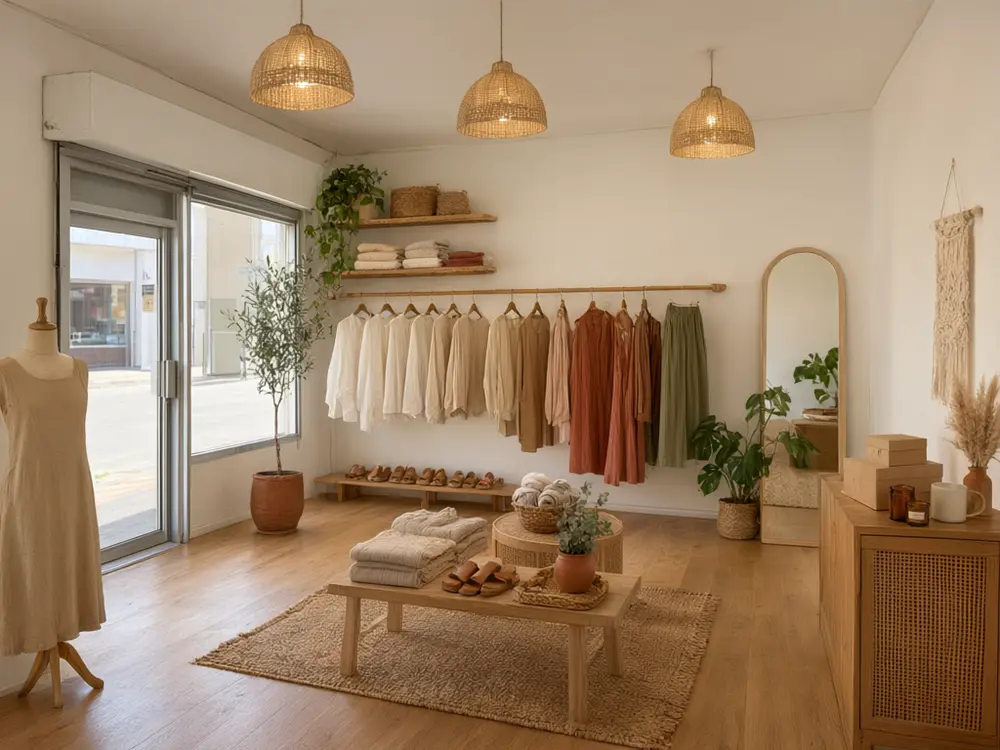
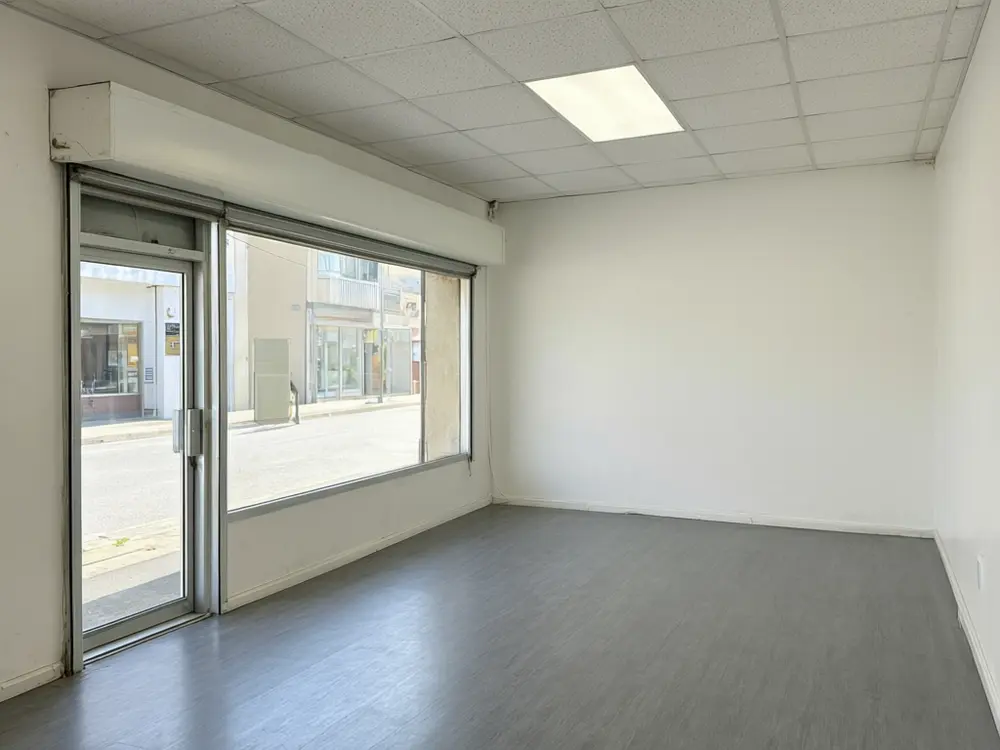
Drag to compare
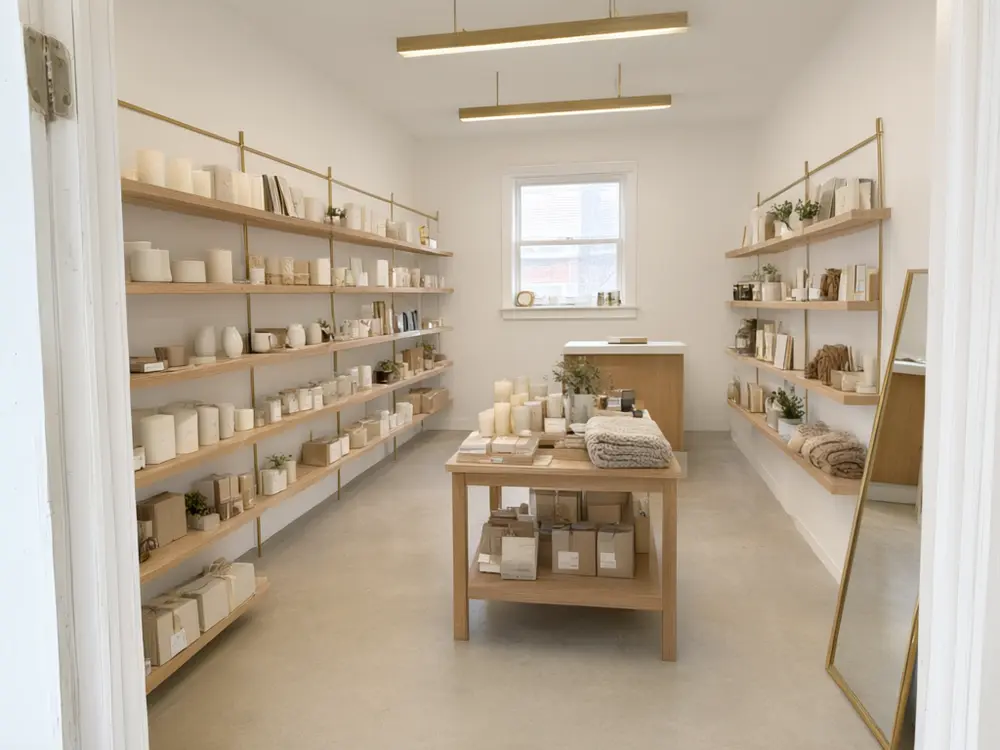
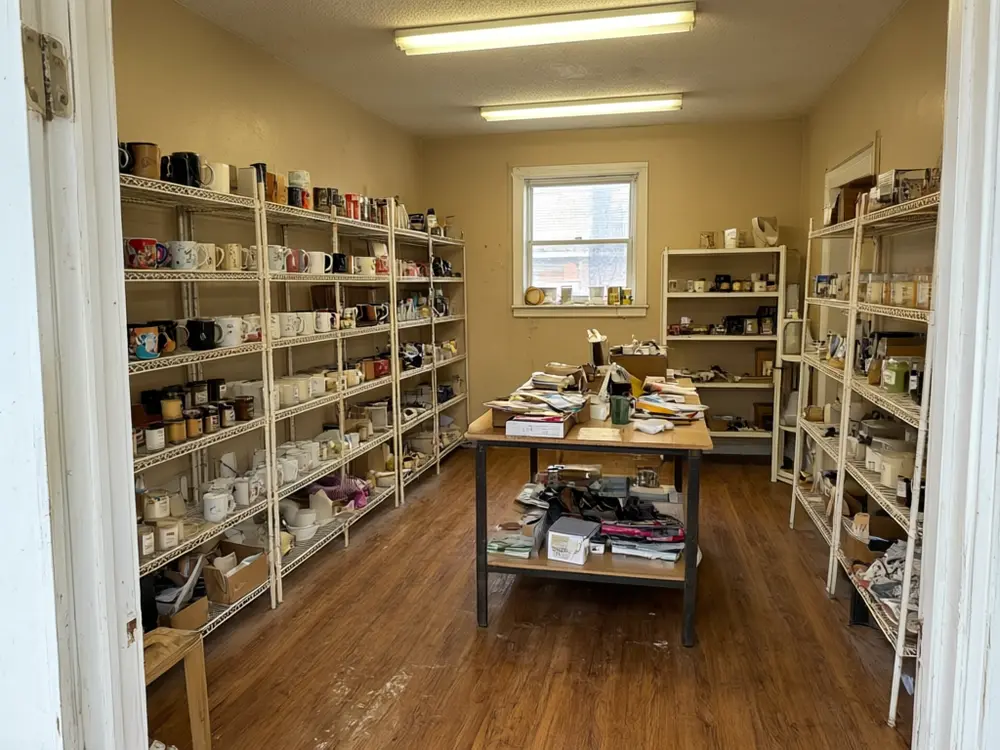
Drag to compare
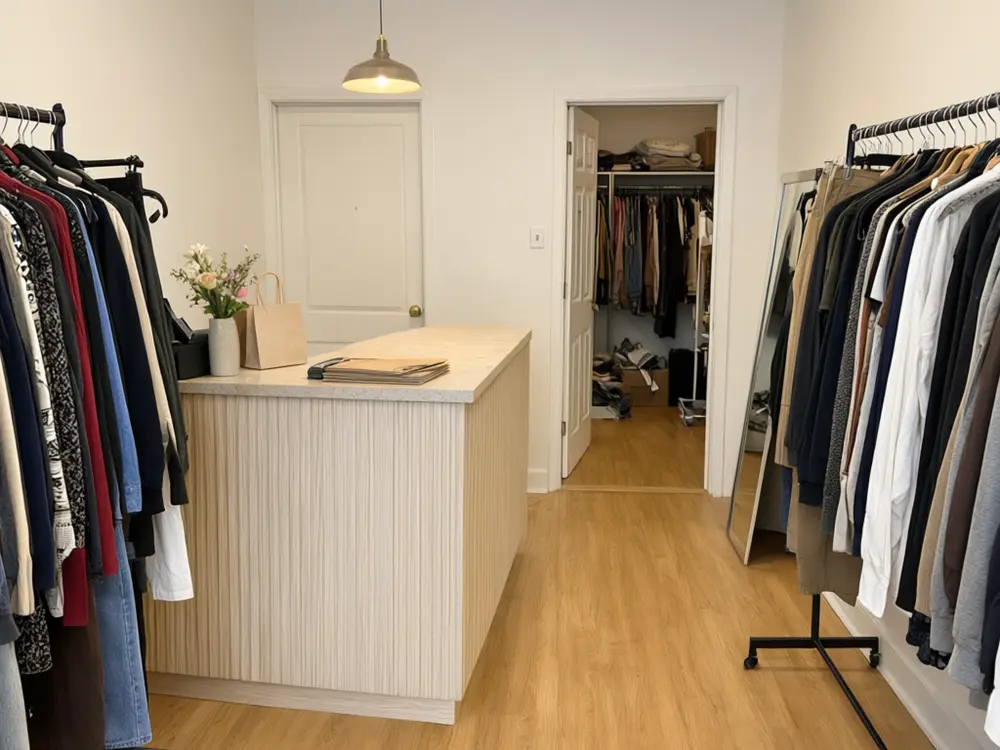
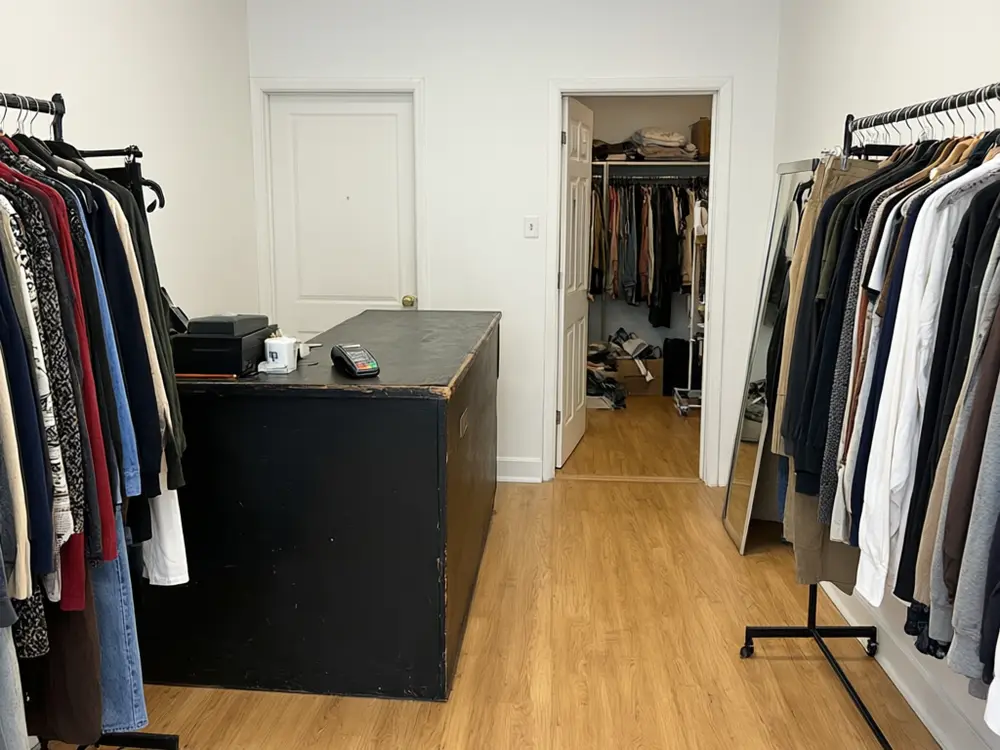
Drag to compare
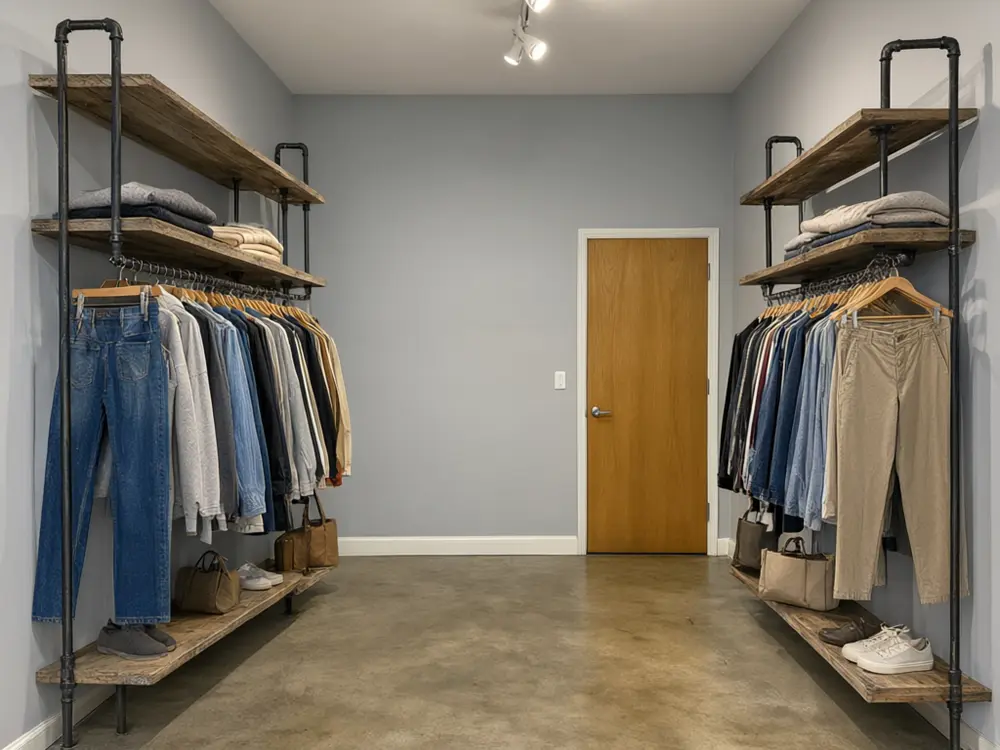
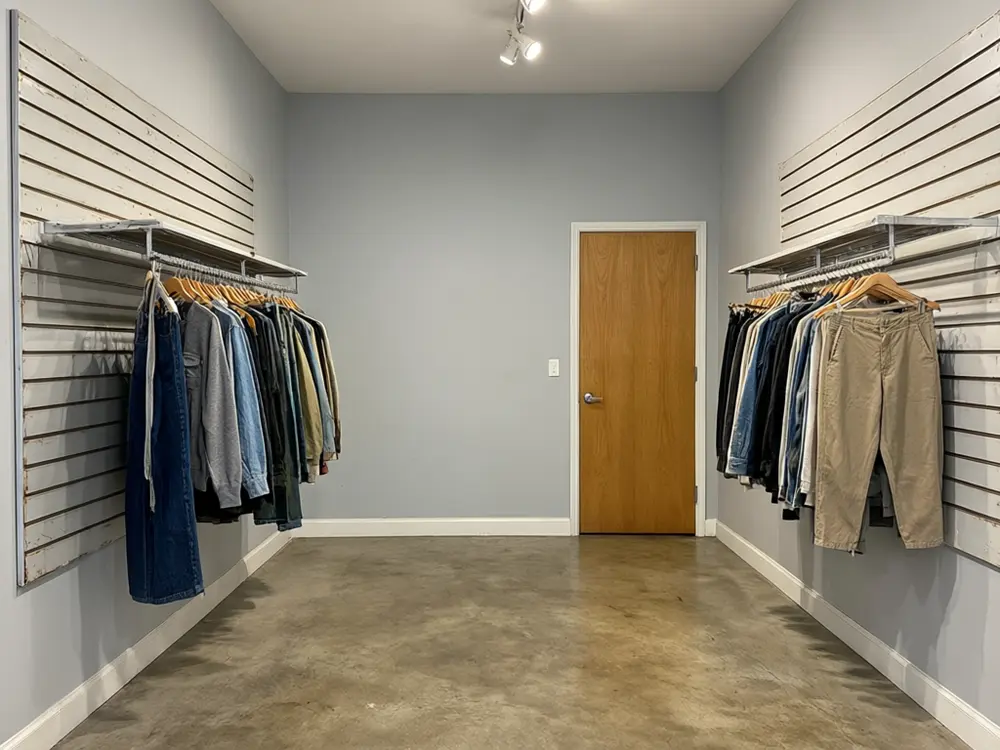
Drag to compare
Real, unretouched output from this tool. Drag any slider to compare.
A boutique refit is a big spend, and a supplier catalogue of racks and counters is hard to picture in your own unit. Upload a photo of your clothing, gift, shoe or kids boutique, pick a full makeover or one part such as the racks, the display tables, the cash wrap counter, the fitting room or the lighting, choose a style, and see your shop refitted. The room, the walls, the windows and the doors stay where they are.
How the AI boutique interior design tool works
You upload one photo of the boutique as it is today, empty or stocked, and choose what to change. The AI changes the finishes and fixtures: racks, shelving, display tables, the counter, the fitting room, the lights, and in a full makeover the wall finish and the floor. The shape of the room, the windows, the shop front and the doors stay as photographed.
Each run makes one image. Try two or three styles on the same photo and compare them before you talk to a shopfitter.
1
Use a wide photo
Stand in the door or a corner so the floor, two walls and the ceiling are in view. Daylight or all lights on.
2
Pick the shop type
Clothing, gift and lifestyle, shoes and accessories, or kids. The AI fills the fixtures with the right kind of stock.
3
Change one part at a time
Racks, tables, counter, fitting room or lighting on their own keep the rest of your shop as it is.
4
Check against your photo
AI can still move a detail. If a window or a door changed, run it again or name it in the details box.
Boutique interior design styles to try
A boutique sells a feeling as much as the clothes. Keep fixtures neutral so the stock stands out, and light the racks, not the floor.
1
Minimal white and oak
White walls, pale oak and slim brass rails. Calm, bright and easy to keep tidy; good for small shops.
2
Boho chic
Rattan, terracotta, woven pendants and plants. Warm and relaxed, popular for women's fashion and gift shops.
3
Modern luxury
Blush and champagne walls, marble, brass and a chandelier. For dresses, bridal and premium stock.
4
Industrial
Brick or concrete, black pipe racks and reclaimed wood. Suits menswear, denim and streetwear.
5
Vintage chic
Pastel walls, painted antique dressers and a gilt mirror. Good for vintage clothing and gift shops.
6
Scandinavian calm
Soft grey, birch and linen. A quiet look for knitwear, kids and lifestyle shops.
The boutique design modes
Six modes plus your own.
1
Full Boutique Makeover
Refit the whole shop in one of six styles for your type of boutique.
2
Racks and Shelving
New wall rails, pipe racks, lit niches or tall shelving along the walls.
3
Display Tables
Nesting tables, a reclaimed wood table, a marble tiered table, plinths or a vintage dresser in the middle of the floor.
4
Cash Wrap Counter
A new checkout counter in oak, marble, reclaimed wood, plaster or rattan.
5
Fitting Room
Curtains or doors, a full-length mirror and a stool for the changing area.
6
Lighting
Track spotlights, pendants, a chandelier or shelf LEDs, with the rest of the shop kept.
7
Your Own Description
Describe the refit yourself.
Honest limits
It is a concept preview, not a floor plan, a shopfitting drawing or a quote. It does not check fire exits, aisle widths, accessibility, wiring or lighting loads; plan those with your shopfitter and your landlord.
The stock on the racks is drawn as plain generic goods, not your products, and fixture sizes are approximate. No shop name, logo or sign is drawn in; design your sign separately.
The walls, windows and doors should stay as photographed; compare the result with your photo and run again if something moved.
More tools for shop owners
Next steps for your boutique.
Who uses an AI boutique interior design tool
🏠
Boutique owners opening a shop
✓See an empty unit as your boutique before you sign for the fit-out.
💡
Owners refreshing a tired shop
✓Try new racks, a new counter or new lighting on the shop you already have.
🏢
Gift, shoe and kids shops
✓Pick the shop type and see shelving and tables filled with the right kind of stock.
📸
Shopfitters, retail designers and fixture sellers
✓Show a client two or three directions on a photo of their own unit.
🛍️
AI Boutique Interior Design: See Your Boutique Refitted From a Photo
AI Tool
Upload your imageTap anywhere here — your AI design will appear in this space after you generate.JPG · PNG · WebP
Refit the whole shop in a new style
Premium users can generate images without watermark
Higher quality options available for premium users
Be specific for better results0/400
Output quality:
Frequently Asked Questions
The tool is told to keep the room shape, the walls, the windows, the shop front and the doors exactly as photographed, from the same angle. AI can still move a detail, so compare and run again if something changed.
Yes. Upload a photo of the empty shop and use Full Boutique Makeover to see it fitted out as your boutique.
Yes. Pick Gift and lifestyle shop, Shoes and accessories or Kids boutique as the shop type, and the shelves and tables are filled with that kind of stock.
No. It does not draw shop names, logos, price tags or signs, so nothing appears spelled wrong. Design your sign with the shop sign tool.
Yes. Use Cash Wrap Counter, Fitting Room, Display Tables, Racks and Shelving or Lighting to change one part and keep the rest of your shop.
No. It is a concept to brief a shopfitter or a designer. It is not a floor plan or a quote, and it does not check fire exits, aisle widths or accessibility.
Yes. From the actions under a finished image you can upscale it or make a short video.