It is free to try: new users get free generations. Paid plans add credits, remove the watermark and unlock higher resolution.
Bible Verse Art Maker: Turn Any Verse Into Printable Wall Art
Bible Verse Art Maker: Turn Any Verse Into Printable Wall Art is a free AI tool that lets you make bible verse wall art with AI: type or paste a verse, pick a look such as watercolour, farmhouse or gold, and get a printable portrait picture. Free to try.
Free to try · first generation free on signup · no credit card
1
Step 1
Select Mode
Choose your transformation style
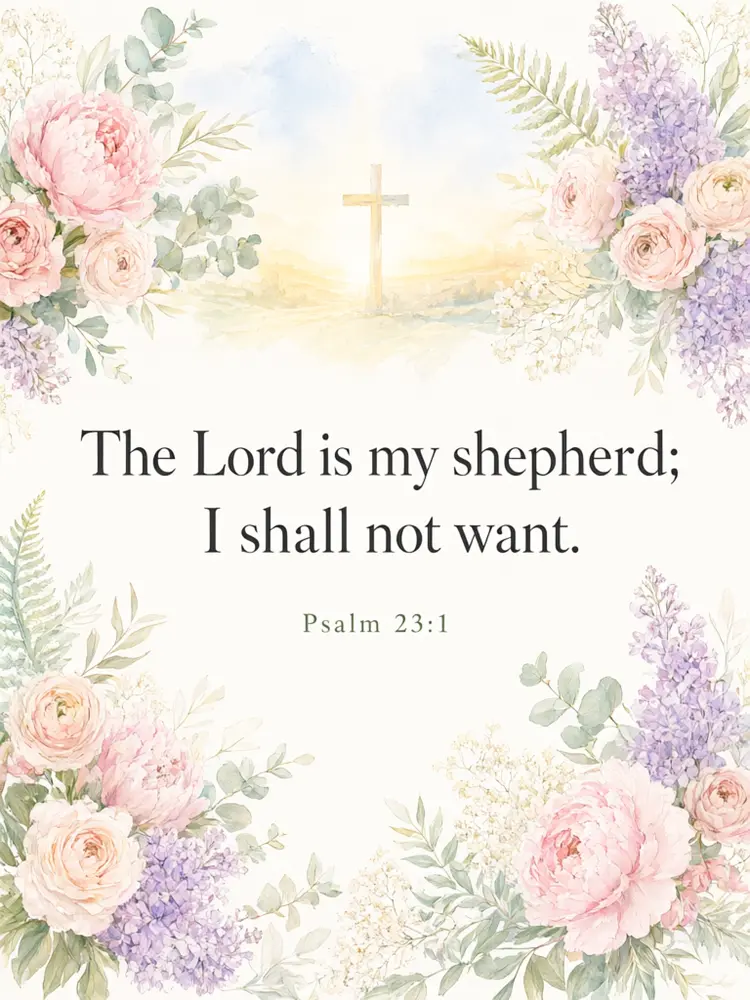
Soft flowers around the verse
2
Step 2
Options
Configure your options
Related Tools
→try new exterior paint colors on your own photo
→redesign a home exterior from a single photo
→plan a new yard or garden layout from a photo
→repaint a car in any shade before you commit
Output quality:
Mode
Watercolour Floral
Your AI Design Will Appear Here
Fill in the options on the left, then press Generate.
Upload your image
Drag & drop your file here or click to browse
JPG, PNG, WebP
Max 10MB
AI Ready
Quick facts about Bible Verse Art Maker: Turn Any Verse Into Printable Wall Art
- Tool nameBible Verse Art Maker: Turn Any Verse Into Printable Wall Art
- PriceFree to try
- InputText prompt
- OutputAI-generated image
Before / After
Example results
Drag to compare
Drag to compare
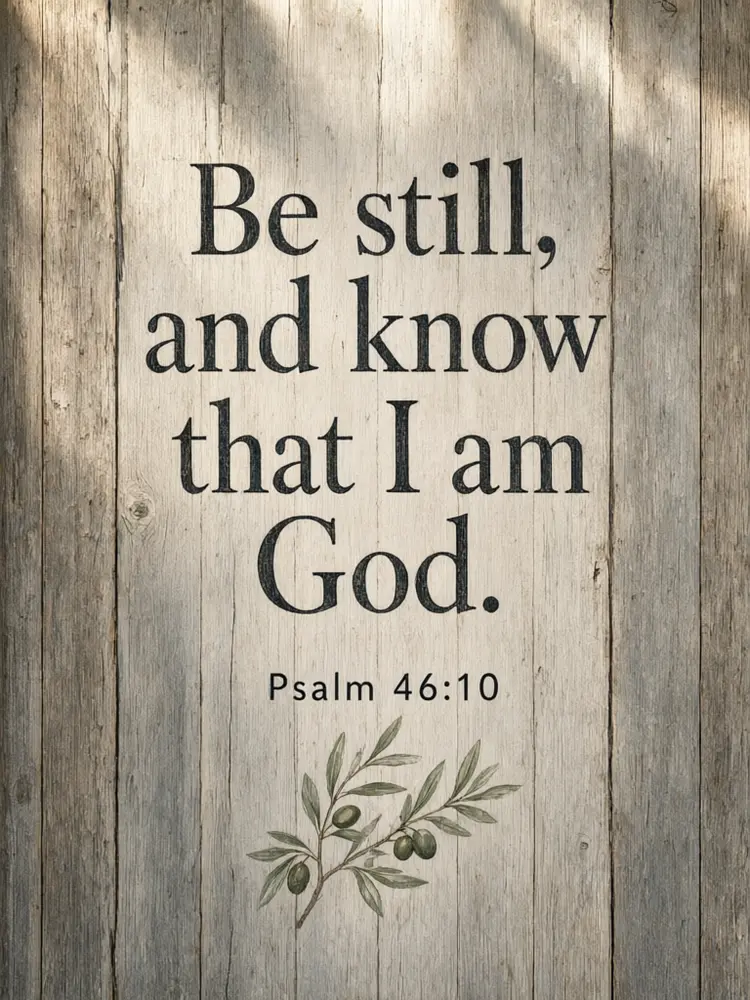
Drag to compare
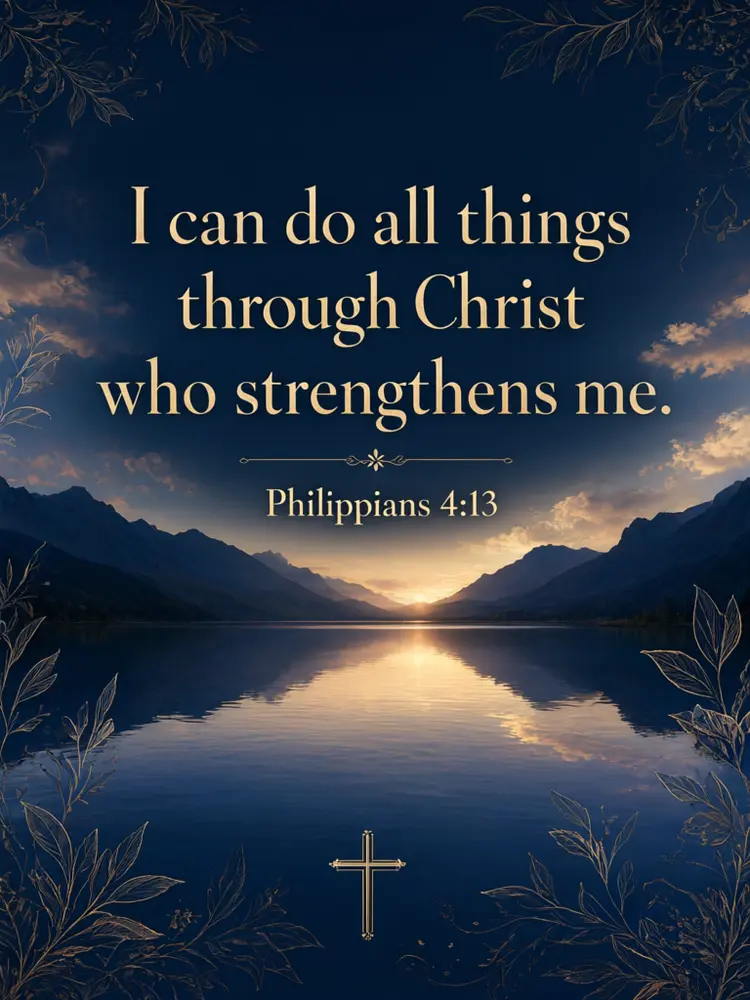
Real, unretouched output from this tool. Drag any slider to compare.
Turn a verse into wall art in a minute. Type or paste the verse and the reference, pick a decoration and a look, and the tool draws a printable picture with your words in large lettering. Print it for your home, a gift or your church.
How the bible verse art maker works
You type the verse and the reference, describe the decoration and pick a look. The tool draws a finished picture with the verse in large lettering.
The tool does not write or look up scripture: it lays out the words you typed. Use the translation you prefer.
1
Keep the verse short
One or two sentences are spelled right most often. Long passages are harder.
2
Paste from your Bible
Copy the exact words from your own Bible or a trusted source so the text is the translation you want.
3
Pick a look for the room
Soft watercolour for a bedroom, rustic for a kitchen, gold and navy for an entrance.
4
Proof every word
The verse is passed with an instruction to spell it exactly. Always check it against your Bible before printing.
The decoration modes
Five modes plus your own.
1
Watercolour floral
Soft flowers and leaves around the verse.
2
Nature scene
Mountains, a lake, a field or a sunrise behind the words.
3
Rustic farmhouse
A weathered wood and greenery style.
4
Nursery and kids
A gentle style for a baby room, with animals, clouds and stars.
5
Your own idea
Describe the whole picture yourself.
Honest limits
It lays out the words you type. It does not write, quote or look up scripture, and it cannot check your verse.
Long verses and unusual names can come out wrong. Proof the picture before you print or sell it.
If you plan to sell prints, check the current rules of the marketplace and the print shop on AI-generated art.
More tools for printables and gifts
Next steps once the art is done.
Who uses a bible verse art maker
🏠
Families and gift givers
✓Make a verse picture for a home, a baby room or a wedding gift.
💡
Churches and ministries
✓Make a picture for a bulletin, a sermon series or a social post.
🏢
Printable sellers
✓Draft verse art to refine and sell where the marketplace rules allow.
📸
Journal and devotional authors
✓Make a page or a cover idea around a verse.
🌸
Bible Verse Art Maker: Turn Any Verse Into Printable Wall Art
AI Tool
Soft flowers around the verse
Be specific for better results42/160
Be specific for better results10/30
Be specific for better results59/140
Be specific for better results0/400
Output quality:
Frequently Asked Questions
No. It only lays out the words you type or paste. Use the translation you prefer and check the words against your Bible.
The verse is passed with an instruction to spell it exactly and came out right in our tests, but long or unusual passages can fail. Check every word before you print.
Yes. Download the image and print it at home or at a print shop. Use the upscale option or higher quality for a sharper print.
Portrait 3:4 is close to 9x12 and 18x24 inches, and tall 2:3 to 4x6, 12x18 and 24x36. For 8x10 or 16x20 frames use 3:4 and let the frame mat cover a little of the edge.
Yes. Use the Nursery & Kids mode with a gentle look.
You can use what you make. If you sell prints, check the current rules of the marketplace and the print shop about AI-generated art.
You choose the words you paste. Some translations have copyright, so check the translation's permissions for sales and publishing.
Yes. Use the Pinterest Pin Maker for pins and the Image to Video tool for a short animated clip.