Wheel Customizer AI: Free Wheel Visualizer for Your Car
Wheel Customizer AI: Free Wheel Visualizer for Your Car is a free AI tool. Free AI wheel visualizer: upload a photo of your car and try new rims in black, chrome, bronze or silver, in any spoke style, before you buy wheels.
Free to try · first generation free on signup · no credit card
Start by uploading image
Upload your image
Click to browse or drag & drop
Choose your transformation style
Customize and visualize car modifications with AI
Configure your options
Related Tools
Your AI Design Will Appear Here
Fill in the options on the left, then press Generate.
Upload your image
Drag & drop your file here or click to browse
Try new rims on a photo of your own car
Wheels change how a car looks more than almost any other part, and a good set costs real money. Try a few styles and finishes on your own car before you buy.
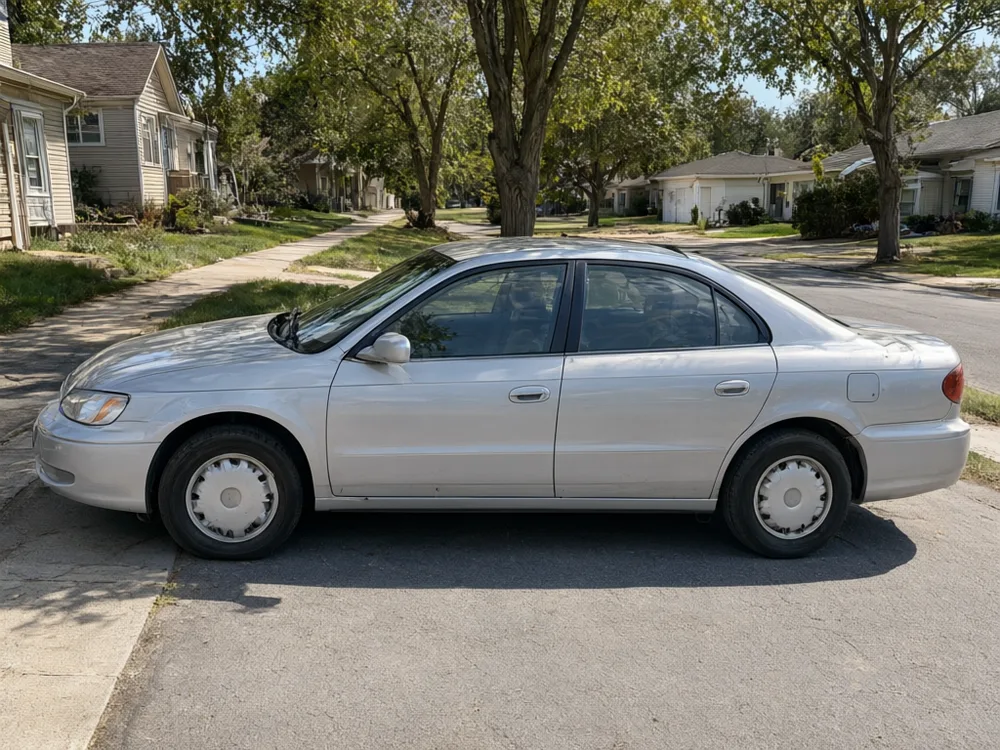
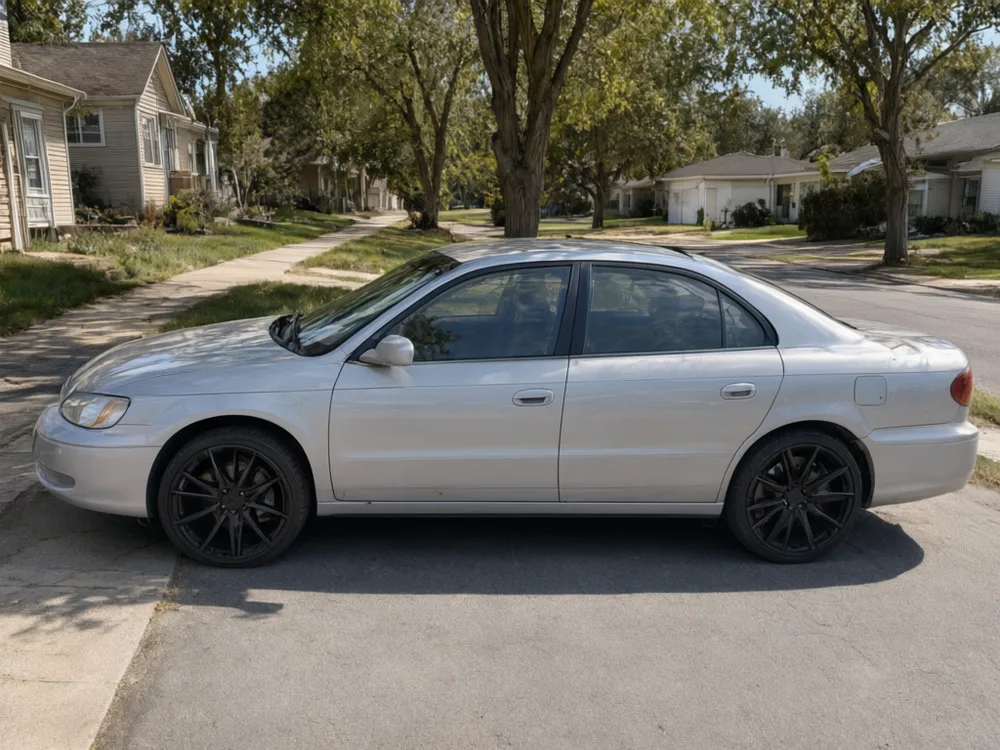
Silver sedan with plain wheels to 19-inch matte black multi-spoke rims. Only the wheels change.
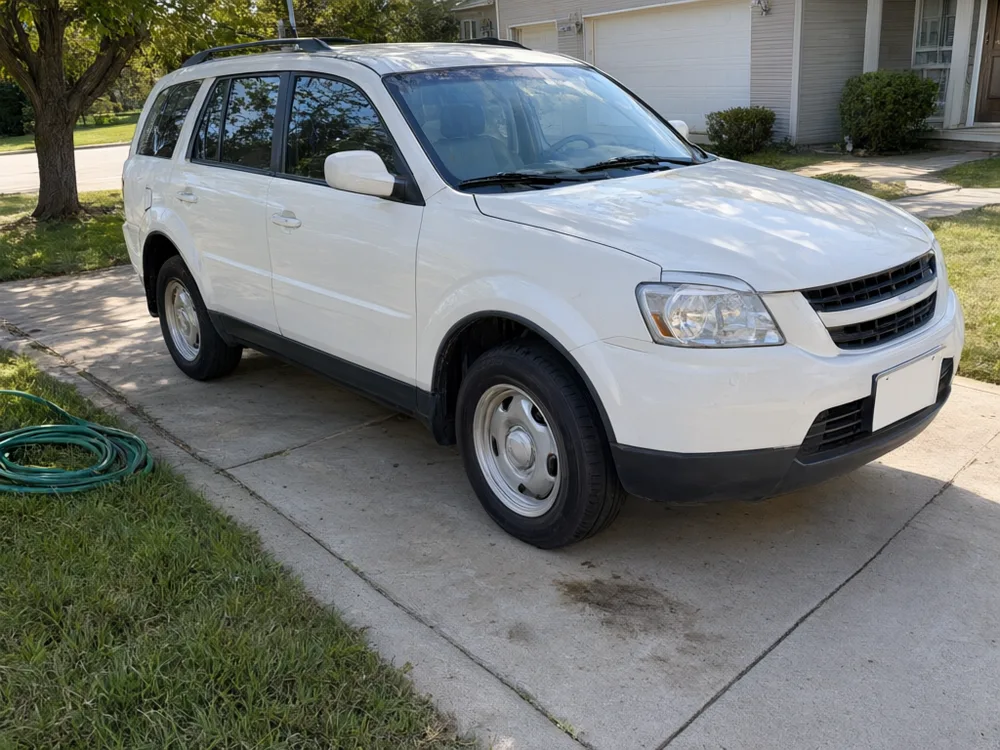
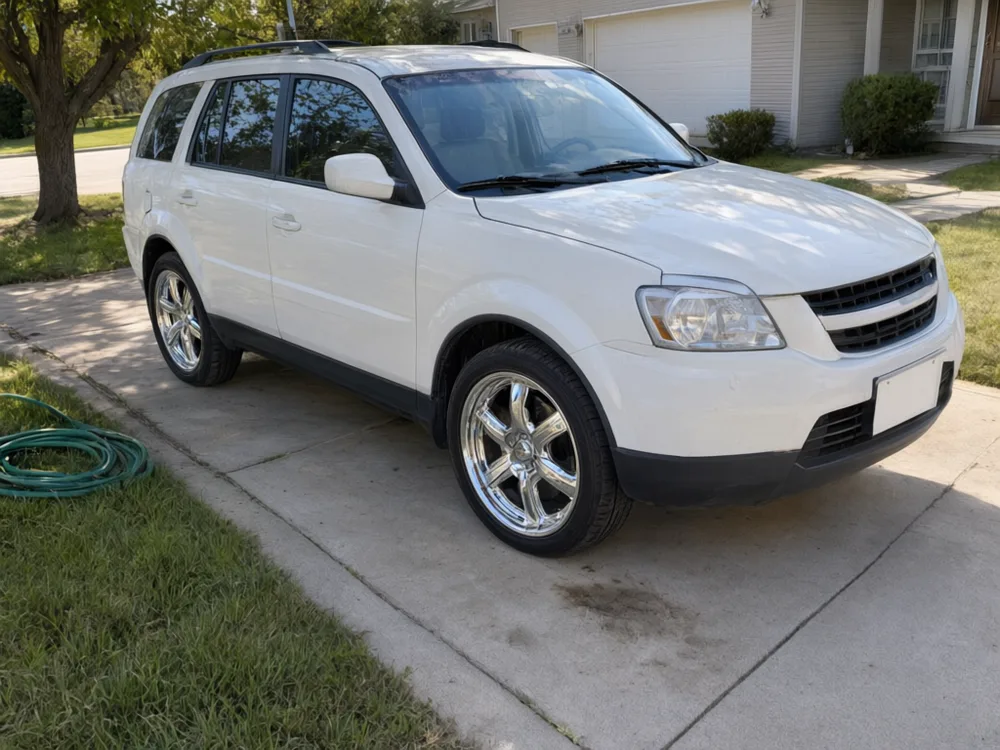
White SUV on a driveway to 20-inch polished chrome rims.
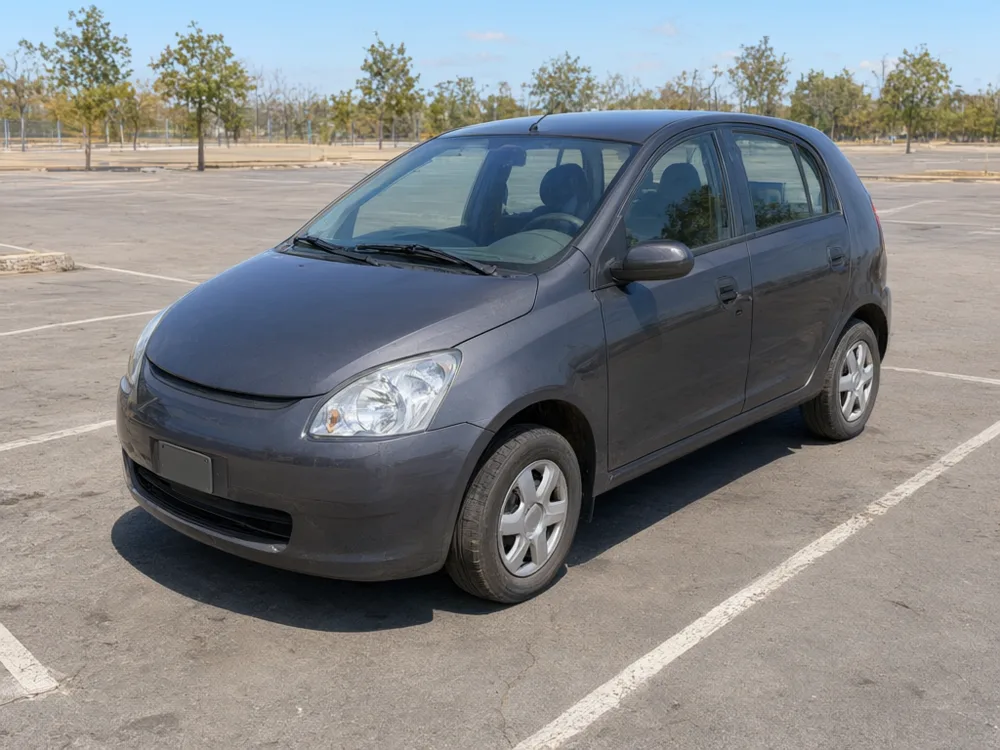
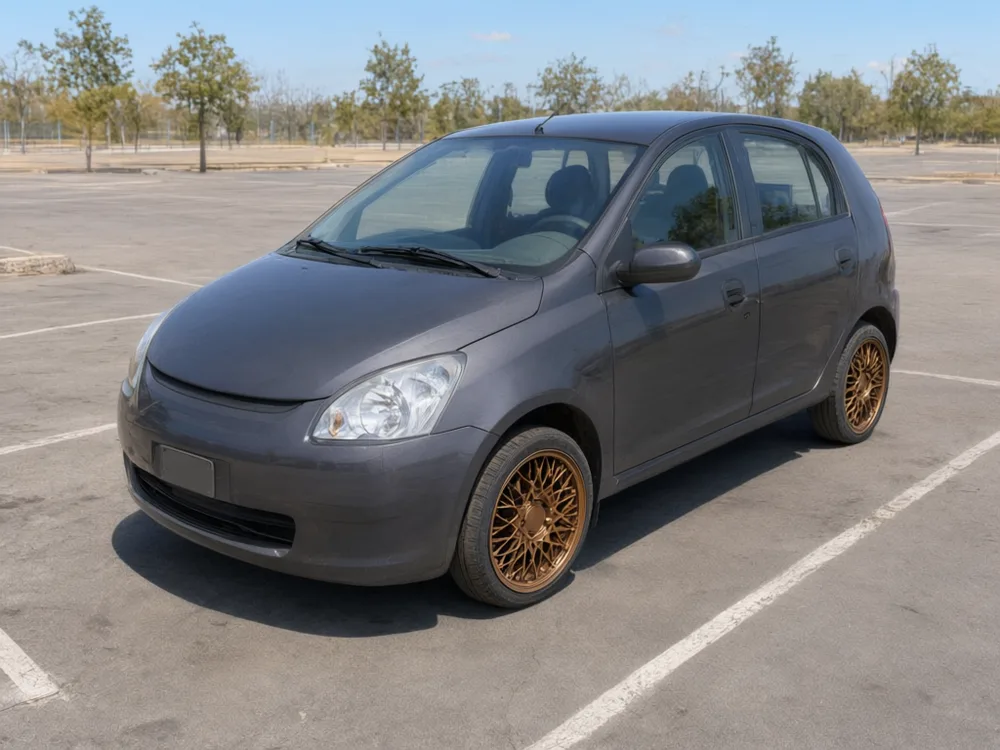
Dark grey hatchback to 18-inch bronze mesh rims, a classic look on a small car.
How to use the wheel customizer
One photo, then as many rim styles as you want to compare.
Upload your car
A side view in daylight with both wheels in frame works best.
Pick a wheel style
Sport alloy, chrome rims, matte black wheels or off-road tires. Leave Color/Finish empty to keep your paint.
Describe the rims
Add size, spokes and finish in the extra requirements box, such as 19-inch bronze mesh rims. Then generate and compare.
Rim styles and finishes to try
Name the spoke design and the finish. Both change the look a lot.
Matte or gloss black
The most popular upgrade. Black wheels look good on white, grey and silver cars.
Chrome and polished
Bright and classic, common on trucks, SUVs and older luxury cars.
Bronze and gold
A warm color that stands out on white, blue, black and green cars.
Mesh and multi-spoke
Busy, sporty designs that suit hatchbacks, sedans and track cars.
Off-road wheels and tires
Chunky wheels with all-terrain tires for trucks, SUVs and 4x4s.
What the wheel visualizer shows, and what it does not
Use the picture to choose the look. Use a wheel shop to choose the part.
It shows
Style, color, finish and roughly how a bigger wheel looks on your car.
It does not check
Bolt pattern, offset, width or brake clearance. Ask a wheel shop before you order.
Is the wheel visualizer free?
Yes, you can try it free. New accounts get free credits, so you can try several sets of rims on the same photo. Paid plans add more credits and downloads without a watermark.
Free to start
Try your first wheels before you pay anything.
Then shop for the real set
Take the picture to a wheel shop so they can find rims that look like it and fit your car.
Questions sellers actually ask
How does the wheel customizer work?
Upload a photo of your car, pick a wheel style, and describe the rims you want in the extra requirements box, for example "19-inch matte black multi-spoke rims, keep the paint as it is". The AI puts the new wheels on the car in your photo and keeps the body, glass and background.
Is the wheel visualizer free?
Yes, you can try it free. New accounts get free credits, so you can try several sets of rims on the same photo. Paid plans add more credits and downloads without a watermark.
Which rim styles can I try?
The menu has sport alloy, chrome rims, matte black wheels and off-road tires. You can describe any other look in your own words: five-spoke, multi-spoke, mesh, split-spoke, deep dish, bronze, gunmetal, polished or two-tone.
Can I see a bigger wheel size on my car?
You can ask for 18, 19 or 20-inch wheels and the AI will show a bigger rim with a thinner tire. It shows the look only. Bolt pattern, offset and whether a size really fits your car are questions for a wheel shop.
Will the car color change too?
Leave Color/Finish empty and say "keep the paint as it is" in the extra requirements box. Then only the wheels change. If you also want a new color, pick a finish and you will see both changes together.
What photo works best?
A straight side view in daylight shows both wheels clearly and gives the cleanest result. A three-quarter front view works too. Avoid photos where the wheels are cut off or in deep shadow.
Wheel color, paint and stance
Customize and visualize car modifications with AI
Premium users can generate images without watermark
Higher quality options available for premium users
Premium users can generate images without watermark
Higher quality options available for premium users