AI Gutter Color Visualizer
AI Gutter Color Visualizer is a free AI tool. Upload a photo of your house and see white, black, bronze, brown, copper or any gutter color on your own roofline before you buy. Compare gutter colors with your siding, trim and roof. Free to try.
Free to try · first generation free on signup · no credit card
Start by uploading image
Upload your image
Click to browse or drag & drop
Configure your options
Related Tools
Your AI Design Will Appear Here
Fill in the options on the left, then press Generate.
Upload your image
Drag & drop your file here or click to browse
Pick a gutter color by seeing it on your own house
Gutters run along every roof edge, so their color frames the whole house. Most people choose between blending them in (match the trim or roof) and using them as an outline (a contrasting dark or light color). A swatch chip cannot show you that difference; your own photo can.
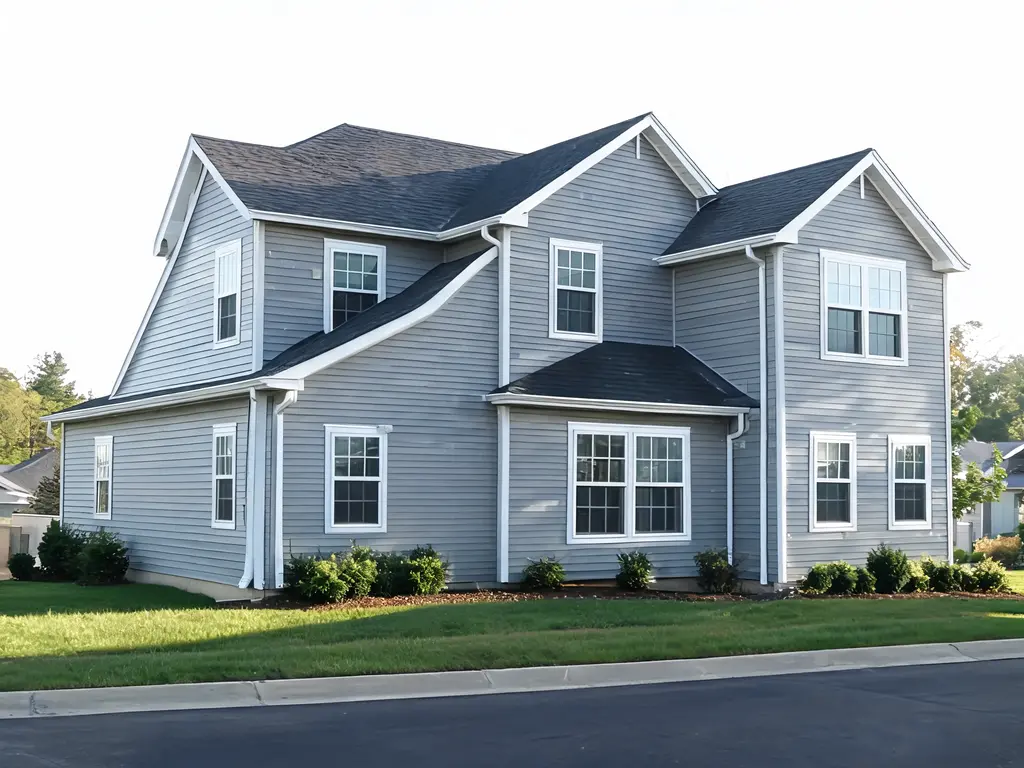
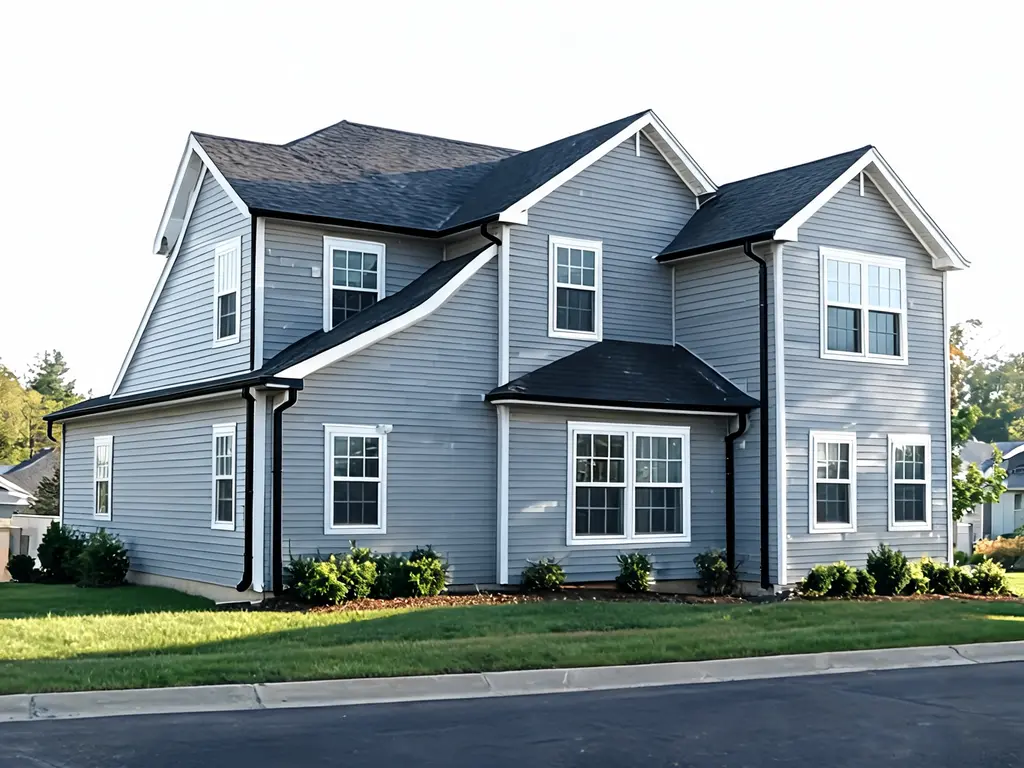
Settings: Gutter color "Matte black", Downspouts "Same color as the gutters". The before photo is an AI-generated example house, not a customer photo.
Three steps
Upload a street-side photo
Stand far enough back to get the whole roofline in frame, in daylight. Gutters are thin, so a sharp, straight-on or three-quarter shot works best.
Choose the gutter and downspout colors
Pick a color, then decide whether the downspouts follow the gutters or blend into the siding so they disappear on the wall.
Compare two or three renders
Run one blending option and one contrasting option on the same photo and look at them side by side before you call an installer.
Common gutter color pairings
White or almond
Blends into white or cream trim on light siding. Shows dirt and streaks sooner than darker colors.
Matte black
A strong outline on white, light gray or board-and-batten houses; common on modern farmhouse exteriors.
Dark bronze or brown
Sits well with brick, stone, wood siding and brown or black roofs, and hides grime.
Match the roof
Makes the gutter read as part of the roof edge rather than a separate line, useful on busy rooflines.
Questions sellers actually ask
What gutter color goes with my house?
There are two common approaches. Matching the gutters to the trim (or the roof) makes them disappear into the roofline, which suits traditional and light-colored houses. Contrasting them, for example black gutters on a white or light gray house, outlines the roof and reads more modern. Upload your photo and try one of each to see which your house carries better.
Do I need gutters on the house already?
No. If the photo shows gutters, the tool recolors them and leaves everything else alone. If it does not, the prompt asks the model to add standard K-style gutters along the roof edges with downspouts at the corners.
Will it change my roof or siding?
The prompt tells the model to change only the gutters and downspouts and keep the fascia, soffits, roof, siding, trim, windows and landscaping in their original colors. Gutters sit right on the fascia board, so look closely at that edge in the result and re-run if it picked up the new color.
Which gutter colors can I try?
The menu covers white, matte black, dark bronze, classic brown, charcoal gray, almond or cream, copper and forest green, plus "match the trim" and "match the roof". Use the notes box for anything else, such as a specific paint color name.
How much does it cost?
It is free to try. Each render uses 2 credits; paid plans add more credits, remove watermarks and unlock premium models.
Finish the exterior
Repaint the siding, trim and door together once you know the gutter color.
Gutters usually follow the trim, so test the trim color next.
See your house as a white-and-black modern farmhouse.
Try a new siding style and color behind the gutters.