Your first generation is free when you sign up. Paid plans add credits, remove the watermark and unlock higher resolution.
Fridge Photo to Recipe: Snap Your Fridge, Get Recipes
Fridge Photo to Recipe: Snap Your Fridge, Get Recipes is a free AI tool. Take a photo of your fridge, pantry shelf or counter. The AI lists the ingredients it can see and suggests 3 recipes that use them, with steps and cook times. Free to try.
Free to try · first generation free on signup · no credit card
1
Step 1
Upload Image
Start by uploading image
Upload your image
Click to browse or drag & drop
2
Step 2
Select Mode
Choose your transformation style
See what is in the photo and get 3 recipes
3
Step 3
Options
Configure your options
Related Tools
→try new exterior paint colors on your own photo
→redesign a home exterior from a single photo
→plan a new yard or garden layout from a photo
→repaint a car in any shade before you commit
Output quality:
Mode
Recipes From My Fridge
Your AI Design Will Appear Here
Fill in the options on the left, then press Generate.
Upload your image
Drag & drop your file here or click to browse
JPG, PNG, WebP
Max 10MB
AI Ready
Quick facts about Fridge Photo to Recipe: Snap Your Fridge, Get Recipes
- Tool nameFridge Photo to Recipe: Snap Your Fridge, Get Recipes
- PriceFree to try
- InputPhoto upload + text prompt
- OutputAI analysis
Before / After
Example results
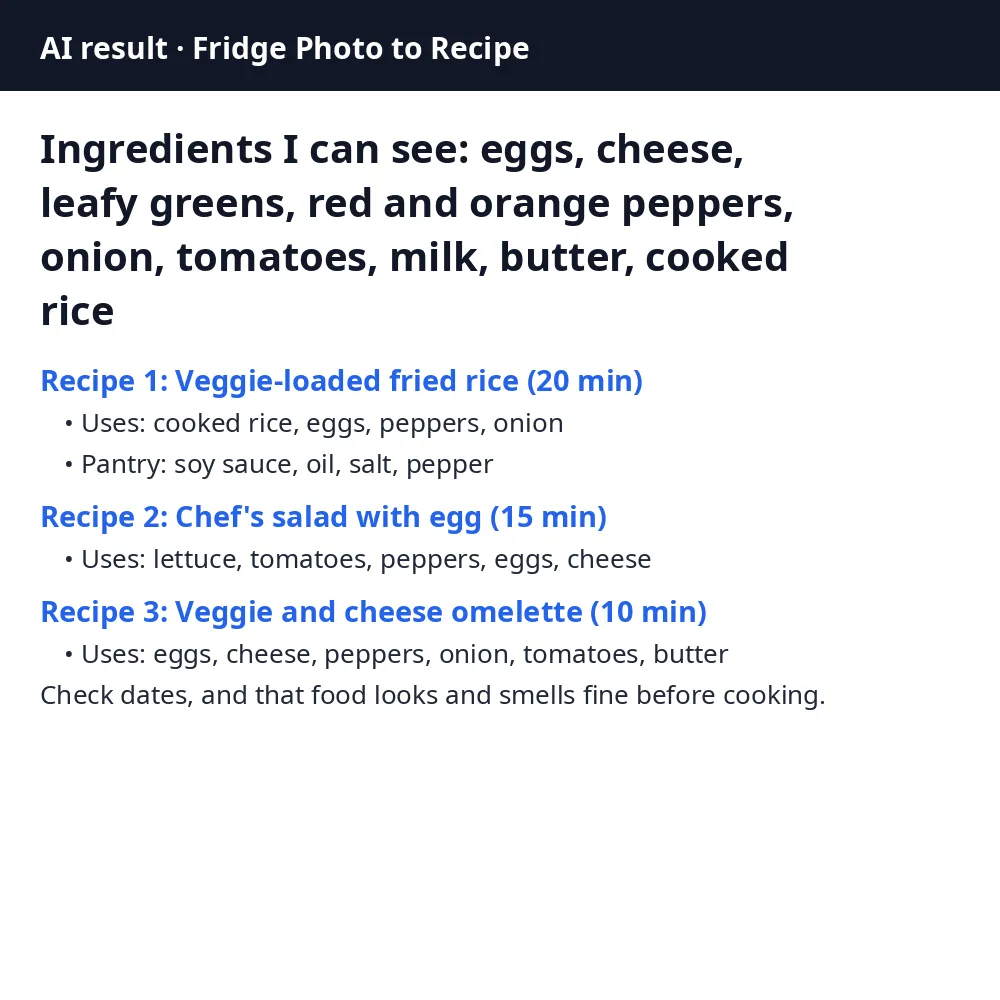
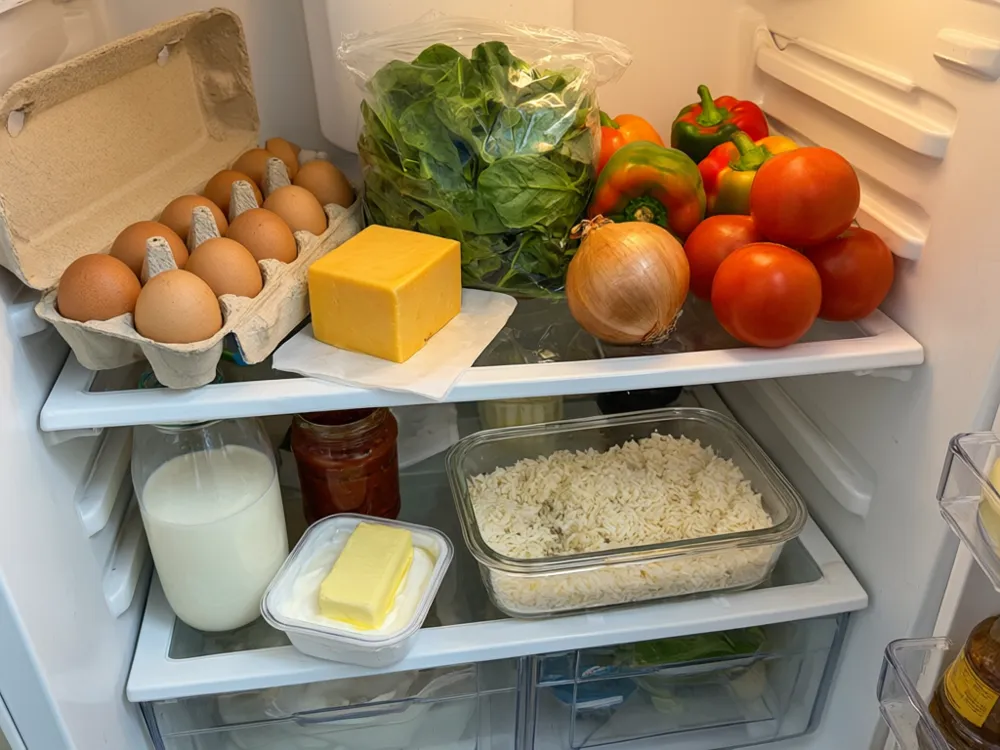
Drag to compare
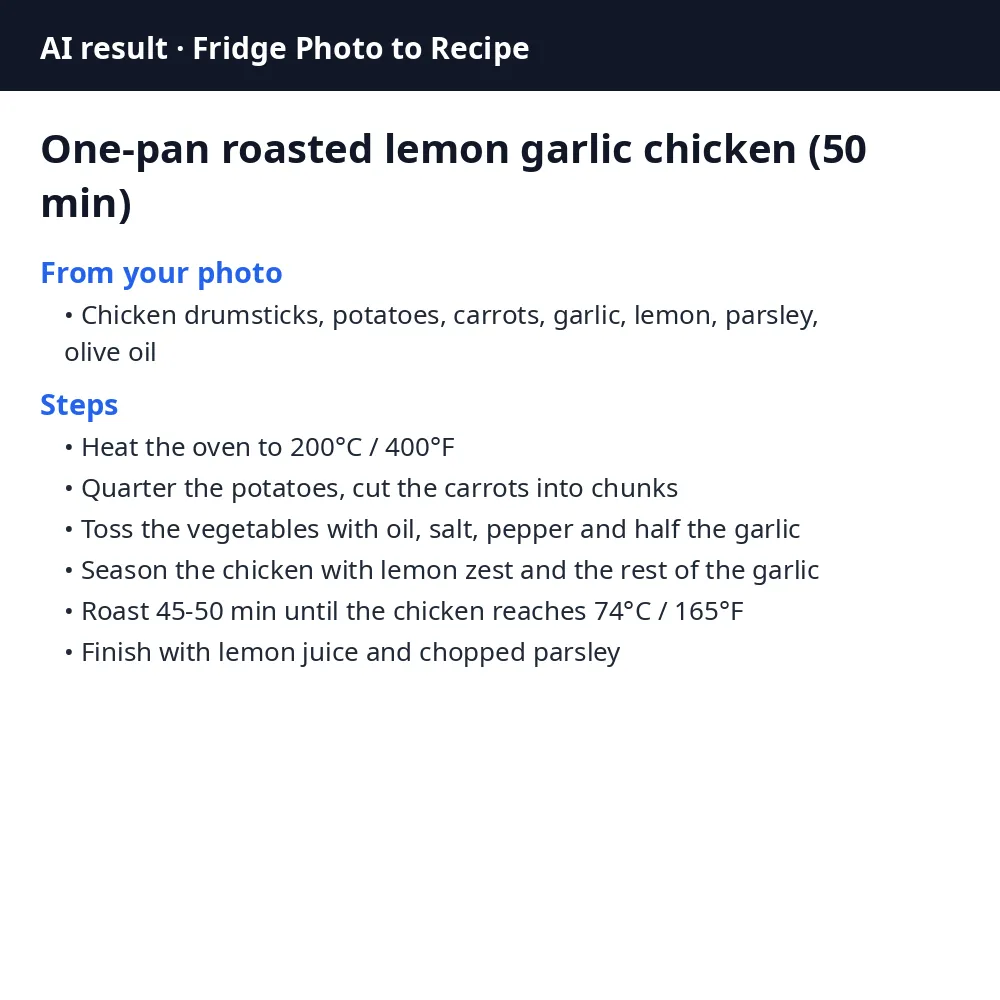
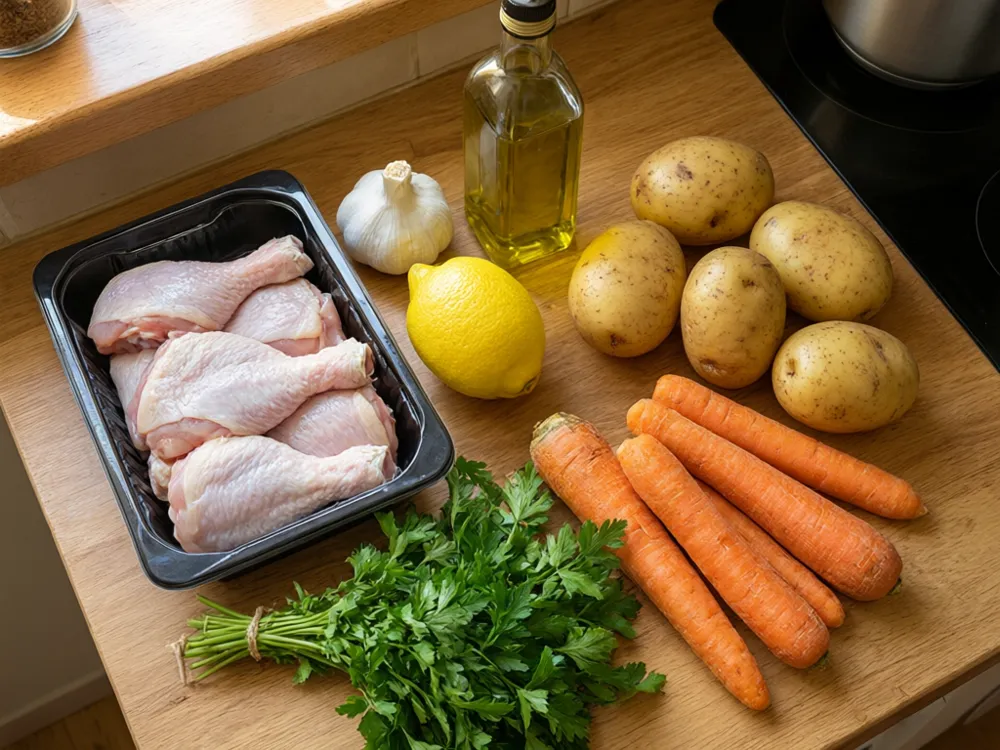
Drag to compare
Real, unretouched output from this tool. Drag any slider to compare.
Standing at the open fridge with no idea what to cook? Take a photo of the shelves, a pantry or the ingredients on your counter. The AI lists what it can see and suggests 3 recipes that use mostly those, with cook times and short steps.
How the fridge photo to recipe tool works
You upload one photo. The AI names the ingredients it can clearly see, then suggests recipes that use mostly those, plus common pantry items such as salt, oil and spices.
Each recipe has a name, a cook time, the ingredients from your photo it uses and short numbered steps. The AI also says which items it was not sure about, so you can correct it with a question.
1
Take a clear photo
Good light, door wide open, items facing the camera. Move tall bottles so the shelves behind them show.
2
Pick the mode
Recipes From My Fridge gives 3 ideas. Use It Up First puts the items that spoil soonest at the top.
3
Pick a diet option
Vegetarian, quick under 25 minutes, high protein, kid friendly or one pan.
4
Ask a follow-up
Type extra questions such as "no oven" or "dinner for 4" in the box under the photo.
The modes
Two modes, each with a diet option.
1
Recipes From My Fridge
A list of what the AI sees and 3 recipes that use it.
2
Use It Up First
Points out the items that usually spoil first, such as leafy greens, soft fruit, dairy and cooked leftovers, and gives 2 recipes that use them.
Honest limits
The AI only sees what is in the photo. Closed boxes, items behind others and unlabelled jars are guesses, and it tells you which items it was unsure about.
It cannot tell if food is still safe to eat. Always check the use-by dates and that food looks and smells fine before you cook.
The recipes are ideas, not medical or dietitian advice. If you have allergies, check every ingredient yourself.
More food tools
Other tools that work from a food photo.
Who uses a fridge photo to recipe tool
🏠
Busy families
✓Find a dinner from what is already in the fridge instead of another shop.
💡
Students and people living alone
✓Turn a few odd ingredients into a real meal.
🏢
Anyone cutting food waste
✓Use up greens, leftovers and dairy before they go off.
📸
New cooks
✓Get short numbered steps and cook times for simple dishes.
🍳
Fridge Photo to Recipe: Snap Your Fridge, Get Recipes
AI Tool
Upload your imageTap anywhere here — your AI design will appear in this space after you generate.JPG · PNG · WebP
See what is in the photo and get 3 recipes
Be specific for better results0/400
Output quality:
Frequently Asked Questions
A bright photo with the fridge door wide open or the ingredients laid out on the counter, labels facing the camera. Items hidden behind others or inside closed boxes may be missed.
No. It lists only what it can see clearly and tells you which items it was unsure about. Add anything it missed in the questions box, for example "I also have pasta and canned tomatoes".
No. It cannot see dates or smell food. Check the use-by dates and that food looks and smells fine before cooking.
Yes. Pick Vegetarian, Quick under 25 minutes, High protein, Kid friendly or One pan from the Diet option.
The recipes are ideas, not medical or dietitian advice. If you have allergies or a medical diet, check every ingredient yourself.
Yes. Any photo of food works: a pantry shelf, a grocery bag emptied on the table or a market haul.