AI Sportswear Model Photos
AI Sportswear Model Photos is a free AI tool. Show leggings, sports bras, jerseys, and training gear on dynamic AI fitness models. Upload your activewear photo and generate gym, track, and studio shots that show the gear in motion.
Free to try · first generation free on signup · no credit card
Start by uploading image
Upload your image
Click to browse or drag & drop
Same face across every shot. All models are synthetic and free for commercial use.
Choose your transformation style
Upload a product photo — get a photo-realistic on-model shot. Pick a roster model below to keep the same face across shots.
Configure your options
Your AI Design Will Appear Here
Fill in the options on the left, then press Generate.
Upload your image
Drag & drop your file here or click to browse
Technical fabric records the light you gave it
Activewear is a sheeny, mostly dark, low-contrast product whose detail lives in seams and panels rather than pattern. That combination makes it unusually sensitive to two things: the light in your upload, and the plate you judge the output on. Get those right and the rest of this category is easy.
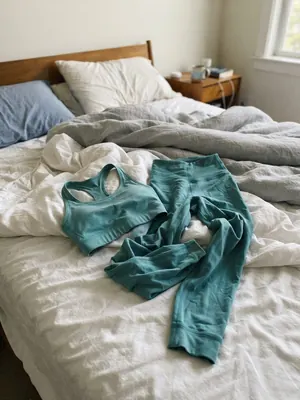
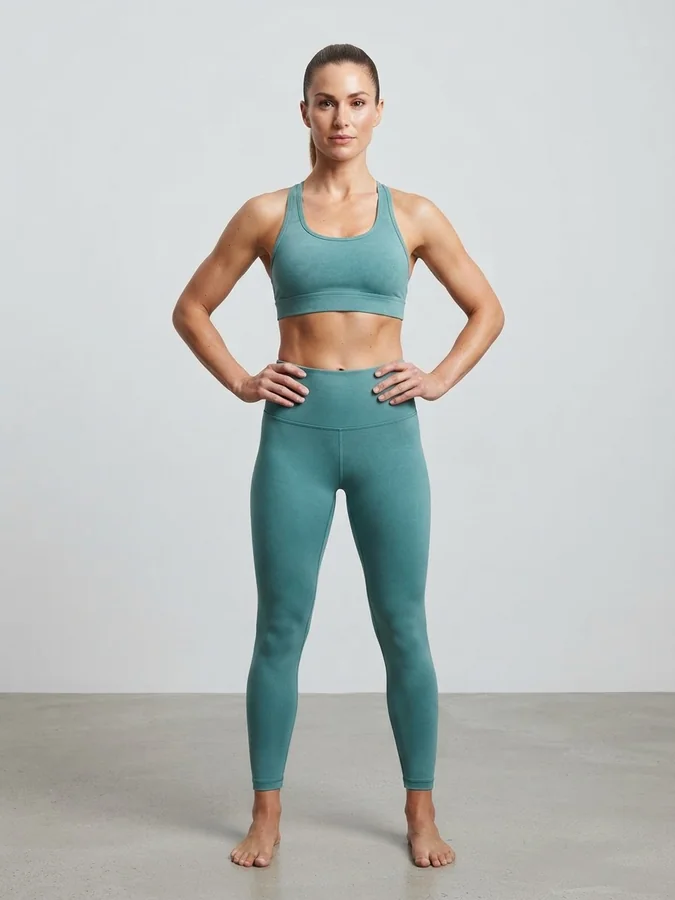
The upload is what most sellers actually have: a set thrown on an unmade bed, shot on a phone, in window light. What survived: the teal, the racerback strap geometry, the wide waistband with its seam, the crop of the bra and the full length of the legging. What the generation added: the athlete, the studio, the floor, and the even lighting the bedroom did not have. The reason this one worked is that the garment was laid out flat enough for the straps and the waistband to be legible — a crumpled pile in the same light would not have been.
Three decisions that make or break an activewear generation
Flat, plain, and lit from the side
Lay the piece out so every strap, waistband and panel edge is separate and readable, on a plain surface, away from coloured walls and coloured bedding — a sheeny fabric picks up whatever is around it and the generation inherits the cast. Then light it from one side rather than head-on. Panel seams and rib textures on technical fabric are tonal lines that only exist as a shallow shadow; flat frontal light deletes them before the generator ever sees them.
Studio first, sport plate second
The Sport group in the background picker — Running track, Gym, Basketball court, Tennis court, Ski slope, Yoga studio — is the reason this category is fun, and it is also a trap on the first image. Those plates carry strong, often coloured, environmental light, and it lands on the product. Generate the listing image on White studio or Light gray, confirm the colour is right, and then spend a credit putting the same garment on the track.
Check the waistband and the strap join
Two places give an activewear generation away: the waistband, where the fabric changes thickness and a real one folds slightly, and the point where a strap meets the body of a bra. Both are structural, both are what a buyer looks at to judge quality, and both are where an approximation shows before the flat panels do. Of the 36 photography styles, E-commerce is the honest one for a listing; Motion blur pan and Flash freeze exist for the frames where you are selling the movement instead.
Which poses sell activewear, and where they live
The default Product to Model grid is five presets — Standing, Walking, Sitting, Editorial, Casual. The action poses this category wants are not in it: Running, Stretching, Mid-jump twist and Crouching are in the full 40-preset library, which Pose Set (Consistent Model) opens. Worth knowing before you spend a credit trying to describe a mid-run stance in the notes field.
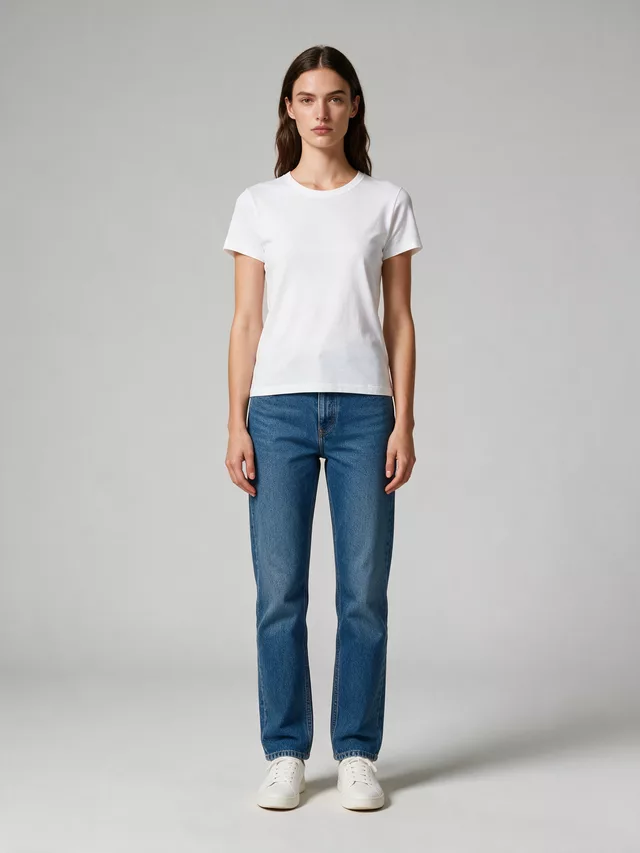
Everything symmetrical and evenly lit — the frame where a buyer reads the cut, the rise and the length. Start here every time.
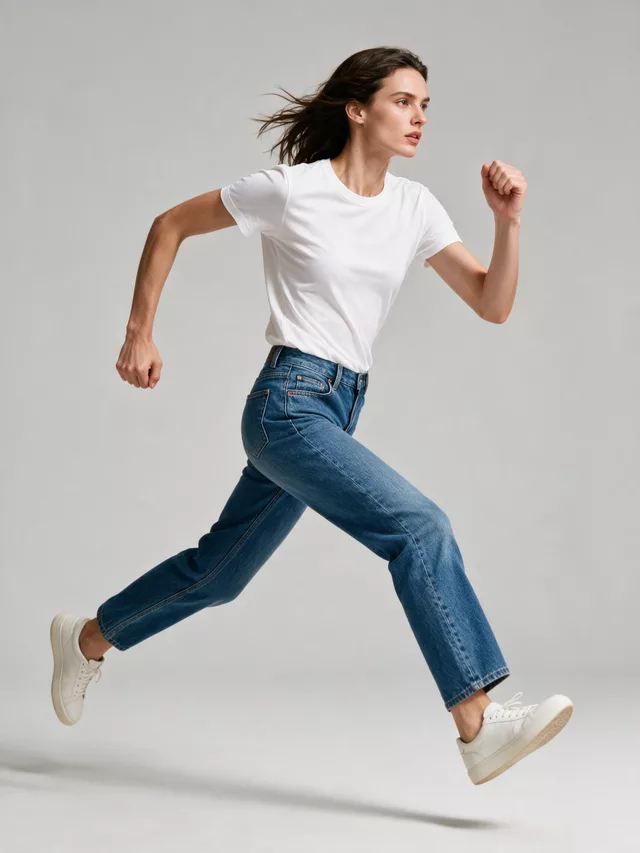
Activewear’s whole promise is that the fit survives movement, and this is the pose that shows it. In the full library, so use Pose Set.
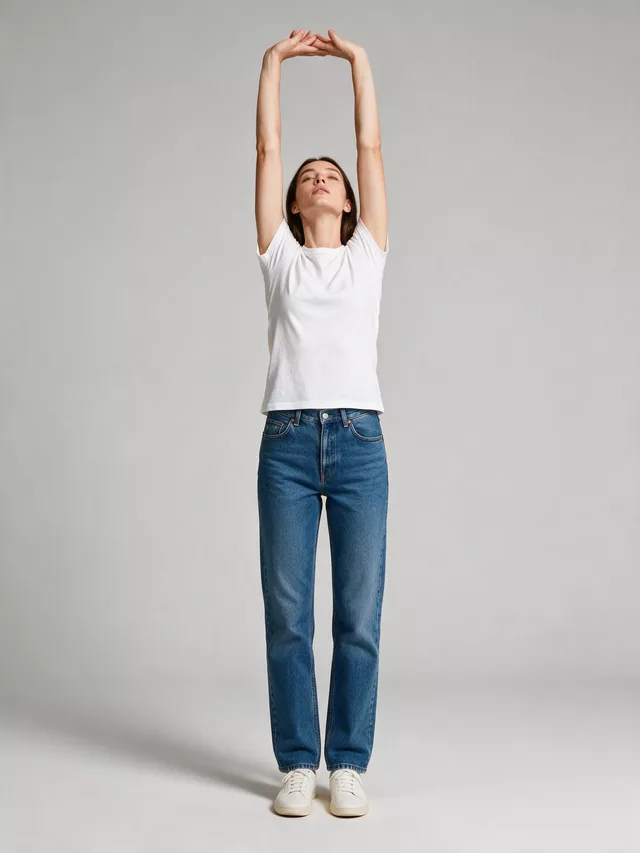
Loads the fabric across a joint, which is where compression wear either holds or bunches. Honest, and the most flattering to a good pattern.
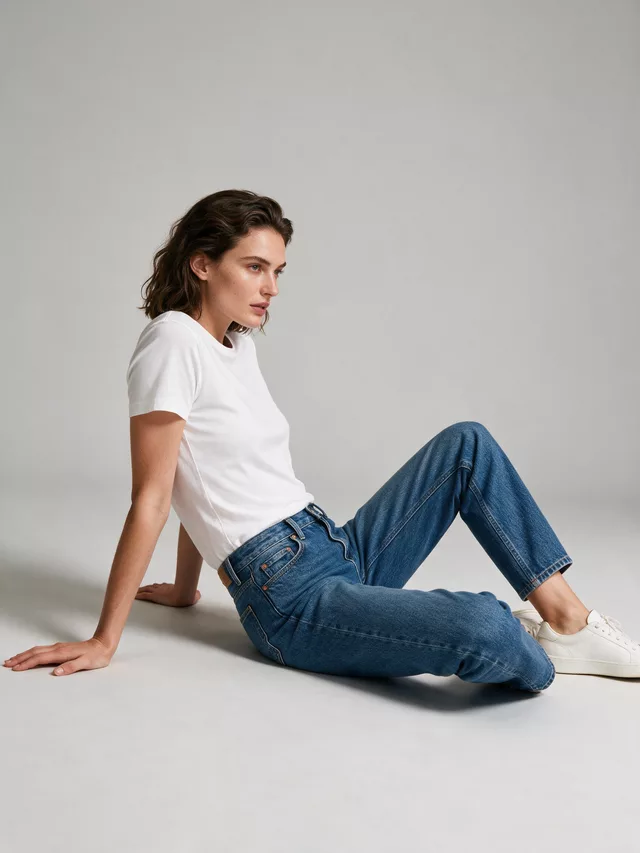
Folds leggings at the knee and hip and hides the waistband under an arm. Nothing about a seated frame supports an activewear claim.
| White studio / Light gray | Judge colour here | Neutral light, so the teal you shipped is the teal on screen. The only plates to check a technical fabric’s colour against. |
|---|---|---|
| Gym | Second image | Sells the context convincingly and throws mixed artificial light across the garment while doing it. Great story, unreliable colour. |
| Running track | Outdoor set | Open daylight and a strong graphic surface underfoot. The most forgiving of the Sport plates because the light is neutral. |
| Neon night | Recolours | Coloured light lands on the product, not behind it. Black leggings come back purple and no shopper reads that as a lighting choice. |
Questions activewear sellers ask before spending a credit
My leggings came back the wrong shade of the same colour.
Technical fabrics are the worst offenders for this, because they are slightly sheeny — the colour you see is partly the fabric and partly the light bouncing off it. A phone photo on a duvet under a window is recording your curtains as much as your product. Shoot on a plain surface in soft, even light, and then judge the output on a neutral plate: pick White studio or Light gray for the frame you check colour from, never Golden hour, Neon night or the Sport-group plates, all of which put coloured light on the garment.
Which pose shows compression and stretch?
Standing shows the fit; Walking shows that the fit survives movement, which is the claim activewear actually makes. The default mode gives you five presets — Standing, Walking, Sitting, Editorial, Casual. The action poses people ask for, Running, Stretching, Mid-jump twist and Crouching, are in the full 40-preset library, which opens in Pose Set (Consistent Model). That is the mode to switch to when the shot is about the movement rather than the garment.
Can I match the background to the sport?
Yes — the background picker has a Sport group holding Running track, Gym, Basketball court, Tennis court, Ski slope and Yoga studio, alongside outdoor plates like Mountain trail and Forest path. The judgement call is which image gets it. A gym plate sells the context but throws mixed, often coloured light across the product, so it belongs on the second image and the studio plate belongs on the first.
Seams and panel lines on my leggings keep vanishing.
Panel seams on dark activewear are low-contrast detail — a tonal line on a tonal fabric — so they need raking side light in the upload to record at all, and they need the garment large in the frame. If the panelling is the selling point, give it its own generation: Product Detail Shot with Shot Type set to Close-Up and Detail Focus on Product Features/Design frames the panel rather than the athlete.
Can I generate a whole set — bra, leggings, jacket — in one shot?
If they are in one upload photographed together, yes; the generation works from what is in the frame. If they are separate product photos, run them separately and use Pose Set (Consistent Model) so the model stays the same person across the set. Each pose in that mode is billed as its own generation.
What photography style suits activewear?
E-commerce for the listing image — it asks for even lighting and true-to-life colour, which is what a technical fabric needs. For the lifestyle frames, Street style and Flash freeze both suit the category, and Motion blur pan is the one built for a moving subject. Avoid Soft pastel and Bright & airy on dark technical fabric: they lift the shadows that were carrying your panel lines.
Do I need a fitness model specifically?
Only if your customer is one. Describe the body you actually sell to — activewear buyers span every build, and a catalog that only shows one is answering a question most of its shoppers did not ask. The model description is a free-text field, so this costs nothing but a sentence.
Related tools, and why you would switch
The e-commerce-side page for running a whole activewear catalog rather than one hero shot.
The other stretch-fabric category, where fit and fabric behave the same way.
For the footwear half of the same shot — sneakers need a contact shadow the apparel modes do not think about.
Same face across every shot. All models are synthetic and free for commercial use.
Upload a product photo — get a photo-realistic on-model shot. Pick a roster model below to keep the same face across shots.
Premium users can generate images without watermark
Higher quality options available for premium users