Your first generation is free when you sign up. Paid plans add credits, remove the watermark and unlock higher resolution.
AI Tile Visualizer: Try Tiles on Your Own Floor, Wall or Backsplash
AI Tile Visualizer: Try Tiles on Your Own Floor, Wall or Backsplash is a free AI tool. Upload a photo of your room, choose a tile, layout and grout color, and see it on your floor, walls or backsplash before you buy a single tile.
Free to try · first generation free on signup · no credit card
1
Step 1
Upload Image
Start by uploading image
Upload your image
Click to browse or drag & drop
2
Step 2
Select Mode
Choose your transformation style
Choose a surface, a tile look, a layout and a grout color
3
Step 3
Options
Configure your options
Related Tools
→try new exterior paint colors on your own photo
→redesign a home exterior from a single photo
→plan a new yard or garden layout from a photo
→repaint a car in any shade before you commit
Output quality:
Mode
Pick a Tile
Your AI Design Will Appear Here
Fill in the options on the left, then press Generate.
Upload your image
Drag & drop your file here or click to browse
JPG, PNG, WebP
Max 10MB
AI Ready
Quick facts about AI Tile Visualizer: Try Tiles on Your Own Floor, Wall or Backsplash
- Tool nameAI Tile Visualizer: Try Tiles on Your Own Floor, Wall or Backsplash
- CategoryHome Design
- PriceFree to try
- InputPhoto upload + text prompt
- OutputAI-generated image
Before / After
Example results
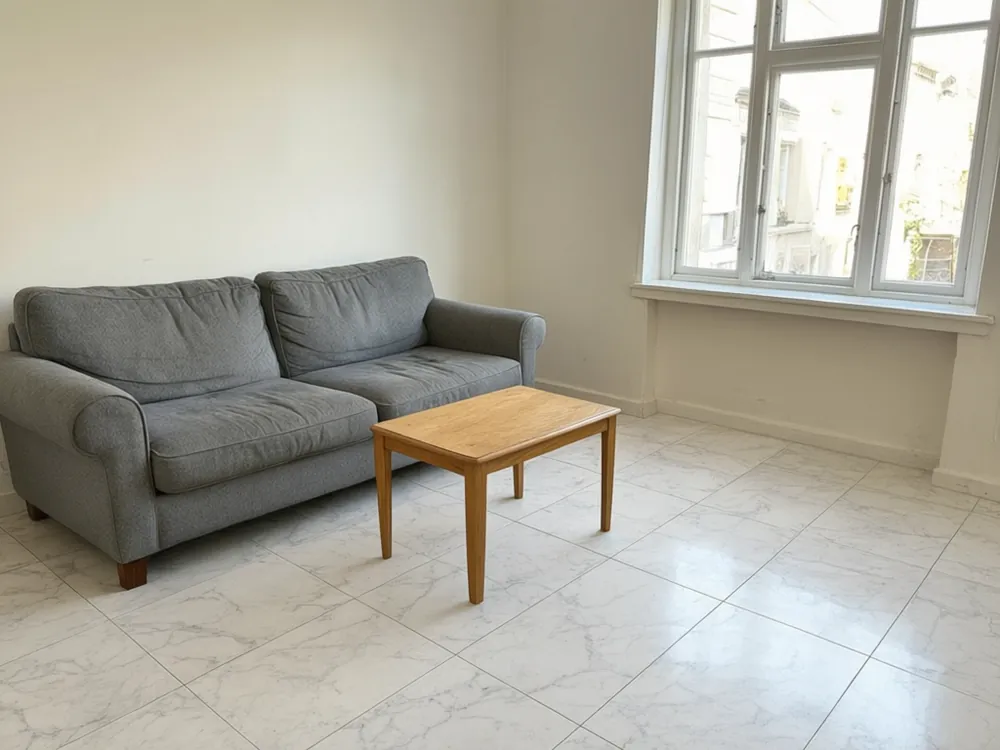
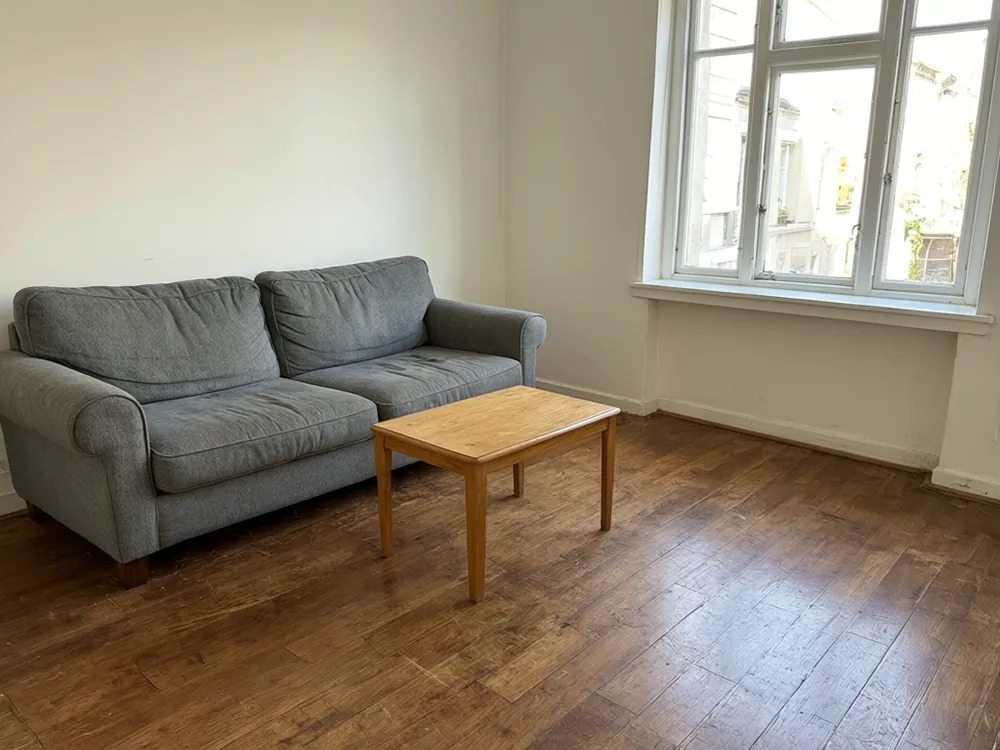
Drag to compare
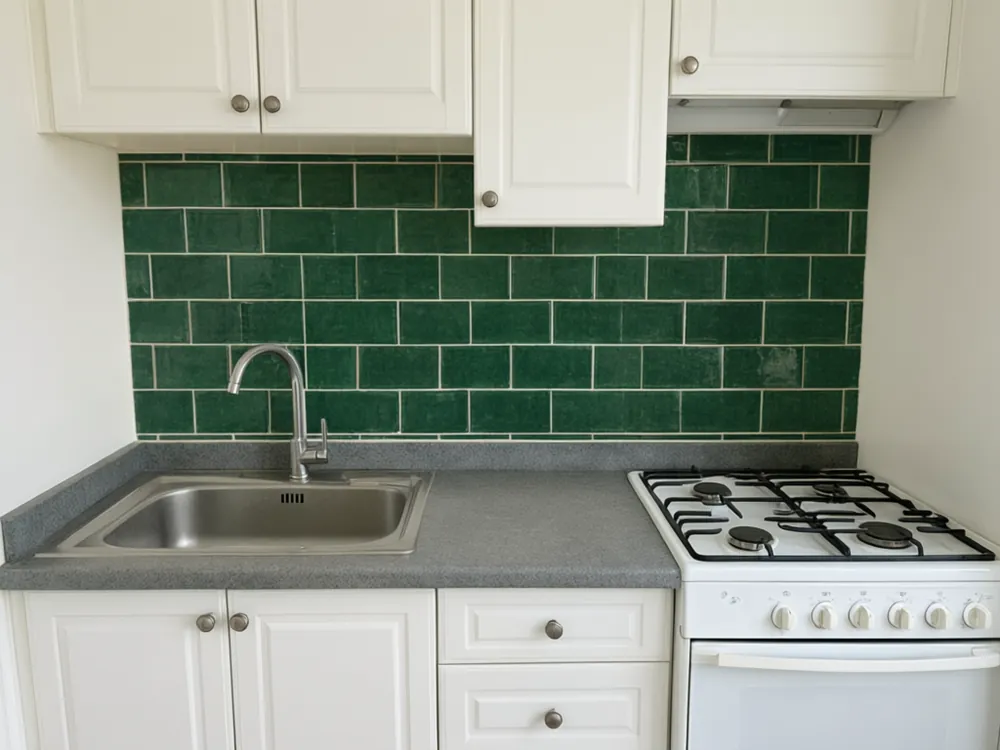
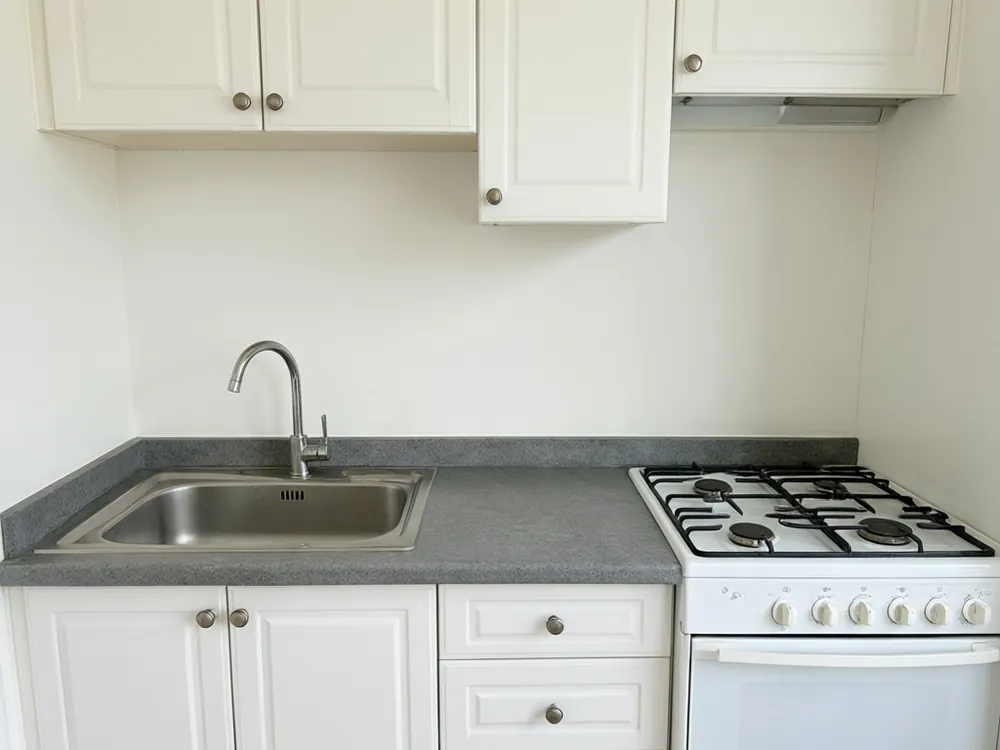
Drag to compare
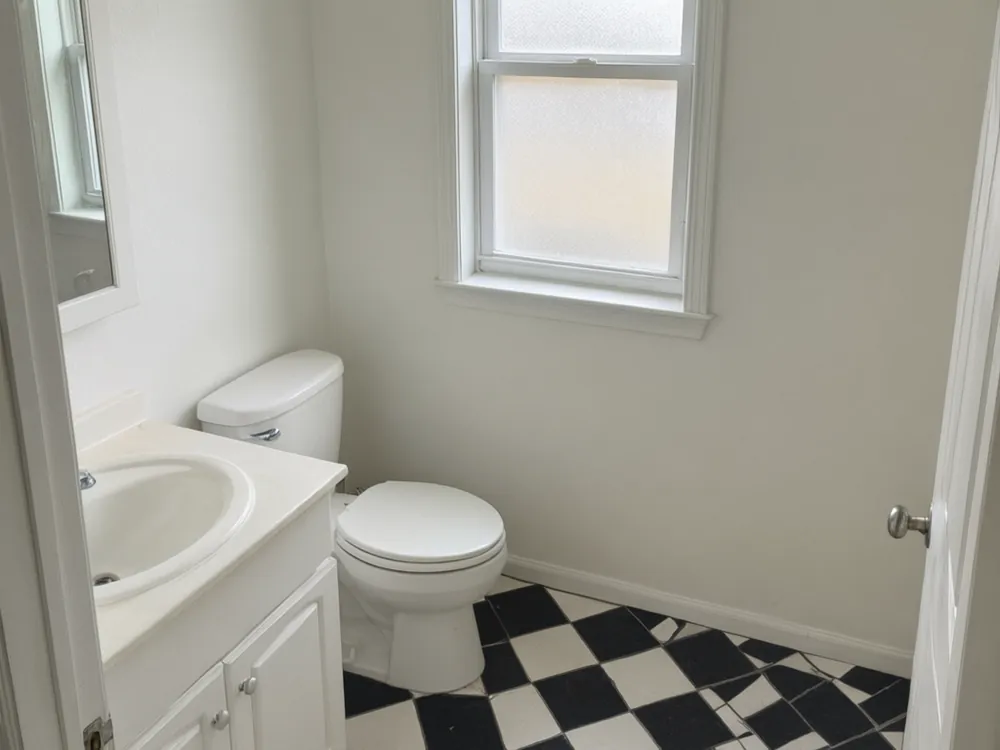
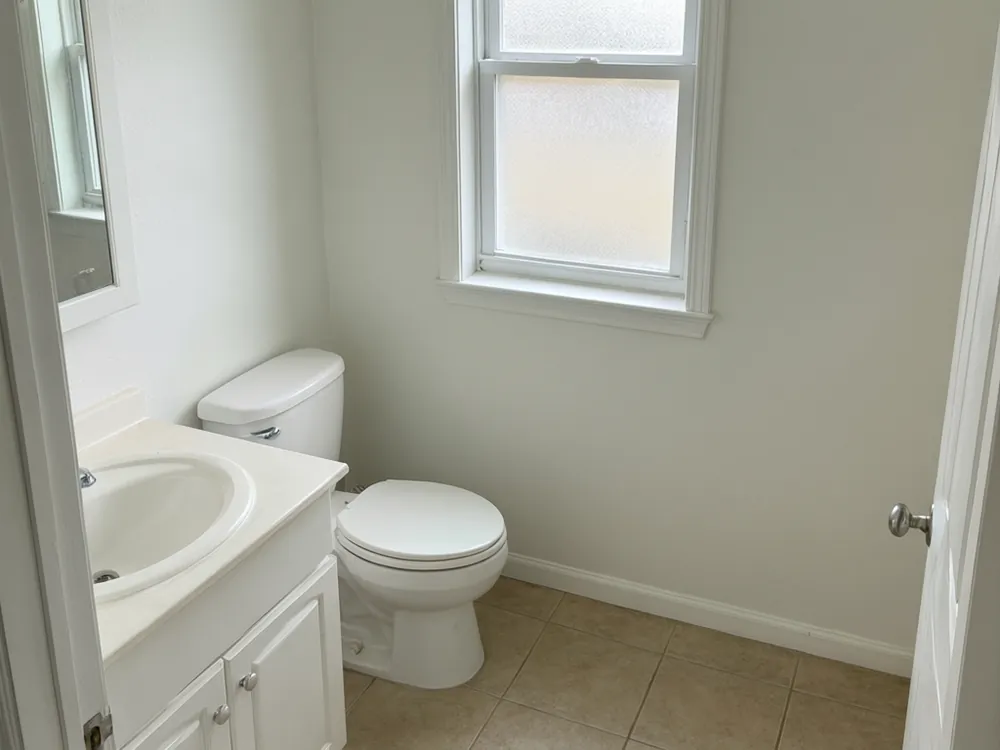
Drag to compare
Real, unretouched output from this tool. Drag any slider to compare.
Choosing tiles is hard when all you have is a small sample in your hand. Upload a photo of your own kitchen, bathroom or room, choose the surface and a tile look, and see it laid out on your floor or wall. The room stays the same: your cabinets, fixtures, furniture and light stay where they are, and only the surface you name is retiled.
What you can retile
Pick one surface per run for the cleanest result.
1
Floors
Kitchen, hallway, living room and bathroom floors. Try large porcelain, wood-look planks or checkerboard.
2
Walls
Feature walls and full bathroom walls.
3
Kitchen backsplash
Subway, zellige-style or patterned tiles between the counter and the wall cabinets.
4
Shower walls
Preview tile on shower walls while the fixtures, glass and screens stay in place.
Tile looks, layouts and grout
Three choices that change how the tile reads.
1
Ten tile looks
Light gray stone-look, white marble-look, beige travertine-look, charcoal slate-look, oak wood-look, checkerboard, terracotta hexagon, white subway, green zellige-style and blue patterned cement.
2
Four layouts
Straight grid, brick offset, herringbone and diagonal.
3
Four grout colors
Light gray, white, charcoal, or matching the tile. Grout color changes how busy a tile looks.
4
Your own description
Describe a tile in your own words if it is not on the list.
Tips for choosing tile
A few ideas to try in the preview.
1
Large tiles in small rooms
Large tiles with thin grout lines make a small room look calmer and bigger.
2
Dark grout for contrast
Dark grout makes a pattern stand out. Light or matching grout makes the surface look smoother.
3
Pattern on one surface
Use a bold pattern on one surface, such as the backsplash or a feature wall, and keep the rest quiet.
4
Think about use
Floors need slip resistance and wet areas need suitable tile. Ask the shop what the tile is rated for.
Which tile for which room
Starting points, not rules.
1
Kitchens
Porcelain floor tiles in a calm gray or stone look hide crumbs and wear well. A subway or zellige-style backsplash adds character without taking over.
2
Bathrooms
Large format tiles with thin grout lines are easier to keep clean. Checkerboard and hexagon tiles give a classic look on small floors.
3
Hallways and living rooms
Wood-look planks bring warmth and are easier to clean than real wood. Large light tiles make a hallway feel wider.
4
Feature walls
Patterned cement-look tiles suit one wall behind a basin or a stove. Keep the rest of the room quiet so the pattern is the star.
5
Small rooms
Try the same tile on the floor and halfway up the wall. Fewer changes in color make a small space feel bigger.
How a layout changes the look
The same tile can look very different depending on how it is laid. A straight grid feels calm and modern. A brick offset pattern feels familiar and relaxed, and hides slight differences in tile size.
Herringbone adds movement and a feeling of detail, which works well on wood-look planks and long rectangular tiles. A diagonal layout makes a small room feel wider, but it needs more cuts at the edges, so the job takes longer and costs more.
Try each layout in the preview, then ask your tiler how much extra time and waste it would add.
Get a cleaner preview
A few habits that help.
1
Take a straight, bright photo
Stand back and keep the surface in full view. Hard shadows make the grout lines harder to follow.
2
Clear the surface
Loose items on the floor or counter can be hidden or distorted.
3
One surface at a time
Run the floor first, then the walls with the new floor as input if you want both.
4
Run it a few times
Each run is a new interpretation. Keep the one with the cleanest grout lines.
Honest limits
This is a visual preview. Tile size, number of tiles, cuts around fixtures and waste are not calculated.
Grout lines are drawn to look right in the picture and may not match a real tile size exactly.
Tiles with fine patterns can look slightly different from the real product. Always order a sample.
Always confirm measurements, waterproofing and floor preparation with a qualified tiler.
More floor and surface tools
Related tools to try.
Who uses this
🏠
Homeowners
✓Pick tiles for a kitchen or bathroom before you order.
💡
Tilers and contractors
✓Show a customer a few options on their own room.
🏢
Tile shops
✓Help customers picture a tile in their space.
📸
Landlords and flippers
✓Compare quick options before a renovation.
🧱
AI Tile Visualizer: Try Tiles on Your Own Floor, Wall or Backsplash
AI Tool
Upload your imageTap anywhere here — your AI design will appear in this space after you generate.JPG · PNG · WebP
Choose a surface, a tile look, a layout and a grout color
Premium users can generate images without watermark
Higher quality options available for premium users
Be specific for better results0/400
Output quality:
Frequently Asked Questions
Yes. Upload a photo of your room, choose Floor, pick a tile and a layout, and see it on your own floor.
Yes. Choose kitchen backsplash or shower walls as the surface.
Yes. The prompts keep fixtures, cabinets, furniture and everything not named. Only the chosen surface is retiled.
No. It is a visual preview. Ask your tiler or the shop to measure and calculate quantity and cuts.
Yes. Pick light gray, white, charcoal or matching the tile.
A bright, straight photo that shows the whole surface, with as little clutter as possible.