
How to virtually stagea room with AI
Add furniture to empty room photos in seconds. No movers, no furniture rental, no hassle.
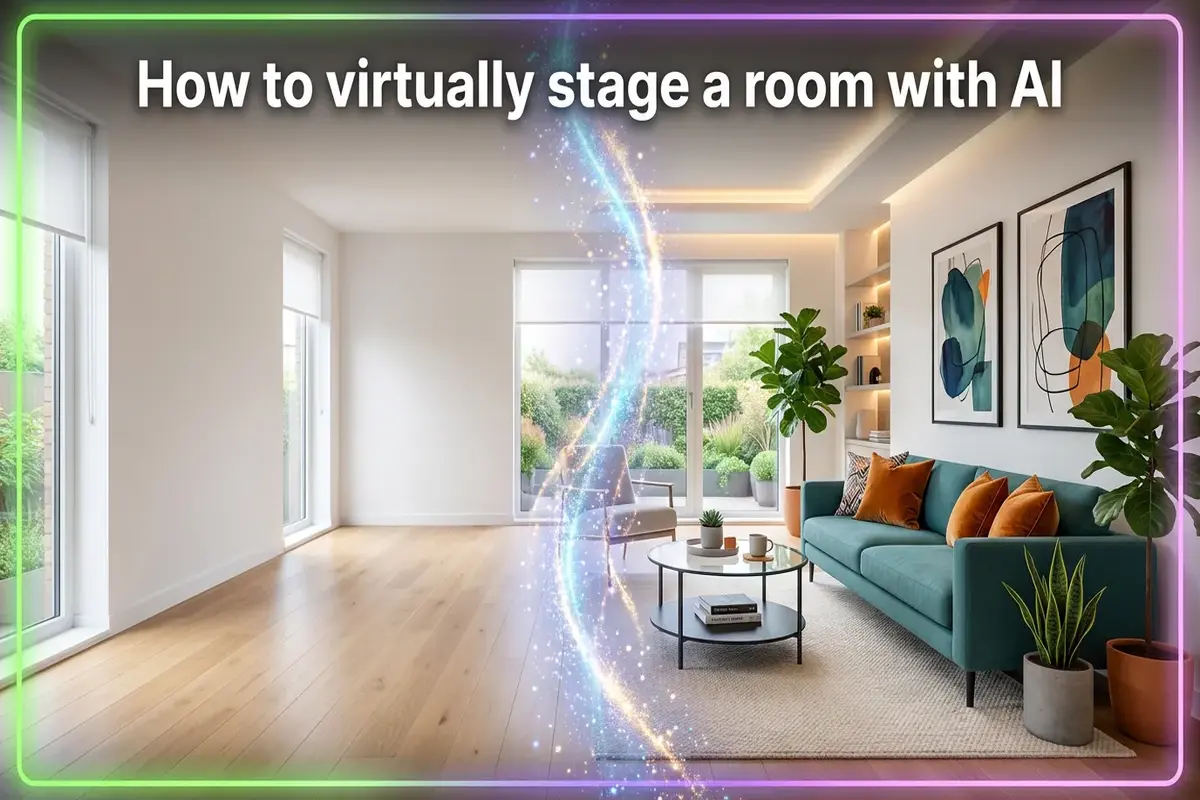
Empty rooms are hard to sell. They look smaller than they are. Buyers can't picture their stuff in there. Listings with empty room photos get fewer clicks and longer time on market.
Traditional staging fixes this — but it's a pain. You're looking at $2,000 to $5,000 per month for furniture rental. Delivery fees. Setup time. Then you have to remove it all when the property sells.
AI virtual staging does the same thing for about $10 per photo. You upload an empty room picture, choose a style, and get back a professionally furnished version in under a minute. The furniture isn't real, but it looks real enough to help buyers imagine living there.
This guide shows you exactly how to do it. By the end, you'll know how to use AITWO's virtual staging tool to transform any empty room into a styled, listing-ready space.
What exactly is virtual staging?
Virtual staging adds digital furniture to real photos of empty rooms. The AI analyzes your photo — walls, floors, windows, lighting — and places furniture that fits the space. Shadows fall correctly. Proportions match. The result looks like a professionally photographed furnished room.
It's not photoshop. The AI understands perspective, depth, and lighting. It knows where the floor meets the walls. It places furniture at the right scale. A couch that would be too big for the room? The AI won't suggest it.
Virtual staging vs. traditional staging
| Virtual (AI) | Traditional | |
|---|---|---|
| Cost per room | $5 - $30 | $500 - $2,000+ |
| Time to complete | Under 1 minute | 2-5 days |
| Style changes | Instant, on demand | Expensive, slow |
| Physical access needed | No | Yes |
Who uses virtual staging?
It started with real estate, but it's spread everywhere:
- •Real estate agents — Stage listings fast without furniture costs. Help buyers visualize empty spaces.
- •Landlords and property managers — Make rental listings more attractive. Fill vacancies faster.
- •Home sellers — DIY staging without hiring anyone. Save thousands on traditional staging.
- •Interior design students — Visualize design concepts quickly. Build portfolio pieces.
- •Anyone moving — See what furniture fits before you buy it. Plan your layout in advance.
If you're curious about redesigning your whole space (not just staging), check out AITWO's interior design tool. It goes beyond staging to show completely different design styles.
How to stage a room in 4 steps
Here's exactly how to virtually stage a room using AITWO's staging tool:
Step 1: Take a good photo
Stand in a corner of the room. Get as much of the space in frame as possible. Daytime photos with natural light work best — turn on the lights too for extra brightness. Avoid weird angles or extreme wide shots that distort the walls.
Step 2: Upload your photo
Go to the virtual staging tool and upload your image. The AI will analyze the room automatically — it figures out where the walls are, where windows are, what kind of flooring you have. This takes a few seconds.
Step 3: Pick your style
Choose a room type (living room, bedroom, office, etc.) and a design style. Popular options include:
- • Modern — Clean lines, neutral colors, minimal clutter
- • Scandinavian — Light wood, white walls, cozy textiles
- • Mid-century — Retro furniture, bold colors, iconic shapes
- • Farmhouse — Rustic wood, warm tones, comfortable pieces
- • Coastal — Light blues, whites, beachy vibes
Step 4: Generate and download
Hit generate. In about 30 seconds, you'll see your room fully furnished. Don't love it? Generate again for a different arrangement. Try different styles to see what works best. When you're happy, download the high-resolution image.
That's it. Four steps, under a minute, and your empty room looks ready to move into.
Tips for better staging results
After staging hundreds of rooms, here's what makes the biggest difference:
- 1.Clean the room first. Even though you're adding digital furniture, a dirty room shows in the photo. Wipe down surfaces, clean windows, remove trash.
- 2.Shoot in landscape mode. Horizontal photos give the AI more room to place furniture. Vertical shots often cut off important wall space.
- 3.Keep the camera level. Tilted photos look weird when furniture is added. Use a tripod or rest your phone on something stable.
- 4.Match the style to the home. Don't put ultra-modern furniture in a 1920s craftsman. The staging should look like it belongs.
- 5.Generate multiple versions. The first result isn't always the best. Try 3-4 generations and pick your favorite.
What if the room already has furniture?
No problem. Most AI staging tools can remove existing furniture first.
Here's the workflow: Upload your photo with the old furniture. Use the “furniture removal” feature to clear the room. Then stage it fresh with new furniture in whatever style you want.
This is super useful when you're selling a home with dated furniture. Instead of showing grandma's floral couch from 1985, you can show a sleek modern setup that appeals to today's buyers.
For a complete room transformation — not just furniture but walls, floors, and overall vibe — try the interior redesign tool. It can show you completely different design directions.
Always disclose virtual staging
This is important: you need to tell people the staging is virtual.
Most real estate boards require it. Buyers who show up expecting furniture and find an empty room will be upset — and that kills trust fast.
Add “Virtually Staged” as a watermark or caption on staged photos. Keep the original empty photos available. Some MLS systems require you to show both.
Being upfront about it actually helps. Buyers appreciate the visualization. They just want to know what's real.
Take it further with video
Once you have great staged photos, you can turn them into video content for even more engagement.
Check out our guide on turning photos into videos with AI. You can create walkthrough-style clips from your staged images, perfect for social media and listing videos.
For exterior shots, our exterior visualization guide shows you how to stage the outside of a home the same way — new siding, landscaping, and curb appeal upgrades.
And if you're comparing the cost of AI tools to hiring professionals, our article on AI vs. hiring a decorator breaks down the real numbers.
Stage your first room free
Upload a photo of an empty room. Choose a style. Get a professionally staged image in 30 seconds.