
What is text-to-video AIand how does it work
You type a sentence. A model turns it into a video clip. That is the pitch. Here is what actually happens under the hood and where this works today.
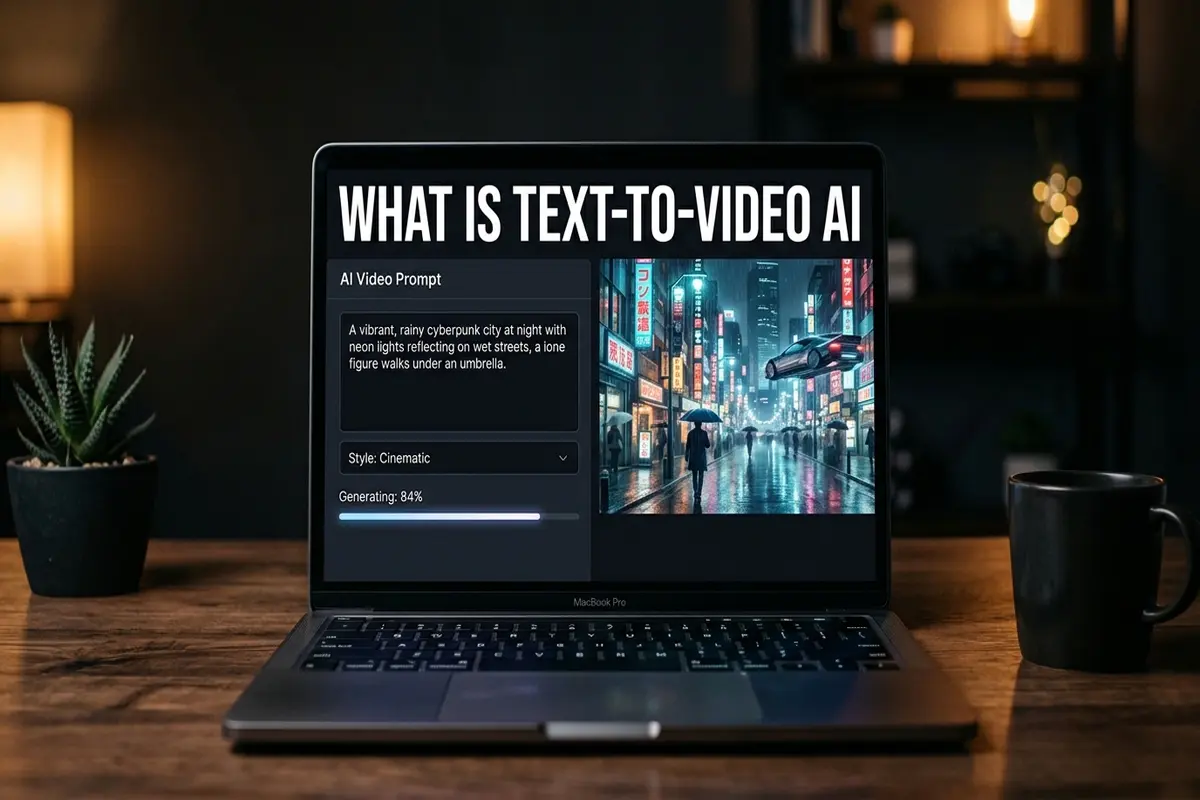
Text-to-video AI is exactly what it sounds like. You write a prompt describing a scene, and the model generates a short video clip from that description. No camera, no footage, no stock library. The AI builds every frame based on what you typed.
When I first tried this about a year ago, the results were choppy. Hands melted, text warped, and anything longer than three seconds fell apart. In mid-2026 the gap has closed fast. Sora, Veo, and Kling now produce clips where casual viewers cannot tell the footage was generated. The technology went from "interesting demo" to "I am actually using this for client work" in about 18 months.
This article explains how text-to-video works, which models do it, and when you should use it instead of image-to-video. If you want to start generating right now, skip to our step-by-step text-to-video tutorial or open the AITWO generator directly.
How text-to-video generation works
The process starts with a language model reading your prompt. It breaks your description into concepts: subject, setting, lighting, movement, mood. Those concepts become a mathematical representation that a diffusion model uses to generate frames one step at a time.
Think of it like this: the model starts with noise, random static, and gradually removes noise until the image matches your description. For video, it does this across multiple frames while keeping movement and physics consistent between them. That temporal consistency is what separates a video model from running an image generator 30 times and stitching the results.
The reason some models produce smoother output than others comes down to training data and architecture choices. Sora uses a transformer-based approach. Kling uses its own diffusion architecture trained heavily on human motion. The output looks different because the models learned from different datasets and optimize for different things. Our model comparison breaks down those differences in practical terms.
Models that do text-to-video in 2026
| Model | Best at | Max length | Access |
|---|---|---|---|
| Sora 2 | Photorealism, physics | Up to 60 sec | ChatGPT Plus/Pro |
| Veo 3.1 | Speed, native audio | Up to 30 sec | Google AI Pro |
| Kling 3.0 | Human motion, faces | Up to 15 sec | Kling app, AITWO |
| Runway Gen-4 | Director controls | Up to 10 sec | Runway app |
| Hailuo | Fast drafts, social clips | Up to 10 sec | Hailuo app, AITWO |
I test most of these through AITWO because it lets me run Kling, Hailuo, and Pixverse on the same prompt without switching platforms. The full 2026 generator ranking covers all ten tools we tested if you want the complete picture. For a deep Runway comparison, see our Runway vs AITWO breakdown. If your source is a photo and not a prompt, open what is image to video AI.
Text-to-video vs image-to-video
These two modes solve different problems. Mixing them up wastes credits and time.
| Use text-to-video when | Use image-to-video when |
|---|---|
| You have no visual assets yet | You have a photo or screenshot to animate |
| You want a scene that does not exist in real life | You want to add motion to a real product or room |
| Speed matters more than exact appearance | You need the video to match a specific existing image |
| Creative concepts, mood films, social hooks | Product ads, real estate, portfolio animation |
In my workflow I often combine both. I generate a still frame from a text prompt, screenshot the best result, then feed that screenshot into image-to-video for more precise motion control. That two-step trick works well for product scenes and brand content. Our photo-to-video guide covers the second half of that workflow, and Kling motion control tutorial helps when movement still feels unstable.
Where people actually use text-to-video today
- Social media hooks. A 6-second attention grabber before the main content starts. TikTok and Instagram Reels creators use text-to-video for opening shots they cannot film.
- Product concept videos. Brands generate product scenes before a physical prototype exists. Cheaper than a render studio and faster than a 3D artist.
- Real estate and architecture. Agents and architects generate exterior walkthroughs and lifestyle scenes to sell spaces. See our real estate listing video guide for that specific workflow.
- Ad creative testing. E-commerce teams generate five ad variants from text prompts, run them as split tests, then reshoot only the winning concept. Our ecommerce video guide covers the complete ad workflow.
- Education and training. Instructors create visual demonstrations of concepts that are expensive or dangerous to film.
The common thread is speed. Text-to-video fills the gap between "I have an idea" and "I have a visual" in minutes instead of days. It does not replace professional video production. It replaces the blank space where video would have helped but nobody had time or budget to make it.
Try text-to-video on your first prompt
Type a scene description, pick a model, and get a video clip in about 30 seconds. No footage, no camera, no editing.