
How to create a White QR Code on AI Two
Generate a scan verified white QR code for dark print backgrounds. Free in QR Studio.
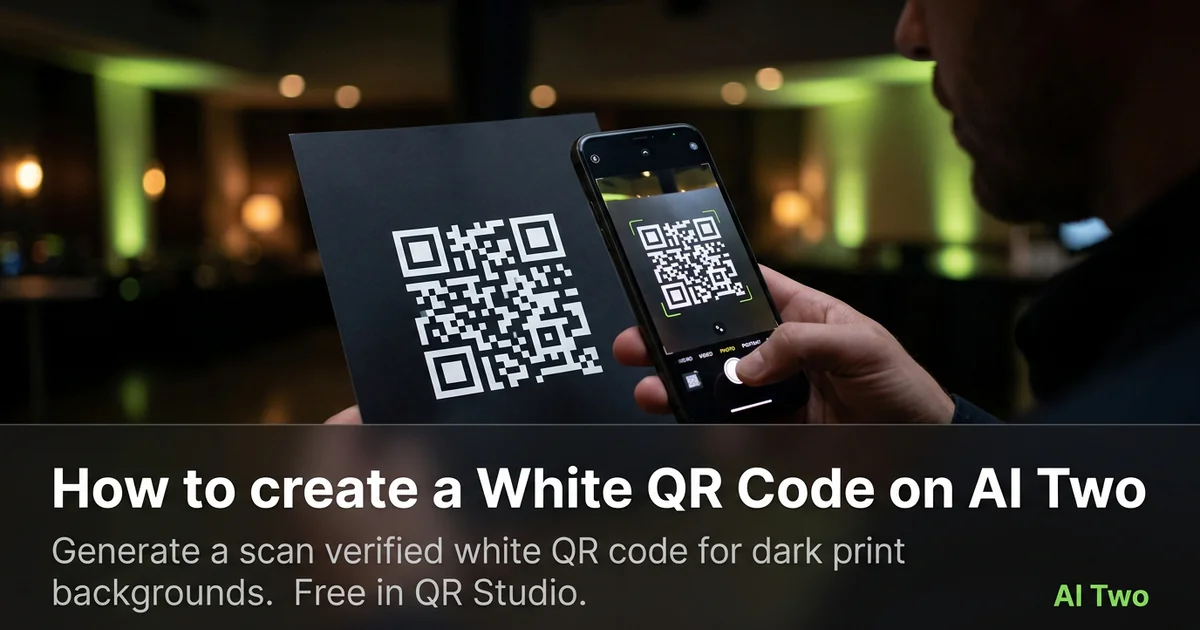
White QR codes on AI Two live in QR Studio colored tools. I open White QR Code when a poster, stage backdrop, or product label needs light modules on a dark field instead of black on white paper. Every code is scan verified before download. White modules only read when the quiet zone and surrounding print stay dark enough, so I treat contrast as the whole job, not a color preference. When I tested white modules on a charcoal event banner, both phones read the code under venue spotlights after I enlarged the art and kept a solid dark border. I regenerate the PNG whenever marketing changes the payload URL so old banners do not send visitors to a retired page.
What a White QR code does
You generate a white module pattern for the content type you need, with scan verification before download. White modules need a dark field around them and a clear quiet zone or scanners fail even when the file looks crisp on screen.
When I tested white on charcoal vinyl versus white on mid gray poster stock, charcoal passed on both phones under warm stage lights. Mid gray looked fine on a monitor and failed on paper.
Credits apply per generation. I lock payload and size first, then pick white only if the print brief demands it.
Stay in QR Studio for black and other colored generators when brand ink changes.
I treat white as a print choice after black proves the payload on the same dark stock. If black fails on that substrate, white will not save you.
White modules suit night event signage, dark packaging, and club flyers where black ink would disappear into the art.
In my experience, a short call to action beside the code helps staff explain what the scan does under loud venue conditions.
For tour seasons I date the filename so old backdrops are not mixed with a new ticket URL after marketing updates routing.
How to run it step by step
Step one: know the payload type and final destination. Step two: open White QR Code in QR Studio. Step three: generate, wait for scan verification, download. Step four: place the PNG on your dark layout with a solid quiet zone. Step five: print a small proof and scan with two phones under the venue lights you will actually use.
I keep a black on white control sample in the same folder. If white fails and black passes, the problem is field darkness or size, not the payload.
Store the PNG with the payload string in the filename notes.
If marketing later lightens the background art, regenerate and reproof. Do not fade modules in a layout app.
When I proofed a club poster, white on true black passed both phones only after I bumped module size ten percent.
I note the print width in millimeters beside the filename so reprints at a new vendor keep the same module size.
If one phone struggles, I enlarge the art and regenerate before I touch background color again.
I proof once on iOS and once on Android under spotlights and dim house lights. One platform can fail while the monitor looks fine.
Credits apply per generation, so I lock the URL and quiet zone plan before I explore decorative framing around the code.
Print and placement tips
White modules need a dark field. Charcoal, deep navy, and true black backgrounds work when the quiet zone stays unbroken. Pale gray fields fail even when white modules look sharp in the PDF.
Matte stock reduces glare. Glossy dark vinyl can mirror spotlights into the camera and wash out white modules.
Size for the real viewing distance. Event guests scan from several feet away, not from your laptop screen.
Leave a quiet zone free of logos, gradients, and busy photography. Crowding kills scans even when the file verified.
Proof under venue lights, not only office fluorescents. I run two phone tests after install when spot angles match show night.
A dedicated dark sticker island on a mixed photo background beats printing white modules directly over faces or confetti art.
Older cameras need bigger quiet zones than new flagships, so I size for the weakest phone I expect in the room.
If the backdrop includes moving light, test during sound check when beams sweep the code the same way they will during the set.
Mistakes I avoid
Placing white modules on a mid tone gray that looks dark on screen but reads pale under stage lights.
Skipping the two phone proof because white looked fine on a monitor. Field contrast and size still matter.
Recoloring before the payload is final.
Printing five hundred posters before a two phone test under venue lights.
Saving a low resolution PNG and upscaling in the layout app. Start from the verified download at final print size.
Mixing white QR art with heavy dither textures that eat module edges on press.
When to use another QR tool
Need maximum contrast on white paper? Open Black QR Code first. Need other brand hues on light stock? The colored QR cluster maps blue through orange. Need WiFi or menus? Essential types. Need repair or dynamic tracking? Fix and track pages in QR Studio.
The colored QR cluster guide maps sibling color pages. The QR Studio pillar maps everything else.
Business deep links still need the correct payload page even when the ink is white on dark.
When marketing asks for blue or green on kraft next, I keep the white on dark proof in the project folder as the reference scan that already passed under venue lights.
After the download
I attach the verified PNG to the print vendor ticket with quiet zone and minimum dark field notes so prepress does not crop modules or lighten the backdrop.
For event installs I schedule a scan test during sound check when lighting matches show conditions.
If marketing rotates URLs mid tour, I date the filename and retire old backdrops so crew do not hang outdated destinations.
I keep a screenshot of the live destination beside the PNG in the project folder for quick audits when a guest reports a failed scan.
Venue staff sometimes swap creative without telling marketing, so the binder proof under real lights is the source of truth for which code is live tonight.
I store the payload URL in a text file beside the image so future teammates know which page the banner opens without opening design files.
FAQs
Related studio guides
How to create an Orange QR Code on AI Two
Generate a scan verified orange QR code for print and signage. Free in QR Studio.
Read guide
How to create a Blue QR code on AI Two
Generate a scan verified blue QR code in QR Studio when your brand needs blue modules and strong print contrast.
Read guide
How to create a Pink QR Code on AI Two
Generate a scan verified pink QR code for print and signage. Free in QR Studio.
Read guide