
How to create a Gold QR Code on AI Two
Generate a scan verified gold-styled QR code for premium print and packaging. Free in QR Studio.
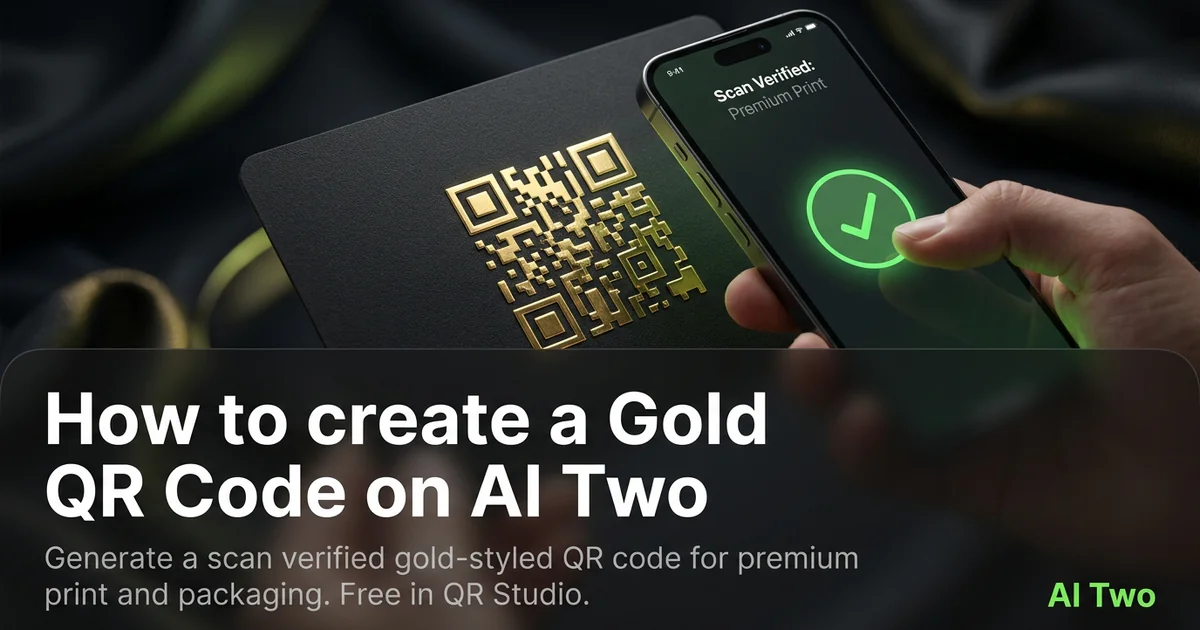
Gold QR codes on AI Two live in QR Studio’s colored code tools. I open Gold QR Code when packaging, invitations, or luxury signage needs a warm metallic look without giving up scan reliability. Every code is scan verified before download. When I tested gold modules on cream stock, both phones read the code under store lighting while a pale yellow sample on kraft failed. I proof gold on matte paper at final size because metallic ink and glossy laminate change contrast more than the screen preview suggests.
What a Gold QR code does
You enter your payload, generate a gold-styled QR image, and download a scan verified PNG for print or screen.
When I tested a product landing URL on cream cardstock, gold modules stayed readable when the quiet zone stayed clear.
Credits apply per generation. I lock payload and size first, then pick gold styling.
Stay in QR Studio for green, red, blue, pink, and other colored generators when the brief calls for a different brand hue.
I regenerate when the URL or WiFi password changes. Recoloring a stale payload wastes print runs.
Scan verification catches broken patterns before download. I still proof on paper at final size.
In my experience, gold works best on light warm fields with strong module contrast, not on busy foil backgrounds.
For premium boxes I keep a black module proof in the folder as a backup scan that already passed.
I date the filename when the campaign URL rotates seasonally.
How to run it step by step
Step one: know the final destination URL or payload type. Step two: open Gold QR Code in QR Studio. Step three: enter the payload, generate, wait for scan verification, download. Step four: print a small matte proof on the stock you will use. Step five: scan with two phones before a large print run.
I treat gold as a brand layer on top of a proven payload, not as the first test on a new link.
Store the PNG with the payload string in the filename notes.
If marketing changes the URL, regenerate. Do not edit modules in a layout app.
When I proofed gift box inserts, matte cream stock passed both phones while gloss gold foil failed.
I note print width in millimeters beside the filename for vendor reorders.
If one phone struggles, I enlarge the art ten percent and regenerate before I blame the gold ink.
I keep the destination URL in plain text under the code on packaging for manual entry.
Print and placement tips
Use a light quiet zone around gold modules. Crowding kills scans even when the file verified on screen.
Matte stock reduces glare on metallic looks. Heavy gloss can mirror lights into the camera.
Size for arm length scanning on packaging, not only for artboard aesthetics.
Proof on the actual paper or laminate the vendor will use. Screen gold does not match press gold.
Leave logos out of the quiet zone. Patterns across modules are the first failure I see on gold jobs.
Test under venue lighting, not only on a monitor.
Avoid printing gold modules directly over dark photography without a white sticker island.
Mistakes I avoid
Choosing gold on a dark field without a phone proof on the final substrate.
Skipping the two phone test because the PNG verified on screen.
Printing five hundred sleeves before a matte proof on real stock.
Saving a low resolution PNG and upscaling in the layout app.
Recoloring in Illustrator instead of regenerating when the payload changes.
When to use another QR tool
Need maximum contrast first? Black QR Code proves the payload. Need another brand hue? Green, red, blue, and pink pages sit in the colored cluster. Need WiFi or menus? Essential types.
The colored QR cluster guide maps sibling pages. The QR Studio pillar maps everything else.
Business deep links like Google Maps still need the correct payload page even when the ink is gold.
After the download
I send the verified PNG to the print vendor with quiet zone notes so prepress does not crop modules for bleed.
For packaging runs I tape a proof inside the production binder so floor staff compare failed scans against a known good sample.
If the campaign URL changes, I regenerate gold art the same day and retire old cartons when feasible.
I store the payload beside the image so the next designer knows which landing page the foil band opens.
Retail displays under spotlights get a second scan test after install because gold ink reads differently than the office proof.
FAQs
Related studio guides
How to create an Orange QR Code on AI Two
Generate a scan verified orange QR code for print and signage. Free in QR Studio.
Read guide
How to create a Blue QR code on AI Two
Generate a scan verified blue QR code in QR Studio when your brand needs blue modules and strong print contrast.
Read guide
How to create a Pink QR Code on AI Two
Generate a scan verified pink QR code for print and signage. Free in QR Studio.
Read guide