
How to create an Email QR Code on AI Two
Generate a scan verified Email QR Code that opens a pre addressed email when scanned. Free in QR Studio.
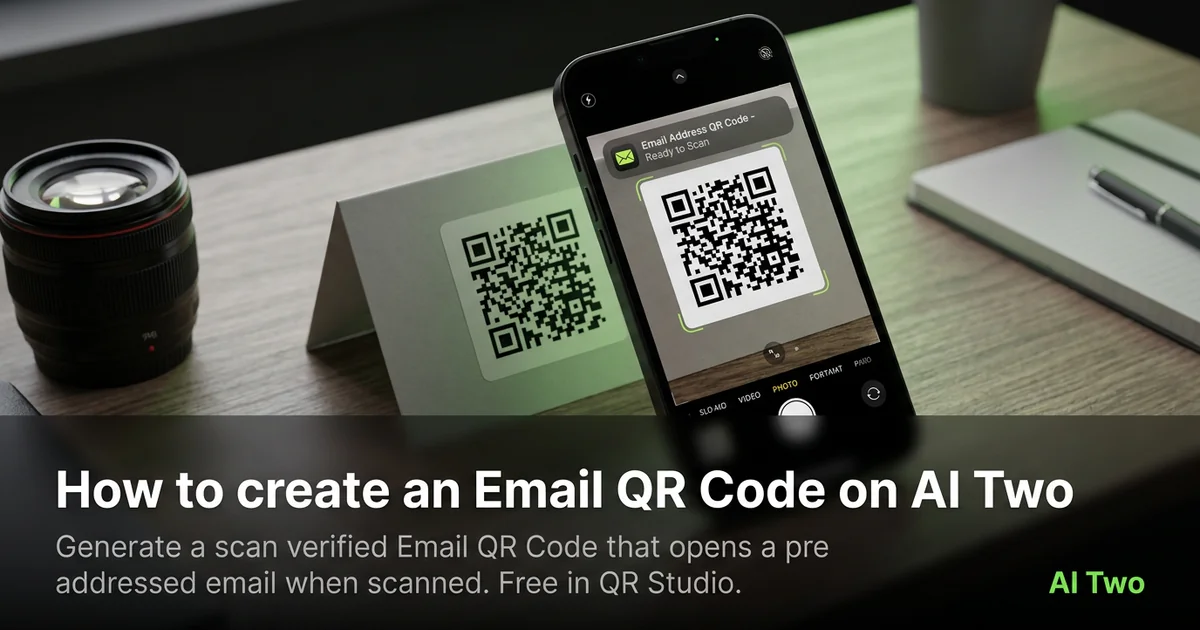
Email QR codes on AI Two live in QR Studio’s contact tools. I open Email QR Code when a poster or badge should open a pre addressed message on the visitor’s phone without them typing our inbox. Every code is scan verified before download. When I tested a support address on a trade show table tent, both phones opened the compose screen with the right subject line prefilled.
What an Email QR code does
You enter the destination address, optional subject, and optional body text, then generate a QR image that opens the visitor’s mail app when scanned.
When I tested a sales inbox with a fixed subject tag, the scan landed in compose with the subject already filled. That saved staff from repeating the address aloud in a noisy hall.
Credits apply per generation. I lock the address and subject first, then pick print size.
Stay in QR Studio for phone, SMS, and other contact generators when the job is messaging, not URLs.
I treat email codes as staff facing shortcuts. If the address changes, I regenerate and reproof before reprint.
Scan verification means a broken pattern never ships as a PNG. I still proof on paper under venue lights.
In my experience, a short label beside the code beats a long paragraph. People scan first and read second.
For events I add the booth day and staff name in the subject prefix so inbox filters stay organized when volume spikes.
I export PNG at the final print width the vendor quotes. Upscaling a small verified file in InDesign brought back scan fails for me.
How to run it step by step
Step one: confirm the inbox that should receive messages. Step two: open Email QR Code in QR Studio. Step three: enter address, subject, and body if needed. Step four: generate, wait for scan verification, download. Step five: print a small matte proof and scan with two phones.
I keep a plain URL QR in the same folder as a control when the booth also promotes a website.
Store the PNG with the address and subject in the filename notes.
If marketing later changes the subject line, regenerate and reproof. Do not edit modules in a layout app.
When I proofed a conference table tent, both iOS and Android opened compose with the same subject prefix.
I note the print width in millimeters beside the filename so reprints at a new vendor keep module size stable.
If one phone struggles, I enlarge the art ten percent and regenerate before I touch ink color.
I keep a printed proof in the event kit bag so staff can compare a failed scan against the known good sample on site.
Print and placement tips
Use high contrast modules on a light field. Email codes are often small on badges.
Matte stock reduces glare. Glossy cards can mirror hall lights into the camera.
Size for the real viewing distance, not the artboard.
Proof under the venue lights you will actually use.
Leave a quiet zone free of logos and patterns. Crowding kills scans even when the file verified.
Place the code where thumbs naturally reach on a table tent. Corner placement on folded stock fails in the wild.
Test with the same phone models your audience uses. Older cameras need bigger quiet zones than new flagships.
Mistakes I avoid
Using a personal inbox on public signage. I create a shared support address first.
Skipping the phone proof because the PNG verified on screen.
Printing five hundred inserts before a two phone test.
Saving a low resolution PNG and upscaling in the layout app. Start from the verified download at final print size.
Mixing email QR art with heavy dither textures that eat module edges on press.
When to use another QR tool
Need a click to call flow instead of email? Open Phone QR Code. Need short text without opening mail? SMS QR Code. Need social or WiFi links? Those clusters map the right payload pages.
The contact and messaging cluster guide maps sibling pages. The QR Studio pillar maps everything else.
Dynamic tracking codes live in My QR Codes when you need scan counts. Static email codes do not report opens.
After the download
I attach the verified PNG to the print vendor ticket with quiet zone notes so prepress does not crop modules.
For recurring events I duplicate the same email payload each quarter and only change the subject prefix when the campaign theme shifts.
If legal asks for an archive, I store the payload string in a text file beside the image so future staff know what the code sends.
FAQs
Related studio guides
How to create a Phone QR Code on AI Two
Generate a scan verified phone call QR code for print and signage. Free in QR Studio.
Read guide
How to create an SMS QR Code on AI Two
Generate a scan verified SMS QR code for print and signage. Free in QR Studio.
Read guideHow to create a Phone QR Code on AI Two
Generate a scan verified phone call QR code for print and signage. Free in QR Studio.
Read guide