
How to create a Brown QR code on AI Two
Generate a scan verified brown QR code in QR Studio for kraft packaging and warm brand print when contrast still passes.
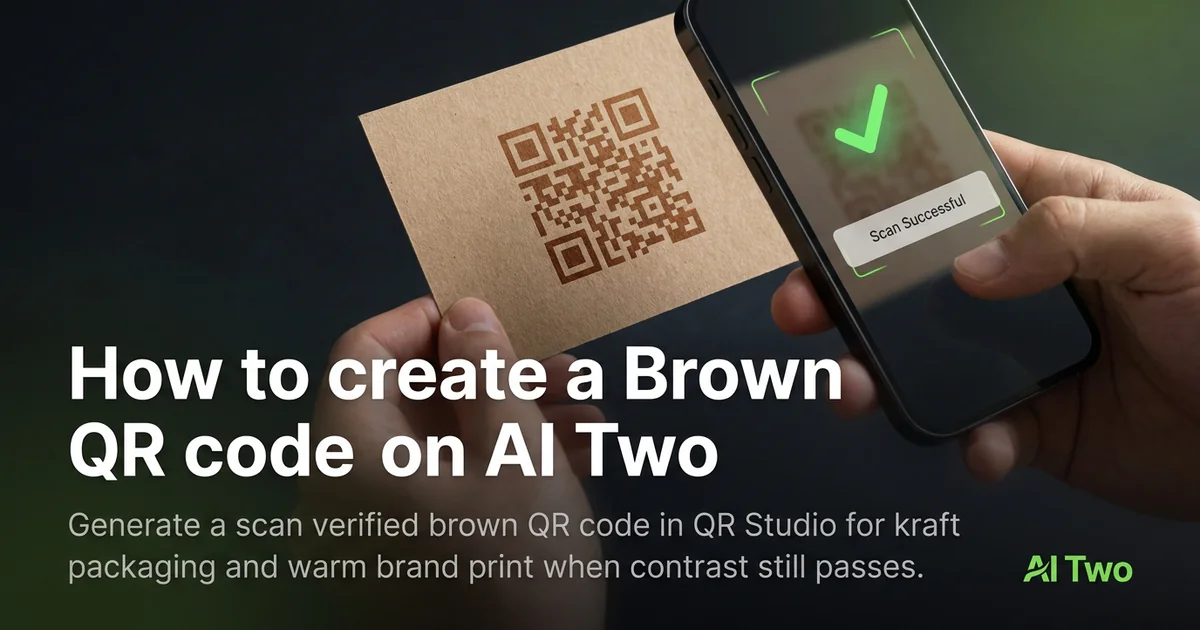
Brown QR codes on AI Two live in QR Studio’s colored tools. I open Brown QR Code when kraft sleeves, coffee bags, or warm brand kits need brown modules instead of black. Every code is scan verified before download. When I tested brown modules on a kraft lunch sleeve, both phones read a dark brown sample while a pale tan sample failed under cafe lights.
What a Brown QR code does
You generate a brown module pattern for the content type you need, with scan verification before download. Brown on a light or kraft field can work when the modules stay dark enough.
When I tested dark brown versus pale tan on kraft, dark brown won on both phones under fluorescent cafe lights. Pale tan looked soft on screen and failed on paper.
Credits apply per generation. I lock payload and size first, then pick brown only if the package design needs it.
Stay in QR Studio for colored and black generators.
I treat brown as a package choice after black proves the payload. If black fails on the same stock, brown will not save you.
Brown modules also help coffee and bakery brands keep a warm print look without forcing black ink on every sleeve.
In my experience, a short call to action beside the code helps staff explain what the scan does at a busy counter.
How to run it step by step
Step one: know the payload type and final destination. Step two: open Brown QR Code in QR Studio. Step three: generate, wait for scan verification, download. Step four: print a small proof on the real kraft or matte stock and scan with two phones.
I keep a black control sample in the same folder. If brown fails and black passes, the problem is contrast on that stock, not the payload.
Store the PNG with the payload string in the filename notes.
If marketing later demands a lighter brown, regenerate and reproof. Do not lighten modules in a layout app.
When I proofed a coffee sleeve, dark brown on kraft passed both phones before we ordered a full sleeve run.
I note the print width in millimeters beside the filename so reprints at a new vendor keep the same module size.
If one phone struggles, I enlarge the art ten percent and regenerate before I touch ink color again.
Print tips for brown codes
Use light or kraft fields with clear quiet zones. Brown on dark chocolate stock still fails.
Matte kraft reduces glare. Glossy varnish can mirror lights into the camera.
Size for the real viewing distance, not the artboard.
Proof under the venue lights you will actually use.
Leave a quiet zone free of logos and patterns. Crowding kills scans even when the file verified.
I avoid hairline print sizes on kraft bags. Bigger modules win in low light.
A light sticker island on a busy kraft pattern beats printing brown modules over woodgrain art.
Test under the same phone models your audience uses. Older cameras need bigger quiet zones than new flagships.
Mistakes I avoid
Skipping the phone proof because brown looks fine on a monitor. Kraft stock changes contrast.
Placing brown modules on busy dark photography.
Recoloring before the payload is final.
Printing five hundred sleeves before a two phone test on the real stock.
Saving a low resolution PNG and upscaling in the layout app. Start from the verified download at final print size.
Mixing brown QR art with heavy dither textures that eat module edges on press.
When to use another QR tool
Need maximum contrast? Open Black QR Code first. Need other brand hues? The colored QR cluster maps blue, teal, and more. Need WiFi or menus? Essential types. Need repair or dynamic tracking? Fix and track.
The colored QR cluster guide maps sibling color pages. The QR Studio pillar maps everything else.
Menu and PDF codes still need the correct payload page even when the ink is brown.
When marketing asks for blue or gold next, I keep the brown kraft proof in the project folder as the reference scan that already passed.
FAQs
Related studio guides
How to create an Orange QR Code on AI Two
Generate a scan verified orange QR code for print and signage. Free in QR Studio.
Read guide
How to create a Blue QR code on AI Two
Generate a scan verified blue QR code in QR Studio when your brand needs blue modules and strong print contrast.
Read guide
How to create a Pink QR Code on AI Two
Generate a scan verified pink QR code for print and signage. Free in QR Studio.
Read guide