
The AI ASMR Revolution: Relaxation Content at Scale
AI ASMR is the biggest content trend of 2026. Google's Veo 3 technology enables photorealistic ASMR video generation from text alone. Over 15,000 creators are generating 2.5 million+ ASMR videos with 1 billion+ cumulative views. Top creators in the niche report earnings of $10,000 to $78,000 monthly from ad revenue, memberships, and brand partnerships.
Traditional ASMR production requires $2,000–$10,000 in equipment — cameras, microphones, lighting, props. AI ASMR costs $0. You describe the scene, and the AI generates it. AITwo lets you create professional ASMR AI video content using its dedicated ASMR Eating Video tool and general Video Generation tool. Whether you want tapping, crinkling, eating, or custom triggers — 200+ ASMR styles are possible.
What Is AI ASMR?
AI ASMR uses AI video generators to create the visual component of ASMR content — the satisfying triggers viewers watch for relaxation. Visual triggers include tapping, scratching, crinkling, eating, slime manipulation, and role-play scenarios. The AI generates photorealistic scenes with synchronized motion. Modern systems support 200+ ASMR styles and output in 4K HDR with support for 3D spatial audio in post-production.
You describe the scene in a text prompt; the AI handles composition, lighting, and motion. No filming, no equipment, no location scouting. The result is scalable, on-brand relaxation content that performs well on YouTube, TikTok, and Instagram.
Popular ASMR Triggers You Can Generate
Different triggers resonate with different audiences. Here are the most popular for AI ASMR content:
Each trigger has a distinct visual language. Use the prompt examples below as starting points — feed them into the ASMR tool's "Generate Prompt" for optimization, or paste directly into Video Generation for custom triggers.
Tapping
Hands tapping on wood, glass, or metal. Soft, rhythmic, satisfying. Example: 'Close-up of hands gently tapping on wooden surface, soft ambient light, ASMR style.'
Whispering
Soft spoken words. Pair AI visuals (calm face, close-up) with recorded audio. Visuals set the mood; audio delivers the trigger.
Crinkling
Paper, plastic, foil. Crisp sounds. Example: 'Extreme close-up of hands crinkling glossy wrapping paper, warm soft lighting, ASMR aesthetic.'
Eating / Mukbang
Food ASMR — bites, crunching, satisfying meals. Use the ASMR Eating Video tool. Generate Prompt → Generate Image → Generate ASMR Video.
Slime
Stretching, squishing, popping. Satisfying textures and colors. Example: 'Hands stretching colorful slime, glossy texture, soft lighting, satisfying ASMR.'
Roleplays
Hair brushing, spa, doctor. Calm, personal attention scenarios. Pair with whispered dialogue in post-production.
Nature
Rain, waves, fire crackling. Pair nature visuals with ambient sound design for relaxation.
Sample prompts for Video Generation (Text to Video)
"Close-up of delicate hands tapping rhythmically on glass surface, soft ambient lighting, quiet room, ASMR style"
"Overhead shot of fork cutting through crispy waffle, syrup drizzle, morning light, satisfying food ASMR"
"Extreme close-up of hands slowly crinkling tissue paper, minimal background, soft white lighting"
Method 1: ASMR Eating Video Tool (3-Step Workflow)
Generate Prompt → Generate Image → Generate ASMR Video.
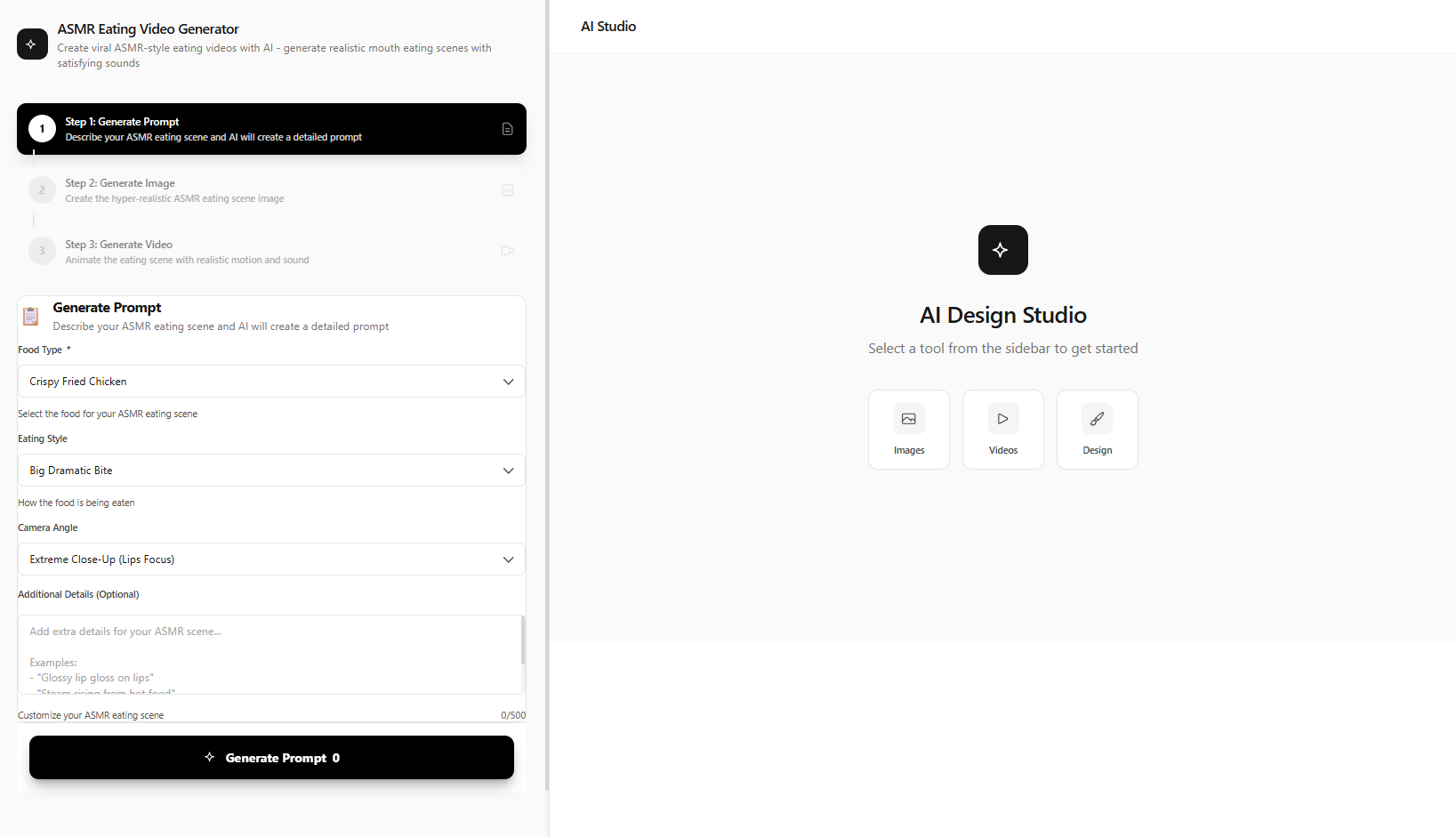
Generate Your ASMR Prompt
Go to /viral/asmr-eating-video-generator. Describe your ASMR eating scene — food type, setting, style. Click "Generate Prompt" — the AI creates an optimized ASMR prompt.
Example:
"Close-up of hands picking up crispy fried chicken, crunching sound, warm lighting, wooden table, aesthetic food arrangement"
Generate the ASMR Image
Review and edit the generated prompt. Click "Generate Image" — the AI creates a photorealistic ASMR scene with perfect food styling, lighting, and composition.
Generate the ASMR Video
Click "Generate ASMR Video" — the AI animates the image with realistic motion. Hands picking up food, chewing, crunching — with synchronized sounds. Download and post.
Method 2: Custom ASMR with Video Generation
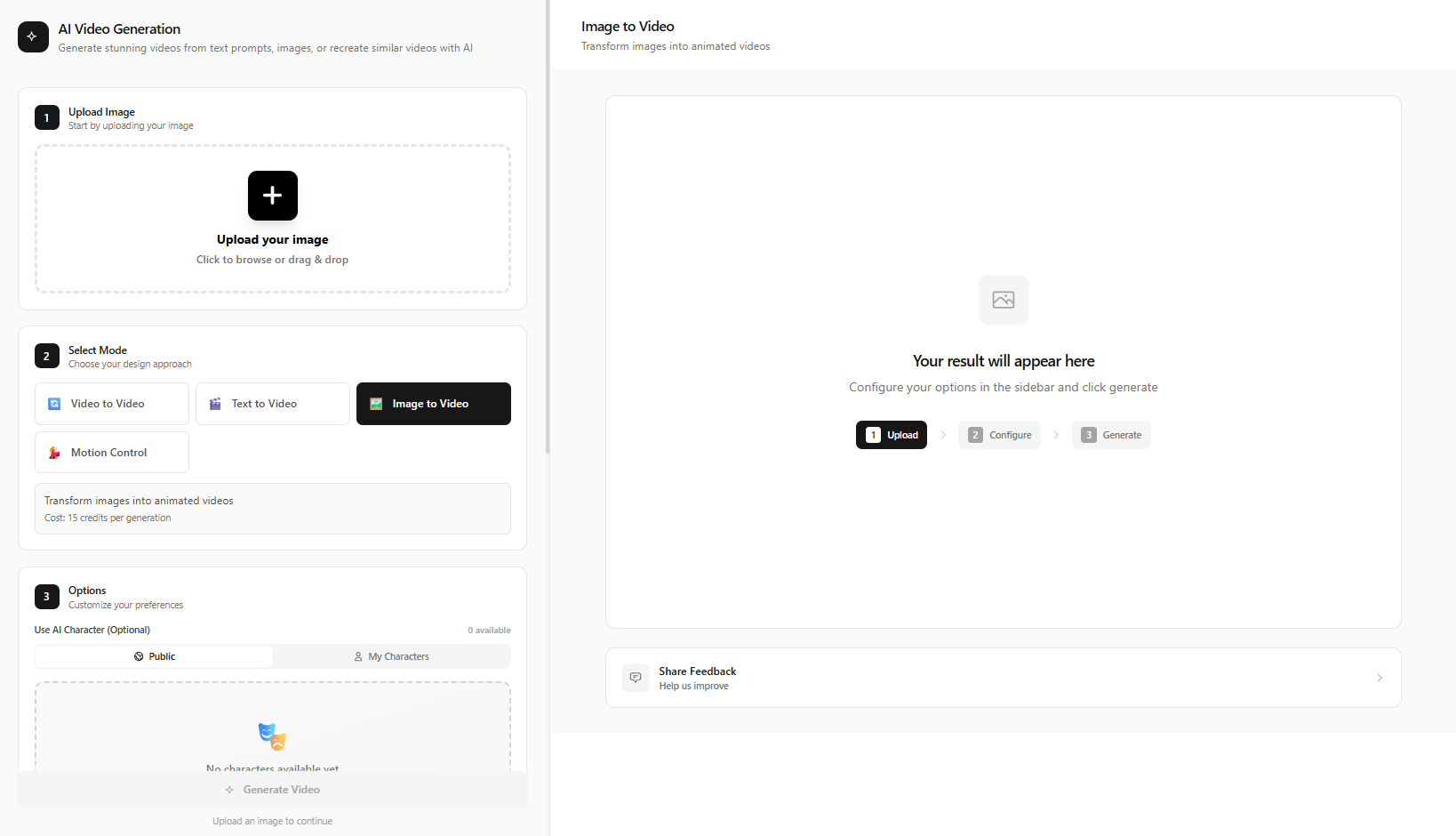
For tapping, crinkling, slime, or other non-food triggers, use /video-generation. Select Text to Video mode. Write detailed ASMR prompts. Click "Generate Video". This flexibility is ideal for creators who want to test multiple niches or create unique trigger combinations.
"Close-up of delicate hands tapping rhythmically on different surfaces — glass, wood, leather — soft ambient lighting, quiet room, ASMR style"
"Overhead shot of someone slicing through a crispy loaf of bread, satisfying crunching sounds, rustic kitchen, warm golden light"
"Gentle hands crinkling tissue paper slowly, close-up shot, minimal background, soft white lighting, relaxation video"
Method 3: Food Video Tool for Mukbang
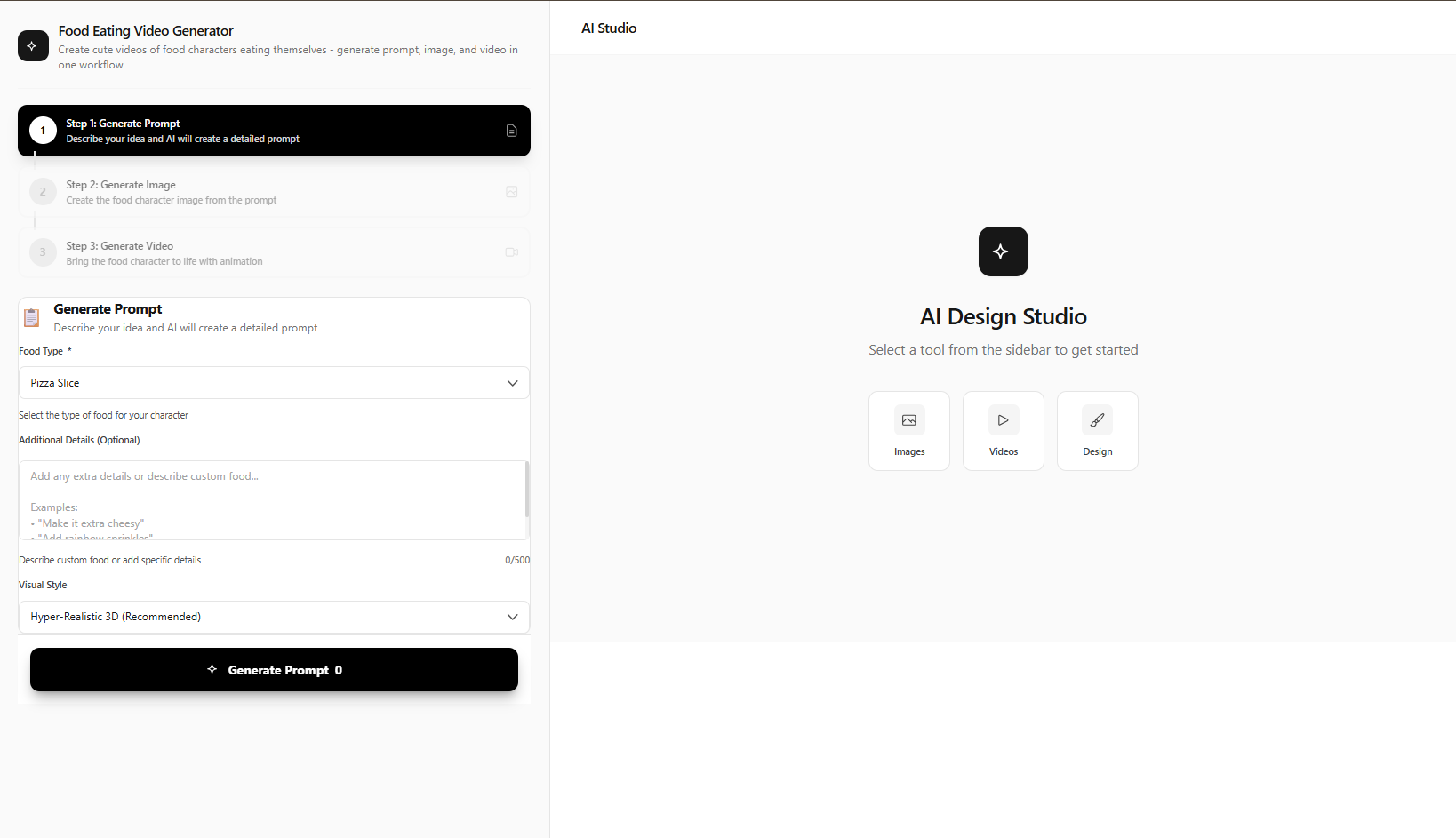
Go to /viral/food-video-generator. Same 3-step workflow: "Generate Prompt" → "Generate Image" → "Generate Video". Optimized for food content, perfect for mukbang ASMR and recipe videos.
The Food Video Generator is similar to the ASMR Eating Video tool but positioned for broader food content — mukbang, cooking demos, recipe reveals. If your ASMR niche is strictly eating and satisfying food sounds, either tool works. Use the Food Video tool when you want more variety in food types or when producing non-ASMR food content alongside your ASMR channel.
Both tools use the same interface pattern: describe your scene, get an optimized prompt, generate the image, then animate it. The AI is tuned for food aesthetics — appetizing lighting, satisfying textures, and clean composition. Start with the ASMR Eating Video tool for relaxation-focused content; switch to Food Video for recipe or mukbang variety.
Monetization: How ASMR Creators Earn $10K+/Month
Top ASMR creators monetize through multiple streams: YouTube ad revenue (the relaxation niche commands high CPMs; longer watch time equals higher revenue), Patreon and membership content (exclusive triggers, custom requests, early access), and brand partnerships (food brands, wellness products, sleep aids, mattresses). Sponsored ASMR is a growing category. AI ASMR reduces production cost to near zero while maintaining quality — scale output and test niches without equipment investment.
Why AI ASMR Beats Traditional Production
Traditional ASMR requires specialized equipment: binaural microphones ($200–$1,500), 4K cameras, soft lighting setups, and a quiet recording space. Prop costs add up — food, slime, various textures. Editing can take hours per video. AI ASMR eliminates almost all of that. You pay for generations (or use free credits) and focus on creative direction — prompts, triggers, pacing. Scaling from 1 video per week to 10 becomes feasible without hiring a crew.
Creators who switch to AI report 5–10x output increase with comparable or better audience retention. The key is prompt quality — detailed, trigger-specific prompts consistently outperform generic descriptions. Use this guide as a reference and iterate based on your analytics.
3-Step Workflow Summary
ASMR Eating Video / Food Video: (1) Generate Prompt (2) Generate Image (3) Generate ASMR Video / Generate Video. Video Generation (custom): Text to Video → write prompt → Generate Video. Add ASMR audio in post-production.
Post-Production: Adding ASMR Audio
AI generates the visuals; you control the sound. Many creators record ASMR audio separately — tapping, whispering, eating sounds — for the highest quality. Use a decent microphone (or even a smartphone in a quiet room) and layer the audio over your AI visuals in CapCut, DaVinci Resolve, or Adobe Premiere. Royalty-free ASMR sound libraries are also available if you need filler or ambient layers. Sync key moments (e.g., hand tap, bite) with the visuals for maximum satisfaction. Export in 9:16 for TikTok and Reels, or 16:9 for YouTube — AITwo supports both aspect ratios.
Tips for the Best AI ASMR Content
- 1. Prioritize close-ups — Use "close-up", "extreme close-up", "macro" in prompts. The trigger should fill the frame.
- 2. Soft, warm lighting — "Soft ambient lighting", "warm golden hour", "diffused light".
- 3. Minimal, gentle motion — "Gentle tap", "slow movement" — avoid fast cuts.
- 4. Use the ASMR tool's Generate Prompt — Let the AI optimize for the format.
- 5. Add audio in post — Record or source high-quality ASMR audio.
- 6. Test triggers — Tapping, eating, and crinkling perform best. Experiment with combinations.
Consistency matters — post on a schedule, build a recognizable aesthetic, and engage with your audience. AI gives you the production speed; your creative direction and community building drive long-term growth.
Avoid These Mistakes
- Generic prompts ("ASMR video") — be specific about trigger, lighting, and setting
- Fast or jarring motion — ASMR needs gentle, minimal movement
- Skipping audio — visuals alone underperform; add quality ASMR audio
- Wrong aspect ratio — 9:16 for Shorts/Reels, 16:9 for YouTube
- Ignoring the Generate Prompt step — let the ASMR tool optimize your idea first
Start Creating AI ASMR Content
AITwo's viral tools are designed for trending ASMR formats. Try the ASMR Eating Video tool or Video Generation today.